Join Now
Skip to Main Content
Sam's Club
Sam's Club
All Departments
All Services
Customer reviews for HP DeskJet 4358 Wireless All-in-One Inkjet Printer, 6 Months Free Instant Ink for
HP DeskJet 4358 Wireless All-in-One Inkjet Printer, 6 Months Free Instant Ink
3.7 out of 5 stars
stars
921 ratings428 reviews
  1. 5 stars50% (458)
  2. 4 stars15% (140)
  3. 3 stars10% (95)
  4. 2 stars6% (58)
  5. 1 star18% (170)

Member photos

  • +13 images
Sort by |
Showing 1-10 of 428 reviews
Oct 18, 2026
Reviewer name: Jd blueridge
5 out of 5 stars
5 out of 5 stars review

Verified Purchase

Disappointing with performance

Liked the printing clarity. But purchased to print items for local church angel tree. Cannot print multiples or it starts spooling and I have to shut down and begin again which can take up to 20 minutes. Can only print a single page at a time to avoid this issue.

Review from hp.com
Helpful?497LJOSLB9NB20018316933
Sep 28, 2026
Reviewer name: StereoSteve
4 out of 5 stars
4 out of 5 stars review

Verified Purchase

Printer works extremely well and is quiet. Installation process awful.

Printer is used almost exclusively to accept jobs from 2 mobile phones and two tablets. Device works well and is quiet. Installation using mobile phone started well but had numerous hurdles. Install process does not complete registration. Manual effort to register was ineffective. App still says install incomplete even though device is working.

Review from hp.com
Helpful?497LJOSLB9NB20018316933
Oct 2, 2026
Reviewer name: Cindy
3 out of 5 stars
3 out of 5 stars review

Verified Purchase

Not what I thought I bought

I purchased years ago and excellent hp printer that copied on both sides. This one you can only manually copy both sides. Very disappointed. My husband will do my printing bc I become so upset when wanting 2 copy both sides. The box said it scanned, printed, copied, guess I didn't tag the small print that wasn't there.

Review from hp.com
Helpful?497LJOSLB9NB20018316933
Oct 25, 2026
Reviewer name: ICE
3 out of 5 stars
3 out of 5 stars review

Verified Purchase

HP is Great

its almost 2027. The printers should all be Bluetooth at this point. Not so hard to connect to Wi-Fi. My 4300 series is always looking for device to connect to however the 8700 series no issues. Work when i need it to. I don't like any other manufacturer brand. But just make them smarter going forward.

Review from hp.com
Helpful?497LJOSLB9NB20018316933
Oct 22, 2026
Reviewer name: Second Thoughts VA
3 out of 5 stars
3 out of 5 stars review

Verified Purchase

You Get What You Pay For

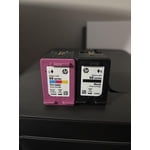
I bought this as a replacement for a previous HP printer with which I was perfectly happy until it started dying. This 4355 went on sale and I pulled the trigger. I should say a couple of things right up front: - It's printing fine. If what you want or need is a basic printer, you will do fine with this one. - I'm no geek. What ever problems I have run into would probably not be issues for others. That said: - It took a while to set up. I kept running into problems where it didn't react as I thought it was supposed to but I persevered and finally got it going. (fingers crossed that something doesn't pop up that I caused during my setup process) - This printer does not support automatic two-sided printing. Of course you can remove side one and turn it over to print the back side, but frankly if I had read the description carefully, and noted the absence of any specification for two-sided printing, I would not have bought this printer. It's that important to me. - I'm going to get used to it, but I find removing and inserting the ink cartridges awkward and unintuitive. Smaller hands would help. I'll keep using this printer until it dies, which might not be too long since it seems to be flimsily constructed from thin plastic.

Review from hp.com
Helpful?497LJOSLB9NB20018316933
Sep 4, 2026
Reviewer name: Clp17
1 out of 5 stars
1 out of 5 stars review

Verified Purchase

Never again!

I have had this printer since May. It has been issues every time I try to use it. Doesn't print but says printing. It needs a driver when I don't understand because I uploaded it when I got it no issue. I have had to reinstall it more times that I should have too.

Review from hp.com
Helpful?497LJOSLB9NB20018316933
Oct 15, 2026
Reviewer name: PhilsE90M3
1 out of 5 stars
1 out of 5 stars review

Verified Purchase

Horrible

Extremely difficult to set up and print from. I should have known better than to buy another HP product. Issues connecting to laptop to print. Constant errors when trying to print from my phone.

Review from hp.com
Helpful?497LJOSLB9NB20018316933
Oct 6, 2026
Reviewer name: Disappointing at best!
1 out of 5 stars
1 out of 5 stars review

Verified Purchase

Not impressed at all.

The set up has been time consuming. Trying to get the dang thing to print. Then when I finally get it to print my black ink is running out in less than a month from buynig it and I was not able to print some important documents. I have been a lifelong Canon printer customer and decided to give HP a try. I am very disappointed in this product.

Review from hp.com
Helpful?497LJOSLB9NB20018316933
Oct 3, 2026
Reviewer name: Tony
1 out of 5 stars
1 out of 5 stars review

Verified Purchase

Fickle machine

I like it being wireless. Unclutters my desk. However, it was very difficult to link up to my computer ( bought new at same time ) Finally got it working. Then out of the blue it stops printing. Tried everything Google recommended. Would not buy again.

Review from hp.com
Helpful?497LJOSLB9NB20018316933
Sep 4, 2026
Reviewer name: Nic
1 out of 5 stars
1 out of 5 stars review

Verified Purchase

Doesn't print clear

When I print its not clear at all. I have went back and forth with the support team via email because no real number exists. I returned one even and exchanged for the same thinking it was that printer. Same kind does the same thing!! I have had others printer for me the same exact sheet from off my phone with their printer.. clear and perfect. So it is definitely no doubt this printer!! I printed 20 sheets at least and each one is slightly different. Different smudges and different blurry marks in different spots even tho I printed the exact same thing.

Review from hp.com
Helpful?497LJOSLB9NB20018316933