Skip to Main Content
Sams Club
Sams Club
Customer reviews for Epson EcoTank ET-2840 Special Edition All-in-One Inkjet Printer, 2 Bonus Black Ink Bottles for
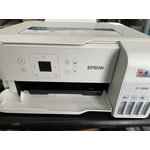
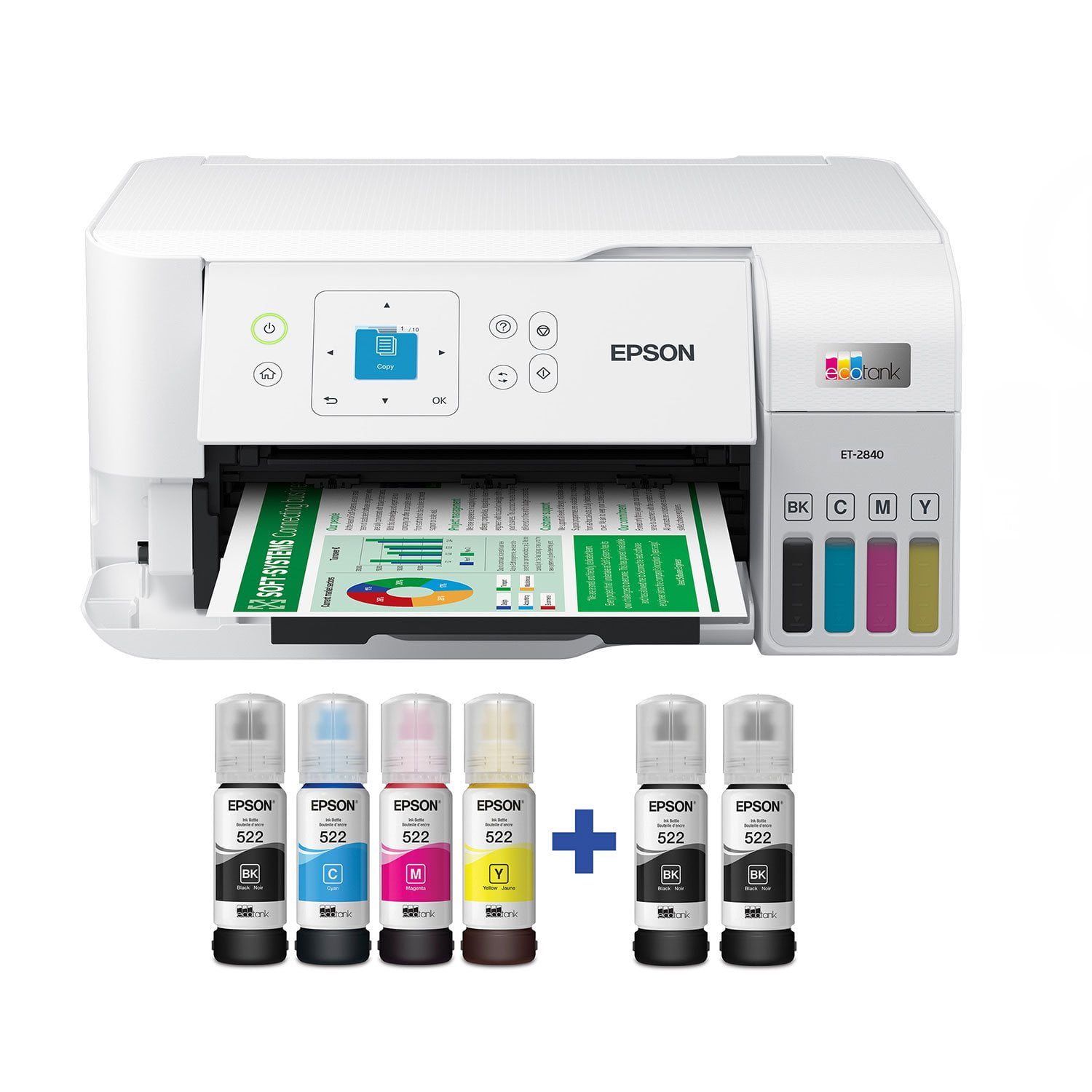
Epson EcoTank ET-2840 Special Edition All-in-One Inkjet Printer, 2 Bonus Black Ink Bottles
4.3 out of 5 stars
stars711 ratings289 reviews
  1. 5 stars69% (489)
  2. 4 stars15% (106)
  3. 3 stars5% (34)
  4. 2 stars4% (25)
  5. 1 star8% (57)

Member photos

Sort by |
Showing 121-130 of 289 reviews
Feb 15, 2025
recherfamily
2 out of 5 stars review

slooowwwwww

This thing is slow to.print. bought it for our business and it is super slow. Now we have to find another. Good quality prints and the ink lasts longer than other, i can say that bit if you are in a time crunch for what your printing this is NOT the printer for you.

Helpful?3AFIX96BI6OX13607208607
Oct 3, 2023
Bob
4 out of 5 stars review

Easy setup, prints well

Ordering online was very easy and shipping was fast. I had no problem at all with the setup using the app. It connected easily to my networked phones and computer. Everything was very straightforward. Filling the ink was very simple and clean. A small amount of ink was left in each bottle but after it completed the priming function there was room to pour that in, so no waste or storing the bottles was required. I deducted one star because when I registered the printer, the warranty dates were way off. I contacted tech support, and after supplying them with all of the documents that they requested they said that the dates had been corrected in their system but it would not show correctly on my account page. That makes no sense to me but I had bought the extended warranty so they can fight it out if necessary. One other negative note is the control screen is very tiny (a little larger than a postage stamp) and very hard to read. Aside from the warranty weirdness, I love the printer and how efficient it is with print quality and ink usage. It also scans and copies very well.

Helpful?3AFIX96BI6OX13607208607
Aug 18, 2024
Henry307
4 out of 5 stars review

The ET 2840

I have a Chromebook computer and a Pixel phone. It has been a nightmare to find a printer that actual works. I have returned three different named laptops as they did not work. I was determined to find one that did. I went to Sams and took pictures of the boxes and price. Got the ET 2840 and it works with Chromebox. Suggestions: * Use the Chromebox listing of printers that work. Be aware that many of those printers are no longer sold. * Use your phone to set up. Far easier than entering your information. * Everything sets up perfectly until you have to choose your system, either Microsoft or Apple. Right, there is no Chromebox mentioned, even though Google shows it is compatible. You have to search the page for Chrome. * Almost everything works (my phone, my chromebook) via wi fi. * The problem is that my wife's pixel phone does not connect and there is no information printed to fix. * Yes, I could call the Epson call center, but that oftentimes does not work. They either never heard of Chromebooks, or don't have a clue how to fix, or worst (they are aware of the problem, but don't know when that information will be made available, and no there is no system to contact you with the right information). I really wish that Epson could be contacted with a problem, and there would be a prompt response. * On the good side, the built-in scanner is wonderful. The color printing is very good (I printed several pix using Photo card stock), and it's easy to use. * I chose the ET 2840 as it has a back paper feeder, so that I can also print card stock. I don't mind printing one page, or multiple pages (printing odd pages first), then turning over and upside down to print even number pages. Have used that method many times and the printing takes less time than a front load automatic two page printing. * Finally don't make the mistake of using non-Epson inks. Sure the price is higher than your local online stores, but the colors are bright, and your printer won't shut down. * Could not give it five stars as the help center is slow to return information, and you have to work through several helpers before finding one who understands the problem. * For me, the ET 2840 is a great printer, especially if you own Chromebook and Pixel phones.

Helpful?3AFIX96BI6OX13607208607
Jun 8, 2023
Heather Mac
1 out of 5 stars review

no ink on paper

I had my college age son set this up - he never tested it - by the time I got around to needing it it didn’t work & it’s too late to return. Tried all the online fixes. Literally no ink at all on test sheets - goes through the motions- zip! Help!!! Too late to take back

Helpful?3AFIX96BI6OX13607208607
Aug 2, 2023
julie
1 out of 5 stars review

Worst printer I've ever owned

This printer does not print vibrant colors, it maxes out at a dull kind of washed out looking color. I've gone through all the troubleshooting and nothing fixes it. Any blue only gets to a medium-light color, no darker. I've owned cannon and HP printers before and never had an issue like this. Black print is fine but color is not.

Helpful?3AFIX96BI6OX13607208607
Aug 27, 2024
Ms Verow
3 out of 5 stars review

Verified Purchase

Setting up the printer is not an easy task.;

Not a Fan

Helpful?3AFIX96BI6OX13607208607
Feb 15, 2025
Teach2025
2 out of 5 stars review

Constant Issues

The printer has to be reset almost every print. It will tell you that it is the wrong paper every time, although it is the correct paper. You have to go through several steps to force it to print. The ink goes between bleeding, and not being there. I gave to clean the heads and reset any time I the prints to be semi presentable.

Helpful?3AFIX96BI6OX13607208607
Apr 16, 2023
Twinmama
1 out of 5 stars review

Mac can not download the printer driver

I tried to download but I could not. Then I called support center and they said that “ our specialist will call you”, but no one call back to me from Epson so far. I will return it and will chose different companies one. I do not recommend for Mac user.

Helpful?3AFIX96BI6OX13607208607
Dec 22, 2023
tecsucks1234
3 out of 5 stars review

Good when it is connected to the WiFi

Beware that when you buy this printer. Be ready to type in your Wifi password at a minimum of 1,000 times. As you will type it in correctly and it will tell you that it is "set up" but it is NOT. You will go to print something using the WiFi connection and it wouldn't be actually connected to the WiFi. So you will repeat this step another 999 more times. Then every time you need to update...you can start over with that WiFi set up again. GRRRRRRRRRR....

Helpful?3AFIX96BI6OX13607208607
Aug 29, 2024
MtnMike
3 out of 5 stars review

Keep looking

Not impressed. I bought this a week ago to serve as a part time backup printer for those times I want to get some work done from the lake house. First, I want to say it does work as advertised. But there are at least 3 drawbacks I have already encountered. 1. The information screen is postage stamp tiny; unreadable without using reading glasses from 6" and an additional light source. 2. It can only copy 1 page at a time; If you have a 3 page document, you have to feed each page in separately. 3. It does not print two-sided. Again, it is a functional printer - but barely.

Helpful?3AFIX96BI6OX13607208607