Skip to Main Content
Sam's Club
Sam's Club
All Departments
All Services
Customer reviews for SAMSUNG 65" Class CU7000-Series Crystal UHD 4K Smart TV with HDR - UN65CU7000DXZA for
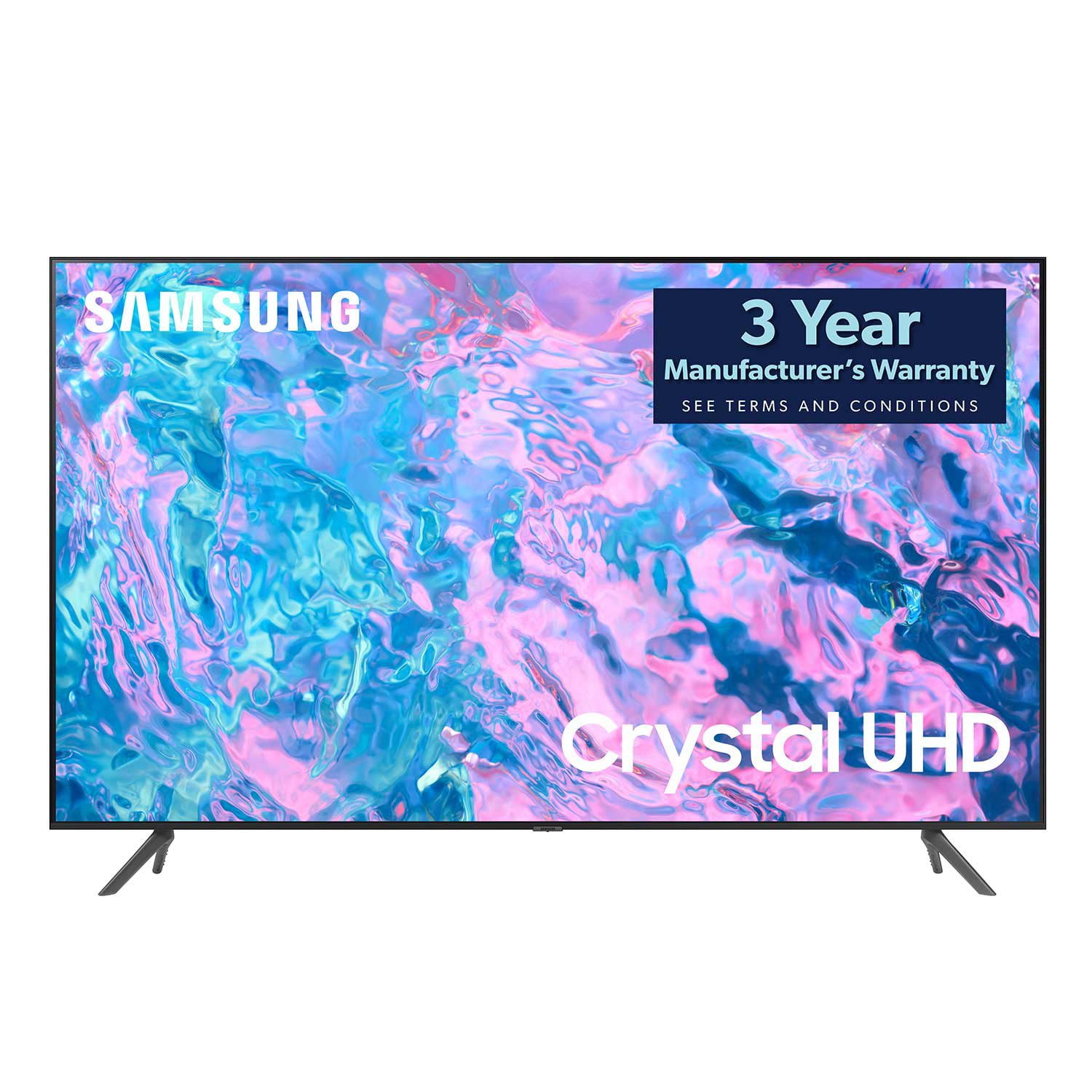
SAMSUNG 65" Class CU7000-Series Crystal UHD 4K Smart TV with HDR - UN65CU7000DXZA
4.6 out of 5 stars
stars
1,820 ratings1,412 reviews
  1. 5 stars74% (1,339)
  2. 4 stars17% (309)
  3. 3 stars4% (76)
  4. 2 stars2% (29)
  5. 1 star4% (67)

Member photos

  • +319 images
Sort by |
Showing 601-610 of 1,412 reviews
May 1, 2023
SyedTV85
5 out of 5 stars review

The product has a great feature and other function

[This review was collected as part of a promotion.] I like this Samsung TV because it's covers all my requirements and I can watch everything. It's so friendly user and a great product by Samsung. It has all the applications that what we need in order to get watch and feel good.

Review from Samsung US
Helpful?6RZZK6GIRBUS13960862018
Jul 16, 2023
WastedW
3 out of 5 stars review

Not recommended

Bought this a few weeks ago to replace my Samsung Q60. This is certainly a down grade but I can't afford similar quality because I can't keep replacing TVs if my son is going to keep breaking them. Picture sucks because the light comes from the side and not the whole screen (array). What bugs me the most is that this tv seems to mute when a commercial comes on but flickers on and off when the show starts and then keeps on mute for some reason. Not a good downgrade

Review from Samsung US
Helpful?6RZZK6GIRBUS13960862018
reply from Samsung Brand Ambassador

Hi there, Thank you for your feedback on the CU7000 TV. Please know we are here to help. If you are noticing the volume changing when the content on your TV changes, then this is most likely due to a feature called Adaptive Sound. Adaptive Sound automatically adjusts to a specific volume level while watching TV. The TV analyzes your volume usage history by time period to automatically adjust the volume when you use an app or switch to an external input source. To disable this feature, go to Settings> All Settings> Sound> Sound Mode> Adaptive Sound. If you continue to have issues, please call us at 1-800-SAMSUNG, 8 AM - 12 AM EST, seven days a week. LiveChat with an agent, as well as manuals, software, and warranty info, can be found at the ‘Support’ link on our Samsung website. ~ Samsung Advisor

Jul 5, 2023
Kaybreann
5 out of 5 stars review

Best Family Purchase

[This review was collected as part of a promotion.] It was time to upgrade our TV and we went with a Samsung Crystal UHD TV it was the best decision we made to go with this brand of TV. Our family is very big into movies and TV shows so it was important to have great picture quality and that's exactly what we got since it has an ultrafast processor that turns the picture into 4K. The picture is so crisp and vivid with the HDR that it's incredible. My husband also plays all his games on this tv and it runs so smoothly for him. This is the first time he has never complained about a tv not being able to keep up with his gaming, he loves it. Another cool feature is that am I able to control the TV straight from my phone with an app. I can set the tv to turn on at 8am when the kid gets up for cartoons and I don't have to worry about getting it going, I can go straight to getting breakfast made. This TV has made our lives easier and brought us together as a family. I cannot believe it. It is the best purchase we made as a family.

Review from Samsung US
Helpful?6RZZK6GIRBUS13960862018
May 31, 2023
MuzTV123
5 out of 5 stars review

Amazing picture quality, loyal samsung customers

[This review was collected as part of a promotion.] Streaming, easy to use and a pleasure to operate and understand options. We purchased a Samsung sound bar and audio synced up perfectly with picture. Again, amazing picture. Easy to assemble and maneuver into place.

Review from Samsung US
Helpful?6RZZK6GIRBUS13960862018
Oct 17, 2023
DarthSushi645
5 out of 5 stars review

Has good mid-level features.

[This review was collected as part of a promotion.] I use it mostly for gaming and streaming. I've been really impressed by the clarity. May only be 60hz refresh, but it hasn't disapointed me yet. When we stream Netflix or any other service it's snappy and loads fast when switching between apps and game console. Overall pretty solid.

Review from Samsung US
Helpful?6RZZK6GIRBUS13960862018
Jun 4, 2023
ManCaveTV
4 out of 5 stars review

Great upgrade for a TV

[This review was collected as part of a promotion.] I use the TV for streaming movies, gaming, and watching the preset channels (which was a nice incentive). I bought the TV in March of 2023 and use it every day. The picture clarity is nice, the controls are user friendly, setup was easy, and I enjoy the TV. For the price I spent, I wish I bought more (1 for each room).

Review from Samsung US
Helpful?6RZZK6GIRBUS13960862018
Oct 18, 2023
Gomm007
5 out of 5 stars review

Great TV for Samsung quality and price!

[This review was collected as part of a promotion.] Awesome for movie night and Sunday sports day.. The color and sharpness is excellent. The Apps are easy to navigate especially with the remote. I've always owned Samsung Electronics, they are the best.

Review from Samsung US
Helpful?6RZZK6GIRBUS13960862018
Jul 8, 2023
Highly
5 out of 5 stars review

Great Picture and Sound

[This review was collected as part of a promotion.] Worth every penny. I won't buy another brand Samsung has the best picture and sound quality in my opinion. Every room in the house has a Samsung tv ranging from a 50-70 inch. I won't buy anything else

Review from Samsung US
Helpful?6RZZK6GIRBUS13960862018
Jan 7, 2024
MEEKO
3 out of 5 stars review

AWESOME PICTURE, SOUND QUALITY NOT SO GOOD

THE PICTURE IS AWSOME BUT THE SOUND QUALITY IS NOT. I WILL HAVE TO BUY A SOUND BAR SO I CAN HEAR IT. THERE IS ONLY 3 HDMI PORTS. HAVING MORE WOULD BE HELPFUL. THERE IS NO PLACE TO CONNECT MY SONY HEADPHONES TO SO THATS WHY I HAVE TO BUY A SOUND BAR THAT WILL CONNECT THROUGH WIFI. SAMSUNG SHOULD ALSO INFORM YOU AS TO WHAT SOUND BAR IS BEST FOR EACH MODLE TV.

Review from Samsung US
Helpful?6RZZK6GIRBUS13960862018
reply from Samsung Specialist

MEEKO, Thank you for purchasing Samsung's CU7000D TV and for your feedback on the sound. To ensure you’ve got the latest sound quality updates, please confirm that your TV is up to date with the latest firmware version. You can check by going to: Home > Menu > Settings > Support > Software Update. If the sound is still not to your liking after updating firmware, there are several sound settings you can adjust to suit your personal preferences. • Sound Modes may better meet your personal preferences. Go to: Menu > Settings > All Settings > Sound > Sound Mode, or Expert Settings to fine-tune and customize your sound. • Adaptive Sound will also further optimize sound quality by analyzing the viewing space and the acoustic components of the content. Go to: Menu > Settings > All Settings > General & Privacy > Intelligent Mode Settings. Should you choose to add a Samsung Soundbar to your TV, please know that our Q-Series Soundbars (such as the HW-Q600C) feature Q-Symphony which will synchronize with the speakers of your TV for an immersive 3D sound experience. To assist you with possible sound settings adjustments for a better audio experience or choosing a Samsung Soundbar to complement your viewing enjoyment, please reach out to us at 1-800-SAMSUNG, 8 AM - 12 AM EST, seven days a week. ~ Samsung Specialist

Aug 13, 2023
Zopigrafy
5 out of 5 stars review

A good Product for a Good Price! Samsung's 👑

[This review was collected as part of a promotion.] I use it for many things but more for videogames and homework like a monitor, if i can say something bad, well, i can't do it because there's nothing wrong about this TV, the colors, the sound( OMG), and the UI, everything is very different and good in comparison with other companies model's

Review from Samsung US
Helpful?6RZZK6GIRBUS13960862018