Join Now
Skip to Main Content
Sam's Club
Sam's Club
All Departments
All Services
Customer reviews for SAMSUNG 65" Class CU7000-Series Crystal UHD 4K Smart TV with HDR - UN65CU7000DXZA for
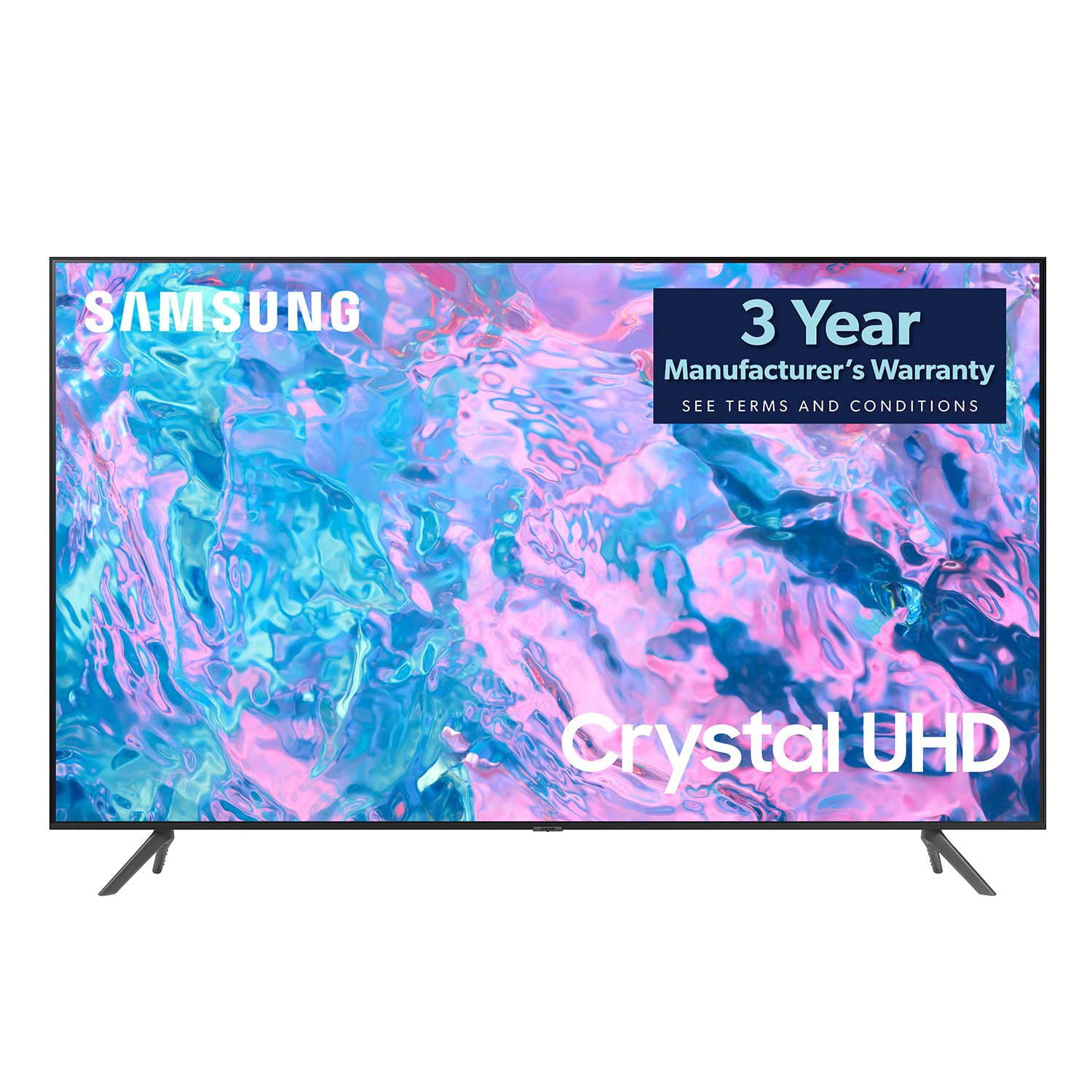
SAMSUNG 65" Class CU7000-Series Crystal UHD 4K Smart TV with HDR - UN65CU7000DXZA
4.6 out of 5 stars
stars
1,823 ratings1,415 reviews
  1. 5 stars74% (1,340)
  2. 4 stars17% (310)
  3. 3 stars4% (77)
  4. 2 stars2% (29)
  5. 1 star4% (67)

Member photos

  • +319 images
Sort by |
Showing 1,401-1,410 of 1,415 reviews
Jun 1, 2024
Reviewer name: Kymeh
5 out of 5 stars
5 out of 5 stars review

best television made

Samsung knows how to make electronics! This is the most user friendly TV i have ever used!

Review from Samsung Canada
Helpful?6RZZK6GIRBUS13960862018
May 31, 2024
Reviewer name: Pam J
4 out of 5 stars
4 out of 5 stars review

Tv

Great picture but the sound on tv could be better.

Review from Samsung Canada
Helpful?6RZZK6GIRBUS13960862018
Sep 28, 2023
Reviewer name: Jerry I
5 out of 5 stars
5 out of 5 stars review

55 inch Samsung tv

The tv as a very clear picture with a awesome sound

Review from Samsung Canada
Helpful?6RZZK6GIRBUS13960862018
May 31, 2024
Reviewer name: Insiderinfo
5 out of 5 stars
5 out of 5 stars review

Great 4k tv for the price

So far so good… still quite new… but enjoying so far

Review from Samsung Canada
Helpful?6RZZK6GIRBUS13960862018
Aug 3, 2023
Reviewer name: Prophatman
3 out of 5 stars
3 out of 5 stars review

Could be better

Beautiful picture but terrible sound. Not loud enough.

Review from Samsung US
Helpful?6RZZK6GIRBUS13960862018
reply from Samsung Brand Ambassador

Hi Prophatman, We appreciate your feedback on the CU7000D TV's picture and sound. There are several volume features you can adjust, which may improve your audio experience. 1) Auto Volume automatically adjusts the sound to a certain level when changing channels or switching to another external input. Go to Settings > All Settings> Sound > Expert Settings > Auto Volume. 2) Adaptive Sound automatically adjusts to a specific volume level while watching TV. The TV analyzes your volume usage history by time period to automatically adjust the volume when you use an app or switch to an external input source. Go to Settings> All Settings> Sound> Sound Mode> Adaptive Sound. 3) Several Sound Modes are likewise available to meet your personal preferences: Home > Settings > All Settings> Sound > Sound Mode Also, some sources have their own volume control, which might need to be set higher. Please check the volume control of the external device (cable box or satellite box, DVD, Blu-ray, etc.) connected to your TV. Also, check the cable connection between an external device and the TV and then try the cable connection again. I hope these tips help you enjoy your new product. You can contact us for further help at 1-800-SAMSUNG, 8 AM - 12 AM EST, seven days a week. Our LiveChat agents are also available by clicking on the ‘Support’ link on our website. ~ Samsung Advisor

Jun 3, 2023
Reviewer name: Duane
5 out of 5 stars
5 out of 5 stars review

Great picture

Bought this tv recently and sincerely happy with it.

Review from Samsung US
Helpful?6RZZK6GIRBUS13960862018
Sep 27, 2023
Reviewer name: Great TV, love it
5 out of 5 stars
5 out of 5 stars review

Great picture

Been using this tv for a couple of months. Picture is great. No issues.

Review from Samsung Canada
Helpful?6RZZK6GIRBUS13960862018
Jan 8, 2024
Reviewer name: Anonymous
5 out of 5 stars
5 out of 5 stars review

large

Happy so far. Has a nice clear picture. I don't want to have to put in more!

Review from Samsung Canada
Helpful?6RZZK6GIRBUS13960862018
reply from Samsung Support Team

Hello, thank you for your 5 star review and feedback. We will pass your comments along to our store staff and hope you visit us again someday soon.

Dec 5, 2023
Reviewer name: Scott Ford
1 out of 5 stars
1 out of 5 stars review

Great Resolution

Gives me pleasure while re-watching my favourite movies in higj-definition.

Review from Samsung Canada
Helpful?6RZZK6GIRBUS13960862018
reply from Samsung Support Team

Hello, thank you for sharing your feedback. At Samsung.ca, we always aim to satisfy our valued customers and would love to help. Please feel free to contact us at 1-800-SAMSUNG or via live chat on our website (http://www.samsung.com/ca/support/) for assistance. Thanks!

Jan 8, 2024
Reviewer name: Maakusi
5 out of 5 stars
5 out of 5 stars review

Great features

Amazing TV. Great product. Sound is great and the picture is clear. Love the smart tv

Review from Samsung Canada
Helpful?6RZZK6GIRBUS13960862018
reply from Samsung Support Team

Hello, thank you for your 5 star review and feedback. We will pass your comments along to our store staff and hope you visit us again someday soon.