Join Now
Skip to Main Content
Sam's Club
Sam's Club
All Departments
All Services
Customer reviews for HP Smart Tank 7002 All-in-One Inkjet Printer, 2 Bonus Black Ink Bottles for
HP Smart Tank 7002 All-in-One Inkjet Printer, 2 Bonus Black Ink Bottles
4.1 out of 5 stars
stars
431 ratings232 reviews
  1. 5 stars64% (277)
  2. 4 stars12% (51)
  3. 3 stars8% (36)
  4. 2 stars3% (13)
  5. 1 star13% (54)

Member photos

  • +1 image
Sort by |
Showing 11-20 of 232 reviews
Sep 4, 2026
Reviewer name: Gene
2 out of 5 stars
2 out of 5 stars review

Verified Purchase

Missing Functionality

I bought the HP 7001 to replace my HP Envy 6255. The 6255 worked fine but I was spending way too much each year for ink. Unfortunately, the functionality of the 7100 leaves a lot to be desired. It will not print envelopes correctly, no matter what I try. I'm using the same Word document I used with the 6255 but the 7100 simply won't print the envelopes correctly. Copying a paper document is a real pain because when I lay the document on the glass and press the copy button, the 7100 totally crashes. Every button on the unit lights up and the LCD display shows everything it can display but all at the same time. The only remedy is to unplug the unit and then plug it back in to force a hard reset. Only then can you make a copy. In summary, the old 6255 worked perfectly but ink costs were too high. The 7100 reduces ink cost but has much less functionality.

Review from hp.com
Helpful?2UEFTCACXTF913927409268
Sep 8, 2026
Reviewer name: Jess S.
5 out of 5 stars
5 out of 5 stars review

Verified Purchase

Easy Setup, No Mess, Great for Different Paper Sizes

I was a little nervous about dealing with the ink bottles, but setup was honestly so easy and not messy at all. I’ve been really happy with the printer so far. Everything was simple to get up and running, and I really like the HP app and how intuitive it is to use. I also print on a lot of smaller paper sizes, especially 4x6 and 5x7 cards, as well as 5x7 photo paper, and it’s all been really easy to figure out and switch between. Overall, it’s been super user-friendly and has handled everything I’ve wanted to print without any hassle.

Review from hp.com
Helpful?2UEFTCACXTF913927409268
Sep 7, 2026
Reviewer name: edhorton
5 out of 5 stars
5 out of 5 stars review

Verified Purchase

Great printer

This is a nice, compact printer that uses ink tanks rather than the low yield ink cartridges. Initial setup was easy with the provided ink and just as easy to get it on my network for printing. This is a low cost printer, but high quality. It gets the job done.

Review from hp.com
Helpful?2UEFTCACXTF913927409268
Sep 9, 2026
Reviewer name: Mike B
3 out of 5 stars
3 out of 5 stars review

Verified Purchase

Great Printer

This is a great printer that has many features. Because it has tanks to hold the ink the ink lasts a really long time. However, when the drip pads get saturated in the bottom of the printer it stops working. And it is very hard to get to to clean or replace the catch pads. Most printer repair companies in my area (Honolulu) refused to do it because it takes so long and costly it is more feasible to just buy another printer.

Review from hp.com
Helpful?2UEFTCACXTF913927409268
Sep 7, 2026
Reviewer name: KC
4 out of 5 stars
4 out of 5 stars review

Verified Purchase

Great printer so far

Connecting to my home network was a bit challenging. I had to reboot the router several time before the connection was made. Otherwise, setup went great. Printer works well with apple devices including iphone, ipad and imac. Paper tray holds more paper than most printers in this size and price range. Double sided printing works well. I have not printed photos yet, but text documents look great. Very happy with this printer so far.

Review from hp.com
Helpful?2UEFTCACXTF913927409268
Sep 7, 2026
Reviewer name: highlighter smudges ink
2 out of 5 stars
2 out of 5 stars review

Verified Purchase

Nice printer…just can’t use highlighter

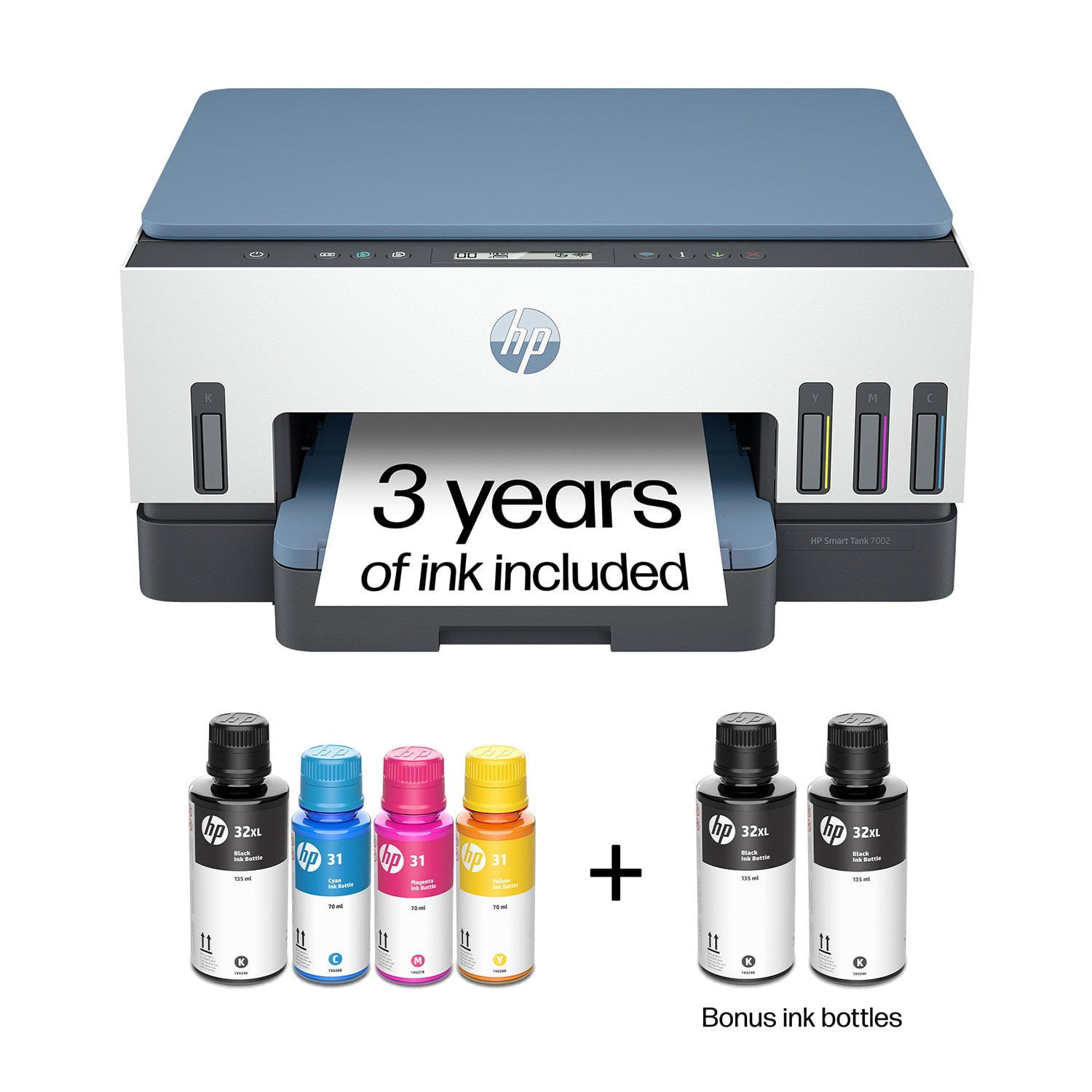
I basically like printer. It’s responsive. Prints well. Came with 3 black ink, 1 of each color. Even when printing most docs , I’m not sure 3 years of ink is realistic. Printer preset to be in color. Have to keep changing and sometimes forget…using colors when not necessary. Also, I’m really disappointed that I can’t use a highlighter on printed copies because they smudge.

Review from hp.com
Helpful?2UEFTCACXTF913927409268
Aug 26, 2026
Reviewer name: Anonymous
5 out of 5 stars
5 out of 5 stars review

Verified Purchase

Reliable Printer

My old HP printer was giving me problems, likely due to system upgrades and the fact that it was getting old! I decided to try an ink tank printer and the HP Bot suggested this one. My husband and I set it up. It took very little time although we had to use the electrical cord from our old printer in order to plug it in. The new one wouldn't go into the port on the printer. After solving that dilemma, the rest was easy. I have had no trouble with it since. It does double sided printing beautifully and print quality is excellent.

Review from hp.com
Helpful?2UEFTCACXTF913927409268
Dec 15, 2023
Reviewer name: Pete W
1 out of 5 stars
1 out of 5 stars review

Worst new printer ever - ink smudges everywhere.
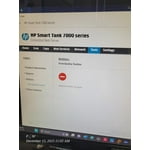
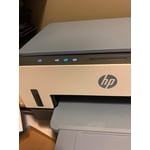
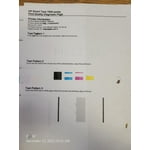
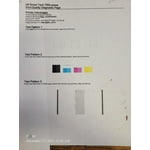
I am returning mine and HOPE that the replacement is not as bad as this one. I have not had a single page print cleanly - there is always a smudge somewhere or a line of text that looks smeared. I've tried different types of paper and nothing helps. I got this printer 8 days ago and I have printed LITERALLY 49 pages so far, with about 39 of them being "test pages," "alignment sheets," and "Print quality diagnostic pages." The printer tries to scan the alignment page but that fails because the printout quality is so poor. I'll update this review once my replacement arrives. See images of print quality.

Helpful?2UEFTCACXTF913927409268
Sep 6, 2026
Reviewer name: Mynabird
3 out of 5 stars
3 out of 5 stars review

Verified Purchase

Complicated Setup

The instruction book was not helpful. Didn’t provide enough detail on making multiple copies, sending faxes, sizing and darkening or lightening copies. Setup was much more complicated than any previous printer I’ve owned.

Review from hp.com
Helpful?2UEFTCACXTF913927409268
Sep 7, 2026
Reviewer name: BikeHappy
5 out of 5 stars
5 out of 5 stars review

Verified Purchase

HP Printer

I'm really happy with the performance of my HP Smart Tank all in one printer. It stays on and I can print documents without having to turn on the printer.

Review from hp.com
Helpful?2UEFTCACXTF913927409268