Skip to Main Content
Sam's Club
Sam's Club
All Departments
All Services
Customer reviews for HP Smart Tank 7002 All-in-One Inkjet Printer, 2 Bonus Black Ink Bottles for
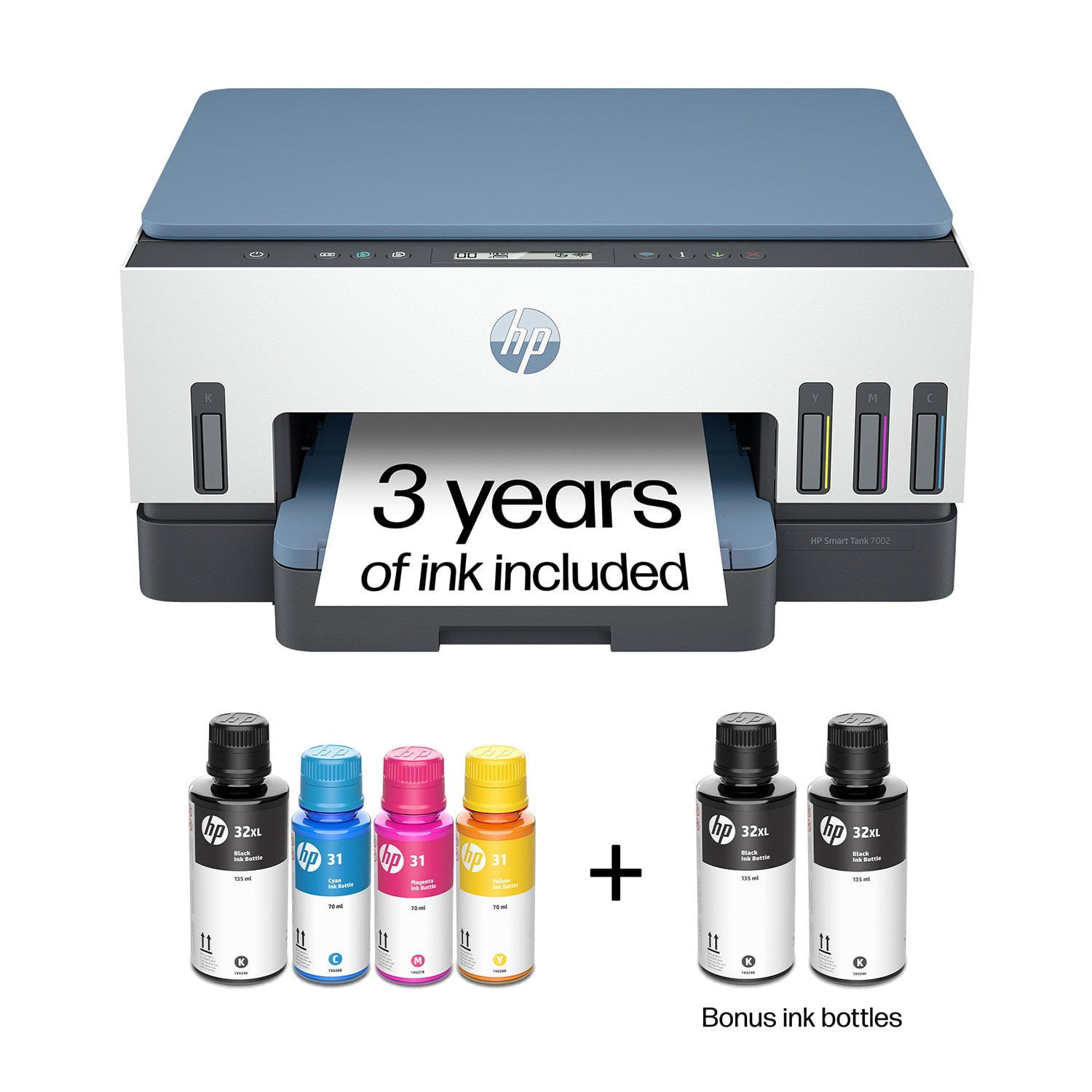
HP Smart Tank 7002 All-in-One Inkjet Printer, 2 Bonus Black Ink Bottles
4.1 out of 5 stars
stars
428 ratings231 reviews
  1. 5 stars64% (275)
  2. 4 stars12% (51)
  3. 3 stars8% (36)
  4. 2 stars3% (13)
  5. 1 star12% (53)

Member photos

  • +1 image
Sort by |
Showing 1-10 of 231 reviews
Mar 23, 2026
Reviewer name: SERGEY
5 out of 5 stars
5 out of 5 stars review

Absolutely amazing Printer. Superb print quality

Don't listen to anyone about connectivity of this printer. The setup was SUPER EASY! Downloaded the app. Connected it to my wifi and the printer was ready to use in minutes. Super simple instructions. Must buy! (and no: neither HP or Sam's club paid me for this review)

Helpful?2UEFTCACXTF913927409268
Mar 4, 2026
Reviewer name: LESLIE
5 out of 5 stars
5 out of 5 stars review

LOVE IT!

My epson home office printer constantly gave me nothing but trouble. Paper jams, ink issues, etc. Decided to make the switch to HP. So glad I did! Set up was quick %26 easy. It's been smooth sailing ever since. No paper jams, no ink quality issues...NO ISSUES. So pleased with this printer.

Helpful?2UEFTCACXTF913927409268
Sep 6, 2026
Reviewer name: Cben
5 out of 5 stars
5 out of 5 stars review

Verified Purchase

Pleasantly surprised .....

I hesitated buying a tank printer because of concerns about print quality. I am not sure where or why that concern developed but it was wrong. I am pleasantly surprised that the print quality is very acceptable for just daily use for personal printing for the household. The next question will be the length of service before there needs to be some kind of cleaning or repair and time will tell.

Review from hp.com
Helpful?2UEFTCACXTF913927409268
Sep 4, 2026
Reviewer name: Rhonda
4 out of 5 stars
4 out of 5 stars review

Verified Purchase

Great Printer!

I love that the set up of my new Hp 7000 was fairly easy. I did stumble a bit as I went along, but I got it done. I love that it prints well and uses less ink that traditional cartridge printers. I am impatient, however, because it seems that I have to always go to Printers and Scanners in my computer, then to the printing preferences for this printer to check the settings, such as portrait or landscape, color, or size of paper, each time before I can print something. I am unable to do that from the print menu when I am trying to print something. This whole process takes extra time. Also, when I open a document on my computer, it seems to take extra time to connect with the printer before I can start creating my document. It's just extra time.

Review from hp.com
Helpful?2UEFTCACXTF913927409268
Sep 7, 2026
Reviewer name: Kris Laws
3 out of 5 stars
3 out of 5 stars review

Verified Purchase

Happy then not.

Setup was easy and printing was great for 30 days then would not print as set up . Kept saying driver was unavailable and would only print on hp smart printing and only after several requests. What is smart printing? W hope it has nothing to do with requiring smart ink deliveries! Not happy at this time!

Review from hp.com
Helpful?2UEFTCACXTF913927409268
Sep 9, 2026
Reviewer name: Margie
3 out of 5 stars
3 out of 5 stars review

Verified Purchase

Good Start Turned Sour

Initial set up went well but had some glitches. Printing from the computer or phone worked, but copying material via the copier only worked sporadically. Recently we had a power outage and no matter what I've tried - granted I'm not a techy, but I printed out the HP directions to reconnect it, followed them, and looked at Youtube videos all to no avail. It's very frustrating.

Review from hp.com
Helpful?2UEFTCACXTF913927409268
Sep 6, 2026
Reviewer name: cindy
3 out of 5 stars
3 out of 5 stars review

Verified Purchase

Not as pleased as I expected

I purchased this to replace a printer I was having trouble connecting to my WIFI. This connects but often makes 2 copies rather than 1, and the only way I can get it to reboot is to unplug it. It won't reboot by pressing the on/off button. It works but requires a bit of extra care to operate it.

Review from hp.com
Helpful?2UEFTCACXTF913927409268
Sep 6, 2026
Reviewer name: JoFlo
3 out of 5 stars
3 out of 5 stars review

Verified Purchase

Where are the Buttons

It was difficult getting it set up to my computers. And the HP agent was getti g frustrated with me because 1. He talked too fast with his accent, 2. I'm used to buttons on my printer that make sense, not a little screen. At least give good instructions/directions in the printer info book. I don't want to have to get online all the time to figure out copy, color, fax, ...

Review from hp.com
Helpful?2UEFTCACXTF913927409268
Sep 17, 2026
Reviewer name: OLLIE
2 out of 5 stars
2 out of 5 stars review

NO DOCUMENT FEEDER

I was excited to get my new tank printer. I did not realize that it does not have a document feeder for copying documents. I spent a couple of hours setting it up only to discover that I could not feed my originals into it to make copies for my files. This printer is too expensive to not be able to do all the functions of an all-in-one printer. I am taking it back. No one has time to stand there feeding a sheet at a time into the printer. This sets us back 12 years in progress. It's cute but not useful.

Helpful?2UEFTCACXTF913927409268
Sep 4, 2026
Reviewer name: Mike E
1 out of 5 stars
1 out of 5 stars review

Verified Purchase

Too slow and not consistently working

This printer is slower than other HP printers that I bought more than 20 years ago. It does work all the time. Often, I have to recycle the power to get it to work. It also does not have a document feeder which should be a standard for any printer. Scanning multiple page documents is painful without a document feeder. All in all, I am disappointed that this printer has an HP name on it. I have been a loyal HP client for many years. I am not sure that I will remain as such.

Review from hp.com
Helpful?2UEFTCACXTF913927409268