Skip to Main Content
Sam's Club
Sam's Club
All Departments
All Services
Customer reviews for HP Smart Tank 7002 All-in-One Inkjet Printer, 2 Bonus Black Ink Bottles for
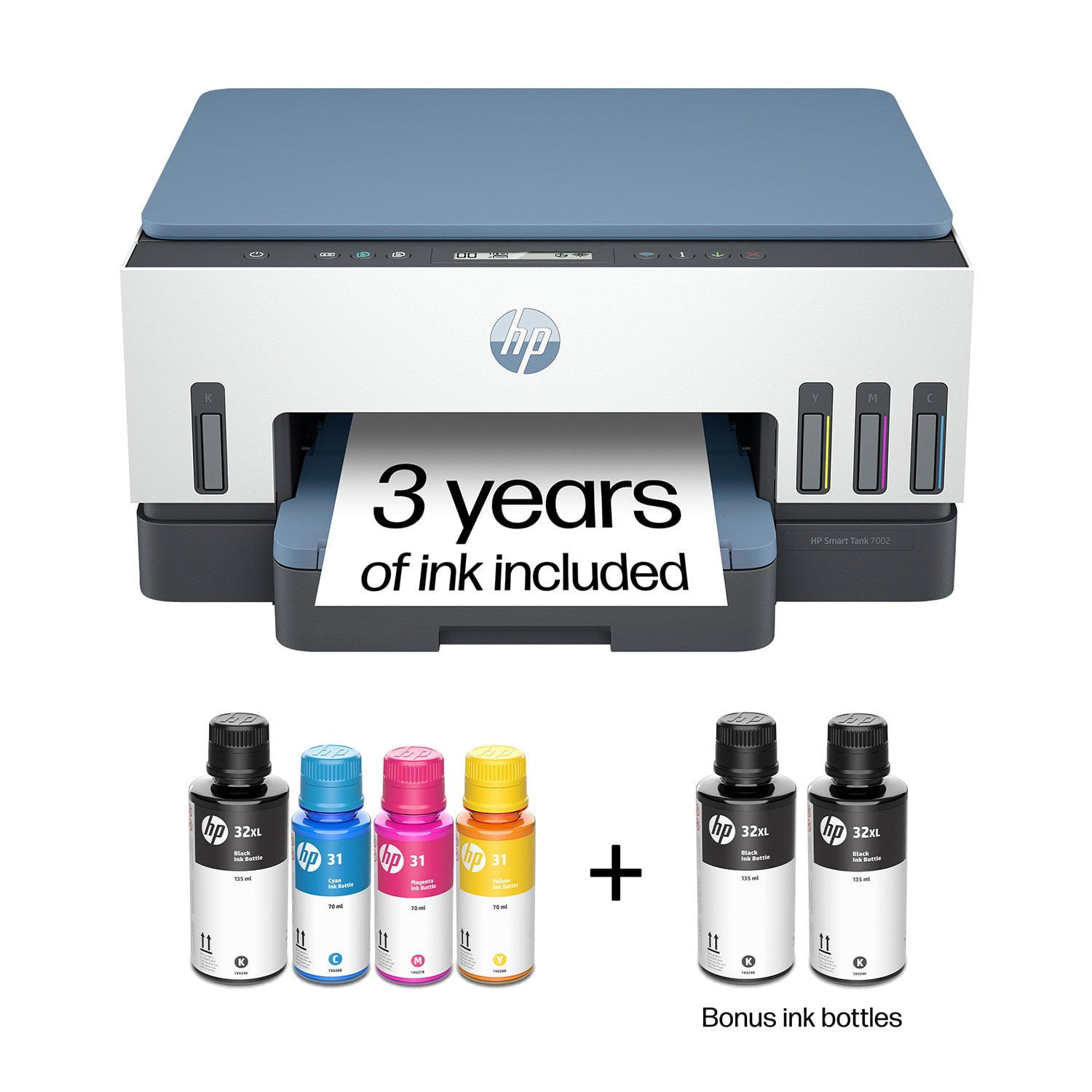
HP Smart Tank 7002 All-in-One Inkjet Printer, 2 Bonus Black Ink Bottles
4.1 out of 5 stars
stars
428 ratings231 reviews
  1. 5 stars64% (275)
  2. 4 stars12% (51)
  3. 3 stars8% (36)
  4. 2 stars3% (13)
  5. 1 star12% (53)

Member photos

  • +1 image
Sort by |
Showing 111-120 of 231 reviews
Dec 2, 2023
Reviewer name: JS
3 out of 5 stars
3 out of 5 stars review

Know before you buy

Recently purchased this product. Disappointed you are advertising a 7002 model and I received the 7000 model. This is deceiving, we should actually know what we are getting before we order. No problems printing so far but I did keep getting an error message trying to set up (trouble connecting) that eventually went away.

Helpful?2UEFTCACXTF913927409268
Mar 7, 2025
Reviewer name: Logan
1 out of 5 stars
1 out of 5 stars review

Don't buy HP

Dont buy HP printers. They now force you to use only HP brand ink. Theres actually a chip inside the printer that wont allow other ink. So you have to pay the exorbitant ink prices, or subscribe to their monthly ink program. Both are money pit rip offs! Beware of HP printers!!!

Helpful?2UEFTCACXTF913927409268
Feb 19, 2025
Reviewer name: rrrbart
1 out of 5 stars
1 out of 5 stars review

Don't waste your money

have had this printer for a year. when i try to print anything, it normally takes a few hours to get it to print if it ever does. I am so done with it! the specifications also said it had a USB port. I cannot find it. Or it probably would have saved me hours of trouble. I cannot get it to copy anything. The only thing this thing does is print out the pg that tells you what the different symbols are for. UGG!

Helpful?2UEFTCACXTF913927409268
Jan 10, 2024
Reviewer name: David
4 out of 5 stars
4 out of 5 stars review

Verified Purchase

New- need time to evaluate further.

I have used an Epson tank printer for the last 3 years, and have become a huge fan of the concept. No more cartridges! (It will take me a while to become familiar with the HP counterpart, but I am confident that I will be happy with the HP in time!

Helpful?2UEFTCACXTF913927409268
Jul 10, 2025
Reviewer name: Grinnie
1 out of 5 stars
1 out of 5 stars review

Has to be reset up for no reason,

This printer requires setting up again from time to time and the instructions are not clear. Just now I cannot go to support with a question because mine has expired. Everytime it has had to be reset, it took me hours. Now I have tried possibly 4 hours,. I have had great service from prior HP products but this is not accepable.

Helpful?2UEFTCACXTF913927409268
Nov 30, 2023
Reviewer name: ZBBMIKE
1 out of 5 stars
1 out of 5 stars review

Connectivity issues. Driver not available online

Haven't been able to connect it to the WifI network. When I hardwire it to the computer via USB it would only print in Black and White. Had high hopes since there were good reviews. Oh Well. Will return and hope Sams honors the Return policy.

Helpful?2UEFTCACXTF913927409268
Mar 25, 2024
Reviewer name: Emma
5 out of 5 stars
5 out of 5 stars review

HP Great Value for the Price

I really love this printer. I replaced the Epson Eco Tank - which turned out to be the worst printer ever (2 different styles - one I returned, the other directly to the trash). HP was easy to set up, easy to print, no paper jams, images are sharp and colorful (best print in color) and I have not had any issues printing via Bluetooth with print jobs initiated on my computer or mobile phone. I love it! HP says it includes 'up to 3 years of ink' - I just need to figure out how I can buy it. Sams does not have this for purchase so I may go directly to HP to purchase.

Helpful?2UEFTCACXTF913927409268
Mar 13, 2025
Reviewer name: LawnRanger
3 out of 5 stars
3 out of 5 stars review

Not a good printer for Legal paper.

I purchased this and found out 8 days after the return period that it doesn't support auto-duplex with legal paper. The box says it has an auto-duplex feature and one of the paper sizes the printer supports is Legal. No where in the manual that came with the printer does it state otherwise. Deceptive advertising. If you try to auto-duplex with legal paper you will see this error in the app on your phone (not on the printer but your phone): "Paper too long to auto-duplex". That is another failure in my opinion. The tiny printer screen doesn't show this message on it. After some digging on HP support site I found this link about paper specifications and it states the auto-duplexer is only for Letter and Executive paper. https://support.hp.com/us-en/document/c07773155#N66569 Also if you just want to printer single sided legal paper, the paper tray on this printer is an after thought. After you feel like your breaking it to slide to fit legal, the paper really doesn't line up well in the tray and the tray doesn't fit back in the printer without it being wobbly. Just not a great fit for legal paper. So back to duplex legal. I tried to manually duplex the legal (making a booklet) and it printed the one side so I loaded the paper back in the tray and printed the other side and it pulled in 5 sheets at the same time all about 1/4" apart. Again the paper doesn't line up in the tray properly. I've been in IT for over 30 years and was HP Laser Jet printer certified way back when they made great products These newer printers are to be thrown away when they have issues and that is a shame that we can't fix them anymore. . As for letter size printing it seems to do OK but not perfect. It's slow printing color. Nothing really any better than the 30 year old InkJets I used in the past except that this one has the larger ink tanks. Hopefully that feature will make this cost less in the long run.

Helpful?2UEFTCACXTF913927409268
Dec 15, 2023
Reviewer name: Pete W
1 out of 5 stars
1 out of 5 stars review

Worst new printer ever - ink smudges everywhere.
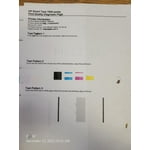
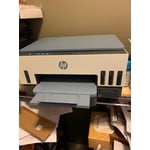
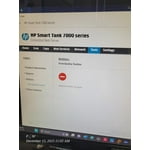
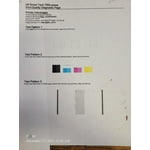
I am returning mine and HOPE that the replacement is not as bad as this one. I have not had a single page print cleanly - there is always a smudge somewhere or a line of text that looks smeared. I've tried different types of paper and nothing helps. I got this printer 8 days ago and I have printed LITERALLY 49 pages so far, with about 39 of them being "test pages," "alignment sheets," and "Print quality diagnostic pages." The printer tries to scan the alignment page but that fails because the printout quality is so poor. I'll update this review once my replacement arrives. See images of print quality.

Helpful?2UEFTCACXTF913927409268
Sep 21, 2024
Reviewer name: HP 7002 Smart Tank
5 out of 5 stars
5 out of 5 stars review

Easy setup took 20-30 min

The printer was super easy to set up and start using. My 12yo assisted and we had no issues. Wasn't sure if filling the ink tanks would be messy- it turned out to be easy. Each bottle empties completely into the tank. I'm not sure how one bottle of blue, pink and yellow will last up to 3 years but it's got to be better than the Epson WorkForce Pro Ink Hog I'm throwing in the trash.

Helpful?2UEFTCACXTF913927409268