Skip to Main Content
Sams Club
Sams Club
Customer reviews for SAMSUNG 60" Class DU7200 Series 4K Smart TV for
SAMSUNG 60" Class DU7200 Series 4K Smart TV
4.2 out of 5 stars
stars1,054 ratings991 reviews
  1. 5 stars61% (641)
  2. 4 stars19% (203)
  3. 3 stars9% (95)
  4. 2 stars5% (55)
  5. 1 star6% (60)
Write a review

Customer photos

  • +155 images
Sort by |
Showing 51-60 of 1,054 reviews
May 20, 2025
Panch
4 out of 5 stars review

Good Electronic Device

We like color and background contrast lighting. Sound is above average for other household tvs. I can not get our Bose sound system to be recognized by this tv, need technical assistance.

Review from Samsung US
Helpful?39HMRPI2C1I113892053645
May 22, 2025
Olderviewer
3 out of 5 stars review

Contrast issues

Pictures quality could be a bit better really have a hard time seeing it if filmed in a dark mode. I can’t adjust the contrast as much as needed. Also it would be helpful if it came with an actual physical manual.

Review from Samsung US
Helpful?39HMRPI2C1I113892053645
reply from Samsung Brand Ambassador

Olderviewer: I’m sorry to hear you’re not fully satisfied with the DU7200 TV’s picture quality. If the image is too dim, try adjusting Picture Mode, Contrast, Brightness, or Sharpness settings. First, let’s ensure you are running the latest Firmware Update. Go to Settings> Support> Software Update. Next, If the colors on your TV are correct but just a little too dark or bright, you can try adjusting Picture Modes, Contrast, Brightness, or Sharpness settings. For darker scenes, I recommend Dynamic Picture Mode, which makes pictures brighter and clearer in bright viewing environments. Go to Settings > All Settings> Picture > Picture Mode > Dynamic. Or you can manually adjust the Brightness by pressing the HOME button on your remote, then navigating to Settings > All Settings> Picture > Expert Settings. You may also want to disable Power Saving Mode, which automatically adjusts the brightness to reduce the TV’s power consumption. Go to Settings > All Settings> General > Eco Solution> Power Saving Mode. I hope this helps to improve your picture. Should you need further assistance, please contact us at 1-800-SAMSUNG, 8 AM - 12 AM EST, seven days a week. Our LiveChat agents are also available by clicking on the ‘Support’ link on our website. - Samsung Ambassador

May 24, 2025
Pete
5 out of 5 stars review

Excellent Television

I enjoy watching television shows on my Samsung 43-inch television. The picture is crystal clear. The television is very easy to operate. It is very user-friendly. I recommend it highly.

Review from Samsung US
Helpful?39HMRPI2C1I113892053645
Jun 5, 2025
Vivian
3 out of 5 stars review

Poor Volume

The picture is excellent but the volume is not. At 100 the volume is like when you have a regular TV at 30. That is the only fault I found on this TV.

Review from Samsung US
Helpful?39HMRPI2C1I113892053645
reply from Samsung Advisor

Hi Vivian, Thank you for sharing your experience with low volume. There are several volume features you can adjust, which may improve your audio experience. 1) Auto Volume automatically adjusts the sound to a certain level when changing channels or switching to another external input. Go to Settings > All Settings> Sound > Expert Settings > Auto Volume. 2) Adaptive Sound automatically adjusts to a specific volume level while watching TV. The TV analyzes your volume usage history by time period to automatically adjust the volume when you use an app or switch to an external input source. Go to Settings> All Settings> Sound> Sound Mode> Adaptive Sound. 3) Several Sound Modes are likewise available to meet your personal preferences: Home > Settings > All Settings> Sound > Sound Mode. Also, some sources have their own volume control, which might need to be set higher. Please check the volume control of the external device (cable box or satellite box, DVD, Blu-ray, etc.) connected to your TV. Also, check the cable connection between an external device and the TV and then try the cable connection again. If you need more help, Samsung is here for you! Please call us at 1-800-SAMSUNG, 8 AM - 12 AM EST, seven days a week. Our LiveChat agents are also available by clicking on the ‘Support’ link on our website. ~Samsung Advisor

May 20, 2025
TJohn129
5 out of 5 stars review

An Excellent Product

You can't go wrong with a Samsung TV. We have one in our family room and we bought one for the wife's mother. I like how you push one button and all your apps are right there.

Review from Samsung US
Helpful?39HMRPI2C1I113892053645
Jun 5, 2025
Dodger Dave
4 out of 5 stars review

Nice Samsung TV

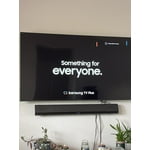
This TV is a good value for the price. Not high end, but a good 4K picture. Works very well with a Samsung sound bar. The only negative is that this smart TV does not have many apps, so I need to use a ROKU for some viewing.

Review from Samsung US
Helpful?39HMRPI2C1I113892053645
Jun 5, 2025
Nikki
3 out of 5 stars review

Annoying announcements.

The only complaint we have is that the tv announces stuff every time we turn on the tv. We cannot figure how to turn off the annoying announcements. These announcements are completely unnecessary.

Review from Samsung US
Helpful?39HMRPI2C1I113892053645
reply from Samsung Brand Ambassador

Nikki: If your TV is announcing everything you do, then Voice Guide is turned on. Voice Guide is an accessibility function to assist users who are visually impaired. It is possible that you have turned it on by accident by holding down the volume button on your TV remote. To turn off Voice Guide, navigate to Home > Settings > All Settings> General > Accessibility > Voice Guide Settings > Voice Guide. If you need more help, Samsung is here for you. Please call us at 1-800-SAMSUNG, 8AM - 12AM EST, 7 days a week. Our LiveChat agents are also available by clicking on the ‘Support’ link on our website. ~ Samsung Ambassador

May 20, 2025
Cat28
4 out of 5 stars review

Sound and the color was so clear very impressed

I was so excited about this tv but after about a month or so ago, the screen keeps turning dark, then returns normal and keeps doing this all day/night

Review from Samsung US
Helpful?39HMRPI2C1I113892053645
Jun 5, 2025
Traci
4 out of 5 stars review

Great picture

I am very happy with my Samsung televisions, we have several in our home. The 2 newest TV's have the updated home which took some getting used to, but ultimately I do like it.

Review from Samsung US
Helpful?39HMRPI2C1I113892053645
May 20, 2025
Double D
5 out of 5 stars review

Great value for quality

This is the tv that we use in our bedroom. It’s a perfect size and the picture is very pleasing to the eye. The colors show a nice contrast. Haven’t had any issues and we’re very pleased overall.

Review from Samsung US
Helpful?39HMRPI2C1I113892053645