
 Customer reviews for SAMSUNG 60" Class DU7200 Series 4K Smart TV for
Member photos


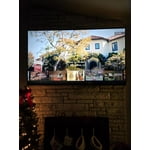
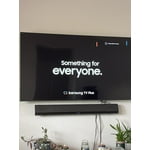

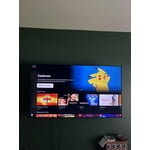 +150 images
Great picture terrible remote.
Great TV, easy to use. But hate the cellular remote! We have 3 tvs at home, 6 at a vacation rental, all Samsung. Only one has the cellular remote and it’s awful! Of course it’s our living room tv the One we use the most. Will not ever buy one that has this remote again!
Somewhat disappointed
I bought this unit based on a previous Samsung 40 inch tv that we purchased some 8 years ago. The picture quality of the old unit was quite a bit better than the new one. 23 steps to the left or right of center and the picture fades considerably. Didn’t have that issue with the old one. But the price was very good.
Hi, Thank you for sharing your thoughts on the picture quality of your DU7200 TV. I have a few recommendations that may improve your visual experience: Go to Home > Settings > All Settings > Picture > Picture Mode and select the mode that best fits your usage: 1) Standard: Default mode suitable for general viewing environments. 2) Natural: Reduces eye strain for a comfortable viewing experience. 3) Movie: Most suitable for watching TV or movies in a dark room. 4) Dynamic: Makes the picture brighter and clearer in bright viewing environments. 5) Filmmaker Mode: You can watch the source content (e.g., movie) as it is. If the image is defined as Filmmaker Mode, it will automatically switch to Filmmaker Mode while watching. You can also go to Settings > All Settings> Picture > Expert Settings > to manually fine-tune your image. If you need more help, Samsung is here for you. Call us at 1-800-SAMSUNG, 8 AM - 12 AM EST, seven days a week. Our LiveChat agents are also available by clicking on the ‘Support’ link on our website. ~ Samsung Advisor
What a struggle!
We bought this tv six weeks ago for my aging father and the setup and controls are crazy. Samsung wants everything to be proprietary which makes it impossible to simplify for a significant senior citizen with less than optimal eyesight and hearing. We are struggling to get it to where he can watch it pretty much on his own and are threatening to return it soon to our place of purchase (Costco).
Hi Planetmiller, Thank you for choosing Samsung for your father. I appreciate your feedback and hope I can provide some tips that will make operating the TV easier for your father. First, to make it easier to see the Menu text on your screen, go to Settings> All Settings> General & Privacy> Accessibility> Zoom Menu and Text. In that same Menu, there are other Accessibility functions available that may make operating the TV more user-friendly as well. Next, you can choose what your TV does when you turn it on by going to Settings > All Settings> General > Smart Features. When you set Autorun Smart Hub to be on, the TV displays the Home Screen automatically when you turn the TV on. If Autorun Last App is set to on, the last used app automatically runs when you turn on the TV. You can turn this function on or off. There are also a few guides available that may make it easier to learn how to use the TV. You can learn how to use your Samsung Remote by going to Home> (left directional button) Settings> Support> Remote Control Guide. To learn about your TV go to https://www.samsung.com/us/support/answer/ANS00062199/. If you ever have questions or need help, Samsung is here for you! Give us a call at 1-800-SAMSUNG, 8 AM - 12 AM EST, seven days a week. Our LiveChat agents are also available by clicking on the ‘Support’ link on our website. Thanks for being a part of the Samsung family! ~ Samsung Advisor
Good Bedroom TV
Have owned this set for about 3-4 months and overall am pleased considering the price, however it will exit the Spectrum App unexpectedly at times. It has been great for the bedroom, but isn’t as fast when doing certain things or opening apps like the Spectrum app as I thought it would be.
Not Happy With New Smart TV
Very disappointed in the performance of this TV. Same refresh rate as the 55' TCL I replaced with this TV, yet it constantly gets blurry before ultimately displaying a clear picture. The remote is terrible, ridiculously small and impossible to read in a darkened room when changing programming. Is there an alternative remote? The home screen is a mess, with so much junk I would never use and again, the layout is too small for a TV this size. I have a ROKU stick plugged into my 45' Samsung plasma in a bedroom that I have had since 2013 and it performs flawlessly. The new set audio is fine with the TCL soundbar, and excellent with the Avantree blue tooth headphones, but the overall performance of the new Samsung is lacking, despite a super high speed internet connection.. I am a television professional and am at a loss at what to do with this new set. Suggestions helpful, as right now I want to return it and try something that performs as advertised.
TVPRO, Thank you for sharing your thoughts on the picture quality of your DU7200D TV. To ensure you’ve got the latest image updates, please confirm that your TV is up to date with the latest firmware version. You can check by going to: Home > Menu > Settings > Support > Software Update. If the picture you’re seeing is still not to your liking after updating firmware, you may want to adjust the picture clarity settings by going to: Menu > Settings > All Settings > Picture > Expert Settings > Picture Clarity Settings - Off: Picture Clarity Settings will always be off - Auto: Picture Clarity Settings will automatically activate and deactivate based on the type of program being watched - Custom: Allows custom adjustments and settings to be used. By selecting the Custom option, you can access these advanced settings for Judder Reduction, LED Clear Motion, and Noise Reduction. To assist in learning the various functions, please know you can download your TV's User Manual, e-Manual, Remote Control Leaflet, and Quick Setup Guide on Samsung's website under Support > Manuals & Software > TVs & Home Theater. You can search for and select the DU7200D TV to download the guides you would like. The e-Manual and Remote Guide are both also embedded into your TV itself under Menu > Settings > Support > Open e-Manual. If you need more help, Samsung is here for you. Please call us at 1-800-SAMSUNG, 8AM - 12AM EST, 7 days a week. Our LiveChat agents are also available by clicking on the ‘Support’ link on our website. ~ Samsung Specialist
Mostly satisfied
Have had my Samsung for a short period. Been satisfied for the most part. Have had a problem with it communicating with an AT&T wireless router. It has decided not to communicate. Then a day later it connects back up. Don’t understand why. Other than that, have enjoyed the TV
Easy Installl & Set Up
It's been three months now and I'm completely satisfied with my purchase,. It's as easy to install and set up. The picture quality is crisp and clean. Only downside is when adding streaming channels it prompts you to save it on home screen, if you miss that, then it doesn't appear until you do a search
average and disappointed
in general we are happy with our new tv although it differs little from our 8 year old Visio in picture quality. The input or settings is hard to find easily. Still hunting for the HDMI choices. The remote is small and fussy with a too fine volume control which often cancels the sound accidentally as both volume and no volume is the same bar/button. as with most tv's the internal speakers are poor. Would not buy again, although too much trouble to return at this point.
Hi Bobcat, Thank you for reaching out to us regarding the issues you are having utilizing your TV. First, please know you can learn how to use your Samsung Remote by going to Home> (left directional button) Settings> Support> Remote Control Guide. Next, to easily find Settings, go to your remote control and press the gear/123 button. To access Sources, go to Home> Settings> Source. If you are not satisfied with the sound on your TV, you can change the Sound Mode by going to Settings > All Settings> Sound > Sound Mode. You can also customize the sound with Expert Settings by going to Settings > All Settings> Sound > Expert Settings. If you need more help, Samsung is here for you! Please call us at 1-800-SAMSUNG, 8 AM - 12 AM EST, seven days a week. Our LiveChat agents are also available by clicking on the ‘Support’ link on our website. ~ Samsung Advisor
Great picture and sound with Samsung Sound Bar too
This HDTV exceeded our expectations for a clear picture at a reasonable price. Add an extra star if you have a Samsung DVD player and Samsung soundbar ! The Samsung soundbar integrates with the Samsung TV speakers for an even better overall sound stage. I was thrilled to hear it. The Samsung DVD player when turned on immediately turns on the television and sets the input to it. Likewise when turning off or on again.
Samsung TV
I purchased this tv about 3months ago and thought I was having difficulty changing channels, looking at guide was just the “ learning curve”, but no! This has to b the most difficult tv made. When using “ guide” it races through channels , when selecting a channel manually it add numbers , have to exit and start over, etc…don’t try to switch between sports games quickly you cannot. ridiculous, several tried to use tv but have same issues, Too late to return to store- going to throw out.
Hi Katt, Thank you for sharing your experience with us. It's unfortunate you are not satisfied with your TV. I recommend ensuring your TV is up to date with the latest Firmware. Go to Settings> Support> Software Update. If you need more help, Samsung is here for you. Please call us at 1-800-SAMSUNG, 8 AM - 12 AM EST, seven days a week. Our LiveChat agents are also available by clicking on the ‘Support’ link on our website. ~Samsung Advisor