Skip to Main Content
Sam's Club
Sam's Club
All Departments
All Services
Customer reviews for SAMSUNG 65" Class QN85BD-Series Neo QLED 4K Smart TV - QN65QN85BDFXZA for
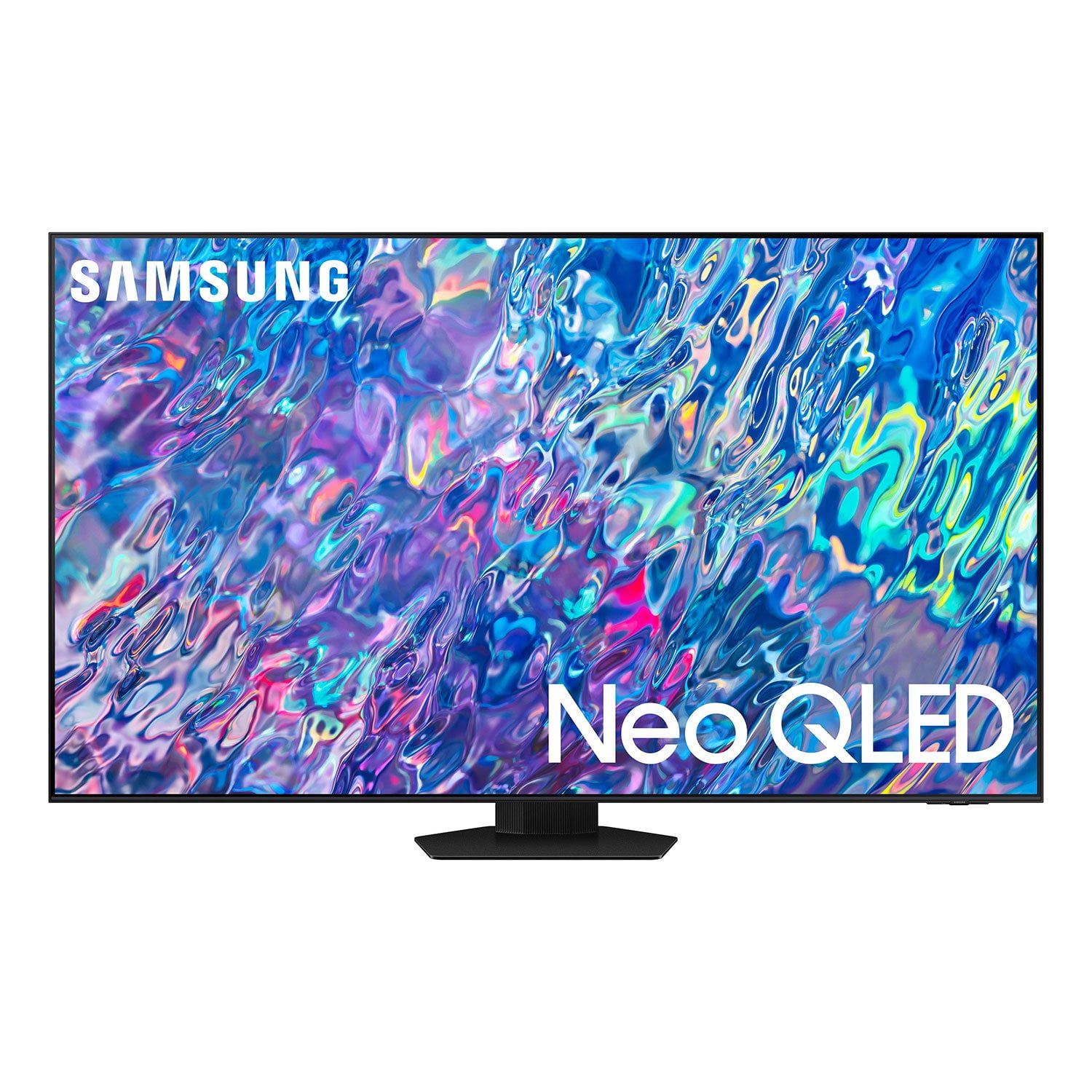
SAMSUNG 65" Class QN85BD-Series Neo QLED 4K Smart TV - QN65QN85BDFXZA
4.7 out of 5 stars
stars
736 ratings672 reviews
  1. 5 stars82% (604)
  2. 4 stars13% (93)
  3. 3 stars3% (19)
  4. 2 stars1% (6)
  5. 1 star2% (14)

Member photos

  • +187 images
Sort by |
Showing 21-30 of 672 reviews
Dec 6, 2022
Reviewer name: bj
1 out of 5 stars
1 out of 5 stars review

Verified Purchase

unhappy

unhappy with poor delivery and quality of picture being often very dark

Helpful?6MSFCO3SMOG113868809341
reply from Samsung

Hi bj,It’s unfortunate to hear the delivery of your QN85BD TV was less than adequate. We recommend you contact Sam's Club directly for assistance. We hope your issue is resolved quickly.If the image is too dim, please try disabling some of the TV's energy efficiency functions, as these will automatically adjust your picture and may cause your screen to appear brighter or darker than preferred. Go to: Home > Menu > Settings > All Settings > General & Privacy > Power and Energy Saving > turn off Brightness Optimization, Brightness Reduction, and Motion LightingYou may also want to try adjusting image settings to improve your picture. Go to Home > Menu > Settings > All Settings > Picture > Picture Mode1) Standard: Is the default mode suitable for general viewing environments.2) Movie: Is suitable for watching TV or movies in a dark room.3) Dynamic: Makes the picture brighter and clearer in bright viewing environments.4) Filmmaker Mode: You can watch the source content (e.g., movie) as it is. If the image is defined as Filmmaker Mode, it will automatically switch to Filmmaker Mode while watching. You can also customize the brightness level of your screen between 0 – 50 to your preference. Go to: Home > Menu > Settings > All Settings > Picture > Expert SettingsPlease also make sure you’ve got the latest firmware version installed on your TV. You can check this by going to: Home > Menu > Settings > Support > Software Update > Update NowI hope these tips help. Should you need further assistance, please call us at 1-800-SAMSUNG, 8AM - 12AM EST, 7 days a week. Our LiveChat agents are also available by clicking on the ‘Support’ link on our website.~ Samsung Specialist

Feb 10, 2023
Reviewer name: Kruby
5 out of 5 stars
5 out of 5 stars review

Verified Purchase

Fabulous pic quality in our sunroom, day or night!

Very happy with the tv. Great picture quality, great sound. No need for a soundbar system!

Helpful?6MSFCO3SMOG113868809341
Nov 19, 2022
Reviewer name: Jtset
5 out of 5 stars
5 out of 5 stars review

Verified Purchase

I'm satisfied with the tv and I'm he pictures are

The tv is great but the ad stated that the Allstate 5 year warranty was included and that didn't happen , I was dissatisfied and disappointed.

Helpful?6MSFCO3SMOG113868809341
Jul 27, 2022
Reviewer name: Gamingfriend
5 out of 5 stars
5 out of 5 stars review

Works well with Xbox

[This review was collected as part of a promotion.] Nice TV do wish I had upgraded to the 8k which would make my game session even more entertaining. That's my next purchase as I always need the newest and best thing.

Review from Samsung US
Helpful?6MSFCO3SMOG113868809341
Jun 17, 2022
Reviewer name: Rustyrusty
5 out of 5 stars
5 out of 5 stars review

Great TV! I love it!

[This review was collected as part of a promotion.] I love how everything looks so real. I couldn't ask for a better TV! Samsung has great products and I'll keep buying them in the future!

Review from Samsung US
Helpful?6MSFCO3SMOG113868809341
Aug 23, 2022
Reviewer name: Surferbro
3 out of 5 stars
3 out of 5 stars review

User unfriendly

[This review was collected as part of a promotion.] For watching sports and tv shows. The navigation sucks, too much clicking to get where I want to go.

Review from Samsung US
Helpful?6MSFCO3SMOG113868809341
reply from Samsung Brand Ambassador

Surferbro, Please know you can quickly access your TV Settings by pressing the Settings/Number/Color button (below the power button) on your remote. After using the below pathway a few times, pressing this button will remember and quickly configure frequently used functions. 1. Press the Settings/Number/Color button on your remote. 2. Press the UP directional button on your remote. When you press this button, the Settings menu/Virtual number pad/Color pad are displayed. 3. From the Settings menu, you can quickly set the options of your frequently used functions. For advanced settings, select All Settings. I hope this tip helps improve your enjoyment. For more help, please call us at 1-800-SAMSUNG, 8AM - 12AM EST, 7 days a week. LiveChat with an agent as well as manuals, software, and warranty info can be found at the ‘Support’ link on our Samsung website. ~ Samsung Specialist

Oct 5, 2022
Reviewer name: Richard
5 out of 5 stars
5 out of 5 stars review

Fantastic Tv.

[This review was collected as part of a promotion.] I was in doubt between a projector or a TV. This 85-inch is really amazing with the image quality and its brightness. Satisfied with the purchase.

Review from Samsung US
Helpful?6MSFCO3SMOG113868809341
Jun 17, 2022
Reviewer name: magiclwn
5 out of 5 stars
5 out of 5 stars review

Super easy to use

[This review was collected as part of a promotion.] We are not the most tech savvy users but this TV is very user friendly. We have no problems with the easy to use remote control.

Review from Samsung US
Helpful?6MSFCO3SMOG113868809341
Jul 26, 2022
Reviewer name: Arindom
3 out of 5 stars
3 out of 5 stars review

Great product for low light rooms

[This review was collected as part of a promotion.] Got this TV which brilliant in a poorly lit room. Any open window or door can cause the image to become so glossy that it would bother experience. Apart from this one issue the product is great.

Review from Samsung US
Helpful?6MSFCO3SMOG113868809341
reply from Samsung Brand Ambassador

Arindom, Thank you for purchasing the QN85B TV and for sharing your feedback regarding screen reflection. The light conditions of each room environment are different. For optimal glare control, we recommend positioning the TV to minimize incident light falling on the screen or consulting a professional installer. Anti-Reflection designed to minimize ambient light reflection is featured on our 55” QN90B series and higher. Should you ever have questions or need help with TV features, specs, or operation, we are here to help. Call us at 1-800-SAMSUNG, 8AM - 12AM EST, 7 days a week. Or visit us on the Samsung website and click on the ‘Support’ link for: 1) LiveChat 2) Manuals, Software, & Warranty Info ~ Samsung Specialist

Oct 25, 2022
Reviewer name: GreyMatter
5 out of 5 stars
5 out of 5 stars review

Beautiful picture

[This review was collected as part of a promotion.] The only thing I would change or add, would be better screen sizing options for picture, given the screen is so large and bright it would be nice to size it down at bed.

Review from Samsung US
Helpful?6MSFCO3SMOG113868809341