Skip to Main Content
Sam's Club
Sam's Club
All Departments
All Services
Customer reviews for SAMSUNG 65" Class QN85BD-Series Neo QLED 4K Smart TV - QN65QN85BDFXZA for
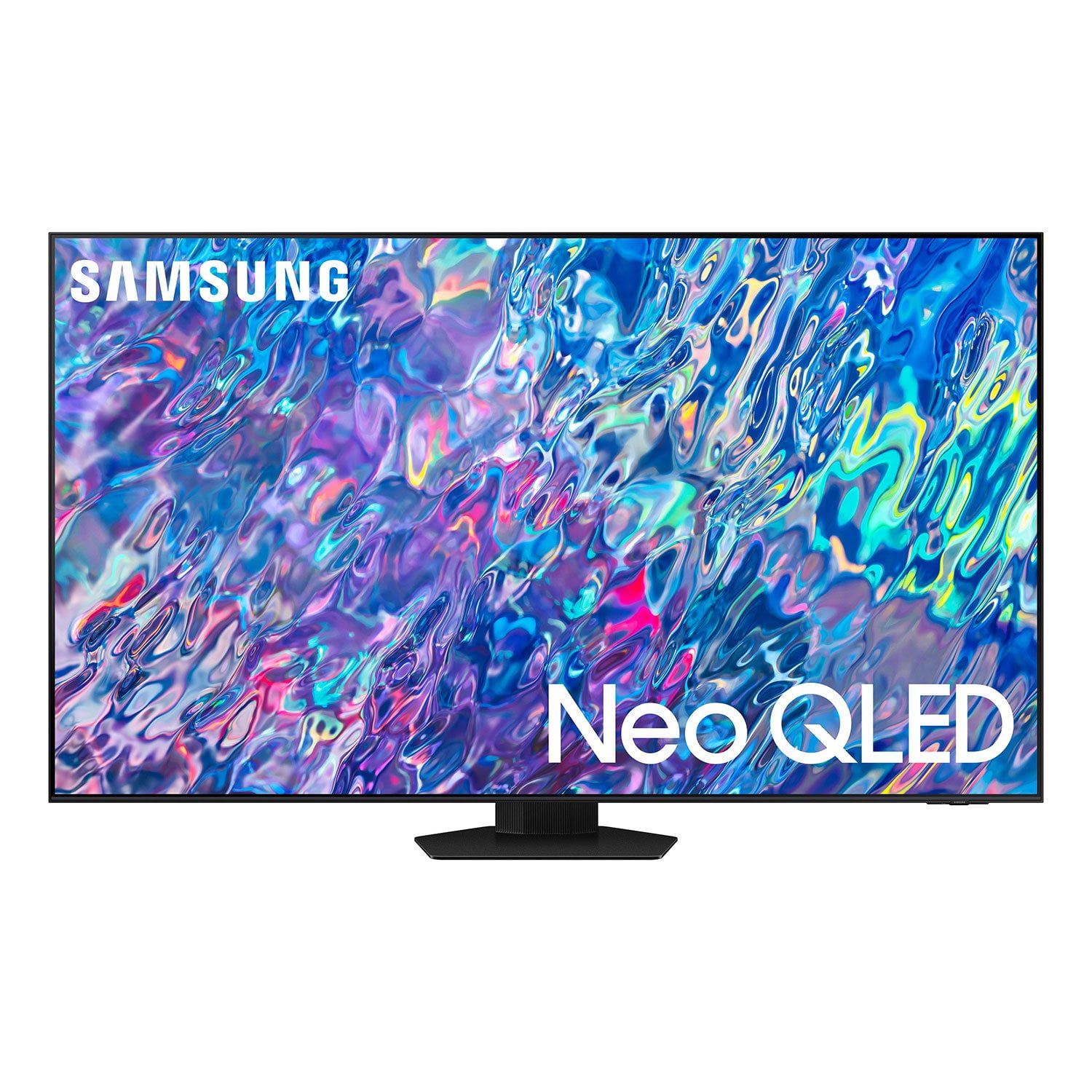
SAMSUNG 65" Class QN85BD-Series Neo QLED 4K Smart TV - QN65QN85BDFXZA
4.7 out of 5 stars
stars
736 ratings672 reviews
  1. 5 stars82% (604)
  2. 4 stars13% (93)
  3. 3 stars3% (19)
  4. 2 stars1% (6)
  5. 1 star2% (14)

Member photos

  • +187 images
Sort by |
Showing 11-20 of 672 reviews
May 5, 2022
Reviewer name: DakotaP
5 out of 5 stars
5 out of 5 stars review

Beyond Excellent Picture Quality

this tv rocks. this samsung tv is the brightest, thinest, most beautiful picturesque quality that i have ever owned. the set up was super easy. it included a 4 step process that was self explantory. evn your grandmother could do it. this smart tv came with your choice of voice assistant (siri, google, and or alexa) it was also controllable through your smart phone. i have never had a tv with all of these modes to control it. the tv's aesthetic presence is outstanding. you can choose to have live art if you leave the tv off but on picture mode.

Review from Samsung US
Helpful?6MSFCO3SMOG113868809341
Aug 3, 2022
Reviewer name: disappointed
1 out of 5 stars
1 out of 5 stars review

awful experience

tv comes in a box with styrofoam. in the center of the screen is a 2'x3' inflatable plastic. the plastic consists of 7 tubes that create 8 vertical striations in between the plastic and on both ends. the tv then started turning on by itself and going into ambient mode and continually beeping. the tv then completely lost network compatibility. i have reset it. it doesn't find any networks.the remote control also is not recognized now. the tv has one and only one button that you need to cycle through for the sake of whatever functionality. best part is, it works with ap+le tv in the hdmi port. now i have a massive box and amount of styrofoam that i kept in case this happened. 24/7 support wants me to bring it back. i have an suv and this would never fit.

Review from Samsung US
Helpful?6MSFCO3SMOG113868809341
reply from Samsung Brand Ambassador

Hi there, It’s unfortunate to hear your QN85B TV is turning on by itself. Please try a few troubleshooting steps that may help solve the issue: 1. Unplug the TV from the wall outlet or surge protector and leave it unplugged for 30 seconds. 2. Check the power cord to see if there is any visible damage. 3. Plug the TV power cord back into the wall outlet. If you were using a surge protector, bypass it for now and use a wall outlet. 4. Disable the Power On with Mobile option. TVs that can connect to SmartThings can be turned on using compatible devices, sometimes automatically. However, if abnormal "power on" signals are sent through the wireless network, they will trigger this function and make the TV turn on. If you do not want this function, navigate to Menu > Settings > All Settings > Connection > Network > Expert Settings > Power On with Mobile, and turn the setting off. 5. Please also make sure your TV's firmware is up to date with version 1303.2, as this includes performance improvements. You can check this by going to: Home > Menu > Settings > Support > Software Update. You might also want to go through these steps to check your network connection: 1) Minimize interference by not using or turning off wireless devices. Also, verify that there are no obstacles between the TV and the modem or access point. (Wi-Fi strength can be decreased by appliances, cordless phones, stone walls/fireplaces, etc.) 2) If the wireless connection fails, connect the TV to the access point via a LAN cable. If the TV can connect to the Internet normally via the wired connection, there might be a problem with the access point. In this case, try using a different access point. 3) Perform a network test to check if there is a network problem. Press the Home button on your remote. Navigate to Settings > Support > Device Care > Self Diagnosis> Smart Hub Connection Test 4) Try a cold reboot of your TV by pressing and holding the power button for 5+ seconds until the TV turns off and on again. I hope this helps you enjoy your new product. If you need further help, please call Samsung Customer Support at 1-800-SAMSUNG, 8AM - 12AM EST, 7 days a week. Our LiveChat agents are also available by clicking on the ‘Support’ link on our website. ~ Samsung Specialist

May 31, 2022
Reviewer name: TVBuff
5 out of 5 stars
5 out of 5 stars review

This is an Awesome TV!!

[This review was collected as part of a promotion.] Am so happy with my Samsung 75'' QN85B TV!! The tv looks gorgeous in my living room and was so easy to setup with the setup from smartphone option. The picture quality is really nice with crystal clear images, literally no visible difference from a OLED tv. I was not the biggest fan of the Home screen for the TV having been used to what was an awesome experience being a Samsung TV owner for many years now. But i have to admit that the changes to the Home screen have started to grow on me off late and am enjoying the overall experience :D

Review from Samsung US
Helpful?6MSFCO3SMOG113868809341
Oct 6, 2022
Reviewer name: JeffreyJ
5 out of 5 stars
5 out of 5 stars review

NeoGled excellence

[This review was collected as part of a promotion.] I use the tv for sports and streaming shows. The picture is crisp and responsive. So far I am completely satisfied with the quality and performance. Samsung is my number one choice in this category based on this and the several other Samsung tvs I've owned.

Review from Samsung US
Helpful?6MSFCO3SMOG113868809341
Oct 26, 2022
Reviewer name: MannersMan
5 out of 5 stars
5 out of 5 stars review

I love my new TV!

[This review was collected as part of a promotion.] This is my first smart TV and all I can saw is WOW! Easy to set up, easy to use, and the picture is just breathtaking. I added a sound bar to improve the sound. My only issue is that it is difficult to get the video/audio synced properly. I found the setting ok, but it doesn't always work 100%. (I am guessing I am doing something wrong). Very small matter compared to the great product. I am also glad I went “big” - 75 inch. Makes watching TV and movies downright pleasurable.

Review from Samsung US
Helpful?6MSFCO3SMOG113868809341
Oct 26, 2022
Reviewer name: Happycamper
5 out of 5 stars
5 out of 5 stars review

This TV is Great

[This review was collected as part of a promotion.] This TV has great picture quality, very sharp and clear in all types of light. It has features we didn't expect but are great, like the Samsung TV channels. Was easy setup and simple to get started up and watching.

Review from Samsung US
Helpful?6MSFCO3SMOG113868809341
Oct 26, 2022
Reviewer name: Besttv
5 out of 5 stars
5 out of 5 stars review

Best T.V ever own.

[This review was collected as part of a promotion.] This tv is amazing! The black levels on this are insane because of the mini LED and neo tech. my older tvs i've noticed a lot of blooming and LED bleeding, and i'm a person who notices all the small details and can't focus on the movie because of the more cheaper edge lit tvs, with this TV you don't get any of that just a perfect picture plain and simple. Worth every penny.

Review from Samsung US
Helpful?6MSFCO3SMOG113868809341
Aug 1, 2022
Reviewer name: HpHolth0
2 out of 5 stars
2 out of 5 stars review

Why is it so difficult?

[This review was collected as part of a promotion.] We love the picture but it stops there. The following are the issues 1) We can't get Google to interface with this TV. Seems like we found a forum that it is a known issue. WHY not fix it? 2) Just try to find where you can flush the cash on an individual App. Our HULU app gets messed up ever once and a while. Then you have to go somewhere to finally access the App. Every time it happens it is adventure to figure out how to get there. WHY not make it easy?

Review from Samsung US
Helpful?6MSFCO3SMOG113868809341
reply from Samsung Brand Ambassador

HpHolth0, I'm sorry to hear of the difficulties you've faced with Samsung's QN85B TV. Please know that while Samsung TVs do not have built-in Chromecast, you can screen mirror via the SmartThings app. Here are the steps to set this up: 1) Turn on your TV. Then, on your phone, open the SmartThings app. 2) Tap the Device tab, tap the Home icon, and then select the location where you'd like to add the TV. Tap Add (the plus sign), and then tap Add device. 3) Under the "By device type" tab, tap TV, and then tap Samsung. 4) Tap TV again, and then tap Start. Select a location and room, and then tap Next. 5) From here, select your desired TV from the list of available devices. 6) Use the remote to select OK on the TV screen. 7) Once the TV has been added, use the SmartThings app on your phone to rename it, and then tap Done. Please also know you can quickly access Device Care within your TV's settings by pressing the Settings/Number/Color button (below the power button) on your remote. 1. Press the Settings/Number/Color button on your remote. 2. Press the UP directional button on your remote. When you press this button, the Settings menu/Virtual number pad/Color pad are displayed. 3. From the Settings menu, you can quickly set the options of your frequently used functions. For advanced settings, select All Settings. If you need more help, Samsung is here for you. Please call us at 1-800-SAMSUNG, 8AM - 12AM EST, 7 days a week. Our LiveChat agents are also available by clicking on the ‘Support’ link on our website. ~ Samsung Specialist

Oct 6, 2022
Reviewer name: MattyA
5 out of 5 stars
5 out of 5 stars review

What an 85 inch beauty!

[This review was collected as part of a promotion.] This is such a great TV. The controls are easy, the sound is very good and the integration with Netflicks and apps is just a breeze. that is even befroe I get tot eh picture. When you watch a football game on this 85 inch beauty its like you are there... Matthew A

Review from Samsung US
Helpful?6MSFCO3SMOG113868809341
Apr 25, 2023
Reviewer name: Anonymous
5 out of 5 stars
5 out of 5 stars review

One of the best tvs on the market!!

[This review was collected as part of a promotion.] I love everything samsung. I'm a loyal samsung customer and have had many tvs in past but these 4k and 8k tvs are INCREDIBLE! I do a lot of editing and I like to watch my finished products on the TV. The colors and black are so perfect. I'll always buy samsung from now on.

Review from Samsung US
Helpful?6MSFCO3SMOG113868809341