Skip to Main Content
Sam's Club
Sam's Club
All Departments
All Services
Customer reviews for SAMSUNG 65" Class QN85BD-Series Neo QLED 4K Smart TV - QN65QN85BDFXZA for
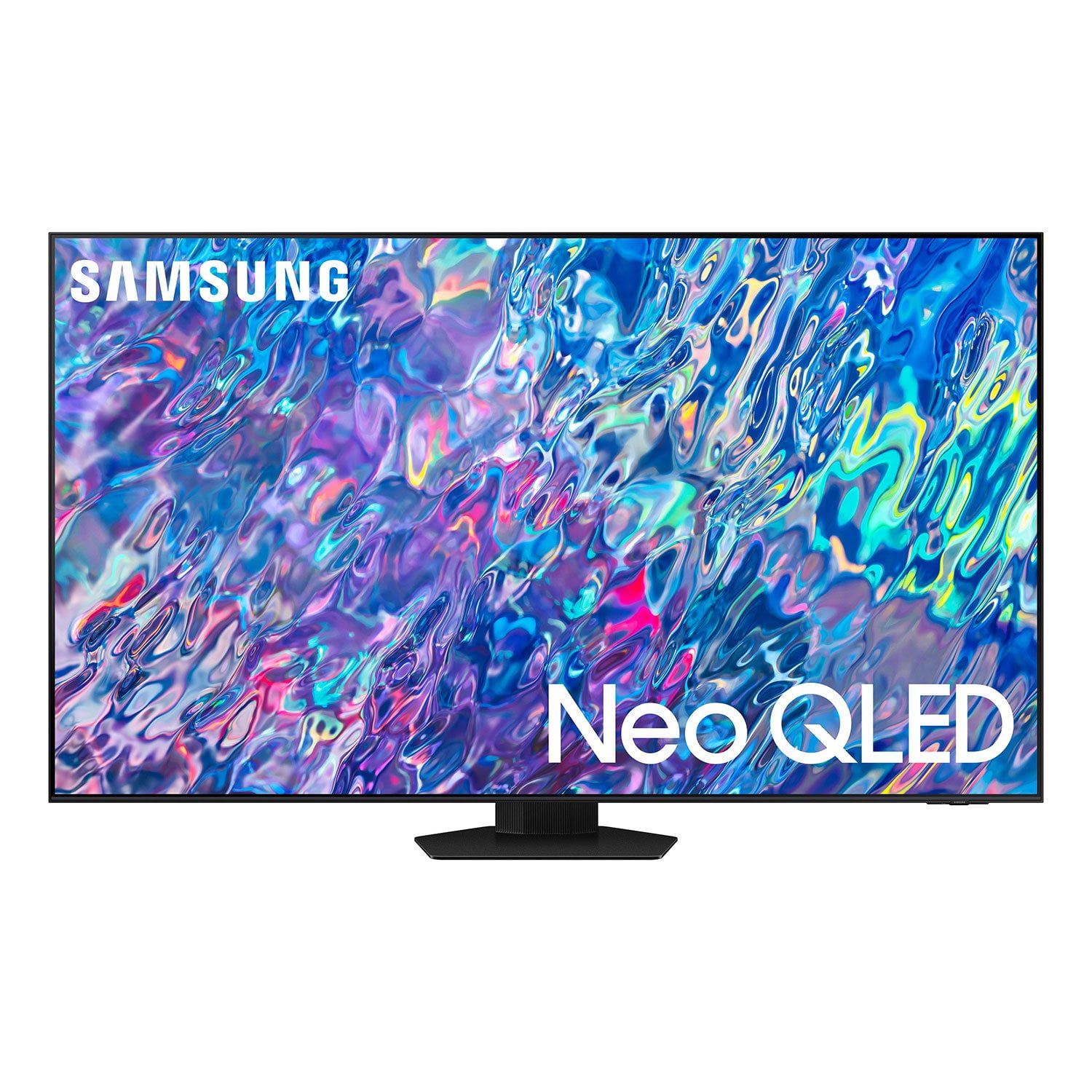
SAMSUNG 65" Class QN85BD-Series Neo QLED 4K Smart TV - QN65QN85BDFXZA
4.7 out of 5 stars
stars
736 ratings672 reviews
  1. 5 stars82% (604)
  2. 4 stars13% (93)
  3. 3 stars3% (19)
  4. 2 stars1% (6)
  5. 1 star2% (14)

Member photos

  • +187 images
Sort by |
Showing 1-10 of 672 reviews
Feb 14, 2023
Reviewer name: D Win
5 out of 5 stars
5 out of 5 stars review

Verified Purchase

Great TV!

Picture is top line and the multiple speakers are so good one doesn't need an external speaker for quality sound. The only drawback is the remote that is a little too difficult for older hands that no longer have great manual dexterity.

Helpful?6MSFCO3SMOG113868809341
Sep 23, 2022
Reviewer name: Karen
5 out of 5 stars
5 out of 5 stars review

Verified Purchase

Replaced 7 yr old Samsung TV

We've had the TV for a couple of weeks. So far it has performed well. Many more features than our last smart TV, this one is definitely smarter. Sound is great and the picture is awesome.

Helpful?6MSFCO3SMOG113868809341
Dec 18, 2022
Reviewer name: KoolAid Kid
5 out of 5 stars
5 out of 5 stars review

Verified Purchase

Great 65” TV

Love this tv. It was easy to assemble the stand and getting it started on our cable system. The remote is easy to use, simple and small, it even has a solar cell to keep the battery charged. Picture is outstanding, sound is great too. The different apps and cable channels appear at the bottom of the screen and easily scroll to give you all the choices. I would recommend this tv for someone looking for a high quality tv and many functions.

Helpful?6MSFCO3SMOG113868809341
Jan 3, 2023
Reviewer name: BJen
5 out of 5 stars
5 out of 5 stars review

Verified Purchase

clear pic

Clear picture and great quality an immense improvement from our old, outdated Samsung

Helpful?6MSFCO3SMOG113868809341
Oct 6, 2022
Reviewer name: JeffreyJ
5 out of 5 stars
5 out of 5 stars review

NeoGled excellence

[This review was collected as part of a promotion.] I use the tv for sports and streaming shows. The picture is crisp and responsive. So far I am completely satisfied with the quality and performance. Samsung is my number one choice in this category based on this and the several other Samsung tvs I've owned.

Review from Samsung US
Helpful?6MSFCO3SMOG113868809341
Feb 11, 2023
Reviewer name: NATURESAKE56
4 out of 5 stars
4 out of 5 stars review

Verified Purchase

Almost worth HASSLE

Awesome TV with great color. Purchase with Sams online was a DISASTER. HOWEVER TV makes it almost worth the hassle. FedEx delivered first one Crushed. Holes in Box Damage to Screen. After almost 2 weeks still don't have $$$ back. Had to drive up there and buy. We're not young. But we did it !!!

Helpful?6MSFCO3SMOG113868809341
Oct 5, 2022
Reviewer name: Blee888
4 out of 5 stars
4 out of 5 stars review

Neo Qled 4k

[This review was collected as part of a promotion.] Overall, the smart tv is very good. I would say, during the first 3+ months, the resolution and clarity was questionable. But, after first 3-4 months, the clarity improved tremendously. Alight adjustments were made in order to change existing settings. Not able to pinpoint the actual setting changed? Anyway, so far so good.

Review from Samsung US
Helpful?6MSFCO3SMOG113868809341
Dec 27, 2022
Reviewer name: Brnon N
3 out of 5 stars
3 out of 5 stars review

Verified Purchase

Poor erie

TV i fine but remote on tv didn't work. Sam's Club was NO HELP. Have dealt with Samsung for 2 weeks with still no remote. I'm not happy.

Helpful?6MSFCO3SMOG113868809341
reply from Samsung

Brnon N,I'm sorry to hear of the issues you're having with the QN85BD TV's Solar Cell Remote. Please contact Samsung Support again for further troubleshooting assistance. You can reach us at 1-800-SAMSUNG, 8AM - 12AM EST, 7 days a week. Our LiveChat agents are also available by clicking on the ‘Support’ link on our website.~ Samsung Specialist

Aug 1, 2022
Reviewer name: HpHolth0
2 out of 5 stars
2 out of 5 stars review

Why is it so difficult?

[This review was collected as part of a promotion.] We love the picture but it stops there. The following are the issues 1) We can't get Google to interface with this TV. Seems like we found a forum that it is a known issue. WHY not fix it? 2) Just try to find where you can flush the cash on an individual App. Our HULU app gets messed up ever once and a while. Then you have to go somewhere to finally access the App. Every time it happens it is adventure to figure out how to get there. WHY not make it easy?

Review from Samsung US
Helpful?6MSFCO3SMOG113868809341
reply from Samsung Brand Ambassador

HpHolth0, I'm sorry to hear of the difficulties you've faced with Samsung's QN85B TV. Please know that while Samsung TVs do not have built-in Chromecast, you can screen mirror via the SmartThings app. Here are the steps to set this up: 1) Turn on your TV. Then, on your phone, open the SmartThings app. 2) Tap the Device tab, tap the Home icon, and then select the location where you'd like to add the TV. Tap Add (the plus sign), and then tap Add device. 3) Under the "By device type" tab, tap TV, and then tap Samsung. 4) Tap TV again, and then tap Start. Select a location and room, and then tap Next. 5) From here, select your desired TV from the list of available devices. 6) Use the remote to select OK on the TV screen. 7) Once the TV has been added, use the SmartThings app on your phone to rename it, and then tap Done. Please also know you can quickly access Device Care within your TV's settings by pressing the Settings/Number/Color button (below the power button) on your remote. 1. Press the Settings/Number/Color button on your remote. 2. Press the UP directional button on your remote. When you press this button, the Settings menu/Virtual number pad/Color pad are displayed. 3. From the Settings menu, you can quickly set the options of your frequently used functions. For advanced settings, select All Settings. If you need more help, Samsung is here for you. Please call us at 1-800-SAMSUNG, 8AM - 12AM EST, 7 days a week. Our LiveChat agents are also available by clicking on the ‘Support’ link on our website. ~ Samsung Specialist

Dec 26, 2022
Reviewer name: Edward
1 out of 5 stars
1 out of 5 stars review

Does not support DTS audio.

Does not support DTS audio codec. The main purpose of this purchase was to watch my 4k movie collection on it. And it's not supported. Samsung deliberately removed support of it from the new models. I'll return that useless TV and buy something NOT samsung, that will be able to work with all audio formats.

Review from Samsung US
Helpful?6MSFCO3SMOG113868809341
reply from Samsung Brand Ambassador

Edward, Thank you for your review of Samsung's QN85B TV. Your thoughts regarding DTS audio codec support are appreciated and will be shared with our internal teams. Should you need assistance or have questions, please contact Samsung Customer Support at 1-800-SAMSUNG, 8AM - 12AM EST, 7 days a week. Our LiveChat agents are also available by clicking on the ‘Support’ link on our website. ~ Samsung Specialist