
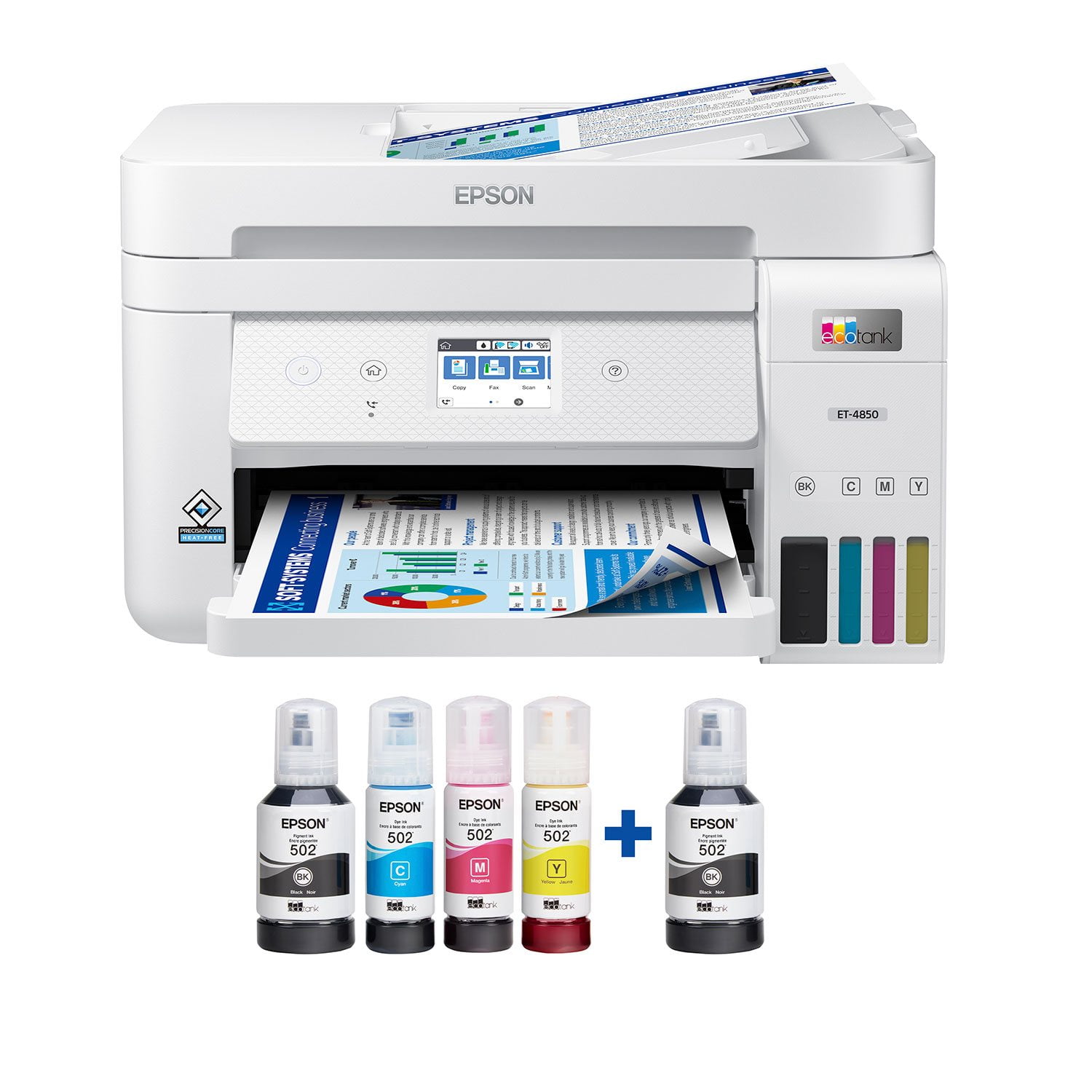
 Customer reviews for Epson EcoTank ET-4850 Special Edition Inkjet Printer, 1 Bonus Black Ink Bottle for
Member photos





Truly a value product
I've been using Epson supertank printers for quite some time now. I must say that my expectations were set really high. And boy, this printer really pleased me. Epson has continued the tradition of delivering great product which are a lot of value for the user. I've been a fan of the supertank life without cartridges. Gives me a sense of freedom and peace of mind. The included ink bottles last a long time...fill it, shut it, forget it. And when it's done, just repeat. Coming to the ET-4850, I got a white one and the subtle design patterns make it look good. The touchscreen is better as compared to the ET-4750. Setting up the printer was a breeze. Really like the bot experience. Appreciate that the bot didn't serialize everything (process engineering at work :-)) The print quality is great, and the option for duplex makes it convenient. You'll also find convenience in the scanning department, where you can choose to scan to computer or cloud. And did I mention that you can print by sending an email to the 'printer'. Looks like Epson is out to cut all the wires...except the power cord I suppose. This is a review for the Epson EcoTank ET-4850 Wireless Color Supertank Printer that I received free of charge to do a beta test and review.
I truly am LOVING what this printer has to offer.
I purchased this printer several weeks ago but, as with a lot of new technology I was intimidated to use it! So, it took me awhile to take it out of the box and set it up! It was another couple weeks before I set it up after watching a few YouTube videos about it and rereading the instructions several times. I finally got the courage to go through the set up process and after figuring out they correct password for my router, everything seems to be working fine and I have added the EpsonSmartPanel to my new devices and that was easier to set up on those than I anticipated so, it’s WONDERFUL I can print now wirelessly from them! I’m still trying to figure out the proper way (for me) to print pages 1 to1 or 1 to 2!? Not sure what I prefer yet but, MORE than anything I’m happy I have it set up! I think it’s worth the money I paid for it and I should get several years use out of it, at least!?
Excellent home office printer/scanner.
I purchased this ET-4850 (January 2024) for my home office to replace my older Work Force printer, which finally died after many years of service. This new ET printer was very easy to set up (I used the iPhone app, and it was a clear step-by-step process), the WiFi connection is solid, and the print quality is excellent. The scan to computer feature also works very well. I am confused by the posted negative reviews, as my experience with this computer is thus far all positive.
Flawless! Best printer I've used!
The Epson Eco Tank ET-4850 was a wonderful surprise for this home office user. It is compact, quiet and the easiest functioning printer I have ever used. The setup is, without doubt, the most seamless and fastest you can imagine. I have read and listened to reviews about the EcoTank instead of ink cartridges and was doubtful about the results. Well, doubt no more. Everything you hear about this compact beautyis the truth. Let me tell you what I experienced. First, this all-in-one came packed in a great sturdy box with really secure packaging inside so that the printer would not shift or move during shipping. It came out of the box easily and was surprisingly light compared to my previous Epson WF-3740 that was a true workhorse. Setup with the easy to read instructions and the Epson app was amazingly simple. I must admit that when I first started the download and connection to my home network, I expected a long process that had been my experience in the past. This was so quick I was amazed. The speed of this ink jet printer is about the best I've seen. It has the capability of duplex printing and does it quickly and effortlessly. The ink bottles are a game changer. I was a bit apprehensive at first. However, this was about the easiest process I could imagine. Each color ( black, cyan, yellow and magenta) each came in a separate bottle. Here's best part: each one of them has a specifically designed nozzle that will only fit it's corresponding color, so you can't screw it up! YAY! The bottle automatically empties itself into the tank which has a window on the front so you always know your ink levels. Now to printing which was amazing. The print quality was crisp, bright and very high definition. The photos were just the best I have ever printed and my husband (amateur photographer) was tickled pink with the results. His still life photos had depth and clarity that heretofore had never printed so beautifully. Kudos to the print quality. The scanner is great. It worked so easily and produced such high quality results I was truly impressed. Scanning either to print, the cloud or to save to memory all went off without a hitch. It scanned with far more detail than I have had before. The copier is just the best, I have to say. With the number of copies that I have to make on a weekly basis for my class and groups, I can't ask for a better copier. Just as the scanning and printing, the copies come out clear and crisp. Works for me. The touchscreeen display is bright and the presets help with and easy flow of the tasks. It takes you from step to step through the setup and for whatever task you need to complete with this little gem of an all-in-one Epson ET-4850. No more ink cartridges for me! This is a review for the Epson EcoTank ET-4850 Wireless Color Supertank Printer that I received free of charge to do a beta test and review.
Perfect all around Printing Solution
I’m a work from home IT professional and need to produce seemingly endless amounts of documentation for presentations and project planning. I’ve been using this EcoTank ET-4850 printer for the past week or so and have come to love it. Connectivity via Ethernet OR Wifi, Fax Capability, Scanner Feeder, Full Duplex Printing, Touch Screen interface for configuration and management, 250-page paper feeder tray (in front) are some of the features that make this printer stand out. What makes it stand out most though is that it comes with 2 years’ worth of ink. I can’t say enough about how well thought out this printer is, Epson has really stepped up with this one. Even the Ink Bottles are specially keyed so there’s no risk of loading the wrong color in. The setup was a breeze, just follow the directions on the companion app. The footprint is compact, and all the features are accessible from the front (even the ability to see how slowly the ink levels change.) The fax function can be a life saver for those that aren’t using digital services yet; just feed your docs into the feeder and send away. For printing fast, 15.5ppm / 8.5ppm does the trick and the print outs in BW or Color are sharp and precise. I’m really challenged in finding anything negative to say about this printer, it just outperforms my expectations on every level. This is a review for the Epson EcoTank ET-4850 Wireless Color Supertank Printer that I received free of charge to do a beta test and review.
No more Cartridges!
I am so happy to have the easy to use printer. Out of the box set up was simple and the app guided you step by step through the process of setting the printer up. This also included pictures and instructions on how to fill the ink tanks, which was surprisingly easy to do. After everything was all set up I was able to print a few photos from my phone with no problems at all. There are many amazing things about this printer. First...no more cartridges ever, just super affordable ink bottles to refill the tanks. Second, the paper tray holds 250 sheets of paper. Third automatica. Double sided printing. Fourth nice touch screen that is very easy to use. Overall this is a great printer! This is a review for the Epson EcoTank ET-4850 Wireless Color Supertank Printer that I received free of charge to do a beta test and review.
Good little machine
Good little machine. I needed to scan and email a huge, 30 page document, so after I downloaded the drives to perform this function, along with some updates and registered my printer, it worked for what I needed. My only issue was the feeder was touchy, I needed to stand there and assist each page so that it feed properly into the document feeder.
Save SO much money with EcoTank
I got my EcoTank and have never looked back. I love this printer! I have saved so much on replacement ink since I got my EcoTank. With my old printer, ink cartridges were so expensive and I was always replacing them. With EcoTank, I print all I want and I don’t worry about running out of ink. The print quality is fantastic! Even when I do need more ink, EcoTank’s ink bottles are so cheap that I don’t mind replacing them. I love how you can see the ink levels in the tanks so you aren’t surprised when ink eventually runs low, although this barely ever happens.
Unable to print labels for home business
I bought this printer specifically to print labels for my small home business. Much to my dismay, I'm now finding out that this printer is NOT compatible with Avery labels! I hope that a fix will soon be available for this printer. I have spent a lot of $$$ thinking that I should be able to do this. Other than compatibility, it seems like a very nice printer.
Never again
1. Very loud when printing. 2. Available documentation is sub-par, compared to other equipment providers. 3. Support has been non-existent. Won't accept registration, won't honor warranty, what is available online is worthless. 4. Have printed less than 25 documents, all in black-and-white. The yellow and magenta tanks are 2/3 empty, black ink not decreased at all. Can't find any reason why. (contributes to #3). 5. Scanning has been up and down; works sometimes, others not at all. Have had a local computer support person help with this, and they had little luck, either. Maybe this unit is just a lemon, but I'll never trust Epson again.