Skip to Main Content
Sam's Club
Sam's Club
All Departments
All Services
Customer reviews for Epson EcoTank ET-4850 Special Edition Inkjet Printer, 1 Bonus Black Ink Bottle for
Epson EcoTank ET-4850 Special Edition Inkjet Printer, 1 Bonus Black Ink Bottle
4.1 out of 5 stars
stars
384 ratings280 reviews
  1. 5 stars63% (241)
  2. 4 stars14% (54)
  3. 3 stars5% (21)
  4. 2 stars6% (24)
  5. 1 star11% (44)

Member photos

Sort by |
Showing 131-140 of 280 reviews
Sep 1, 2024
Reviewer name: CHUBUCKS
1 out of 5 stars
1 out of 5 stars review

Don't buy

You have to have a very specific type of internet connect (2.4). It set up fine and printed the first day I got it, but I guess once it updated, it won't work on 5G networks or anything other than SSID 2.4Ghz. My printer is connected to the network and my laptop as well, but the printer is showing as offline.

Helpful?4NGXQX8LBJE013675314069
Sep 27, 2023
Reviewer name: Danielle F
5 out of 5 stars
5 out of 5 stars review

Save SO much money with EcoTank

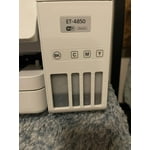
I got my EcoTank and have never looked back. I love this printer! I have saved so much on replacement ink since I got my EcoTank. With my old printer, ink cartridges were so expensive and I was always replacing them. With EcoTank, I print all I want and I don’t worry about running out of ink. The print quality is fantastic! Even when I do need more ink, EcoTank’s ink bottles are so cheap that I don’t mind replacing them. I love how you can see the ink levels in the tanks so you aren’t surprised when ink eventually runs low, although this barely ever happens.

Review from epson.com
Helpful?4NGXQX8LBJE013675314069
Mar 26, 2025
Reviewer name: Florida buyer
3 out of 5 stars
3 out of 5 stars review

Not as good as I hoped

Pros: Nice compact footprint size for a home office with high print requirements. Love the tanks instead of ink cartridges - very economical for B&W printing. Moderate print speed (one-sided). Crisp printing when using Epson paper but not as good on store brand. I use the Print, Copy and Scan features but don't have it set up to fax. Cons: Quite a few things aggravate me. Slow print speed for two-sided when multiple copies are needed - I end up doing manual duplex. Poor color fidelity for photo printing - colors tend toward blue/cool tones. No separate feed for photo paper or heavy card stock. Flimsy ADF - originals often feed crookedly and jam or produce skewed copies. Slow at copying and scanning. Paper tray feels flimsy when reinserting in unit. Weirdly, it lost WiFi connection every time I used a document shredder withing 20 feet of the unit - that was a fun one to figure out! Setting up scanning to Cloud was a hassle. Overall, I bought this unit on sales so it was a good value for a general purpose printer, but it it's not a superstar in any area of operation. Photo printing is very disappointing but I love the freedom of printing draft documents without worrying about cost or running out of ink.

Review from epson.com
Helpful?4NGXQX8LBJE013675314069
Jul 21, 2023
Reviewer name: MSD43
3 out of 5 stars
3 out of 5 stars review

Loud and slow

Just set this up and done 40 pages. and 2 copies. Prints fine but it is the loudest printer I have ever owned. Don't expect to talk on the phone while it's printing. Also from print button to 1st page - 35 secs!! then 15 secs to print one page. My HP that died was quieter and faster. Hope the Ecotank feature will make up for the noise and the speed. Too early to know if I would recommend this printer to a friend, so I said NO, but that could change.

Review from epson.com
Helpful?4NGXQX8LBJE013675314069
Sep 22, 2021
Reviewer name: Tacticalmama
4 out of 5 stars
4 out of 5 stars review

It prints great!

Hello! I received this printer about 4 days ago, and was so excited! This brand is excellent, and I hope it lives up to all the hype. First off, I was just expecting a simple printer, but this is a printer not only prints, but also copies, faxes, and scans! How great is that? I must say, the set-up has been a bit frustrating, as I had a crazy hard time connecting the printer to wifi. Our wifi is xfinity wifi, and I usually don't have a problem connecting devices. Once I finally had it properly connected to wifi (I first had to use wifi-direct for it to even recognize the wifi), I had issues connecting the printer to my laptop. Our laptop is a Dell running Windows 10 and it should be compatible with the laptop just fine. So... I will continue to troubleshoot with the printer and see why it will not work. It recognizes the printer, but continues to just say error. It prints fine from my phone. *This is a review for the Epson EcoTank ET-4850 Wireless Color Supertank Printer that I received free of charge to do a beta test and review.

Review from epson.com
Helpful?4NGXQX8LBJE013675314069
Apr 13, 2022
Reviewer name: Ryan C
1 out of 5 stars
1 out of 5 stars review

Last step a "FAIL"

I bought this today. I went through the setup and the last step is "Express Product Registration". After entering all the information, a red message presents saying "Enter a valid serial number". IT IS CORRECT!!! Epson, you need to test all the way through! I don't know if I would recommend this product, I just set it up! Fix this!!

Review from epson.com
Helpful?4NGXQX8LBJE013675314069
Mar 11, 2025
Reviewer name: BusinessChic
1 out of 5 stars
1 out of 5 stars review

Big Disappointment

I purchased the ET-4850. I am very disappointed. I set this printer up in my home office over the weekend. It's caused me nothing but issues. It stalls while scanning. I cannot print a different size paper in it, like a check. It jams every single time. I should have stuck with my old HP printer.

Review from epson.com
Helpful?4NGXQX8LBJE013675314069
Apr 11, 2023
Reviewer name: Big Monk
5 out of 5 stars
5 out of 5 stars review

I truly am LOVING what this printer has to offer.

I purchased this printer several weeks ago but, as with a lot of new technology I was intimidated to use it! So, it took me awhile to take it out of the box and set it up! It was another couple weeks before I set it up after watching a few YouTube videos about it and rereading the instructions several times. I finally got the courage to go through the set up process and after figuring out they correct password for my router, everything seems to be working fine and I have added the EpsonSmartPanel to my new devices and that was easier to set up on those than I anticipated so, it’s WONDERFUL I can print now wirelessly from them! I’m still trying to figure out the proper way (for me) to print pages 1 to1 or 1 to 2!? Not sure what I prefer yet but, MORE than anything I’m happy I have it set up! I think it’s worth the money I paid for it and I should get several years use out of it, at least!?

Review from epson.com
Helpful?4NGXQX8LBJE013675314069
Jun 26, 2024
Reviewer name: Lew394
5 out of 5 stars
5 out of 5 stars review

Over all excellent - Functional Wi-Fi coverage an issue

I have had this printer for approximately three years. In fact, I have been using Epson printers (WF4020) even longer. In the past three months the 4850 continues to drop the Wi-Fi signal, so remote access is out of the question. In an effort to diagnose the problem and look for a potential fix, I fond that this is a common problem. All of the other functions work perfectly.

Review from epson.com
Helpful?4NGXQX8LBJE013675314069
Sep 7, 2024
Reviewer name: auhunter
5 out of 5 stars
5 out of 5 stars review

A better Tank system

this replaced a troublesome Canon G7020. So far this going to be a fabulous printer. Much better than the Epson 2760 [that I use on an outdated Mac OS system],,the 2760 you have to hit "OK" a hundred time to get it to print or work, a plus uses the same ink

Review from epson.com
Helpful?4NGXQX8LBJE013675314069