Skip to Main Content
Sam's Club
Sam's Club
All Departments
All Services
Customer reviews for Epson EcoTank ET-4850 Special Edition Inkjet Printer, 1 Bonus Black Ink Bottle for
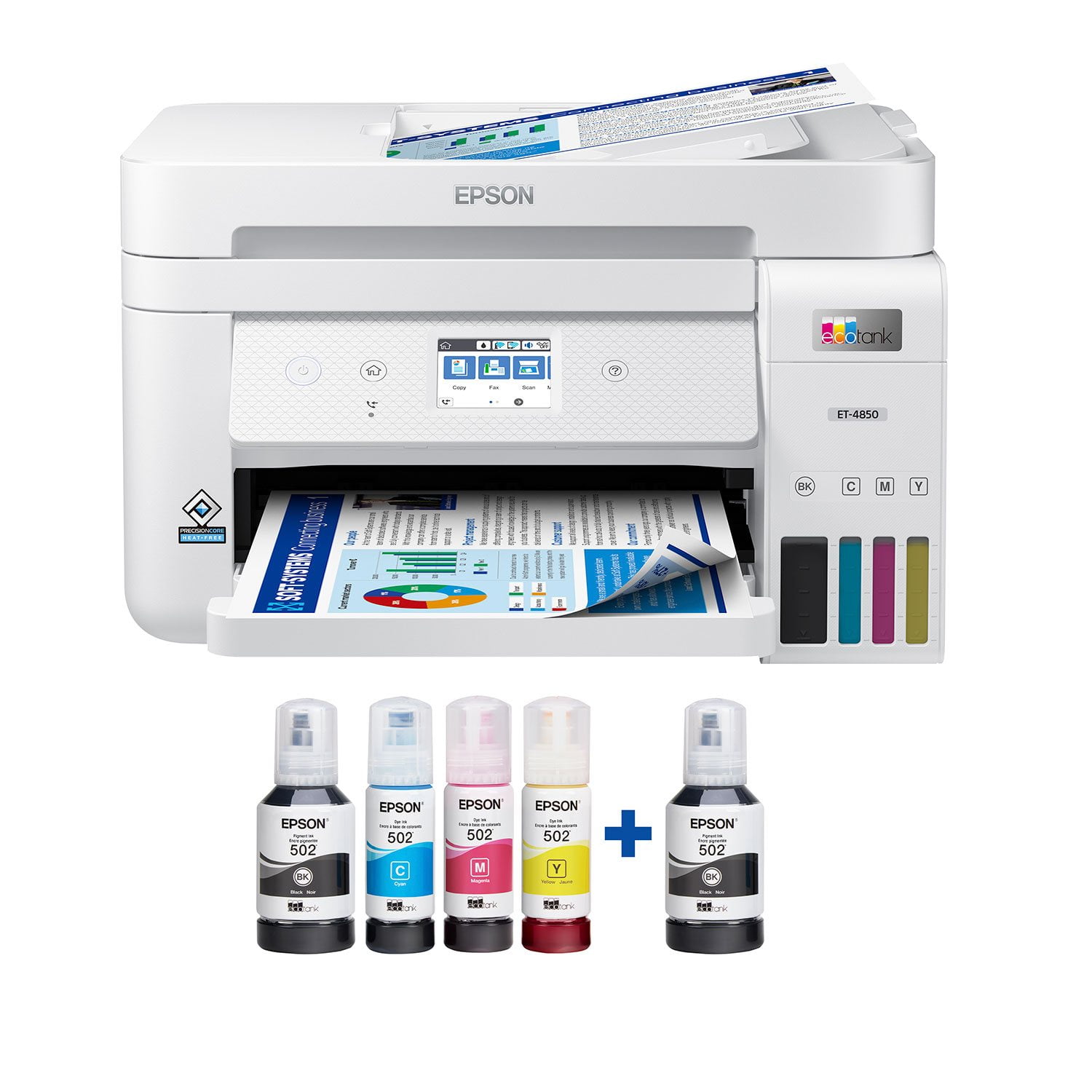
Epson EcoTank ET-4850 Special Edition Inkjet Printer, 1 Bonus Black Ink Bottle
4.1 out of 5 stars
stars
384 ratings280 reviews
  1. 5 stars63% (241)
  2. 4 stars14% (54)
  3. 3 stars5% (21)
  4. 2 stars6% (24)
  5. 1 star11% (44)

Member photos

Sort by |
Showing 121-130 of 280 reviews
Mar 11, 2025
Reviewer name: BusinessChic
1 out of 5 stars
1 out of 5 stars review

Big Disappointment

I purchased the ET-4850. I am very disappointed. I set this printer up in my home office over the weekend. It's caused me nothing but issues. It stalls while scanning. I cannot print a different size paper in it, like a check. It jams every single time. I should have stuck with my old HP printer.

Review from epson.com
Helpful?4NGXQX8LBJE013675314069
Sep 7, 2024
Reviewer name: auhunter
5 out of 5 stars
5 out of 5 stars review

A better Tank system

this replaced a troublesome Canon G7020. So far this going to be a fabulous printer. Much better than the Epson 2760 [that I use on an outdated Mac OS system],,the 2760 you have to hit "OK" a hundred time to get it to print or work, a plus uses the same ink

Review from epson.com
Helpful?4NGXQX8LBJE013675314069
Apr 11, 2024
Reviewer name: Chelle2
2 out of 5 stars
2 out of 5 stars review

Michelle

The scanner/automatic document feeder is, by far, the absolute worst I've ever encountered. I wouldn't have purchased the all in one if I'd known how utterly incapable it was of feeding the pages. I could have used the difference toward the scanner I had to buy. And, I don't even have to scan very often; that's how bad this is.

Review from epson.com
Helpful?4NGXQX8LBJE013675314069
Sep 21, 2021
Reviewer name: Chris4620
5 out of 5 stars
5 out of 5 stars review

Upgrade from past models!

I had the opportunity to review the Epson ET-3750 for Epson a few years ago and was highly impressed with the all-in-one they introduced to the market. In fact, it is still going strong in my household. Now comes the Epson ET-4850 which brings all the great aspects of the ET-3750 and builds on it. The display is still the same size, 2.4 color screen, but now they have added it as a touchscreen which is convenient. One knock, it is small for a touchscreen. I utilize a stylus which helps out tremendously. The ADF has been upgraded to hold a larger capacity and Epson has added a phone line port to handle faxing capabilities. The bottles are specifically made so you cannot add the wrong ink to the wrong well. Epson has upgraded their app also. The ET-3750 utilized Epson's iPrint. Now comes the new Epson Smart Panel application blows that away. It literally walks you through the set up and printing process. It was an absolute breeze to set up. This is a review for the Epson Eco-Tank ET-4850 Wireless Color Supertank Printer that I received free of charge to do a beta test and review.

Review from epson.com
Helpful?4NGXQX8LBJE013675314069
Apr 17, 2024
Reviewer name: Bob45
4 out of 5 stars
4 out of 5 stars review

Features better than I thought they were.

Reviewed this printer a few days ago and gave a bad review for the quality of printing pictures. I regret that review. I found that my issue had to do with the paper/settings I was using. With glossy paper for inkjet printers the quality was great. Although the printer still said I had a paper/settings mismatch, my pictures were very good.

Review from epson.com
Helpful?4NGXQX8LBJE013675314069
Mar 2, 2025
Reviewer name: ScouterJohn
1 out of 5 stars
1 out of 5 stars review

Terrible connectivity issues - printing and scanning

I have had this ET04850 over year and it has been the most frustrating combo printer I have ever owned! It has had tons of connection issues, stopped print jobs, stalled scans, etcc. We are so used to it not printing a job, that we just cycle the power on it and Wa La, the print job happens. Today, I just updated the firmware again. I also reinstalled the latest ESPON drivers onto my computer and of course my Windows 11 is totally up to date on my laptop. Over the last 20 years I have had two different HP's that were spot on for printing or scanning when you needed them - RARELY a connection issue. I bought this thing to save on ink, but BUYER BEWARE many times when I had to print or scan something quickly before leaving the house, I was faced with a half hour of frustration or not getting what I needed. BTW this is with two different computers. If this latest round of updates doesn't fix it, I am dumping EPSON and going back to an HP.

Review from epson.com
Helpful?4NGXQX8LBJE013675314069
Sep 22, 2021
Reviewer name: JAY80
5 out of 5 stars
5 out of 5 stars review

Say goodbye to ink cartridges FOREVER!

Epson EcoTank is changing the game. I received my EcoTank ET-4850 last week. Let me start off by saying setup was a breeze. At times you are not sure where to start with new technology but Epson made it foolproof with this one. The app was easy to navigate, ink was simple to load and I successfully got it linked to my home WIFI network without any challenges. In the past, the WIFI step has caused me some trouble so I was relieved that this process was so simple. This multifunction printer is excellent for your home office and small business. You can print, copy and scan with great quality from this single device. The duplex printing capability is also a huge win allowing you to easily conserve paper and waste. The printing quality is superb. This inkjet printer offered crisp rich colors that you might typically find from a laser printer. The size might be a tab large for the average home user but I feel it's worth it for all the features that are offered. One last note that I thought was great as I have experienced problems in the past with other printers is the document feeder. This model has a high-capacity document feeder that operates smoothly and jam-free and in my line of work, it is a blessing. All in all, this printer has exceeded my expectations. This is a review for the Epson EcoTank ET-4850 Wireless Color Supertank Printer that I received free of charge to do a beta test and review.

Review from epson.com
Helpful?4NGXQX8LBJE013675314069
Apr 25, 2025
Reviewer name: Joseph
1 out of 5 stars
1 out of 5 stars review

Epson ET-4850 Drops Wifi Daily. Known Bug. No Fix!

I bought an ET-4850 from Walmart to upgrade our ET-4700. I was not aware of this Wifi connection dropping issue. The ET-4700 did not have this issue. I got my new ET-4850 on Aug. 9, 2024. We noticed the Wifi dropping issue, but had other health issues at the time. As I worked in IT Support and on many types of printers, I dug into this ad nauseum. In short, there are three concurrent problems: 1. There's a well-hidden Sleep Timer Setting set to 60 minutes out of the box. This is a design flaw. I found this out on April 21, 2025 from Level 1 Epson Support. I nevet set or even knew of this setting. Thus, out of the box, this printer goes to Sleep Mode at 1 hour. To fix that, you have to unplug the power. This should not be the case. This shouldnt be the default setting. 2. There is no OFF setting for the Sleep Timer. Support thought that setting it down to 1 minute from 60 minutes would fix the issue. It does help slightly. But, see %233. 3. This ET-4850 still "forgets" your Wifi exists. I am not sure why. it appears to be a software bug. It is possibky related to the hidden Sleep timer setting, IDK. Epson Printer DEV group knows. Other issues: Epson Level 1 Support cannot see prior cases. Even if you registered your printer. I suspect Level 1 Support, which is somewhere in SE Asia, are being instructed not to escalate cases. You can only use this printer on a 2.4 GHz subnet. I have band splitting configured, so I have a dedicated 2.4 GHz subnet for this printer and my thermostat. I have a 1.5 Gigabyte main Ethernet F/O connection and a Netgear Wifi 6 Mesh network. A very strong Wifi connection throughout my house. Today, I insisted my case be escalated. You should do the same if you have the time and patience. I was told 2nd hand by a Level 2 rep, which is gaslighting, that the issue was with my ISP. They concluded this without asking me any Qs about my ISP. Their support team cant find my case from 3 days ago, on Tuesday 04-21-25 at 3:30 pm, even with my serial number. I asked for escalation. I want Level 2 to document this problem. I read some of your many comments to them over the phone and I legally recorded the call on video. I am insisting they either provide a patch or refund my money. I was deceived by buying a printer that has had a known defect for over 2 years now, thinking it was an upgrade. It was not. I'm out $349.99.

Review from walmart.com
Helpful?4NGXQX8LBJE013675314069
reply from Epson

Hi Joseph, we are sorry to hear about the disappointing experience you've encountered with our Customer Support team. Epson takes into consideration all feedback to improve the performance, quality, and support of our products. We will forward your feedback to the relevant department. If the issue still persists, you may reach out directly to our Advanced Epson Support Team at 1-800-241-5794. We appreciate your time and we look forward to your call. Kind Regards, Joseph – The Epson Team.

Oct 3, 2024
Reviewer name: Tom B NYC
5 out of 5 stars
5 out of 5 stars review

Perfect!

Epson all in one ET-4850 is replacing my ET-4750 that has 40,000 printouts and still working. I wanted 2 printers to print different media without having to keep changing it. I am very happy with all of my Epson products. The ECO tank is why I bought these printers. Great print quality in all modes.

Review from epson.com
Helpful?4NGXQX8LBJE013675314069
Jul 25, 2024
Reviewer name: FixItWorse
5 out of 5 stars
5 out of 5 stars review

Total Beast - Has Never Disappointed!

I have no idea what these negative reviews are on about, I've had this thing for almost 2 years now, and printed a ton, lots of edge to edge photos, hundreds upon hundreds of full color documents, and I've still got nearly half the ink left. Best printer I've ever owned, by a mile. Do wish there was some kind of up to date, "Best Practices" guide or something though, I had to figure out a lot on my own.

Review from epson.com
Helpful?4NGXQX8LBJE013675314069