
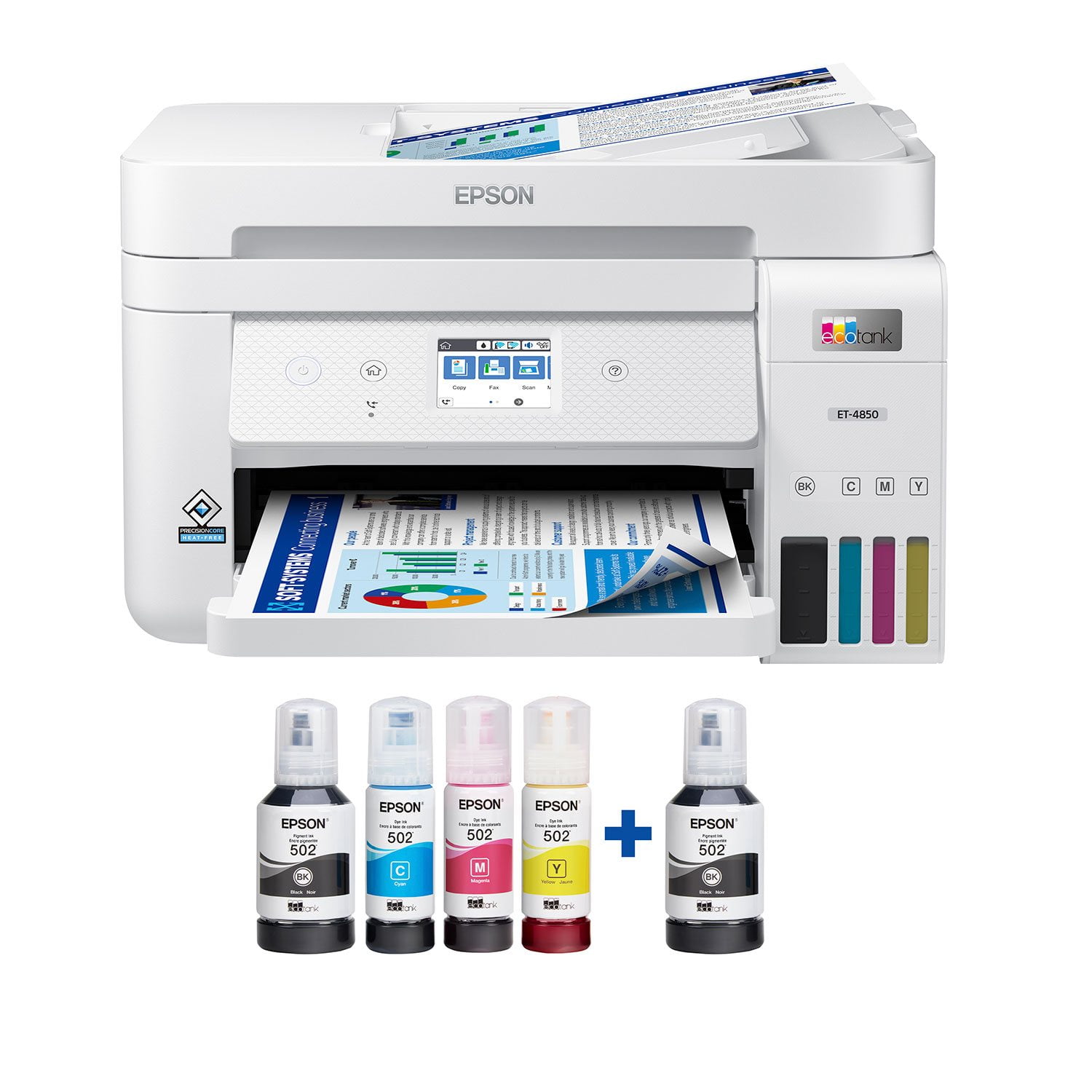
 Customer reviews for Epson EcoTank ET-4850 Special Edition Inkjet Printer, 1 Bonus Black Ink Bottle for
Member photos





Great Printer
This printer is great. I first started off with scanning pictures that I needed for a slide show. This was simple to do and the pictures turned out awesome! When I have printed some documents I was amazed at the speed in which it printed. Much faster than other printers I have used. The setup was a breeze and adding ink, to me, was super cool. The simplicity of inserting the ink bottle and letting it fill the tank was fun to watch. After about 10 minutes I was setup and full of ink and ready to start printing. This is a review for the Epson EcoTank ET-4850 Wireless Color Supertank Printer that I received free of charge to do a beta test and review.
Never again
1. Very loud when printing. 2. Available documentation is sub-par, compared to other equipment providers. 3. Support has been non-existent. Won't accept registration, won't honor warranty, what is available online is worthless. 4. Have printed less than 25 documents, all in black-and-white. The yellow and magenta tanks are 2/3 empty, black ink not decreased at all. Can't find any reason why. (contributes to #3). 5. Scanning has been up and down; works sometimes, others not at all. Have had a local computer support person help with this, and they had little luck, either. Maybe this unit is just a lemon, but I'll never trust Epson again.
Excellent home office printer/scanner.
I purchased this ET-4850 (January 2024) for my home office to replace my older Work Force printer, which finally died after many years of service. This new ET printer was very easy to set up (I used the iPhone app, and it was a clear step-by-step process), the WiFi connection is solid, and the print quality is excellent. The scan to computer feature also works very well. I am confused by the posted negative reviews, as my experience with this computer is thus far all positive.
Outstanding Printer That Exceeded My Expectations
After having used the Epson EcoTank ET-4850 the past week and a half, I must say it pleasantly surprised me. The thought of an “Ink bottle” type printer in the small home office environment was met with several critical thought of, cost per page, printing time and ink mess/consumption. Let me break down my experience: Setup – this was by far the easiest printer setup from unboxing to first print job. The packaging was easy to open and remove printer, remove securing tape from various areas of the printer. Adding the ink, the hardest part was opening the airtight packaging bag each bottle came in! Otherwise it was a simple as unscrewing the cap, and inserting the bottle into the fill hole above each ink chamber. Within a thirty seconds, the ink filled the printer chamber and then you repeat the same process for each color. The power up and network configuration was straight forward, in my case, I started by using Ethernet connectivity and after performing the print head alignment test pages, I was printing to the networked printer within 10 minutes. Now as with anything there seems to be drawbacks from time to time. With this printer, the print head alignment test was a challenge. The pages it printed out were clear and vivid however the lines were small enough that to see of offset lines for adjustments were hard to see. Furthermore, the small 3” LCD screen made it hard to click on the screen if you have larger fingers. Printing methods – Initially this printer was setup with Ethernet only, it was a breeze to setup and get started as Windows auto detected the printer and no software of additional setup tasks were needed. Using Apple Airprint, from an IPad was as simple as selecting the printer from the auto discovery list and send the print job. WiFi printing seemed to have a slight delay in receiving a print job compared to Ethernet printing but, at no point did I have to wait more than 15 second for the print job to start. Printing Quality/speed – This printer really surprised me, the quality of colored images on standard paper was awesome, my letterheads really stood out being in color, and images had no smearing or bleeding of colors. By time the page was out of the printer even on full page color, it was safe to touch with no excessive wet ink. Duplex pages were printed with ease, speed of single or double-sided while not as fast as a laser jet printer, still had an impressive 10-14 pages per minute in my usage. Features – I love the ability to send files via an email address to the printer. This make printing out work attachments so quick and easy when away from the house. It took a few minutes to setup the email printing but was well worth the efforts. In the past I have not really used the full ability of printers, the simplistic nature of this printer really pulled me into all of its features. Scanning pages to email and network folders is great and really has helped my productivity. I do not fax but having the option there is still nice as it is still a heavily used method with some businesses. Main draw backs – LCD size on unit is too small, while you don’t need to use it much other than during the setup it is difficult to read and use at only 3”. Power cable is not a standard C13 (computer/monitor) style cable, if you damage the included cable you need to find the same specific style they used. Overall – This is a solid printer that I would not hesitate to recommend to others needing both small office and personal color printing needs. It is not a typical inkjet printer that has a higher cost per page to use, its feature rich that meets the needs of most and in all honestly was nitpicking to find the two main drawbacks I listed above. I’ve found a great replacement for my trusty B/W MFP I had for the past 7yrs. This is a review for the Epson EcoTank ET-4850 Wireless Color Supertank Printer that I received free of charge to do a beta test and review.
FINALLY THE END OF INK cartridges.
EcoTank ET-4850 Wireless printer is a solid product. everything right from the start was FOOL PROOF. The app was very easy to use for set up. filling the ink tanks was very easy. the only real issue during setup was the wireless. i did not have trouble connecting the printer to the network. But struggled trying to print wirelessly. Totally my error iPad was connected to wrong network. Print quality was very good . Balck and white was crisp. Color was decent. The only complaint or issue I have with this printer is, not the fastest when printing color. Not really a big deal. I would definitely recommend this printer. I am very curious how long the ink will last?“This is a review for the Epson EcoTank ET-4850 Wireless Color Supertank Printer that I received free of charge to do a beta test and review.
It prints when its connected
I bought a EPSON27EACC ET-4850 Series all in one system in 2/22 since my first install the printer has had to be reinstalled 6 times and still having problems with it not staying connected, not staying the default printer, the spooler shutting down after the printer goes into sleep mode. In the two months Ive owned it I have printed with it three times, scanned six documents and one photo, have not had the chance to check out the fax. But when it worked it done ok, but being honest its been down most of the time. I gave it a score of two cause it did print and scan, its just it fell down and doesnt want to get back up. If it was a horse Id put it out to pasture.
Epson Printers are the BEST
The really enjoy the Epson brand of printers. They are easy to setup, use, and maintain. Additionally, the quality of the Epson brand printouts are excellent. The wireless printing feature makes it extremely easy to print from my home computer, but also my mobile devices. I cannot imagine why a buyer would chose another brand. Another positive factor I love about the all in one scanner, copier, fax, etc. is the ink tanks! They are easy to fill, check the toner levels, and do NOT run out quickly. I truly believe that I won’t be required to buy ink more than a few times a year. For a person using this in their home for personal or small business use, this is a big cost savings. Other printers required me to replace the ink cartridges way too soon and ran out at the most inconvenient times, since I could not see their levels. This is a review for the Epson EcoTank ET-4850 Wireless Color Supertank Printer that I received free of charge to do a beta test and review.
Not as good as I hoped
Pros: Nice compact footprint size for a home office with high print requirements. Love the tanks instead of ink cartridges - very economical for B&W printing. Moderate print speed (one-sided). Crisp printing when using Epson paper but not as good on store brand. I use the Print, Copy and Scan features but don't have it set up to fax. Cons: Quite a few things aggravate me. Slow print speed for two-sided when multiple copies are needed - I end up doing manual duplex. Poor color fidelity for photo printing - colors tend toward blue/cool tones. No separate feed for photo paper or heavy card stock. Flimsy ADF - originals often feed crookedly and jam or produce skewed copies. Slow at copying and scanning. Paper tray feels flimsy when reinserting in unit. Weirdly, it lost WiFi connection every time I used a document shredder withing 20 feet of the unit - that was a fun one to figure out! Setting up scanning to Cloud was a hassle. Overall, I bought this unit on sales so it was a good value for a general purpose printer, but it it's not a superstar in any area of operation. Photo printing is very disappointing but I love the freedom of printing draft documents without worrying about cost or running out of ink.
Poor print quality, ADF always jams
I purchased this ET-4850 because of the features and the ink tank, but the printer itself is one of the worst printers I have owned. Every print is poor quality with lines through the font despite multiple alignments and head cleanings, and the ADF has never worked for a scan or copy, it jams the first page halfway through feeding, regardless of number of sheets. Highly disappointed
Amazing All in One Product
I received my ET4850, setup was easy. I currently use it at my work office. and let me tell you this bad boy was so easy to use, I started printing and scanning stuff within 30 minutes of starting setup. the scanning is easy and simple and the pages don't look crooked or there's no weird color smudges that happen with other brands. Printing is simple as well, page is lined up perfectly. The only downside I have noticed so far with this product is that with maybe 20 pages total printed the black ink tank is already about 1/4 empty. but maybe that is just because I've only ever used cartridges. “This is a review for the Epson EcoTank ET-4850 All-in-one printer that I received free of charge to do a beta test and review.”