Skip to Main Content
Sam's Club
Sam's Club
All Departments
All Services
Customer reviews for Epson EcoTank ET-4850 Special Edition Inkjet Printer, 1 Bonus Black Ink Bottle for
Epson EcoTank ET-4850 Special Edition Inkjet Printer, 1 Bonus Black Ink Bottle
4.1 out of 5 stars
stars
384 ratings280 reviews
  1. 5 stars63% (241)
  2. 4 stars14% (54)
  3. 3 stars5% (21)
  4. 2 stars6% (24)
  5. 1 star11% (44)

Member photos

Sort by |
Showing 101-110 of 280 reviews
Sep 12, 2024
Reviewer name: Dendog
5 out of 5 stars
5 out of 5 stars review

Verified Purchase

Super easy to fill tanks,

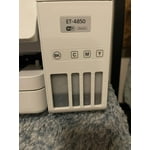
Prints excellent! Even at 180 pages at a time. Refill bottles only fit one color so you can’t make a mistake. To easy.

Helpful?4NGXQX8LBJE013675314069
Jul 24, 2025
Reviewer name: Wynnter
1 out of 5 stars
1 out of 5 stars review

Verified Purchase

garbage

put ink in no problem put paper in no problem and it never worked kept jamming the paper changed out different paper and still the same thing

Review from walmart.com
Helpful?4NGXQX8LBJE013675314069
reply from Epson

Hi Epson Customer, please visit www.epson.com/support/et4850 for useful product information on optimizing print settings and avoiding paper jams. Your Epson includes free technical support for the life of your product. Our Epson Support Team would be happy to help you and can be reached at (562) 276-4382; Hours: Monday – Friday, 7 a.m. to 4 p.m. (PT). We appreciate your purchase, and we value your feedback. Sincerely, Joseph – The Epson Team.

Nov 16, 2022
Reviewer name: pham
5 out of 5 stars
5 out of 5 stars review

Verified Purchase

Great Products

I really like the printer and is very easy to use and it easy to refill the inks. Thank You very much

Review from epson.com
Helpful?4NGXQX8LBJE013675314069
Dec 3, 2022
Reviewer name: Juan
5 out of 5 stars
5 out of 5 stars review

Verified Purchase

Epson Echo Tank

Excellent product. No concern about paper and Ink, enough to print for long time. Must have. Quality of product is outstanding.

Helpful?4NGXQX8LBJE013675314069
Sep 14, 2024
Reviewer name: OldTar
5 out of 5 stars
5 out of 5 stars review

Verified Purchase

Very Nice!

Works as described. I should have bought one of these printers a long time ago and saved myself a ton of m oney.

Review from epson.com
Helpful?4NGXQX8LBJE013675314069
Jun 20, 2025
Reviewer name: Teresa
4 out of 5 stars
4 out of 5 stars review

Verified Purchase

Epson ET-4850

It was easy to set up. I print on cardstock from digital files that I purchase and it is using more ink than I thought it would.

Helpful?4NGXQX8LBJE013675314069
Mar 26, 2025
Reviewer name: Florida buyer
3 out of 5 stars
3 out of 5 stars review

Not as good as I hoped

Pros: Nice compact footprint size for a home office with high print requirements. Love the tanks instead of ink cartridges - very economical for B&W printing. Moderate print speed (one-sided). Crisp printing when using Epson paper but not as good on store brand. I use the Print, Copy and Scan features but don't have it set up to fax. Cons: Quite a few things aggravate me. Slow print speed for two-sided when multiple copies are needed - I end up doing manual duplex. Poor color fidelity for photo printing - colors tend toward blue/cool tones. No separate feed for photo paper or heavy card stock. Flimsy ADF - originals often feed crookedly and jam or produce skewed copies. Slow at copying and scanning. Paper tray feels flimsy when reinserting in unit. Weirdly, it lost WiFi connection every time I used a document shredder withing 20 feet of the unit - that was a fun one to figure out! Setting up scanning to Cloud was a hassle. Overall, I bought this unit on sales so it was a good value for a general purpose printer, but it it's not a superstar in any area of operation. Photo printing is very disappointing but I love the freedom of printing draft documents without worrying about cost or running out of ink.

Review from epson.com
Helpful?4NGXQX8LBJE013675314069
Apr 8, 2022
Reviewer name: Damion
2 out of 5 stars
2 out of 5 stars review

It prints when its connected

I bought a EPSON27EACC ET-4850 Series all in one system in 2/22 since my first install the printer has had to be reinstalled 6 times and still having problems with it not staying connected, not staying the default printer, the spooler shutting down after the printer goes into sleep mode. In the two months Ive owned it I have printed with it three times, scanned six documents and one photo, have not had the chance to check out the fax. But when it worked it done ok, but being honest its been down most of the time. I gave it a score of two cause it did print and scan, its just it fell down and doesnt want to get back up. If it was a horse Id put it out to pasture.

Review from epson.com
Helpful?4NGXQX8LBJE013675314069
Jul 25, 2024
Reviewer name: FixItWorse
5 out of 5 stars
5 out of 5 stars review

Total Beast - Has Never Disappointed!

I have no idea what these negative reviews are on about, I've had this thing for almost 2 years now, and printed a ton, lots of edge to edge photos, hundreds upon hundreds of full color documents, and I've still got nearly half the ink left. Best printer I've ever owned, by a mile. Do wish there was some kind of up to date, "Best Practices" guide or something though, I had to figure out a lot on my own.

Review from epson.com
Helpful?4NGXQX8LBJE013675314069
Jan 18, 2025
Reviewer name: Oldinstaller
4 out of 5 stars
4 out of 5 stars review

Serial Number on bottom in ultra small print

I bought a little while ago. Installation is more complex than previous printers I've had, but went pretty smoothly. I didn't need the CD and installed off the internet. The biggest annoyance was the fact that the serial number is on the bottom of the printer and only gets asked for after the install is complete and the ink loaded. Compounding the problem the number is about number 6 font which requires my special small detail glasses to read. You queried the printer for the install - get the darn number yourself.

Review from epson.com
Helpful?4NGXQX8LBJE013675314069