Customer reviews for Epson EcoTank ET-2840 Special Edition All-in-One Inkjet Printer, 2 Bonus Black Ink Bottles forMember photos
Scanless
What a waste of money. Prints fine but it is not compatible to scan on newer computers. Its so old Epson doesn’t even have the software to download.
Verified Purchase
Great deal
Great deal! The tubes filled the tanks with a bit leftover. They say that the tank will do 30,000 copies! So great deal! Easy to fill. Hopefully I’m keeping the ink correctly and will last a long time!
Good Quality & Compact Printer with fast printing capability
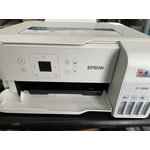
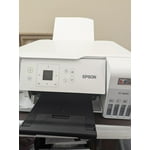
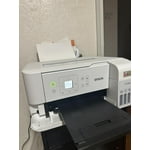
“This is a review for the Epson EcoTank ET-2840 Special Edition Wireless Color Supertank printer that I received free of charge to do a beta test and review.” I like the packaging this printer comes with, simple box with no foam, 2 pieces of setup guide paper and one power cable, no USB cables as it’s a complete wireless printer. Compact design, can even fit in a small corner in the table or bench, very light weight too. Excellent print quality, with sharp text and vibrant color graphics. I tried black & white pages, color prints and also color scan copies, I like the quality. Attached the photo of color print and its scan copy in this review. The printer was quick, taking only a few seconds to print a standard A4 page. I tried to print 30 pages doc and it’s printed in couple of minutes. Epson App is helpful for users to do the initial setup, I would say no paper guide is needed if anyone just installs the app and that guides throughout the setup. LCD screen is intuitive , able use the printer without a need of PC or Mobile, helpful while doing copy. Filling the ink is a good experience, bottle design is good as well which avoids any kind of spilling, brings up old memory of filling ink pens. Ink bottles which comes with the package is sufficient to fill the tank and will have around 20% remaining. Would be nice if Epson can provide a resealable bag to storge the ink bottles after the first fill. This printer doesn’t do automatic duplex printing, we need to do it manually. Few things which I felt could be improved are, Noise : During the initial setup and while printing , we hear too much noise. Vibration: Printer vibrates a lot on start and also while printing. This could be due to the printer weight, as its very light. Improving vibration could reduce some of the noise as well. The printer was reliable and consistently produced high-quality output all the time I used so far. Overall, I like the quality , bit noisy if you can manage it, it a good printer suitable for personal and small office use.
Great printer easy to setup and use
This is a review for the Epson EcoTank ET-2840 Special Edition Wireless Color Supertank printer that I received free of charge to do a beta test and review. As with many printers now the setup process has improved greatly in ease of use and getting printing. The ET-2840 is no exception. By leveraging the Epson app to quickly setup the printer by following a very simple step process I was able to get up and print very quickly and without any issues. Even when I had an issue with a step(which I missed) the app was able to quickly guide me through the step again so I could correct the setup issue I encountered. From a usage perspective, I found this printer to fit my needs. The printer itself is able to quickly print in both black and white and color. The crispness of the text being printed (or pictures) are great and easy to read. I was especially impressed with the ability to air print without any issue post-setup on my home network (I look forward to using this feature more over the life of the printer). I found the scanning functionality to be sufficient for my needs of an occasional document scan or to scan simple pictures to quickly digitize. Overall this is a great unit and I look forward to using it more and more in my home office.
Horrible
Worst printer ever. Set it up today smooth as silk.... sent it a 300 page print job major fail it keeps stopping saying its jammed, printer heads misaligned oh and will I take a survey? So it's sitting here dead 0 clue how to fix it. Ready to throw it and all of its ink out of the window. Btw set up through the app to phone and desktop. All went smoothly until I asked it to work.
Does NOT do double-sided printing
I thought this was the newer version of our older Epson eco tank that died this week. Got it home, set it up, tried to print double sided and it asked me to manually put the paper in! It is not an auto-duplex printer! Thankfully, Sam's Club took it back and purchased the next level up Epson for $100 more. I'm kind of disgusted that Epson took the auto-duplex feature from this price-level printer.
Epson EcoTank ET-2840 - Cool Printer!
This is a review for the Epson EcoTank ET-2840 Special Edition Wireless Color Supertank printer that I received free of charge to do a beta test and review. Love the size, weight, and refillable ink feature of this printer. Packed safely, it was easy to remove from the box and set up (lots of blue tape protecting hinged pieces, etc. The Quick Set-Up guide was clear and concise - offering two set up alternatives - manually and through a free app I downloaded from the app store on my iphone. Note: the instructions mentioned several times NOT to connect the printer wire to the computer. Thank you. I did struggle a bit understanding how to get the app and printer connected to our WiFi but when I figured it out the instructions on the app were clear and moved at a pace that made sense with what I was being asked to do - like did you finish this or that - before moving forward. Three small issues at set up: 1. inserting the USB cord into the printer was a bit challenging. While I appreciated the space for my fingers around the port, somehow inserting the square end of the cable into the port was challenging. Eventually I tipped the printer on it's face to better see and insert the cable into the port. 2. ink tank color identification and ink level were not immediately apparent.The app did display the ink color distribution effectively. I had to look under the printer to see the colors correlation and ink level. Filling the ink tanks was clearly explained and very easy. Connection with the computer was smooth and without difficulty. From there on out, the printer was stellar! Printing wirelessly from my iphone rooms away and through the computer - quick, easy, and effortless. Photo copying took a bit more time than I expected but the quality was good. Scanning was simple! All in all, this is a wonderful all-in-one color printer. Sweet machine. I look forward to using it more! Highly recommend.
Easy to set up but does not print dual-sided!
I bought this printer because it had an ecotank. Decided to switch from HP to Epson. The setup was simple and filling the tanks was super easy. Went to print the first print job and realized it does not print two-sided. Really? I thought that was a standard feature on all printers today. I guess I will figure out how to manually flip pages in every print job.
Simple easy to use features!
By far the BEST printer I have ever uses. It is easy to use and the apps allow for some great creative printing options! I print MANY copies for my S S. class and the ink reservoir barely goes down. I have printed several color photos on photo paper as well as standard plain white printer paper and the quality is extremely good! I recommend the Epson EcoTank printer to everyone I who talks to me about printers or the copies I make! I am very satisfied with this product!!
Exceptional, high-caliber, environmental Friendly Printer
This is a review for the Epson EcoTank ET-2840 Special Edition Wireless Color Supertank printer that I received free of charge to do a beta test and review. I have received the box with damages in 2 places but the packing was so good I don't see any dents to the printer. It came with setup guide and power cable. The printer is small and light weight, easy to fit in any corner of the room with a power outlet. The initial setup is very easy, just gone the steps in the setup guide. Most of the time spent for filling in the ink. Ink bottles are super, design of the printer avoids any spills during the ink fill. We can see the ink levels through windows. I have used the iphone for printing, easy to install and setup software. I have used for printing couple of papers, there is no 2 sided printing option. Its printing very fast. Overall I am impressed with compact design, speed and quality. It will fit in my home office.