Skip to Main Content
Sam's Club
Sam's Club
All Departments
All Services
Customer reviews for LG 50" Class QNED70A Series 4K QNED UHD Smart TV for
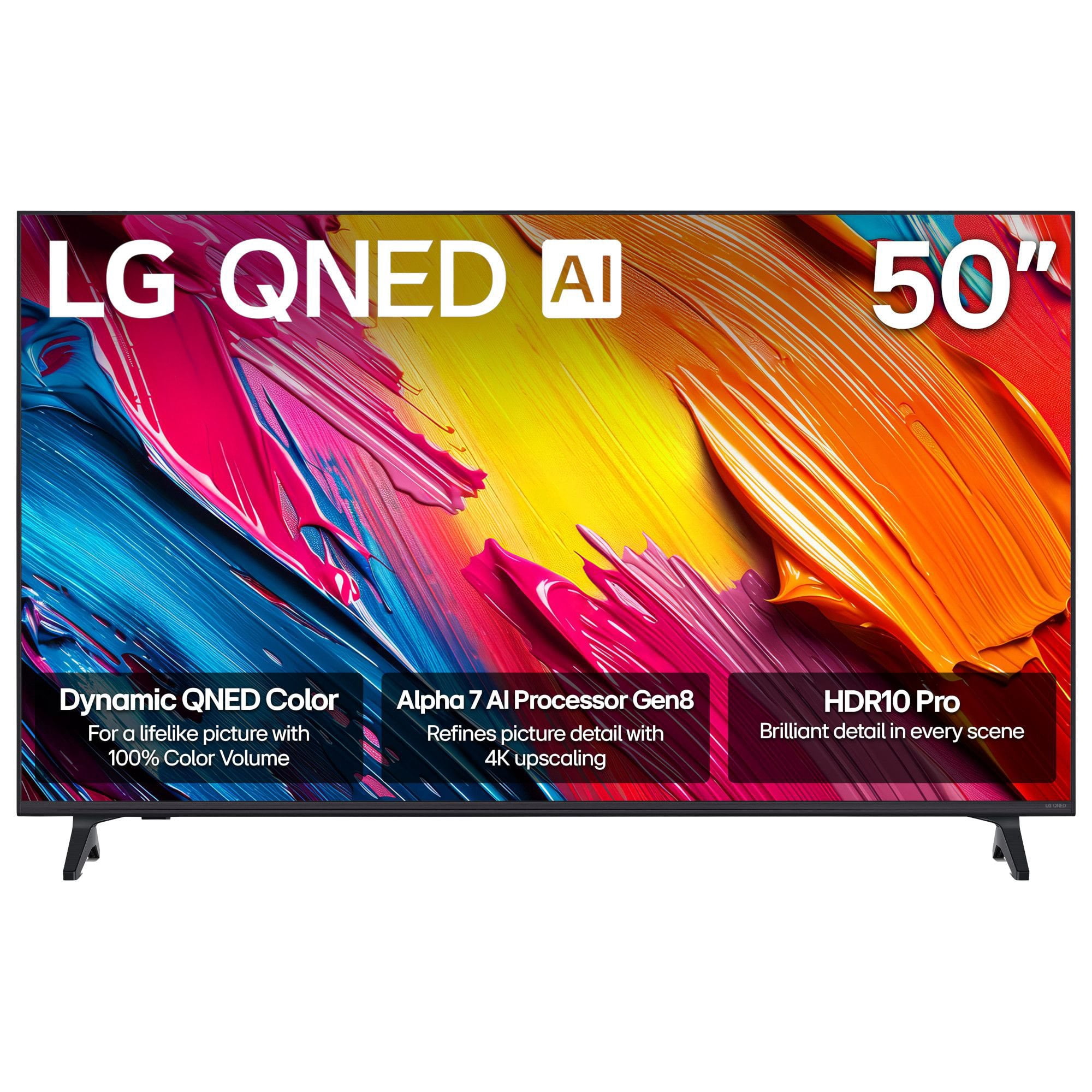
LG 50" Class QNED70A Series 4K QNED UHD Smart TV
4.1 out of 5 stars
stars
45 ratings45 reviews
  1. 5 stars53% (24)
  2. 4 stars29% (13)
  3. 3 stars0% (0)
  4. 2 stars9% (4)
  5. 1 star9% (4)

Member photos

Sort by |
Showing 11-20 of 45 reviews
Nov 22, 2024
Reviewer name: Aj3O
5 out of 5 stars
5 out of 5 stars review

LG 65” QNED

[This review was collected as part of a promotion.] I did not receive this LG TV for free or at a discounted price for my review. I like the 65” a lot. I like the clarity and color pigment from the tv. The sound is clear. So far so good. Please enter my personal and honest review into your sweepstakes.

Review from lg.com
Helpful?4XBEQT9BD1LZ20073353030
reply from LG Digital Care Team

Hi Aj, we understand and appreciate you taking the time to share your experience with your LG 65 Inch Class QNED75A Series 4K UHD Smart TV with webOS 23 and ThinQ AI, model 65QNED75ARA. It’s great to hear how much you’re enjoying the clarity, color, and sound—those are exactly the strengths this series is designed to deliver. We also appreciate you noting that your review is personal and honest. While we can’t enter customers into sweepstakes ourselves, your review posted on the product page is what qualifies you, and we’re glad you took the time to share it. If you need further assistance, feel free to email lgdigitalcare@lg.sprinklrsupport.com. LG Digital Care Team ^Rich #LifesGood

Nov 3, 2023
Reviewer name: Angel 953
4 out of 5 stars
4 out of 5 stars review

Verified Purchase

Great buy, got what I needed and expected

[This review was collected as part of a promotion.] I'm very pleased with this TV. Great resolution, sound it's very good. My only issue is with the colors. I am not good with the new technology and have a little problem with them. Tried different things and not getting a better result.

Review from lg.com
Helpful?4XBEQT9BD1LZ20073353030
Jun 11, 2026
Reviewer name: Sam
5 out of 5 stars
5 out of 5 stars review

Surprisingly happy after 4 months!

This tv was very confusing to me and the remote was even worse. However, as my skills have improved, I've really begun to like it. It has everything plus more that I could want/need and I found an LG magic remote with numbers from a big mail vendor. This is a great price for the tv and it will do just fine for me.

Helpful?4XBEQT9BD1LZ20073353030
Apr 27, 2026
Reviewer name: Sabbeth
1 out of 5 stars
1 out of 5 stars review

Verified Purchase

Too many issues!

Sound fluctuations, turning off sporadically, sound bar didn't work with TC. Would not buy again.

Review from lg.com/ca
Helpful?4XBEQT9BD1LZ20073353030
reply from LG CareQ

We are incredibly sorry to hear about the trouble you've had with your TV and soundbar. We want you to enjoy a seamless home theater experience, and it’s clear that these sound fluctuations and power issues have been a major disappointment. We hear you loud and clear, and we want to make this right! Please reach out to our LG CareQ team at 1-888-542-2623, or via live chat or email through our support site at https://www.lg.com/ca_en/support/contact-us/ with your model and serial number, the details of these issues, and your reference number: CNN260429268804, and we will be here to assist you!

Feb 4, 2026
Reviewer name: Mik 63
5 out of 5 stars
5 out of 5 stars review

Great picture

good pictures sounds great the best always and forever

Review from lg.com
Helpful?4XBEQT9BD1LZ20073353030
reply from LG

Hello, Mik. We appreciate you sharing your thoughts about your LG TV. It’s great to hear that the picture and sound are hitting the mark for you—nothing beats a setup that delivers exactly the experience you’re looking for, every time. For more feedback or questions, please send us an email at lgdigitalcare@lg.sprinklrsupport.com. Thanks for choosing LG! #LifesGood ^James

Dec 5, 2025
Reviewer name: Frank
2 out of 5 stars
2 out of 5 stars review

Verified Purchase

Confusing

Do not like the Remote Control, Not very easy to operate, confusing to control circle of light that appears on the screen. No quick response.

Review from walmart.com
Helpful?4XBEQT9BD1LZ20073353030
reply from LG Digital Customer Care

Hi, Frank. Thank you for sharing your experience with the LG TV (50QNED70AUA) model. We understand how important it is for the remote control to feel intuitive and responsive. The “circle of light” you’re seeing is part of the Magic Remote’s pointer function, which allows you to move a cursor on the screen by waving the remote. If this feels confusing, you can disable or adjust it by going to Settings > General > Devices > Pointer Options and either turning off the pointer or reducing its sensitivity. For quicker response, make sure the remote is paired correctly with the TV—press and hold the Home and Back buttons together until the pairing message appears. You can also use the directional buttons on the remote instead of the pointer for more traditional navigation, which many users find simpler. For guidance, visit https://www.lg.com/us/support/product/lg-50QNED70AUA.AUS. If you need further assistance, please send us an email at lgdigitalcare@lg.sprinklrsupport.com. We're here to help. ^Juvy

Mar 18, 2024
Reviewer name: Wall Hanger
4 out of 5 stars
4 out of 5 stars review

Verified Purchase

Like it so Far

Really like the picture , the remote is a bit busy for us , & not really understanding all of the smart TV 's abilities . Believe it will take some time to learn .

Review from lg.com
Helpful?4XBEQT9BD1LZ20073353030
May 5, 2026
Reviewer name: Dcomeryates
1 out of 5 stars
1 out of 5 stars review

Won't keep WiFi saved

My WiFi keeps changing to Xfinity even though I save my WiFi name. It doesn't save the correct WiFi name and I have to go in and manually connect. It is very frustrating and time consuming. Unhappy with tv.

Review from lg.com
Helpful?4XBEQT9BD1LZ20073353030
reply from LG

Hello. Thanks for sharing what’s happening with your LG TV. We appreciate the details you provided about the Wi‑Fi switching to Xfinity and the need to manually reconnect each time. We want to review the specifics of your LG TV model so we can look into this properly and see how we can assist. To allow us to properly investigate the details of your specific product model and to see how we can assist with your Wi‑Fi connection issue being encountered, please send us an email at lgdigitalcare@lg.sprinklrsupport.com if you need further assistance. ^James

Feb 26, 2024
Reviewer name: gmark
4 out of 5 stars
4 out of 5 stars review

Verified Purchase

First Magic TV👍

[This review was collected as part of a promotion.] Overall good value . Tough to get used to the need for a magic arrow but good idea. My only real issue may not be an lg problem. My spectrum remote won't completely pair so I have to use two remotes. Spectrum thinks it's because I have a dvr box. But why should that not allow the volume to be controlled by the magic remote? I'm doing some research. 🔬

Review from lg.com
Helpful?4XBEQT9BD1LZ20073353030
Nov 21, 2023
Reviewer name: MM88
5 out of 5 stars
5 out of 5 stars review

Verified Purchase

A Must Buy.

[This review was collected as part of a promotion.] I've been apart of the LG family for a while now and I haven't been let down at all. This continues with the purchase of my 55in QNED tv. The picture is incredible, every aspect of dark/light are amazing. These guys definitely took their time improving this technology. I especially love the fact that you can adjust the sound for a mounted TV. This brings another level to watching sports.

Review from lg.com
Helpful?4XBEQT9BD1LZ20073353030