Skip to Main Content
Sam's Club
Sam's Club
All Departments
All Services
Customer reviews for SAMSUNG 85” Class M70H Series Mini LED 4K UHD Vision AI Companion Smart Tizen TV for
SAMSUNG 85” Class M70H Series Mini LED 4K UHD Vision AI Companion Smart Tizen TV
4.4 out of 5 stars
stars
262 ratings261 reviews
  1. 5 stars69% (182)
  2. 4 stars15% (40)
  3. 3 stars8% (21)
  4. 2 stars4% (11)
  5. 1 star3% (8)

Member photos

  • +55 images
Sort by |
Showing 81-90 of 261 reviews
Jun 20, 2026
Reviewer name: ScottieMom
5 out of 5 stars
5 out of 5 stars review

Very Pleased With Purchase

[This review was collected as part of a promotion.] We love our new television! It was very easy to set up. The picture has excellent clarity; it looks like you could jump into the picture! The color is spot on and the sound quality is also excellent.

Review from Samsung US
Helpful?5B1TBKY04O0L19900257824
Jul 20, 2026
Reviewer name: Harmz21
5 out of 5 stars
5 out of 5 stars review

Amazing Hi-Def and Ultra Color TV
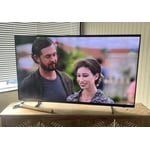
[This review was collected as part of a promotion.] My new 55’ Samsung television is so enjoyable with top of the art high definition, contrast, resolution and color along with an incredibly responsive and user friendly Smart TV app (SmartThings) for your phone that allows you to control your TV from anywhere and has an on demand remote if you’ve lost yours or have your phone on you and simply don’t want to get up from the couch to grab the physical remote. I would recommend this TV to anyone, 5-star rating all the way!

Review from Samsung US
Helpful?5B1TBKY04O0L19900257824
Jun 5, 2026
Reviewer name: SB52
3 out of 5 stars
3 out of 5 stars review

Needs a better sleep timer setting

[This review was collected as part of a promotion.] This TV is the only Samsung that I have in my home. We have a TV in every bedroom so whenever we have family/ guests visit, they will have a TV in their personal space. Of all the TV’s we have the Samsung is by far the least responsive to commands. I enjoy falling asleep to the TV in the background, but don’t like to wake to it at 3:00 AM, so I use the sleep timer every night. Some of our TV’s have the convenience of a verbal command setting that allows you to verbally set the timer. Samsung should look into this and add it.

Review from Samsung US
Helpful?5B1TBKY04O0L19900257824
reply from Samsung Advisor

Hi SB52, We appreciate your feedback on the M70HD TV. For optimal performance, please ensure your TV is running the latest firmware. You can check this by going to: Home > left directional key > Settings > Support > Software Update To further optimize performance, try running Device Care, which checks memory, clears unused cached data, and closes background apps: Home > left directional key > Settings > Support > Device Care > Start Device Care. Please know that although your TV does not have a built-in voice assistant, it does work With Alexa, meaning you’ll need to connect a standalone Alexa device such as an Echo speaker, to control compatible smart home devices and some experiences on your TV. You can also use the Samsung SmartThings app on your mobile device to set up a daily routine, such as turning off the TV at a certain time each night. To set up a routine, please follow the below instructions: Step 1. On your phone, navigate to and open the SmartThings app. Tap the Home icon and select the location with the device you want to use in the Routine. Step 2. Tap Add (the plus sign), and then tap Routine. Step 3. Tap + under "If" to set your desired conditions for the routine, such as the time it will trigger. After tapping +, follow the on-screen instructions for your chosen condition. Step 4. Tap + under "Then" to add an action to the routine. If needed, you can assign an offline device to an routine. If the device says (Offline) next to it, you can still select it and then choose your desired action. Step 5. Read the on-screen instructions to finish the setup, and then tap Save. Step 6. Assign a name to the routine, and then tap OK. When the conditions are met, the device will automatically perform that action! We hope these tips are helpful. If you need any further assistance, please don’t hesitate to call us at 1-800-SAMSUNG (8AM – 9PM EST Mon – Fri, 8AM – 6PM Sat – Sun), or reach us via text anytime. You can also visit ‘Support’ on our website for:. You can also chat with one of our agents by clicking the ‘Support’ link on our website for: • Live Chat • Manuals, Software, & Warranty Info ~ Samsung Advisor

Jun 14, 2026
Reviewer name: EvilLabs15
5 out of 5 stars
5 out of 5 stars review

Great TV!!!

[This review was collected as part of a promotion.] This TV is great!!! The color, brightness, and clarity are amazing. The contrast and resolution are amazing as well. The only problem I had was setting up SmartThings, but that could’ve been user error

Review from Samsung US
Helpful?5B1TBKY04O0L19900257824
Jun 25, 2026
Reviewer name: TV Voyeur
4 out of 5 stars
4 out of 5 stars review

Great little set.

[This review was collected as part of a promotion.] I use this set in my work out room. The 55” replaces an 32” old set. What a difference. Screen detail, brightness makes it a worthwhile investment. We really enjoy the set while grunting and sweating Set up was easy once we figured out how to use to magic remote. Personally i think the remote sucks. Give me one with buttons that work. The sound requires a sound bar w/sub. Also note if you do install a sound system to the set you will need to turn on the eArc system on the set. For some reason Samsung doesn’t ship with it on. Lots of magic buttons and steps to get it on. Pricing was good and the set a pleasure to watch. Great for a small space.

Review from Samsung US
Helpful?5B1TBKY04O0L19900257824
Jul 20, 2026
Reviewer name: Mark
2 out of 5 stars
2 out of 5 stars review

Initial results

[This review was collected as part of a promotion.] I recently bought my tv and believe I need to return it under the warranty. The screen blacks out at random times, very annoying, the sound continues to work, but the screen goes black for - one second.

Review from Samsung US
Helpful?5B1TBKY04O0L19900257824
reply from Samsung Advisor

Hi Mark, Thanks for sharing your experience with your screen displaying a black screen and “No Signal” message. This typically indicates a connection or source issue. Let’s walk through a few steps to help get things working again. 1. Check Source & Connections • Confirm the source: Use the remote to make sure the TV is set to the correct input. Go to: Home > Left directional key > Connected Devices > Sources • Verify connections: Ensure all external devices (like a cable box or Blu-ray player) are powered on and securely connected via HDMI. Try switching to a different HDMI port or using another cable to rule out a faulty connection. For best results, use a High Speed HDMI cable with Ethernet (HEAC) – this supports stable 4K video and audio signals for most external devices. • Using a soundbar or A/V receiver? If you're connected through the TV’s HDMI eARC port, be sure to use a certified Ultra High Speed HDMI cable to enable lossless audio formats like Dolby Atmos and maintain proper eARC functionality. • Power cycle the TV: Unplug it from the wall for at least 60 seconds, then plug it back in. 2. Update Your TV Software • Make sure your TV is running the latest firmware: Home > Left directional key > Settings > Support > Software Update 3. Signal & Broadcast Checks (Especially important if you're using a cable box or antenna.) • Check signal strength: Home > Left directional key > Settings > Support > Device Care > Self Diagnosis > Broadcast Signal • Run Auto Program: Home > Left directional key > Settings > All Settings > General & Privacy > Broadcasting > Auto Program 4. Advanced Troubleshooting • HDMI Test: Home > Left directional key > Settings > Support > Device Care > Self Diagnosis > HDMI Test • Try a different device: Connect another external device to the same port to help identify whether the issue lies with the original device or the TV. • Check the power source: Make sure the TV is plugged into a working outlet. If using a surge protector, try plugging directly into the wall. • Factory reset (if needed): As a last resort, you can reset the TV to its default settings. (Note: this will erase your personal preferences.) If none of these steps resolve the issue, contact Samsung Support for further assistance at 1-800-SAMSUNG (8AM – 9PM EST Mon – Fri, 8AM – 6PM Sat – Sun), or reach us via text anytime. You can also visit ‘Support’ on our website for: • Live Chat • Manuals, Software, & Warranty Info ~ Samsung Advisor

Jul 5, 2026
Reviewer name: Foxx
5 out of 5 stars
5 out of 5 stars review

live and color

[This review was collected as part of a promotion.] I have been a Samsung client for the last 25 years I have 3 Samsung products a 43 inch Qled a 55 Crystal Hud now I purchased a 55 inch mini Led led the quality of the picture is remarkable feel like I am inside the Tv ... excellent picture

Review from Samsung US
Helpful?5B1TBKY04O0L19900257824
Jul 20, 2026
Reviewer name: David
5 out of 5 stars
5 out of 5 stars review

Great picture

[This review was collected as part of a promotion.] I absolutely love this TV. It is a replacement for another brand that stopped working. The Samsung is very responsive, color and contrast, brightness is all top notch. I even slurred and purchased the matching 5.1 sound bar. I love this system.

Review from Samsung US
Helpful?5B1TBKY04O0L19900257824
Jun 10, 2026
Reviewer name: Joec
5 out of 5 stars
5 out of 5 stars review

Great affordable TV!
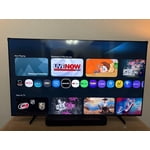
[This review was collected as part of a promotion.] I liked how bright the TV is and this is my first 65” tv and it’s a perfect size for an apartment. The clarity is alright as it’s not OLED and doesn’t have its crisp contrast. Resolution is as good as it gets and the colors are phenomenal

Review from Samsung US
Helpful?5B1TBKY04O0L19900257824
Jun 11, 2026
Reviewer name: Tori
5 out of 5 stars
5 out of 5 stars review

Just buy the Samsung

[This review was collected as part of a promotion.] Simple to set up. Overall picture is beautiful for the price. I've gone through a few different tvs and ended up back on a Samsung due to their durability and long life line. I still use a Samsung in my room from 8 years ago. That should tell you all you need to know.

Review from Samsung US
Helpful?5B1TBKY04O0L19900257824