Skip to Main Content
Sam's Club
Sam's Club
All Departments
All Services
Customer reviews for Samsung 4.1 Channel Soundbar w/Subwoofer - HW C47M for
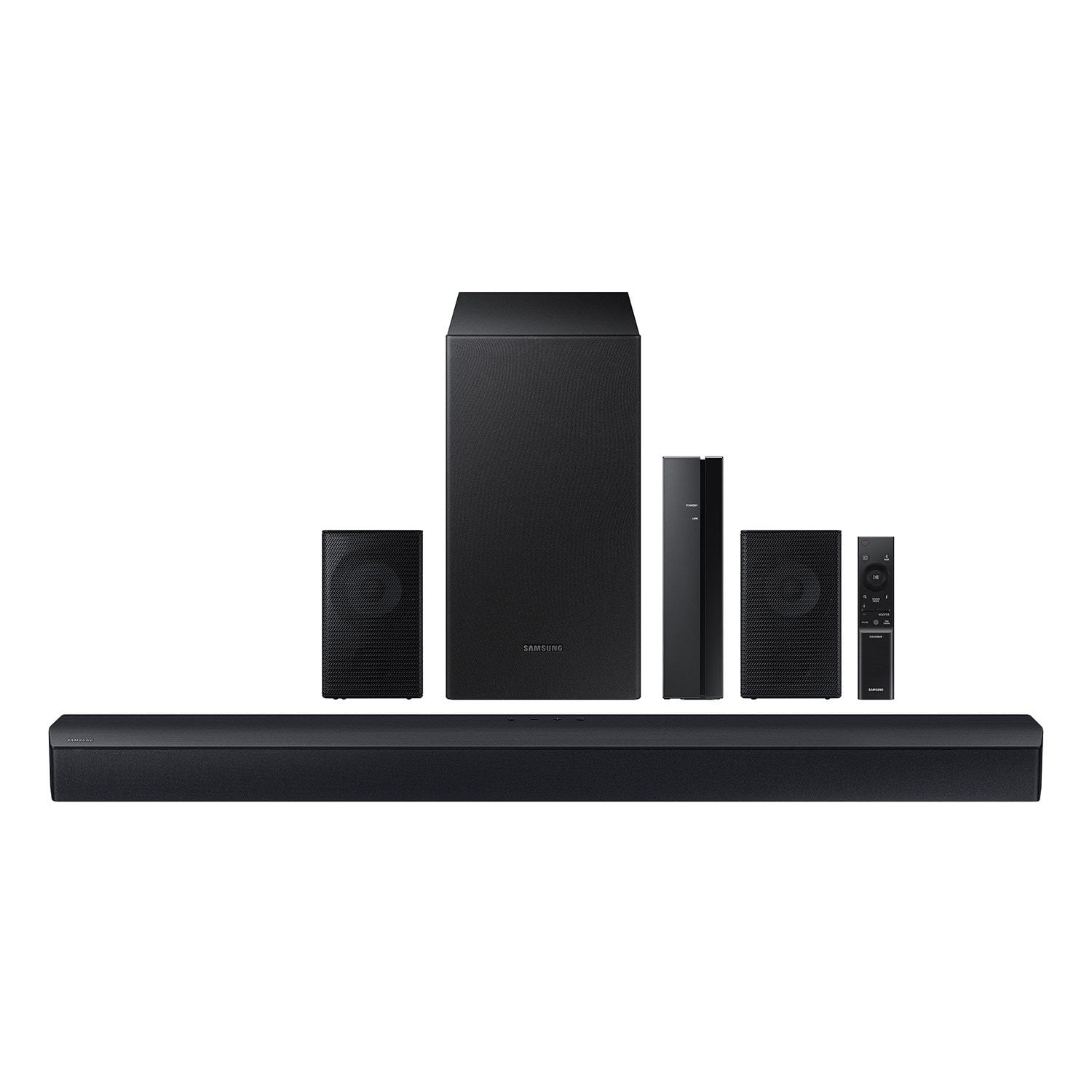
Samsung 4.1 Channel Soundbar w/Subwoofer - HW C47M
4.2 out of 5 stars
stars
800 ratings790 reviews
  1. 5 stars66% (531)
  2. 4 stars12% (98)
  3. 3 stars6% (48)
  4. 2 stars5% (38)
  5. 1 star11% (85)
Sort by |
Showing 301-310 of 790 reviews
Sep 20, 2024
Reviewer name: Bobby
5 out of 5 stars
5 out of 5 stars review

Verified Purchase

Just what I needed

Works great! Don’t expect movie theater surround sound but for the price, I love it!! I am very happy with the purchase.

Review from walmart.com
Helpful?6U2SK3AEJBKZ19585623078
Jan 20, 2025
Reviewer name: Cassie
5 out of 5 stars
5 out of 5 stars review

Verified Purchase

System was easy to put together and has good quality sound. Volume can go extremely loud if needed. Best Christmas present for my spouse.

Review from walmart.com
Helpful?6U2SK3AEJBKZ19585623078
Nov 17, 2023
Reviewer name: Paul
5 out of 5 stars
5 out of 5 stars review

Verified Purchase

Satisfied

So far so good. Had to update glad I bought this unit. It has wireded rear speakers. Thought it was wireless. But it sounds Awsome

Review from walmart.com
Helpful?6U2SK3AEJBKZ19585623078
Jan 31, 2025
Reviewer name: christine
1 out of 5 stars
1 out of 5 stars review

Verified Purchase

the subwoofer but the rear speakers do not work at all even when i hooked them up to the Bluetooth still don't work 😑

Review from walmart.com
Helpful?6U2SK3AEJBKZ19585623078
reply from Samsung

Hello christine, We appreciate you taking a few moments to review the Samsung HW-C47M When powered on for the first time, the rear speakers and subwoofer should automatically connect wirelessly. If the auto-connection process fails, you can try manually connecting the sub and rears to the soundbar. Before performing the manual connection procedure, check whether the power cables for the Soundbar and subwoofer are connected properly and make sure that the Soundbar is turned off. Press and hold ID SET on the rear of the subwoofer for at least 5 seconds. The red indicator on the rear of the subwoofer turns off and the blue indicator blinks. Press and hold the Up button on the remote control for at least 5 seconds. The ID SET message appears on the display of the Soundbar for a moment, and then it disappears. The Soundbar will automatically power on when ID SET is complete. The LINK LED indicator stops blinking and glows a solid blue when a connection is established between the Soundbar and the Wireless Subwoofer. To setup the wireless rear speaker kit included with the soundbar, first use the color-coded speaker wires to connect the rear speakers to its wireless module and place these three in the back of your room. Plug the wireless receiver module power cord into an electrical outlet and into the wireless receiver module to turn on the wireless receiver module. Press and hold the ID SET button on the back of the wireless module for at least 5 seconds or until the blue light starts blinking. Turn off your soundbar and press the Up button on the remote for 5 seconds. The ID SET message will appear on the soundbar for a short time and then disappear. After the ID SET process, the soundbar power is automatically turned on. The LINK LED indicator stops blinking and glows a solid blue when a connection is established between the soundbar and the wireless receiver module. If you need more help, Samsung is here for you. Please call us at 1-800-SAMSUNG, 8AM - 12AM EST (Ask for Soundbars), 7 days a week. Our Live Chat agents are also available by clicking on the ‘Support’ link on our website. ~ Samsung Solutions

Nov 13, 2023
Reviewer name: Keyonna
5 out of 5 stars
5 out of 5 stars review

Verified Purchase

upgrade from our older samsung soundbar. price was to good to miss, this one is much louder. its giving very much in the movie theater.

Review from walmart.com
Helpful?6U2SK3AEJBKZ19585623078
Nov 12, 2023
Reviewer name: WalmartCustomer
5 out of 5 stars
5 out of 5 stars review

Verified Purchase

[This review was collected as part of a promotion.] Samsung has always been a good product. It’s amplified our TV. And was at a reasonable price

Review from walmart.com
Helpful?6U2SK3AEJBKZ19585623078
Nov 13, 2023
Reviewer name: anonymous
5 out of 5 stars
5 out of 5 stars review

Verified Purchase

[This review was collected as part of a promotion.] Sounds great but price is more than I would have liked to pay

Review from walmart.com
Helpful?6U2SK3AEJBKZ19585623078
Nov 15, 2023
Reviewer name: WalmartCustomer
4 out of 5 stars
4 out of 5 stars review

Verified Purchase

[This review was collected as part of a promotion.] Because This is my opinion. On the product I bought

Review from walmart.com
Helpful?6U2SK3AEJBKZ19585623078
Dec 2, 2023
Reviewer name: Erkan
3 out of 5 stars
3 out of 5 stars review

Verified Purchase

Not real 4.1 channel

it has stereo channels, not 4 channels, it gives delay back speakers only. Not strong bass. I returned it.

Review from walmart.com
Helpful?6U2SK3AEJBKZ19585623078
reply from Samsung

Hello Erkan, Thank you for your review of the Samsung HW-C47M Soundbar and for sharing the experience that has caused you to return your unit. Your feedback is very important to us and will be shared with our product team. Should you ever decide to give Samsung Soundbars another try and have questions or need assistance with settings, setup, or features, please know we are always here to help. Call us at 1-800-SAMSUNG (ask for Soundbars), available 8 AM – 12 AM EST, 7 days a week. ~ Samsung Solutions

Jan 5, 2024
Reviewer name: WAYNE
1 out of 5 stars
1 out of 5 stars review

Verified Purchase

Trash

100%. Not as advertised. Rear speakers are NOT wireless. Truly believe saying it’s wireless is false advertisement.

Review from walmart.com
Helpful?6U2SK3AEJBKZ19585623078
reply from Samsung

Hello WAYNE, Thank you for purchasing the Samsung HW-C47M Soundbar System which comes with a subwoofer and rear speaker kit. We appreciate you sharing your thoughts about the wireless description of the rear speakers. Occasionally, customers have trouble hiding and running speaker wires from the front of the room (where their soundbar is) to the back of their room (where they have their rear speakers). The Rear Speaker Kit eliminates that hassle. Connect the rear speakers to its wireless module and place these three in the back of your room. One wire is required to connect each rear speaker to the wireless module. Then plug in the power cable to the module. The “wireless” convenience is in connecting your soundbar and any other speakers at the front of the room to the rear speakers – this can now be done via Wi-Fi through the wireless module, eliminating any clutter of long wires running the length of your room. Should you ever have questions or need help, please call us at 1-800-SAMSUNG (ask for Soundbars), available 8 AM – 12 AM EST, 7 days a week. For additional support resources such as downloading a full manual, visit us on the Samsung website and click on the ‘Support’ link in the upper right corner of the homepage. ~Samsung Solutions