Skip to Main Content
Sam's Club
Sam's Club
All Departments
All Services
Customer reviews for Samsung 4.1 Channel Soundbar w/Subwoofer - HW C47M for
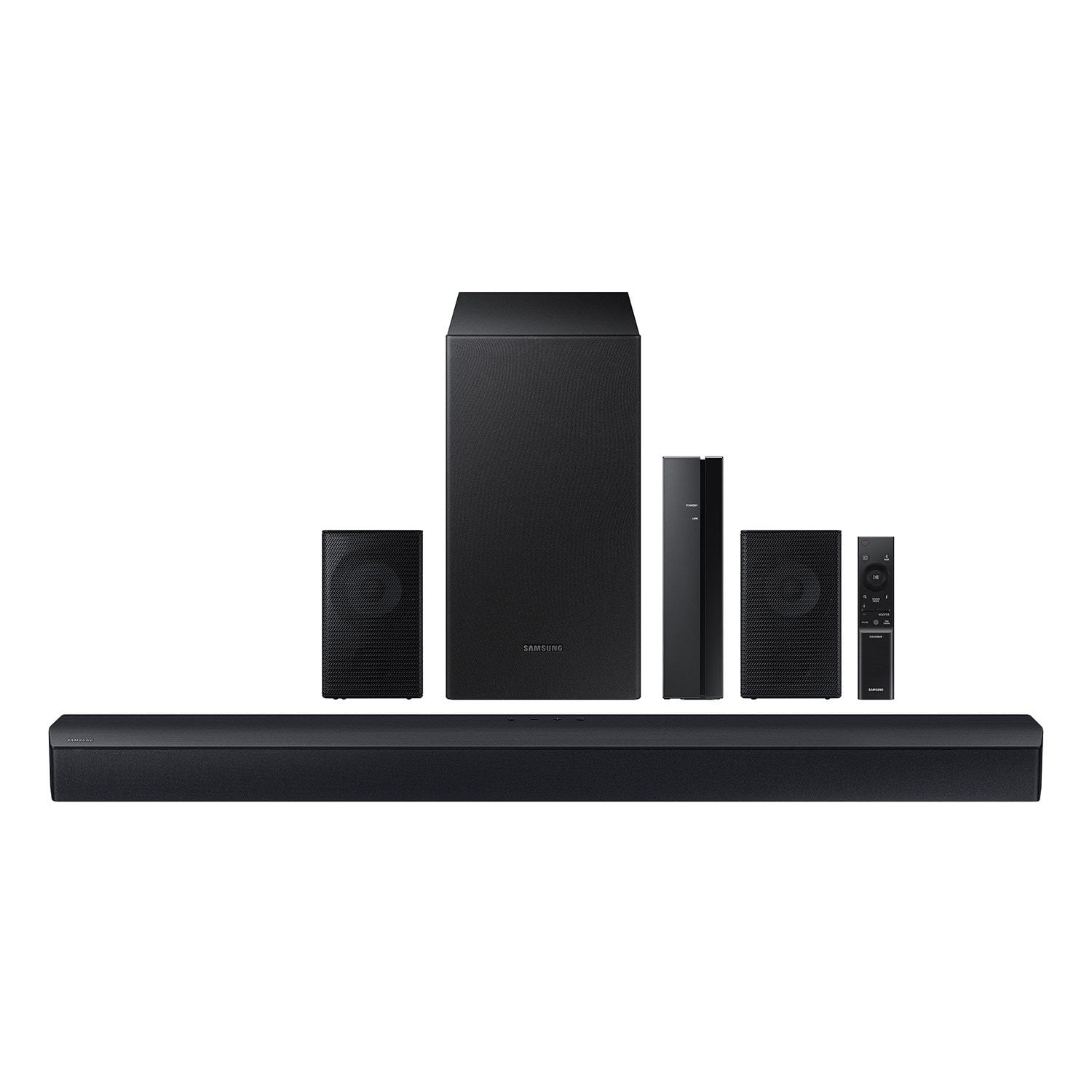
Samsung 4.1 Channel Soundbar w/Subwoofer - HW C47M
4.2 out of 5 stars
stars
800 ratings790 reviews
  1. 5 stars66% (531)
  2. 4 stars12% (98)
  3. 3 stars6% (48)
  4. 2 stars5% (38)
  5. 1 star11% (85)
Sort by |
Showing 21-30 of 790 reviews
Feb 24, 2026
Reviewer name: angel
3 out of 5 stars
3 out of 5 stars review

Verified Purchase

I hear it.. but what about that bass?

this is an ok system. it was easy but also a little confusing to do the full set up (the pairing step basically ran itself and it threw me off and what not). I have been thoroughly enjoying having surround sound again with the rear speakers. however, I've also noticed after a few different days, the signal from the rear speakers dropping out for just a moment and then they fade back in. it's the most bizarre thing. furthermore, the bass from the sub-- even with the woofer set to max-- is absolutely lackluster. there's barely a hint of bass anywhere.

Review from walmart.com
Helpful?6U2SK3AEJBKZ19585623078
reply from Samsung

Hi angel,<br /><br />We appreciate you taking a moment to review the Samsung HW-C47M Soundbar. We value your feedback and will share it with our teams. <br /><br />Updating the firmware on your soundbar gives you all the benefits of the latest improvements. When an update is available, you can update the Soundbar by connecting the USB drive that contains the update firmware to the SERVICE port of the Soundbar.<br /><br />1.Go to the Samsung Electronics website (www.samsung.com) → click on the “Support” option in the upper right corner. <br />2.Click on “Manuals &amp; Software” from the pop-up list &gt; TVs &amp; Home Theater &gt; Home Theater &gt; Select your model<br />2. Download the firmware file (USB type). <br />3. Unzip the file to create a folder with the file name. <br />4. Store the created folder in a USB and then connect it to the Soundbar. <br />5. A sequence of “UPDATE” &gt; “BYE” &gt; “ON” will appear on the display 3 times. This will take around 6 minutes.<br /> - During update, do not turn it off or remove the USB. <br /> - If “UPDATE” does not appear on the display window, remove the power cord from the Soundbar and then reconnect it.<br /> - When the latest Version is installed, no update is performed. <br /> - Depending on the USB type, update may not be supported.<br />6. After the 3 cycles are complete, the Soundbar will restart and last source used will appear on the display for about 20 seconds and then it will go off (“UPDATE” &gt; “BYE” &gt; “ON”) 3 times “D.IN” &gt; off<br /><br />If you need more help, Samsung is here for you. Please call us at 1-800-SAMSUNG, 8AM - 12AM EST (Ask for Soundbars), 7 days a week. Live Chat with an agent as well as manuals, software, creating a service ticket, and warranty info can be found at the ‘Support’ link on our Samsung website.<br /><br />~ Samsung Solutions

Apr 26, 2026
Reviewer name: William
2 out of 5 stars
2 out of 5 stars review

Verified Purchase

Dissatisfaction

The subwoofer doesn’t deliver enough bass. Being Samsung brand I expected better performance. I should have done more research and purchase a better system. Not a good product for the price in my opinion. The rear speakers are not loud at all

Review from walmart.com
Helpful?6U2SK3AEJBKZ19585623078
reply from Samsung

Hi William,<br /><br />We appreciate you taking a few moments to review the Samsung HW-C47M Soundbar.<br /><br />You can optimize your audio performance to your liking by pressing the SOUND MODE button on your soundbar remote and then selecting the desired sound effect by choosing SURROUND SOUND, GAME, or STANDARD. <br /><br />By pressing the TONE CONTROL button, you can adjust the volume of the treble or bass sound between -6~&#43;6 by using the Up/Down buttons. <br /><br />Additionally, using the WOOFER button on the remote, you can adjust the subwoofer’s volume between -6 to &#43;6 by toggling the button up or down. To set the subwoofer volume level to 0, press the button down. <br /><br />When you press the CH LEVEL button, you can adjust the volume of the VIRTUAL CENTER LEVEL. This will allow you to adjust the overall dialogue between -6 to &#43;6 using the UP/DOWN button on the provided Soundbar remote. When you press the CH LEVEL button when the Wireless Rear Speaker Kit connected to the Soundbar, you can adjust the rear speakers between -6 to &#43;6 using the UP/DOWN buttons. <br /><br />Press and hold the SOUND CONTROL button for about 5 seconds to adjust the sound for each frequency band. 150Hz, 300Hz, 600Hz, 1.2kHz, 2.5kHz, 5kHz, and 10kHz are selectable using the Left/Right buttons and each can be adjusted to a setting between -6 to &#43;6 using the Up/Down buttons. (Make sure the Sound mode is set to “STANDARD”. <br /><br />If you need more help, Samsung is here for you. Please call us at 1-800-SAMSUNG, Mon – Fri 8 AM – 9 PM EST, Sat &amp; Sun 8 AM – 6 PM EST. Live Chat with an agent as well as manuals, software, creating a service ticket, and warranty info can be found at the ‘Support’ link on our Samsung website.<br /><br />~ Samsung Solutions

May 15, 2026
Reviewer name: Bernard
5 out of 5 stars
5 out of 5 stars review

Verified Purchase

This speaker exceeded my expectations! The sound quality is crystal clear, the bass is powerful, and the battery life lasts a long time. It connects quickly and works perfectly. Great value for the price — highly recommended!

Review from walmart.com
Helpful?6U2SK3AEJBKZ19585623078
Mar 31, 2026
Reviewer name: James
2 out of 5 stars
2 out of 5 stars review

Verified Purchase

speakers cut out periodically and the bass is weak. you get very short wires for the rear speakers that plug into their receiver. I would not reccomend this system if you are looking for quality sound with some bass.

Review from walmart.com
Helpful?6U2SK3AEJBKZ19585623078
reply from Samsung

Hello James,<br /><br />We appreciate you taking a few moments to review the Samsung HW-C47M Soundbar.<br /><br />By design, the purpose of the subwoofer is to reproduces low frequency sounds and not musical tones. It adds rich tones and deepens sound effects, like the rumbles of an explosion or the depth in bass guitars and drums.<br /><br />There are three adjustments that can be made for bass and subwoofer:<br />1) Using the WOOFER button on the remote, you can adjust the volume of the subwoofer between -6 to &#43;6 by toggling the button up or down. To set the subwoofer volume level to 0, press the button down<br /><br />2) Adjust the bass control by pressing the SOUND CONTROL button (gear icon) on the remote control, then select BASS to increase the level. You can adjust the volume between -6 to &#43;6 by using the Up/Down buttons.<br /><br />3) Press the SOUND MODE button on your remote, and then select BASS BOOST mode. This will provide you with a larger emphasis on bass sound.<br /><br />For precise audio adjustments, you can use the 7-band frequency equalizer to optimize the sound for your room acoustics.<br /><br />I hope this helps. For further assistance with features, settings, adjustments, or functions please contact Samsung Customer Support. Just give us a call at 1-800-SAMSUNG (Ask for Soundbars), Mon – Fri 8 AM – 9 PM EST, Sat &amp; Sun 8 AM – 6 PM EST. Our Live Chat agents are also available by clicking on the ‘Support’ link on our website.<br /><br />~ Samsung Solutions

Jan 16, 2026
Reviewer name: Jesse
5 out of 5 stars
5 out of 5 stars review

Verified Purchase

Love Samsung

man I hooked this up and I couldn't believe the sound quality that was coming out of those speakers oh my God the wattage the base, and that surround sound all good!

Review from walmart.com
Helpful?6U2SK3AEJBKZ19585623078
Mar 7, 2026
Reviewer name: Brian
3 out of 5 stars
3 out of 5 stars review

Verified Purchase

!?

This thing doesn’t have an HDMI connection!? What!? It sounds decent but what in the F!? What year are we in that this thing doesn’t have an HDMI connection!?

Review from walmart.com
Helpful?6U2SK3AEJBKZ19585623078
reply from Samsung

Hello Brian,<br /><br />Thank you for taking a moment to review the HW-C47M Samsung Soundbar. We value your feedback and will share it with our teams. <br /><br />If there is anything we can do to improve your enjoyment, such as helping to optimize settings for your specific sound scenario, please contact Samsung Customer Support. Just give us a call at 1-800-SAMSUNG (Ask for Soundbars), 8AM - 12AM EST, 7 days a week. Our Live Chat agents are also available by clicking on the ‘Support’ link on our website.<br /><br />~ Samsung Solutions

Feb 10, 2026
Reviewer name: Heston
5 out of 5 stars
5 out of 5 stars review

Verified Purchase

Easy to install and setup.

Great home theater system for the price,speaker wire could be longer I think it’s around 4-5 feet long so if you have a larger room or are several feet away from the TV you will need to buy and splice to the speaker wire.

Review from walmart.com
Helpful?6U2SK3AEJBKZ19585623078
Dec 27, 2025
Reviewer name: Melissa
5 out of 5 stars
5 out of 5 stars review

Verified Purchase

Sound is great and the value for the money is outstanding. It was a little challenging to hook up because we had an older tv. I can imagine if it were a newer model it would have been easier.

Review from walmart.com
Helpful?6U2SK3AEJBKZ19585623078
Apr 2, 2026
Reviewer name: Rex
3 out of 5 stars
3 out of 5 stars review

Verified Purchase

Fast fail

stopped working within a month. ordered same brand television for ease of installation and no port on TV for soundbar. Bluetooth connection was all I had and that quit working last weekend.

Review from walmart.com
Helpful?6U2SK3AEJBKZ19585623078
reply from Samsung

Hi Rex,<br /><br />We appreciate your feedback regarding the issues you are experiencing with your HW-C47M Soundbar.<br /><br />Samsung is committed to providing the best possible product experience, quality, and value. We back this Samsung Soundbar with a 1-year limited manufacturer&#39;s warranty, including authorized repair for manufacturer defect, if purchased brand-new directly from an authorized seller. <br /><br />First, try doing a soft reset, unplug the soundbar from the outlet for roughly 30 seconds and then plug it back in. <br /><br />If this still does not correct your issue, then do a hard reset. With the Soundbar on, press the &#43; &amp; - Volume buttons on the body of the soundbar at the same time for at least 5 seconds. INIT OK” appears on the display and then the Soundbar is reset.<br /><br />While the Soundbar is On, press both the Vol&#43; and Vol- buttons on the unit simultaneously until the display shows &#34;INIT&#34;, then release. If this doesn’t work, then try using the remote control: While the Soundbar is ON, press and hold the SOUND CONTROL (&#34;Gear&#34;) button on the Soundbar remote for 10 seconds. You will see &#34;150HZ&#34; on the display. Keep pressing until you see &#34;INIT&#34; on the display, then release.<br /><br />If you need more help, Samsung is here for you. Please call us at 1-800-SAMSUNG, Mon – Fri 8 AM – 9 PM EST, Sat &amp; Sun 8 AM – 6 PM EST. Live Chat with an agent as well as manuals, software, creating a service ticket, and warranty info can be found at the ‘Support’ link on our Samsung website.<br /><br />~ Samsung Solutions

Jan 21, 2026
Reviewer name: Gregory
5 out of 5 stars
5 out of 5 stars review

Verified Purchase

Great Sound Bar

I got mine on clearance for $100. For the original price I wouldn't have even considered it. It does sound amazing. Deep bass that doesn't that doesn't hurt the vocals or other sounds. Plenty of sound options for whatever you're watching

Review from walmart.com
Helpful?6U2SK3AEJBKZ19585623078