Skip to Main Content
Sams Club
Sams Club
Customer reviews for Samsung 4.1 Channel Soundbar w/Subwoofer - HW C47M for
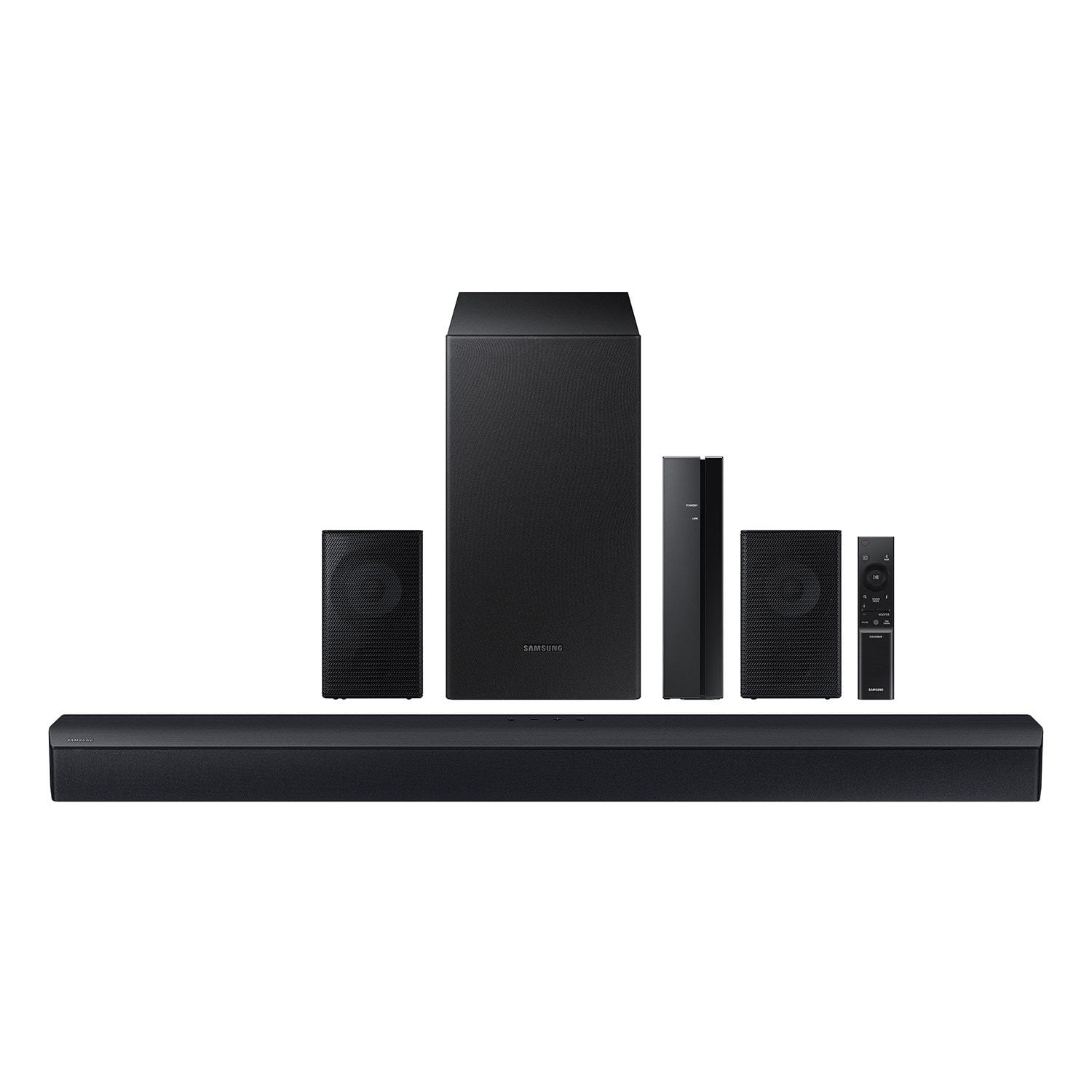
Samsung 4.1 Channel Soundbar w/Subwoofer - HW C47M
4.2 out of 5 stars
stars780 ratings780 reviews
  1. 5 stars67% (521)
  2. 4 stars12% (92)
  3. 3 stars6% (46)
  4. 2 stars5% (38)
  5. 1 star11% (83)
Sort by |
Showing 11-20 of 780 reviews
Feb 12, 2026
Dadmin
3 out of 5 stars review

Verified Purchase

Real experience

I’ve gotten better for the price, they’re decent quantity is definitely not quality here. There is barely any bass from the sub, the rear surround speakers are tiny and can barely be heard unless you are using high volume and they are sitting right behind you. Can find or maybe get better for that price tag…. Over all they aren’t the worst they are okay for a small house or apartment but not quite the movie theater kinda sound.

Review from walmart.com
Helpful?6U2SK3AEJBKZ19585623078
reply from Samsung

Hello Dadmin,<br /><br />We appreciate you taking a few moments to review the HW-C47M Samsung Soundbar.<br /><br />You can optimize your audio performance to your liking by pressing the SOUND MODE button on your soundbar remote and then selecting the desired sound effect by choosing SURROUND SOUND, GAME, or STANDARD. <br /><br />By pressing the TONE CONTROL button, you can adjust the volume of the treble or bass sound between -6~&#43;6 by using the Up/Down buttons. <br /><br />Additionally, using the WOOFER button on the remote, you can adjust the subwoofer’s volume between -6 to &#43;6 by toggling the button up or down. To set the subwoofer volume level to 0, press the button down. <br /><br />When you press the CH LEVEL button, you can adjust the volume of the VIRTUAL CENTER LEVEL. This will allow you to adjust the overall dialogue between -6 to &#43;6 using the UP/DOWN button on the provided Soundbar remote. When you press the CH LEVEL button when the Wireless Rear Speaker Kit connected to the Soundbar, you can adjust the rear speakers between -6 to &#43;6 using the UP/DOWN buttons. <br /><br />Press and hold the SOUND CONTROL button for about 5 seconds to adjust the sound for each frequency band. 150Hz, 300Hz, 600Hz, 1.2kHz, 2.5kHz, 5kHz, and 10kHz are selectable using the Left/Right buttons and each can be adjusted to a setting between -6 to &#43;6 using the Up/Down buttons. (Make sure the Sound mode is set to “STANDARD”. <br /><br />If we can help with anything else, please call us at 1-800-SAMSUNG (Ask for Soundbars), 8 AM – 12 AM EST, 7 days a week. LiveChat with an agent as well as manuals, software, and warranty info can be found at the ‘Support’ link on our Samsung website. <br /><br />~ Samsung Solutions

Feb 24, 2026
angel
3 out of 5 stars review

Verified Purchase

I hear it.. but what about that bass?

this is an ok system. it was easy but also a little confusing to do the full set up (the pairing step basically ran itself and it threw me off and what not). I have been thoroughly enjoying having surround sound again with the rear speakers. however, I've also noticed after a few different days, the signal from the rear speakers dropping out for just a moment and then they fade back in. it's the most bizarre thing. furthermore, the bass from the sub-- even with the woofer set to max-- is absolutely lackluster. there's barely a hint of bass anywhere.

Review from walmart.com
Helpful?6U2SK3AEJBKZ19585623078
reply from Samsung

Hi angel,<br /><br />We appreciate you taking a moment to review the Samsung HW-C47M Soundbar. We value your feedback and will share it with our teams. <br /><br />Updating the firmware on your soundbar gives you all the benefits of the latest improvements. When an update is available, you can update the Soundbar by connecting the USB drive that contains the update firmware to the SERVICE port of the Soundbar.<br /><br />1.Go to the Samsung Electronics website (www.samsung.com) → click on the “Support” option in the upper right corner. <br />2.Click on “Manuals &amp; Software” from the pop-up list &gt; TVs &amp; Home Theater &gt; Home Theater &gt; Select your model<br />2. Download the firmware file (USB type). <br />3. Unzip the file to create a folder with the file name. <br />4. Store the created folder in a USB and then connect it to the Soundbar. <br />5. A sequence of “UPDATE” &gt; “BYE” &gt; “ON” will appear on the display 3 times. This will take around 6 minutes.<br /> - During update, do not turn it off or remove the USB. <br /> - If “UPDATE” does not appear on the display window, remove the power cord from the Soundbar and then reconnect it.<br /> - When the latest Version is installed, no update is performed. <br /> - Depending on the USB type, update may not be supported.<br />6. After the 3 cycles are complete, the Soundbar will restart and last source used will appear on the display for about 20 seconds and then it will go off (“UPDATE” &gt; “BYE” &gt; “ON”) 3 times “D.IN” &gt; off<br /><br />If you need more help, Samsung is here for you. Please call us at 1-800-SAMSUNG, 8AM - 12AM EST (Ask for Soundbars), 7 days a week. Live Chat with an agent as well as manuals, software, creating a service ticket, and warranty info can be found at the ‘Support’ link on our Samsung website.<br /><br />~ Samsung Solutions

Feb 23, 2026
Geoff
2 out of 5 stars review

Verified Purchase

Wouldn’t recommend

The back speakers only go up to a very quiet amount. So much that they’re about 4 feet away from me and I can’t hear a thing. The sound bar itself is OK, but it is not compatible with TVs that have optimum mode so you’re going to end up either having to use two remotes one just for the volume, or set the TV to a lower standard of the sound bar and be able to use the TV remote for volume.

Review from walmart.com
Helpful?6U2SK3AEJBKZ19585623078
reply from Samsung

Hello Geoff,<br /><br />Thank you for taking a few moments to review the Samsung HW-C47M Soundbar.<br /><br />You can optimize your audio performance to your liking by pressing the SOUND MODE button on your soundbar remote and then selecting the desired sound effect by choosing SURROUND SOUND, GAME, or STANDARD. <br /><br />By pressing the TONE CONTROL button, you can adjust the volume of the treble or bass sound between -6~&#43;6 by using the Up/Down buttons. <br /><br />Additionally, using the WOOFER button on the remote, you can adjust the subwoofer’s volume between -6 to &#43;6 by toggling the button up or down. To set the subwoofer volume level to 0, press the button down. <br /><br />When you press the CH LEVEL button, you can adjust the volume of the VIRTUAL CENTER LEVEL. This will allow you to adjust the overall dialogue between -6 to &#43;6 using the UP/DOWN button on the provided Soundbar remote. When you press the CH LEVEL button when the Wireless Rear Speaker Kit connected to the Soundbar, you can adjust the rear speakers between -6 to &#43;6 using the UP/DOWN buttons. <br /><br />Press and hold the SOUND CONTROL button for about 5 seconds to adjust the sound for each frequency band. 150Hz, 300Hz, 600Hz, 1.2kHz, 2.5kHz, 5kHz, and 10kHz are selectable using the Left/Right buttons and each can be adjusted to a setting between -6 to &#43;6 using the Up/Down buttons. (Make sure the Sound mode is set to “STANDARD”. <br /><br />If we can help with anything else, please call us at 1-800-SAMSUNG (Ask for Soundbars), 8 AM – 12 AM EST, 7 days a week. LiveChat with an agent as well as manuals, software, and warranty info can be found at the ‘Support’ link on our Samsung website. <br /><br />~ Samsung Solutions

Feb 13, 2026
Dick
3 out of 5 stars review

Verified Purchase

surround speakers are trash

Not a bad sound bar for $200.00 Came with 2 surround speakers. However not that great. it also came with 14 foot of speaker wire per surround speaker which is not enough. also the way you have to mount the speaker to the mount is a terrible. not very happy. now i know why it was marked down so much

Review from walmart.com
Helpful?6U2SK3AEJBKZ19585623078
reply from Samsung

Hello Dick,<br /><br />We appreciate you taking a moment to review the Samsung HW-C47M Soundbar. We value your feedback and will share it with our teams. <br /><br />If there is anything we can do to improve your enjoyment, such as helping to optimize settings for your specific sound scenario, please contact Samsung Customer Support. Just give us a call at 1-800-SAMSUNG (Ask for Soundbars), 8AM - 12AM EST, 7 days a week. Our Live Chat agents are also available by clicking on the ‘Support’ link on our website.<br /><br />~ Samsung Solutions

Mar 31, 2026
James
2 out of 5 stars review

Verified Purchase

speakers cut out periodically and the bass is weak. you get very short wires for the rear speakers that plug into their receiver. I would not reccomend this system if you are looking for quality sound with some bass.

Review from walmart.com
Helpful?6U2SK3AEJBKZ19585623078
reply from Samsung

Hello James,<br /><br />We appreciate you taking a few moments to review the Samsung HW-C47M Soundbar.<br /><br />By design, the purpose of the subwoofer is to reproduces low frequency sounds and not musical tones. It adds rich tones and deepens sound effects, like the rumbles of an explosion or the depth in bass guitars and drums.<br /><br />There are three adjustments that can be made for bass and subwoofer:<br />1) Using the WOOFER button on the remote, you can adjust the volume of the subwoofer between -6 to &#43;6 by toggling the button up or down. To set the subwoofer volume level to 0, press the button down<br /><br />2) Adjust the bass control by pressing the SOUND CONTROL button (gear icon) on the remote control, then select BASS to increase the level. You can adjust the volume between -6 to &#43;6 by using the Up/Down buttons.<br /><br />3) Press the SOUND MODE button on your remote, and then select BASS BOOST mode. This will provide you with a larger emphasis on bass sound.<br /><br />For precise audio adjustments, you can use the 7-band frequency equalizer to optimize the sound for your room acoustics.<br /><br />I hope this helps. For further assistance with features, settings, adjustments, or functions please contact Samsung Customer Support. Just give us a call at 1-800-SAMSUNG (Ask for Soundbars), Mon – Fri 8 AM – 9 PM EST, Sat &amp; Sun 8 AM – 6 PM EST. Our Live Chat agents are also available by clicking on the ‘Support’ link on our website.<br /><br />~ Samsung Solutions

Apr 2, 2026
Rex
3 out of 5 stars review

Verified Purchase

Fast fail

stopped working within a month. ordered same brand television for ease of installation and no port on TV for soundbar. Bluetooth connection was all I had and that quit working last weekend.

Review from walmart.com
Helpful?6U2SK3AEJBKZ19585623078
reply from Samsung

Hi Rex,<br /><br />We appreciate your feedback regarding the issues you are experiencing with your HW-C47M Soundbar.<br /><br />Samsung is committed to providing the best possible product experience, quality, and value. We back this Samsung Soundbar with a 1-year limited manufacturer&#39;s warranty, including authorized repair for manufacturer defect, if purchased brand-new directly from an authorized seller. <br /><br />First, try doing a soft reset, unplug the soundbar from the outlet for roughly 30 seconds and then plug it back in. <br /><br />If this still does not correct your issue, then do a hard reset. With the Soundbar on, press the &#43; &amp; - Volume buttons on the body of the soundbar at the same time for at least 5 seconds. INIT OK” appears on the display and then the Soundbar is reset.<br /><br />While the Soundbar is On, press both the Vol&#43; and Vol- buttons on the unit simultaneously until the display shows &#34;INIT&#34;, then release. If this doesn’t work, then try using the remote control: While the Soundbar is ON, press and hold the SOUND CONTROL (&#34;Gear&#34;) button on the Soundbar remote for 10 seconds. You will see &#34;150HZ&#34; on the display. Keep pressing until you see &#34;INIT&#34; on the display, then release.<br /><br />If you need more help, Samsung is here for you. Please call us at 1-800-SAMSUNG, Mon – Fri 8 AM – 9 PM EST, Sat &amp; Sun 8 AM – 6 PM EST. Live Chat with an agent as well as manuals, software, creating a service ticket, and warranty info can be found at the ‘Support’ link on our Samsung website.<br /><br />~ Samsung Solutions

Apr 16, 2026
Robert
5 out of 5 stars review

Verified Purchase

This soundbar works perfectly with my TV, it was really easy to set up, everything about it is great, i absolutely love it. its a perfect compliment to my TV.

Review from walmart.com
Helpful?6U2SK3AEJBKZ19585623078
Dec 23, 2025
Casandra
5 out of 5 stars review

Verified Purchase

Definitely Worth The Dough

I bought this for my new Samsung TV but after hearing how good the sound on the TV was I decided to give it as a gift. My son loves it and says the sound is perfect. He said he didn’t even need to use the subwoofer but added it anyway to keep the sound balanced. It’s expensive but worth every penny.

Review from walmart.com
Helpful?6U2SK3AEJBKZ19585623078
Dec 19, 2025
Tonya
2 out of 5 stars review

Verified Purchase

More hassle than worth

Time consuming to assemble with the speaker stands I had to purchase separately but was included in a photo to sell the thing. Rear small speakers are wired. And now that I have it all put together one of the small speakers don’t work!!!! I would not purchase again

Review from walmart.com
Helpful?6U2SK3AEJBKZ19585623078
reply from Samsung

Hi Tonya,<br /><br />Thank you for taking a moment to review the Samsung HW-C47M Soundbar. We value your feedback and will share it with our teams. <br /><br />Did you know you can optimize your audio performance to your liking by pressing the SOUND MODE button on your soundbar remote and then selecting the desired sound effect by choosing SURROUND SOUND, GAME, or STANDARD. <br /><br />By pressing the TONE CONTROL button, you can adjust the volume of the treble or bass sound between -6~&#43;6 by using the Up/Down buttons. <br /><br />Additionally, using the WOOFER button on the remote, you can adjust the subwoofer’s volume between -6 to &#43;6 by toggling the button up or down. To set the subwoofer volume level to 0, press the button down. <br /><br />When you press the CH LEVEL button, you can adjust the volume of the VIRTUAL CENTER LEVEL. This will allow you to adjust the overall dialogue between -6 to &#43;6 using the UP/DOWN button on the provided Soundbar remote. When you press the CH LEVEL button when the Wireless Rear Speaker Kit connected to the Soundbar, you can adjust the rear speakers between -6 to &#43;6 using the UP/DOWN buttons. <br /><br />Press and hold the SOUND CONTROL button for about 5 seconds to adjust the sound for each frequency band. 150Hz, 300Hz, 600Hz, 1.2kHz, 2.5kHz, 5kHz, and 10kHz are selectable using the Left/Right buttons and each can be adjusted to a setting between -6 to &#43;6 using the Up/Down buttons. (Make sure the Sound mode is set to “STANDARD”. <br /><br />If we can help with anything else, please call us at 1-800-SAMSUNG (Ask for Soundbars), 8 AM – 12 AM EST, 7 days a week. LiveChat with an agent as well as manuals, software, and warranty info can be found at the ‘Support’ link on our Samsung website. <br /><br />~ Samsung Solutions

Jan 6, 2026
Tony
4 out of 5 stars review

Verified Purchase

It’s not bigly loud when connected to my phone as a speaker system which is fine but it works well with the TV. It took a little bit of figuring to get the BT speakers working but I have not had one single problem with them disconnecting since I got it months ago. I got a Samsung 75” TV on the same day so movies are fantastic now.

Review from walmart.com
Helpful?6U2SK3AEJBKZ19585623078