Skip to Main Content
Sams Club
Sams Club
Customer reviews for Samsung 4.1 Channel Soundbar w/Subwoofer - HW C47M for
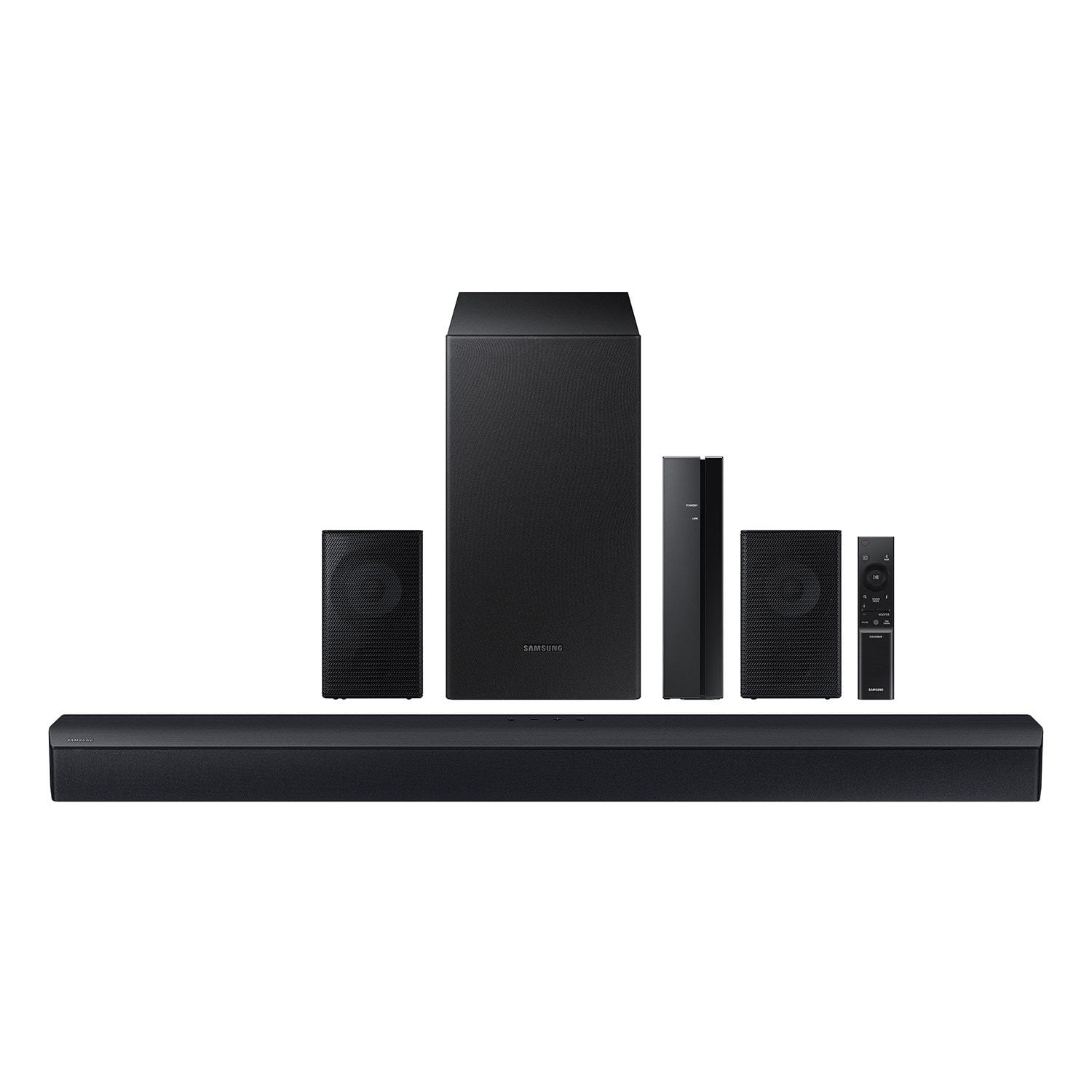
Samsung 4.1 Channel Soundbar w/Subwoofer - HW C47M
4.2 out of 5 stars
stars776 ratings776 reviews
  1. 5 stars67% (520)
  2. 4 stars12% (90)
  3. 3 stars6% (46)
  4. 2 stars5% (38)
  5. 1 star11% (82)
Write a review
Sort by |
Showing 251-260 of 776 reviews
Mar 16, 2025
anonymous
2 out of 5 stars review

Verified Purchase

Recently purchased it for my dad’s Christmas present and the subwoofer doesn’t even work and there is really no way to get it to work without an update when I purchased it it was brand new

Review from walmart.com
Helpful?6U2SK3AEJBKZ19585623078
reply from Samsung

anonymous,<br /><br />Thank you for taking a few moments to review the Samsung HW-C47M Soundbar.<br /><br />When you turn the power on after connecting the power cables to the Soundbar and subwoofer, the subwoofer is automatically connected to the Soundbar. When auto pairing is complete, the blue indicators at the rear of the subwoofer turn on.<br /><br />If autoconnection fails, you can manually connect the subwoofer. <br /><br />Before performing the manual connection procedure below:<br />• Check whether the power cables for the Soundbar and subwoofer are connected properly.<br />• Make sure that the Soundbar is turned off.<br /><br />1. Press and hold ID SET on the rear of the subwoofer for at least 5 seconds.<br />• The red indicator on the rear of the subwoofer turns off and the blue indicator blinks.<br />2. Press and hold the Up button on the remote control for at least 5 seconds.<br />• The ID SET message appears on the display of the Soundbar for a moment, and then it disappears.<br />• The Soundbar will automatically power on when ID SET is complete.<br />3. Check if the LINK LED is solid blue (connection complete). The LINK LED indicator stops blinking and glows a solid blue when a connection is established between the Soundbar and the Wireless Subwoofer.<br /><br />Please note:<br />• Do not connect the power cord of this product or your TV to a wall outlet until all connections between components are complete.<br />• Before moving or installing this product, be sure to turn off the power and disconnect the power cord.<br />• If the main unit is powered off, the wireless subwoofer will go into stand-by mode and the STANDBY LED on the rear of the sub-woofer will turn red after blinking in blue several times.<br />• If you use a device that uses the same frequency (5.8GHz) as the Soundbar near the Soundbar, interference may cause some sound interruption.<br />• The maximum transmission distance of the main unit’s wireless signal is about 32.8 ft but may vary depending on your operating environment. If a steel-concrete or metallic wall is between the main unit and the wireless subwoofer, the system may not operate at all because the wireless signal cannot penetrate metal.<br />• Wireless receiving antennas are built into the wireless subwoofer. Keep the unit away from water and moisture.<br />• For optimal listening performance, make sure that the area around the wireless subwoofer and the Wireless Receiver Module (sold separately) is clear of any obstructions.<br /><br />If you need more help, Samsung is here for you. Please call us at 1-800-SAMSUNG, 8AM - 12AM EST (Ask for Soundbars), 7 days a week. Our Live Chat agents are also available by clicking on the ‘Support’ link on our website.<br /><br />~ Samsung Solutions

Nov 12, 2023
Browneyes59
5 out of 5 stars review

Verified Purchase

Great Product(Samsung Surround Sound)!!

Great Product. Sound is great. I am very pleased. Packaging was secure. Original box was wrapped with walmart packaging. Securely sealed. I love my Samsung surrond sound. Easy setup. Delivery on time.

Review from walmart.com
Helpful?6U2SK3AEJBKZ19585623078
Nov 16, 2023
Alyssa
5 out of 5 stars review

Verified Purchase

Good deal!

I managed to snag this as a Black Friday deal and this soundbar is awesome! The sound quality is so much better than our old one. I will be purchasing another one for the room

Review from walmart.com
Helpful?6U2SK3AEJBKZ19585623078
Dec 29, 2023
WalmartCustomer
5 out of 5 stars review

Verified Purchase

[This review was collected as part of a promotion.] I love samsung products. The speaker was plug and play. Paired to my TV without any problems. Sound quality is perfect for our needs.

Review from walmart.com
Helpful?6U2SK3AEJBKZ19585623078
Jan 3, 2025
Renae
2 out of 5 stars review

Verified Purchase

Not as easy as I thought it would be

While the sound quality is good, the instructions are terrible. Setup took much longer than expected. Also, I chose this one because it was Bluetooth and would not require cords…it requires cords.

Review from walmart.com
Helpful?6U2SK3AEJBKZ19585623078
reply from Samsung

Hi anonymous,<br /><br />Thank you for sharing your review of Samsung’s HW-C47M Soundbar. We’re sorry your experience didn’t match your expectations. Your feedback is very important to us as we continuously strive for best-in-class product and service.<br /><br />You can optimize your audio performance to your liking by pressing the SOUND MODE button on your soundbar remote and then selecting the desired sound effect by choosing SURROUND SOUND, GAME, or STANDARD. <br /><br />By pressing the TONE CONTROL button, you can adjust the volume of the treble or bass sound between -6~&#43;6 by using the Up/Down buttons. <br /><br />Additionally, using the WOOFER button on the remote, you can adjust the subwoofer’s volume between -6 to &#43;6 by toggling the button up or down. To set the subwoofer volume level to 0, press the button down. <br /><br />When you press the CH LEVEL button, you can adjust the volume of the VIRTUAL CENTER LEVEL. This will allow you to adjust the overall dialogue between -6 to &#43;6 using the UP/DOWN button on the provided Soundbar remote. When you press the CH LEVEL button when the Wireless Rear Speaker Kit connected to the Soundbar, you can adjust the rear speakers between -6 to &#43;6 using the UP/DOWN buttons. <br /><br />Press and hold the SOUND CONTROL button for about 5 seconds to adjust the sound for each frequency band. 150Hz, 300Hz, 600Hz, 1.2kHz, 2.5kHz, 5kHz, and 10kHz are selectable using the Left/Right buttons and each can be adjusted to a setting between -6 to &#43;6 using the Up/Down buttons. (Make sure the Sound mode is set to “STANDARD”. <br /><br />If we can help with anything else, please call us at 1-800-SAMSUNG (Ask for Soundbars), 8 AM – 12 AM EST, 7 days a week. LiveChat with an agent as well as manuals, software, and warranty info can be found at the ‘Support’ link on our Samsung website. <br /><br />~ Samsung Solutions

Nov 19, 2023
Courtney
5 out of 5 stars review

Verified Purchase

Best priced surround sound EVER!

This is an amazing surround sound system! I love how the subwoofer doesn't need to be connected to the sound bar or the other 2 speakers. The sound is aaaaammmaazing and clear. Legit feels like I'm at the movie theater!

Review from walmart.com
Helpful?6U2SK3AEJBKZ19585623078
Nov 18, 2023
Parker
5 out of 5 stars review

Verified Purchase

Amazing! Impressive sound!

I dislike nothing about this Surround Sound System. It has tons of options and the sound is piercing clear and the subwoofer will blow you away. Very satisfied.

Review from walmart.com
Helpful?6U2SK3AEJBKZ19585623078
Nov 16, 2023
WalmartCustomer
4 out of 5 stars review

Verified Purchase

[This review was collected as part of a promotion.] Product was great but thought the rear surround sound speakers where completely wireless and not wired. I also thought that I was going to get the stand for the rear speakers.

Review from walmart.com
Helpful?6U2SK3AEJBKZ19585623078
Nov 16, 2023
Cyril
5 out of 5 stars review

Verified Purchase

I love it. Worth every dollar I paid for it.

I love this Samsung Sound bar. Initially, I thought the bar was light and would not produce good sound, but when I paired it with the subwoofer, it was incredible. I am enjoying my TV now with good surround sound.

Review from walmart.com
Helpful?6U2SK3AEJBKZ19585623078
Nov 21, 2023
Tonya
2 out of 5 stars review

Verified Purchase

can't get smaller speakers to work

We have read a lot about how to make sure that these are Bluetooth connected. They are, the two smaller speakers are just not operating no matter what you do.

Review from walmart.com
Helpful?6U2SK3AEJBKZ19585623078
reply from Samsung

Hello Tonya,<br /><br />Thank you for purchasing the new HW-C47M Soundbar. I am sorry to see that you are experiencing this issue with your rear speakers. <br /><br />So we can better understand your issue, please contact Samsung Customer Support at 1-800-SAMSUNG (ask for Soundbars), available 8 AM – 12 AM EST, 7 days a week.<br /><br />LiveChat with an agent by clicking the ‘Support’ link on the Samsung website.<br /><br />~Samsung Solutions