Skip to Main Content
Sam's Club
Sam's Club
All Departments
All Services
Customer reviews for Samsung 4.1 Channel Soundbar w/Subwoofer - HW C47M for
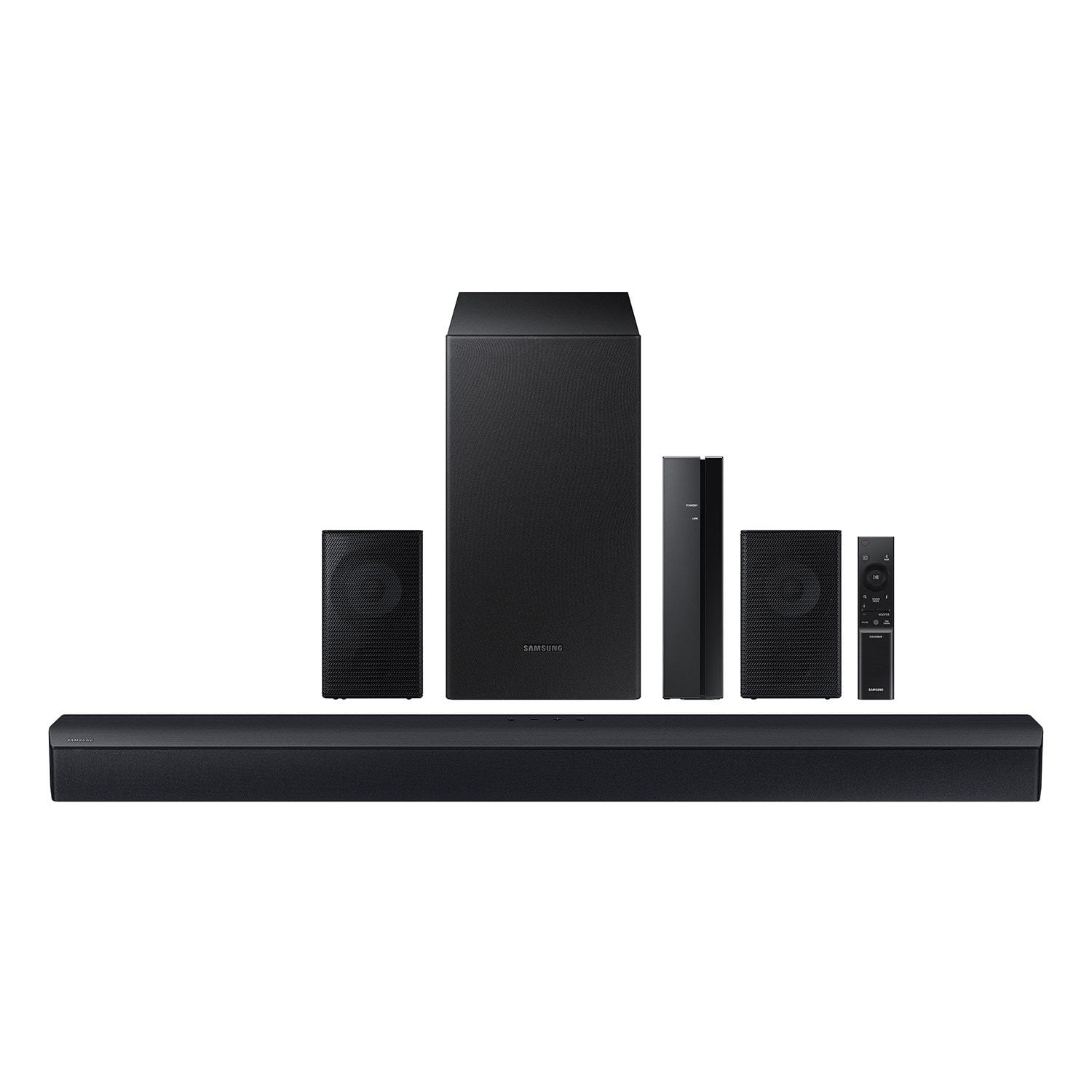
Samsung 4.1 Channel Soundbar w/Subwoofer - HW C47M
4.2 out of 5 stars
stars
800 ratings790 reviews
  1. 5 stars66% (531)
  2. 4 stars12% (98)
  3. 3 stars6% (48)
  4. 2 stars5% (38)
  5. 1 star11% (85)
Sort by |
Showing 211-220 of 790 reviews
Dec 26, 2023
Reviewer name: Opeth72
3 out of 5 stars
3 out of 5 stars review

Verified Purchase

meh

It is likely good for some. Wasnt terrible but just wasnt what i needed for audio. it had some problems but again, for the price, it will be good for some.

Review from walmart.com
Helpful?6U2SK3AEJBKZ19585623078
reply from Samsung

Hello Opeth72,<br /><br />Thank you for sharing your thoughts regarding the audio quality of the HW-C47M Samsung Soundbar.<br /><br />You can optimize your audio performance to your liking by pressing the SOUND MODE button on your soundbar remote and then selecting the desired sound effect by choosing SURROUND SOUND, GAME, or STANDARD. <br /><br />By pressing the TONE CONTROL button, you can adjust the volume of the treble or bass sound between -6~&#43;6 by using the Up/Down buttons. <br /><br />Additionally, using the WOOFER button on the remote, you can adjust the subwoofer’s volume between -6 to &#43;6 by toggling the button up or down. To set the subwoofer volume level to 0, press the button down. <br /><br />When you press the CH LEVEL button, you can adjust the volume of the VIRTUAL CENTER LEVEL. This will allow you to adjust the overall dialogue between -6 to &#43;6 using the UP/DOWN button on the provided Soundbar remote.<br /><br />Press and hold the SOUND CONTROL button for about 5 seconds to adjust the sound for each frequency band. 150Hz, 300Hz, 600Hz, 1.2kHz, 2.5kHz, 5kHz, and 10kHz are selectable using the Left/Right buttons and each can be adjusted to a setting between -6 to &#43;6 using the Up/Down buttons. (Make sure the Sound mode is set to “STANDARD”. <br /><br />If we can help with anything else, please call us at 1-800-SAMSUNG (Ask for Soundbars), 8 AM – 12 AM EST, 7 days a week. LiveChat with an agent as well as manuals, software, and warranty info can be found at the ‘Support’ link on our Samsung website. <br />~ Samsung Solutions

Dec 6, 2023
Reviewer name: Gabriel
5 out of 5 stars
5 out of 5 stars review

Verified Purchase

easy

the assemble was easy and did not take time I went in there like swim wear ready to body slam the objective but it was to easy (need a harder challenge)

Review from walmart.com
Helpful?6U2SK3AEJBKZ19585623078
Dec 25, 2024
Reviewer name: anonymous
3 out of 5 stars
3 out of 5 stars review

Verified Purchase

sounds good however it is NOT wireless. bought this as a gift for my bf for Xmas. speaker wire for back speakers isnt long enough which is why i wanted wireless. big disappointment.

Review from walmart.com
Helpful?6U2SK3AEJBKZ19585623078
reply from Samsung

Hello Callie,<br /><br />Thank you for taking a moment to review the Samsung HW-C47M Soundbar.<br /><br />Occasionally, customers have trouble hiding and running speaker wires from the front of the room (where their soundbar is) to the back of their room (where they have their rear speakers). The Rear Speaker Kit eliminates that hassle. Connect the rear speakers to its wireless module and place these three in the back of your room. One wire is required to connect each rear speaker to the wireless module. Then plug in the power cable to the module. The “wireless” convenience is in connecting your soundbar and any other speakers at the front of the room to the rear speakers.<br /><br /> If you need more help, Samsung is here for you. Please call us at 1-800-SAMSUNG, 8AM - 12AM EST (Ask for Soundbars), 7 days a week. Our Live Chat agents are also available by clicking on the ‘Support’ link on our website.<br /><br />~ Samsung Solutions

Jan 8, 2025
Reviewer name: bboop
3 out of 5 stars
3 out of 5 stars review

Verified Purchase

could be better

Sound is not as loud as expected. You can only tell the wireless speakers that are placed near the couch are on when you put them up to your ear. Base is turned up, but sound is still not theater loud.

Review from walmart.com
Helpful?6U2SK3AEJBKZ19585623078
reply from Samsung

Hi bboop,<br /><br />Thank you for taking a moment to review the Samsung HW-C47M Soundbar.<br /><br />By design, the surround speakers are supposed to simulate sounds happening behind the viewer. Therefore, most of the time the surround channels are only used for ambient sounds, which are naturally lower in volume. <br /><br />However, there are a few settings you can change to adjust the surround effect to your preference:<br /><br />1) Make sure that the source (e.g. TV output) is sending surround channels to the Soundbar. If the source is not capable of surround, then set the Surround mode to OFF on the Soundbar by pressing the Surround button on the remote.<br />2) If the source has surround channels, select the desired Sound Mode from the Soundbar remote. <br />3) Turn off Dynamic Range Control. This is done by pressing and holding the Sound Mode button while the Soundbar is in standby mode. <br />4) Increase the volume level of the surround speakers using the CH LEVEL button on the Soundbar remote control. Press the button on the soundbar remote, then select REAR LEVEL and use the Up/Down buttons to adjust the volume within a -6 to &#43;6 range.<br /><br />By pressing the TONE CONTROL button, you can adjust the volume of the treble or bass sound between -6~&#43;6 by using the Up/Down buttons. <br /><br />Additionally, using the WOOFER button on the remote, you can adjust the subwoofer’s volume between -6 to &#43;6 by toggling the button up or down. To set the subwoofer volume level to 0, press the button down. <br /><br />When you press the CH LEVEL button, you can adjust the volume of the VIRTUAL CENTER LEVEL. This will allow you to adjust the overall dialogue between -6 to &#43;6 using the UP/DOWN button on the provided Soundbar remote. When you press the CH LEVEL button when the Wireless Rear Speaker Kit connected to the Soundbar, you can adjust the rear speakers between -6 to &#43;6 using the UP/DOWN buttons. <br /><br />Press and hold the SOUND CONTROL button for about 5 seconds to adjust the sound for each frequency band. 150Hz, 300Hz, 600Hz, 1.2kHz, 2.5kHz, 5kHz, and 10kHz are selectable using the Left/Right buttons and each can be adjusted to a setting between -6 to &#43;6 using the Up/Down buttons. (Make sure the Sound mode is set to “STANDARD”. <br /><br />I hope these tips help to enhance your audio enjoyment. Should you need further assistance with this issue or have any questions please call us at 1-800-SAMSUNG (Ask for Soundbars), 8 AM – 12 AM EST, 7 days a week. LiveChat with an agent as well as manuals, software, and warranty info can be found at the ‘Support’ link on our Samsung website. <br /><br />~ Samsung Solutions

Dec 26, 2023
Reviewer name: Alexander
4 out of 5 stars
4 out of 5 stars review

Verified Purchase

ok entry level system

entry level system bass is not pounding and back speakers are hard to adjust range. Better then tv speakers and bluetooth is useful for playing songs from the phone.

Review from walmart.com
Helpful?6U2SK3AEJBKZ19585623078
Nov 19, 2023
Reviewer name: Courtney
5 out of 5 stars
5 out of 5 stars review

Verified Purchase

Best priced surround sound EVER!

This is an amazing surround sound system! I love how the subwoofer doesn't need to be connected to the sound bar or the other 2 speakers. The sound is aaaaammmaazing and clear. Legit feels like I'm at the movie theater!

Review from walmart.com
Helpful?6U2SK3AEJBKZ19585623078
Nov 14, 2023
Reviewer name: Ismaila
5 out of 5 stars
5 out of 5 stars review

Verified Purchase

Nice! I like it. The only downside is that the surround speakers aren’t wireless. That makes for a long dual wires running across the room. Would’ve been neater had it been wireless via BT

Review from walmart.com
Helpful?6U2SK3AEJBKZ19585623078
Nov 2, 2024
Reviewer name: Rachel
2 out of 5 stars
2 out of 5 stars review

Verified Purchase

SPEAKERS NOT WIRELESS!

Buyer beware! the rear speakers are not wireless! the description is deceiving, and the wires provided for the speakers were not even long enough to reach the back of my couch. I'm really upset about it!

Review from walmart.com
Helpful?6U2SK3AEJBKZ19585623078
reply from Samsung

Hi Rachel,<br /><br />We appreciate you taking a moment to review the Samsung HW-C47M Soundbar.<br /><br />Occasionally, customers have trouble hiding and running speaker wires from the front of the room (where their soundbar is) to the back of their room (where they have their rear speakers). The Rear Speaker Kit eliminates that hassle. Connect the rear speakers to its wireless module and place these three in the back of your room. One wire is required to connect each rear speaker to the wireless module. Then plug in the power cable to the module. The “wireless” convenience is in connecting your soundbar and any other speakers at the front of the room to the rear speakers – this can now be done via Wi-Fi through the wireless module, eliminating any clutter of long wires running the length of your room.<br /><br />If you need more help, Samsung is here for you. Please call us at 1-800-SAMSUNG, 8AM - 12AM EST (Ask for Soundbars), 7 days a week. Our Live Chat agents are also available by clicking on the ‘Support’ link on our website.<br /><br />~ Samsung Solutions

Nov 30, 2023
Reviewer name: BlackBarB
5 out of 5 stars
5 out of 5 stars review

Verified Purchase

Great Product

I had a Samsung soundbar in the past so I already knew the quality was going to be great. This product did not disappoint. Would definitely recommend.

Review from walmart.com
Helpful?6U2SK3AEJBKZ19585623078
Mar 16, 2025
Reviewer name: anonymous
2 out of 5 stars
2 out of 5 stars review

Verified Purchase

Recently purchased it for my dad’s Christmas present and the subwoofer doesn’t even work and there is really no way to get it to work without an update when I purchased it it was brand new

Review from walmart.com
Helpful?6U2SK3AEJBKZ19585623078
reply from Samsung

anonymous,<br /><br />Thank you for taking a few moments to review the Samsung HW-C47M Soundbar.<br /><br />When you turn the power on after connecting the power cables to the Soundbar and subwoofer, the subwoofer is automatically connected to the Soundbar. When auto pairing is complete, the blue indicators at the rear of the subwoofer turn on.<br /><br />If autoconnection fails, you can manually connect the subwoofer. <br /><br />Before performing the manual connection procedure below:<br />• Check whether the power cables for the Soundbar and subwoofer are connected properly.<br />• Make sure that the Soundbar is turned off.<br /><br />1. Press and hold ID SET on the rear of the subwoofer for at least 5 seconds.<br />• The red indicator on the rear of the subwoofer turns off and the blue indicator blinks.<br />2. Press and hold the Up button on the remote control for at least 5 seconds.<br />• The ID SET message appears on the display of the Soundbar for a moment, and then it disappears.<br />• The Soundbar will automatically power on when ID SET is complete.<br />3. Check if the LINK LED is solid blue (connection complete). The LINK LED indicator stops blinking and glows a solid blue when a connection is established between the Soundbar and the Wireless Subwoofer.<br /><br />Please note:<br />• Do not connect the power cord of this product or your TV to a wall outlet until all connections between components are complete.<br />• Before moving or installing this product, be sure to turn off the power and disconnect the power cord.<br />• If the main unit is powered off, the wireless subwoofer will go into stand-by mode and the STANDBY LED on the rear of the sub-woofer will turn red after blinking in blue several times.<br />• If you use a device that uses the same frequency (5.8GHz) as the Soundbar near the Soundbar, interference may cause some sound interruption.<br />• The maximum transmission distance of the main unit’s wireless signal is about 32.8 ft but may vary depending on your operating environment. If a steel-concrete or metallic wall is between the main unit and the wireless subwoofer, the system may not operate at all because the wireless signal cannot penetrate metal.<br />• Wireless receiving antennas are built into the wireless subwoofer. Keep the unit away from water and moisture.<br />• For optimal listening performance, make sure that the area around the wireless subwoofer and the Wireless Receiver Module (sold separately) is clear of any obstructions.<br /><br />If you need more help, Samsung is here for you. Please call us at 1-800-SAMSUNG, 8AM - 12AM EST (Ask for Soundbars), 7 days a week. Our Live Chat agents are also available by clicking on the ‘Support’ link on our website.<br /><br />~ Samsung Solutions