Skip to Main Content
Sam's Club
Sam's Club
All Departments
All Services
Customer reviews for Samsung Galaxy Buds3 Pro for
Samsung Galaxy Buds3 Pro
4.4 out of 5 stars
stars
14.5K ratings14.5K reviews
  1. 5 stars69% (10K)
  2. 4 stars16% (2,384)
  3. 3 stars7% (1,017)
  4. 2 stars4% (556)
  5. 1 star4% (609)

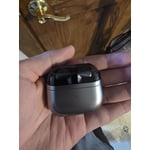
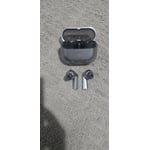
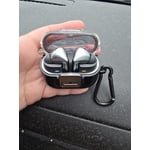
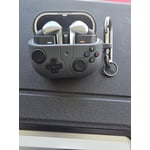
Member photos

  • +3889 images
Sort by |
Showing 9,691-9,700 of 14,577 reviews
Dec 3, 2024
Reviewer name: Anonymous
5 out of 5 stars
5 out of 5 stars review

Verified Purchase

Excellent sound and quality

Excellent sound and quality, they fit very well in the ear, their design is very practical

Review from Samsung US
Helpful?3MTCIEJ7RGUC18797511992
Feb 28, 2025
Reviewer name: San G
2 out of 5 stars
2 out of 5 stars review

Verified Purchase

Contant sliding out of ears

Keep sliding out of my ears. Keep sliding out of my ears

Review from Samsung US
Helpful?3MTCIEJ7RGUC18797511992
reply from R&R Team

Thank you for sharing your thoughts about the Galaxy Buds3 Pro, San! We truly appreciate your feedback and want to ensure you have the best experience possible. The Buds3 Pro features audio that is tailored specifically for you. The Adaptive Equalizer with Galaxy AI adjusts the audio based on how the Buds fit in your ears. This means that every time you put them in, you can enjoy the best sound for every playlist. If you're finding that the earbuds are not fitting comfortably or falling out, we recommend trying the different ear tip sizes included with your Galaxy Buds3 Pro. Samsung provides multiple options to help achieve a snug fit tailored to your ears, which can greatly enhance both comfort and sound quality. Check out the link attached for specific steps on how to get the best fit with your buds. We’re here to help you make the most of your Galaxy Buds3 Pro experience! If you have any further questions or concerns, please be sure to reach out to us at Samsung Support. -Kelvin https://www.samsung.com/us/support/answer/ANS10003519/ smsng.us/Samsung-Support smsng.us/Facebook-Messenger smsng.us/X-Messages smsng.us/Samsung-Community smsng.us/Warranty-Info smsng.us/Samsung-Care-Plus

Mar 18, 2025
Reviewer name: Debby
5 out of 5 stars
5 out of 5 stars review

Verified Purchase

Great addition for my S25 ultra

They fit my ears well and the sound comes through clearly. Easy to connect to Bluetooth.

Review from Samsung US
Helpful?3MTCIEJ7RGUC18797511992
Aug 26, 2025
Reviewer name: Brian
1 out of 5 stars
1 out of 5 stars review

Verified Purchase

I tried the Galaxy Bud 3 pro they sounded nice but

My purchase of the did not fit my ears but that doesn't mean they won't fit on yours

Review from Samsung US
Helpful?3MTCIEJ7RGUC18797511992
reply from R&R Team

Thank you for sharing your thoughts on the Galaxy Buds3 Pro, Brian! It's great to see that you enjoy the sound quality. We understand that achieving the perfect fit is essential for a great audio experience, and we're here to assist you. Our Galaxy Buds are designed to accommodate all sizes of ears, and we include multiple sizes of ear tips to ensure a snug fit. If you haven’t already, please check that you’re using the right size tips. A good fit minimizes any gaps and enhances the sound quality while helping to prevent sound leaks. For guidance on how to change the tips, our Buds3 Pro tips guide has all the details you need. Once you’ve got the right tips, remember to check the directional marks on the bottom of your earbuds. The L and R should be facing you for the best fit. Insert the R bud into your right ear and the L bud into your left, angling them slightly so that the microphone points towards your mouth. You can also adjust their position by rotating them until they feel just right. To ensure the best fit, don’t forget to run the earbud fit test available in the Galaxy Wearable app. If you have any more questions or need assistance, please reach out to us at Samsung Support. -Kelvin smsng.us/Samsung-Support smsng.us/Facebook-Messenger smsng.us/X-Messages smsng.us/Samsung-Community smsng.us/Warranty-Info smsng.us/Samsung-Care-Plus

Sep 1, 2025
Reviewer name: RoJo
5 out of 5 stars
5 out of 5 stars review

Verified Purchase

Great Product!

Love this product. It works just as it says and is great quality.

Review from Samsung US
Helpful?3MTCIEJ7RGUC18797511992
Oct 2, 2024
Reviewer name: Corwanna
4 out of 5 stars
4 out of 5 stars review

Verified Purchase

Pro3

I love the sleek look, however they tend to fall out my ears even with the small tips.

Review from Samsung US
Helpful?3MTCIEJ7RGUC18797511992
reply from R&R Team

Thank you for sharing your thoughts about the Galaxy Buds3 Pro, Corwanna. We’re thrilled to see that you love the sleek design. It’s great to know that you appreciate the modern aesthetics we aimed for. Regarding your experience with the fit, we understand that comfort is key for an enhanced listening experience. The Galaxy Buds3 Pro comes with multiple ear tip sizes to help ensure a snug and secure fit. We recommend trying out the different sizes to find the perfect match for you. Many users find that using the larger or custom tips can greatly improve stability. We truly value your feedback as it helps us continue to improve our products. For any further concerns or questions, please don’t hesitate to reach out to us at Samsung Support! -Kelvin smsng.us/Samsung-Support smsng.us/Facebook-Messenger smsng.us/X-Messages smsng.us/Samsung-Community smsng.us/Warranty-Info smsng.us/Samsung-Care-Plus

Sep 9, 2024
Reviewer name: Eric
1 out of 5 stars
1 out of 5 stars review

Verified Purchase

NOT WORTH IT

way overpriced for the qality that you get, it also make randomly high pitched noise when

Review from Samsung US
Helpful?3MTCIEJ7RGUC18797511992
reply from Social Commerce

Hi there Eric, we appreciate your feedback on your Samsung Galaxy Buds3 Pro. We understand how valuable your earbuds are to you for a range of reasons throughout the day. We would love to help you have the best experience possible with your earbuds. The high pitch sound you mention experiencing may occur due to the microphone being covered when placing in your ears or making other adjustments. We have provided a link to an article to help you if this is not the case. We have also shared a link to the Samsung Support Team if this experience continues or you have additional questions about your Samsung products. Thank you for being a Samsung customer. -Elizabeth No, low, or poor audio quality on Samsung earbuds https://www.samsung.com/us/support/troubleshooting/TSG01111323/ Samsung Support smsng.us/Samsung-Support Samsung Community smsng.us/Samsung-Community Facebook smsng.us/Facebook-Messenger X https://smsng.us/X-Messages

Mar 2, 2025
Reviewer name: Concern customer
3 out of 5 stars
3 out of 5 stars review

Verified Purchase

Charging case battery very short

Charging case battery only charges the device one time and a half

Review from Samsung US
Helpful?3MTCIEJ7RGUC18797511992
reply from R&R Team

Thanks for sharing your feedback on the Galaxy Buds3 Pro. We understand how important it is to have a reliable charging case to keep your earbuds powered throughout the day. The Galaxy Buds3 Pro charging case provides up to 30 hours of total listening time when fully charged. To make the most of your battery life, we recommend keeping the charging contacts inside the case and on the earbuds clean and free from debris, as dust can interfere with proper charging. Always use the included USB cable and a Samsung-approved wall adapter to charge your earbuds, as using third-party accessories may affect performance. When not in use, store the earbuds in the charged case with the cover closed to help preserve the battery life of both the earbuds and the case. Samsung offers a 12-month limited warranty for manufacturer defects. We also provide the option to add additional coverage with Samsung Care+ on eligible devices, which offers extended protection and additional support. If this continues to be your experience, please be sure to reach out to us at Samsung Support. -Kelvin smsng.us/Samsung-Support smsng.us/Facebook-Messenger smsng.us/X-Messages smsng.us/Samsung-Community smsng.us/Warranty-Info smsng.us/Samsung-Care-Plus

Mar 4, 2025
Reviewer name: Dooks
5 out of 5 stars
5 out of 5 stars review

Verified Purchase

Incredible earbuds, pro version

Awesome earbuds! Must buy. Awesome flexibility. Super easy installation.

Review from Samsung US
Helpful?3MTCIEJ7RGUC18797511992
Dec 9, 2024
Reviewer name: Singh
3 out of 5 stars
3 out of 5 stars review

Verified Purchase

Noise problem same time

Noise problem same time soooooooooooooooooooooooo

Review from Samsung US
Helpful?3MTCIEJ7RGUC18797511992
reply from R&R Team

Your feedback is greatly appreciated, Singh. We see that you reached out to share your thoughts on the Galaxy Buds3 Pro. The design of the Buds3 Pro features improved comfort for an immersive listening experience, with a redesigned shape that provides the best fit we've ever created. Additionally, to ensure your earbuds shine just as brightly as you do, we've incorporated Blade Lights that stand out and enhance your overall listening experience. We hate to see that you've encountered some noise concerns with your earbuds. First, please check for software updates on both your earbuds and the device they’re connected to, ensuring that both have the latest version installed. If the issue arises while using a specific app, such as Spotify, please confirm that the app is also up to date. For further troubleshooting, try unpairing your earbuds from your device by going to Settings, selecting Connections, then Bluetooth. Find your earbuds, tap the settings icon next to their name, select Unpair, and confirm. If your earbuds were connected to the Galaxy Wearable app, unpairing will also remove them from there. If the noise persists, consider resetting your earbuds while they are connected to the Galaxy Wearable app. Navigate to Earbuds settings, select General, then tap Reset, and confirm. Once completed, the earbuds will automatically enter pairing mode. Samsung offers a 12-month limited warranty for manufacturer defects. We also provide the option to add additional coverage with Samsung Care+ on eligible devices, which offers extended protection and additional support. If you continue to experience this, please reach out for further assistance at Samsung Support. -Kelvin smsng.us/Samsung-Support smsng.us/Facebook-Messenger smsng.us/X-Messages smsng.us/Samsung-Community smsng.us/Warranty-Info smsng.us/Samsung-Care-Plus