Join Now
Skip to Main Content
Sam's Club
Sam's Club
All Departments
All Services
Customer reviews for Samsung Galaxy Buds3 Pro for
Samsung Galaxy Buds3 Pro
4.4 out of 5 stars
stars
14.8K ratings14.8K reviews
  1. 5 stars69% (10.1K)
  2. 4 stars16% (2,431)
  3. 3 stars7% (1,038)
  4. 2 stars4% (564)
  5. 1 star4% (619)

Member photos

  • +3974 images
Sort by |
Showing 9,501-9,510 of 14,840 reviews
Jul 26, 2024
Reviewer name: Emil
5 out of 5 stars
5 out of 5 stars review

Verified Purchase

Love the near earbuds pro3
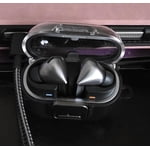
Omg I just love these earbuds. The give a great listening experience.

Review from Samsung US
Helpful?3MTCIEJ7RGUC18797511992
Oct 15, 2024
Reviewer name: matt
5 out of 5 stars
5 out of 5 stars review

Verified Purchase

good

i like it came a little late due to it being in demand but it has good quality

Review from Samsung US
Helpful?3MTCIEJ7RGUC18797511992
Jul 29, 2024
Reviewer name: Anonymous
5 out of 5 stars
5 out of 5 stars review

Verified Purchase

very good sound quality, worth to upgrade!

very good sound quality, worth to upgrade! special the noise cancel function

Review from Samsung US
Helpful?3MTCIEJ7RGUC18797511992
Feb 28, 2025
Reviewer name: Willa
2 out of 5 stars
2 out of 5 stars review

Verified Purchase

Will Not Stay In My Ear....Disappointing

Great Quality! Great Sound! However, they will not stay in my ear. So I don't use them.

Review from Samsung US
Helpful?3MTCIEJ7RGUC18797511992
reply from R&R Team

Thank you for sharing your experience with the Galaxy Buds3 Pro, Willa. It’s wonderful to hear that you appreciate the great quality and sound. To help you enjoy them even more, let’s focus on getting the fit just right. The Buds3 Pro comes with different sizes of ear tips, so it's important to choose the ones that fit your ears best. A secure fit without any gaps between your ear and the ear tip enhances comfort and prevents sound leakage, ensuring you experience optimal audio quality. If you need assistance with changing the ear tips, you can find a helpful guide on our website. Once you have the right ear tips, check the bottom of the earbuds for the directional marks. You'll see an "L" for the left and an "R" for the right. Insert the R bud into your right ear with the R facing you, and do the same with the L bud for your left ear. A slight adjustment, like angling the earbuds so the microphone points toward your mouth, can also improve the fit. For additional assurance, consider running an earbud fit test in the Galaxy Wearable app to confirm you have the perfect fit. We want you to enjoy your Galaxy Buds3 Pro to the fullest, so feel free to reach out to us at Samsung Support if you have more questions or need further assistance! -Kelvin smsng.us/Samsung-Support smsng.us/Facebook-Messenger smsng.us/X-Messages smsng.us/Samsung-Community smsng.us/Warranty-Info smsng.us/Samsung-Care-Plus

Nov 18, 2024
Reviewer name: Miizuza
5 out of 5 stars
5 out of 5 stars review

Verified Purchase

Good

Good suena bastante bien me encanto no molesta lo recmiemdo

Review from Samsung US
Helpful?3MTCIEJ7RGUC18797511992
Aug 4, 2024
Reviewer name: Ilham
4 out of 5 stars
4 out of 5 stars review

Verified Purchase

Review

Design Good and Works perfectly but hurt my ear for long use

Review from Samsung US
Helpful?3MTCIEJ7RGUC18797511992
Aug 4, 2024
Reviewer name: Roberto
4 out of 5 stars
4 out of 5 stars review

Verified Purchase

Pause, play or next song

Cant pause or play next song while just wearing one bud other than that everything is amazing

Review from Samsung US
Helpful?3MTCIEJ7RGUC18797511992
Jan 1, 2025
Reviewer name: Samsung lover
4 out of 5 stars
4 out of 5 stars review

Verified Purchase

Great sound, bad fit.

I love how they sound. They fall out of my ears often.

Review from Samsung US
Helpful?3MTCIEJ7RGUC18797511992
reply from R&R Team

Hello, and thank you for sharing your thoughts on the Galaxy Buds3 Pro! We’re absolutely delighted to hear that you’re diving into their incredible audio capabilities. To ensure you get the best sound experience, it’s essential to use the right size ear tips, as the Galaxy Buds3 Pro come with various options. A proper fit helps prevent sound leaks and ensures optimal audio quality. If you need help changing the tips, our guide has detailed instructions. Once you’ve got the right tips, check the bottom of the earbuds for the directional marks—an "L" for left and an "R" for right. Insert the R bud into your right ear with the R facing you, and the L bud into your left ear with the L facing you. Make sure to angle the earbuds so that the microphone points towards your mouth rather than straight down. You can also adjust them by rotating them until you find the perfect fit. For additional assurance, don’t forget to run an earbud fit test in the Galaxy Wearable app. We truly hope you enjoy every moment with your Galaxy Buds3 Pro! For any further concerns or questions, please be sure to reach out to us at Samsung Support. -Kelvin smsng.us/Samsung-Support smsng.us/Facebook-Messenger smsng.us/X-Messages smsng.us/Samsung-Community smsng.us/Warranty-Info smsng.us/Samsung-Care-Plus

Mar 1, 2025
Reviewer name: Chris
1 out of 5 stars
1 out of 5 stars review

Verified Purchase

Do not buy

Keep failing when charging in the case. Do not buy.

Review from Samsung US
Helpful?3MTCIEJ7RGUC18797511992
reply from R&R Team

Thank you for sharing your experience with the Galaxy Buds3 Pro, Chris. We genuinely appreciate your feedback and want to ensure you get the best performance from your earbuds. If you're experiencing difficulties with charging in the case, please check that both the earbuds and the case are clean. Sometimes, dust or debris can inhibit proper charging connections. Gently wipe the charging points with a soft, dry cloth to maintain optimal performance. Make sure the charging case itself is powered. To do this, connect it to a power source using the USB-C cable included with your buds. The LED indicator on the case should light up. If it doesn’t, consider trying a different power source or charging cable. To reset your Galaxy Buds3 Pro, open the Galaxy Wearable app on your mobile device and tap on Earbuds settings, then select Reset. This shoild help eliminate any performance inconsistencies and allow you to set them up again from scratch. Samsung products are covered against manufacturing defects in material and workmanship by a limited 12-month warranty. Additionally, we offer Samsung Care+ for eligible devices, which provides extended protection and extra support. You can enroll eligible mobile devices on Samsung.com at the time of purchase, or within 60 days of purchase at samsungcareplus.com. We want to make sure your experience is positive, so if this continues, please don’t hesitate to reach out to us at Samsung Support. Your satisfaction is important to us! -Kelvin smsng.us/Samsung-Support smsng.us/Facebook-Messenger smsng.us/X-Messages smsng.us/Samsung-Community smsng.us/Warranty-Info smsng.us/Samsung-Care-Plus

May 20, 2025
Reviewer name: Anonymous
5 out of 5 stars
5 out of 5 stars review

Verified Purchase

Best earbuds I've had

It's really good, the sound quality is incredible and the noise canceling is amazing

Review from Samsung US
Helpful?3MTCIEJ7RGUC18797511992
reply from R&R Team

Thank you for your feedback, Dafnel! It’s great to know you appreciate the incredible sound quality of the Galaxy Buds3 Pro. The Adaptive Active Noise Cancellation with Galaxy AI is specifically designed to enhance your listening experience by letting you immerse yourself in your music while remaining aware of your surroundings. We hope you continue to enjoy every detail of your experience! For any questions or concerns, please do not hesitate to reach out to us at Samsung Support. -Kelvin smsng.us/Samsung-Support smsng.us/Facebook-Messenger smsng.us/X-Messages smsng.us/Samsung-Community smsng.us/Warranty-Info smsng.us/Samsung-Care-Plus