Skip to Main Content
Sams Club
Sams Club
Customer reviews for Samsung Galaxy Buds3 Pro for
Samsung Galaxy Buds3 Pro

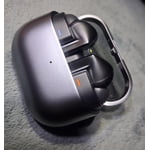
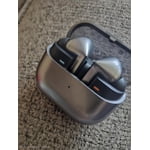
Member photos

  • +3548 images
Sort by |
Showing 461-470 of 13,573 reviews
Sep 19, 2025
TMTM
2 out of 5 stars review

Verified Purchase

Not for me

The speaker starts to key and screech so loud if it falls. I've never had thos issue with other headphones.

Review from Samsung US
Helpful?3MTCIEJ7RGUC18797511992
reply from R&R

Hello to you TMTM, Thank you for reaching out and sharing your experience with your Galaxy Buds3 Pro. When Active noise canceling, Adaptive, or Ambient sound is enabled, the sound coming through the sub-microphone (located on the top outer edge of your earbuds) is adjusted according to the noise control mode and delivered to the user through the speaker. However, if you touch or cover the area around the sub-microphone while putting your Galaxy Buds on, taking them off, or adjusting them, the microphone may detect sound and cause a beeping or howling noise. It’s the position of the speaker to the microphone that creates a loopback sound when disengaged. We hope that having an understanding helps a bit. If it becomes concerning, please reach out to our Samsung Support Team for assistance. Your feedback is valuable to us, and we are grateful to have you as a part of the Samsung community. Samsung earbud has a static noise https://www.samsung.com/us/support/troubleshooting/TSG01211003/#:~:text=Reset%20your%20earbuds.,will%20automatically%20enter%20pairing%20mode. -Ty Samsung Support smsng.us/Samsung-Support Samsung Community smsng.us/Samsung-Community Facebook smsng.us/Facebook-Messenger X https://smsng.us/X-Messages

Aug 2, 2025
Omoo
4 out of 5 stars review

Verified Purchase

Lovely

The is nice in color with clear sound but I still prefer buds2 Pro because it stays well in yours ears.

Review from Samsung US
Helpful?3MTCIEJ7RGUC18797511992
Jul 25, 2025
Galaxybuds Review
4 out of 5 stars review

Verified Purchase

Static Sounds

I'm already starting to hear static in the left earphone. I've only used them about a handful of times.

Review from Samsung US
Helpful?3MTCIEJ7RGUC18797511992
reply from R&R Team

Thank you for sharing your candid experience with the Galaxy Buds3 Pro. We understand how frustrating it can be to hear static in the earbuds, especially after only using them a few times. To improve your experience, we suggest checking for software updates for both your earbuds and the connected device. Keeping everything updated can really enhance performance. Additionally, trying a restart or resetting your Galaxy Buds might help clear up any static sounds. Please refer to the attached link for additional troubleshooting options if needed. We hope these tips help you resolve this. Samsung offers a 12-month limited warranty for manufacturer defects. We also provide the option to add additional coverage with Samsung Care+ on eligible devices, which offers extended protection and additional support. If you need further assistance, feel free to reach out to us at Samsung Support. -Kelvin https://www.samsung.com/us/support/troubleshooting/TSG01211003/ smsng.us/Samsung-Support smsng.us/Facebook-Messenger smsng.us/X-Messages smsng.us/Samsung-Community smsng.us/Warranty-Info smsng.us/Samsung-Care-Plus

Jul 23, 2025
L Wade
5 out of 5 stars review

Verified Purchase

Great product!

Excellent noise reduction when in use. The quality of sound is amazing. I'm very happy with my purchase.

Review from Samsung US
Helpful?3MTCIEJ7RGUC18797511992
reply from R&R Team

Thanks for taking the time to share your feedback on the Galaxy Buds3 Pro, L Wade. We love to see that you are enjoying the excellent noise reduction and the sound quality as a whole. The Buds3 Pro features an Enhanced 2-Way Speaker, which includes an improved woofer and tweeter. This design provides a wide frequency response, allowing you to hear the subtle details in your music. We're glad to know that you're happy with your buds, and if you have any questions or concerns, please reach out to us at Samsung Support. -Kelvin smsng.us/Samsung-Support smsng.us/Facebook-Messenger smsng.us/X-Messages smsng.us/Samsung-Community smsng.us/Warranty-Info smsng.us/Samsung-Care-Plus

Aug 21, 2025
Shawn
5 out of 5 stars review

Verified Purchase

good buds despite the design rip

Never been fan of the design look but I do appreciate the features, especially the noise cancellation so all in all a good buy

Review from Samsung US
Helpful?3MTCIEJ7RGUC18797511992
Aug 16, 2025
Kevin
5 out of 5 stars review

Verified Purchase

Galaxy Buds3 Pro

These Galaxy Buds are amazing! Crisp, clear sound. Fast charge, lasts a long time. Totally better than my Beats!

Review from Samsung US
Helpful?3MTCIEJ7RGUC18797511992
Jul 21, 2025
Yesly
5 out of 5 stars review

Verified Purchase

Excelent

Excellent headphones. I love the quality and noice canseling. It is perfect. I highly recommend it .

Review from Samsung US
Helpful?3MTCIEJ7RGUC18797511992
reply from R&R Team

Your feedback on the Galaxy Buds3 Pro is greatly appreciated, Yesly. We're glad to see that you love the sound quality and noise cancellation feature! Powered by our first-ever independently controlled woofer and tweeter, the Galaxy Buds3 Pro allow you to experience a broad spectrum of sound. An enhanced woofer and tweeter with a wide frequency response reveal the minute details in your music. We hope you continue to enjoy the sound quality and features of your buds. If you ever have any questions or need assistance, please be sure to reach out to us at Samsung Support. -Kelvin smsng.us/Samsung-Support smsng.us/Facebook-Messenger smsng.us/X-Messages smsng.us/Samsung-Community smsng.us/Warranty-Info smsng.us/Samsung-Care-Plus

May 26, 2025
Anonymous
5 out of 5 stars review

Verified Purchase

Music comes to life

My wife said these are the best! She said on certain music she can hear notes she’s never heard before

Review from Samsung US
Helpful?3MTCIEJ7RGUC18797511992
reply from R&R Team

Thank you so much for your wonderful feedback, Dave! It’s amazing to see that your wife is enjoying the Galaxy Buds3 Pro so much. The fact that she can hear notes she’s never heard before truly highlights the incredible sound quality these buds provide. With our first-ever, independently controlled woofer and tweeter, the Dual Amplifier technology really makes a difference. It allows listeners to experience a broad spectrum of sound that truly brings music to life. We’re thrilled that she’s able to appreciate these beautifully detailed notes! If you guys ever have any questions or concerns, please be sure to reach out to us at Samsung Support. -Kelvin smsng.us/Samsung-Support smsng.us/Facebook-Messenger smsng.us/X-Messages smsng.us/Samsung-Community smsng.us/Warranty-Info smsng.us/Samsung-Care-Plus

Sep 16, 2025
Jon W
4 out of 5 stars review

Verified Purchase

Good but not Great

The sound quality and build are very good. I dont like that different size esr cushions aren't provided for a better overall fit

Review from Samsung US
Helpful?3MTCIEJ7RGUC18797511992
Sep 11, 2025
Knikky
1 out of 5 stars review

Verified Purchase

Not worth the money

They do not fit in my ear correctly and constantly fall out. I ended up not using them. Wish I had my old ones back that I traded in.

Review from Samsung US
Helpful?3MTCIEJ7RGUC18797511992
reply from R&R Team

We appreciate your feedback regarding the Galaxy Buds3 Pro. The Buds3 Pro are made to provide a snug fit with the new stem design, and we want you to have the best experience possible and be able to utilize your buds. To ensure optimal audio quality and minimize sound leaks, it's important to use the correct size ear tips, making sure there’s no gap between the ear tip and your ear. You can refer to our guide for instructions on changing the tips. Once you have the appropriate tips, check the earbuds for directional marks—“R” for the right earbud and “L” for the left. Insert the right bud into your right ear with the “R” facing you, and the left bud into your left ear with the “L” facing you. Angle the earbud slightly so that the microphone points toward your mouth, and adjust the fit by rotating them until comfortable. Additionally, consider running an earbud fit test to verify that you have the proper fit. If you have any further concerns or questions, please do not hesitate to reach out to us at Samsung Support. -Kelvin smsng.us/Samsung-Support smsng.us/Facebook-Messenger smsng.us/X-Messages smsng.us/Samsung-Community smsng.us/Warranty-Info smsng.us/Samsung-Care-Plus