Skip to Main Content
Sam's Club
Sam's Club
All Departments
All Services
Customer reviews for Samsung Galaxy Buds3 Pro for
Samsung Galaxy Buds3 Pro
4.4 out of 5 stars
stars
14.8K ratings14.8K reviews
  1. 5 stars69% (10.1K)
  2. 4 stars16% (2,431)
  3. 3 stars7% (1,038)
  4. 2 stars4% (564)
  5. 1 star4% (619)

Member photos

  • +3978 images
Sort by |
Showing 4,451-4,460 of 14,848 reviews
Sep 26, 2024
Reviewer name: Anonymous
5 out of 5 stars
5 out of 5 stars review

Verified Purchase

Better that my old air pods pro

Great audio quality and comfortable. They feel good on the ear and you don't get tired of wearing them. The bass on these little things is amazing.

Review from Samsung US
Helpful?3MTCIEJ7RGUC18797511992
Mar 14, 2026
Reviewer name: Love2listen
5 out of 5 stars
5 out of 5 stars review

Galaxy Earbuds3 Pro
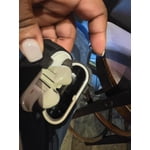
[This review was collected as part of a promotion.] Best earbuds I've had and especially with them having the Galaxy AI. Love it

Review from Samsung US
Helpful?3MTCIEJ7RGUC18797511992
Sep 21, 2024
Reviewer name: Ianb
5 out of 5 stars
5 out of 5 stars review

Verified Purchase

Galaxy buds 3 pro

Awesome!!! Great sound awesome battery life i thought they couldn't be better than the buds 2 but they are

Review from Samsung US
Helpful?3MTCIEJ7RGUC18797511992
Apr 5, 2025
Reviewer name: Oscar
1 out of 5 stars
1 out of 5 stars review

Verified Purchase

Bad fit

Horrible fit, too heavy. Too expensive for the quality and set doesn't even includes additional tips

Review from Samsung US
Helpful?3MTCIEJ7RGUC18797511992
reply from R&R Team

We appreciate you taking the time to share your feedback on the Galaxy Buds3 Pro, Oscar. We always look forward to hearing from our valued customers. We hate to see that you've had a hard time getting your buds to fit correctly. The Galaxy Buds3 Pro come with different sizes of ear tips, so it’s important to ensure you’ve selected the right size for your ears. A snug fit without gaps is essential to prevent sound leaks and enhance audio quality. If you need guidance on changing the tips, please refer to our detailed guide. After you've fitted the correct tips, check the bottom of each earbud for the directional labels, "L" for left and "R" for right. Insert the "R" bud into your right ear and the "L" bud into your left ear, making sure the labels face you. Adjust the angle slightly so the microphone points toward your mouth, and feel free to rotate the buds until they fit comfortably. Lastly, you can run an earbud fit test in the Galaxy Wearable app to confirm that you have the ideal fit. If your buds arrived without the additional tips, we encourage you to reach out to us at Samsung Support so that we can look into what needs to be done to get this resolved. If you have any further concerns or questions, please do not hesitate to reach out to us at Samsung Support. -Kelvin smsng.us/Samsung-Support smsng.us/Facebook-Messenger smsng.us/X-Messages smsng.us/Samsung-Community smsng.us/Warranty-Info smsng.us/Samsung-Care-Plus

Dec 5, 2025
Reviewer name: Ashitp
5 out of 5 stars
5 out of 5 stars review

This product is great, but some issues like softwa

[This review was collected as part of a promotion.] Is that good and lightweight product, also sound effects so good,...

Review from Samsung US
Helpful?3MTCIEJ7RGUC18797511992
Dec 17, 2024
Reviewer name: Chelsea
4 out of 5 stars
4 out of 5 stars review

Verified Purchase

Nice sound

So gar so good. They fall out of my ears easily so I changed sizes but still experiencing same issue.

Review from Samsung US
Helpful?3MTCIEJ7RGUC18797511992
reply from R&R Team

Thanks for sharing your experience with the Galaxy Buds3 Pro, Chelsea! The Buds3 Pro allows you to hear every detail on your TV to the fullest with 360-degree immersive sound that feels like it’s all around you. We understand how important it is to find the perfect fit for comfortable listening. The Galaxy Buds3 Pro comes with a selection of ear tips in different sizes, so start by ensuring you have the correct size for your ears. It’s important for the ear tips to fit snugly without any gaps, as this prevents sound leaks and ensures optimal audio quality. Once you have the appropriate tips attached, check the bottom of the earbuds for directional marks—‘L’ for left and ‘R’ for right. Insert the R bud into your right ear with the ‘R’ facing you and the L bud into your left ear with the ‘L’ facing you. Angle the earbuds slightly so the microphone is pointing toward your mouth rather than straight down, and adjust them by rotating them until they feel comfortable. Additionally, you can run an earbud fit test in the Galaxy Wearable app to confirm that you have the proper fit. We truly appreciate your feedback, and if you continue to experience issues, don't hesitate to reach out. Your comfort and satisfaction are important to us! If you have any questions or concerns, be sure to reach out to us at Samsung Support. -Kelvin smsng.us/Samsung-Support smsng.us/Facebook-Messenger smsng.us/X-Messages smsng.us/Samsung-Community smsng.us/Warranty-Info smsng.us/Samsung-Care-Plus

Mar 3, 2025
Reviewer name: RoBo
5 out of 5 stars
5 out of 5 stars review

Verified Purchase

Fantastic Galaxy Ear Buds 3
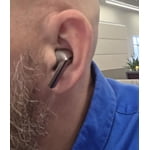
Very comfortable. I can hardly tell i have them in my ears. The sound quality is astounding. Highly recommend GEB3s

Review from Samsung US
Helpful?3MTCIEJ7RGUC18797511992
Jul 22, 2025
Reviewer name: Michael
2 out of 5 stars
2 out of 5 stars review

Verified Purchase

Stick with the previous generation

Don't fit in the ear well. Previous generation was much better at noise canceling. Won't charge after exercise.

Review from Samsung US
Helpful?3MTCIEJ7RGUC18797511992
reply from R&R Team

Thank you for sharing your experience with the Galaxy Buds3 Pro, Michael! We appreciate your feedback on the fit and noise cancellation. Getting the right fit is essential for maximizing the noise cancellation features, and we’ll include a link below with helpful tips to help you achieve that! For the charging after workouts, we recommend cleaning and drying your buds thoroughly, as moisture can affect their performance. If you have any other questions or need assistance, don’t hesitate to reach out to Samsung Support. We’re always here to help! -Kelvin https://www.samsung.com/us/support/answer/ANS10003519/ (how to wear) https://www.samsung.com/us/support/troubleshoot/TSG10000013/#samsung-earbuds-dont-charge smsng.us/Samsung-Support smsng.us/Facebook-Messenger smsng.us/X-Messages smsng.us/Samsung-Community smsng.us/Warranty-Info smsng.us/Samsung-Care-Plus

Feb 20, 2025
Reviewer name: ADmom
5 out of 5 stars
5 out of 5 stars review

Verified Purchase

Great Purchase

Great earbuds, cancels out background noise perfectly, they dont hurt to wear. Would definitely buy again.

Review from Samsung US
Helpful?3MTCIEJ7RGUC18797511992
Feb 25, 2025
Reviewer name: mbcubero
4 out of 5 stars
4 out of 5 stars review

Verified Purchase

Great sound and integration with Samsung phone

Great sound and feel comfortable in the ears. OFI switching and connecting between devices is delayed, improve connection speed.

Review from Samsung US
Helpful?3MTCIEJ7RGUC18797511992