

Member photos

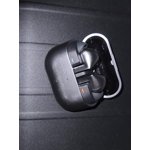
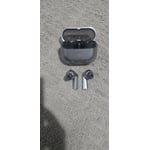

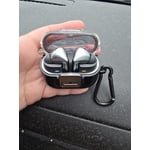
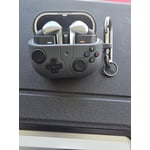 +3889 images
Samsung Airbud 3pro
[This review was collected as part of a promotion.] These are the best Airbuds I've ever used! I use them for music while being at work and also allows me to answer incoming calls with ease! They are very comfortable without falling off and blocks outside noise very good. The sound quality for music is outstanding!
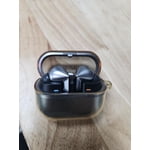
Ok but not better than the buds2 pro fitting
[This review was collected as part of a promotion.] Wanted to like the buds3 pro more, but for me the make or break decision is made by sitting and not falling, and that it did. Falls on sweat, unseats with movement, bulky, stalks are odd, lights are useless, takes time to learn to place it back in its case. Overall can't love it, I bought 2 pairs and gifted both, kept the buds2 pro. Now afraid to upgrade to buds4 pro, as the seem almost the same.
Hey Rawr4oh4, Thank you for sharing your experience with the Galaxy Buds3 Pro. These earbuds deliver rich audio, intelligent sound features, and seamless connectivity with other Galaxy devices. A secure fit is crucial for active use, so it's understandable that the earbuds shifting due to sweat and movement made it difficult for you to enjoy the updated design compared to the Galaxy Buds2 Pro. Getting a proper fit with the Galaxy Buds3 Pro is very important. They come with different ear tip sizes, and selecting the right size is key to eliminating any gaps between your ear and the tip, which helps optimize audio. To ensure you wear them correctly: 1. Check for the L and R directional marks on the earbuds. 2. Insert the R bud into your right ear and the L bud into your left ear, facing you. 3. Angle them slightly so that the microphone faces your mouth. 4. Adjust by rotating the buds until they feel secure. You can also run an earbud fit test to confirm a proper fit. If you liked the Galaxy Buds2 Pro, you'll find that the fit of the Galaxy Buds4 Pro is quite similar. The Buds2 Pro provide a sense of security and comfort. While finding the right placement with the tips of the Galaxy Buds4 Pro is crucial, the audio quality is a significant upgrade for those who enjoyed the Buds2 Pro. You’ll definitely notice the improvement. Thank you for sharing your perspective with Samsung! How to wear your Samsung Galaxy Buds3, Buds3 Pro, or Buds3 FE https://www.samsung.com/us/support/answer/ANS10003519/ -Ty Samsung Support smsng.us/Samsung-Support Samsung Community smsng.us/Samsung-Community Facebook smsng.us/Facebook-Messenger X https://smsng.us/X-Messages
Galaxy buds Pro 3
[This review was collected as part of a promotion.] I think the Samsung Galaxy Buds3 Pro are some of the best wireless earbuds that Samsung has made because they have amazing sound quality and a lot of useful features. In my opinion, the music sounds very clear and balanced, and the bass is strong without being too overwhelming. I also like how the active noise cancellation blocks out background sounds because it helps me focus more on what I am listening to. Another reason I think they are great is because they are comfortable to wear for long periods of time, which makes them good for everyday use. I think the Galaxy Buds3 Pro are especially good for watching movies and shows because the audio feels very immersive and realistic. When I watch movies with them, I can hear dialogue clearly while also hearing background sounds and music in a much more detailed way. I also think the spatial audio feature makes movies feel more exciting because it creates a surround-sound effect. In my experience, using these earbuds makes movies and videos much more enjoyable compared to regular earbuds or phone speakers. I also think the Galaxy Buds3 Pro are very good for gaming because the sound is fast and responsive. When playing games, I feel like it is easier to hear important sounds such as footsteps, explosions, or enemy movements. I think this makes games more immersive and sometimes even helps improve performance in competitive games. I also like that the microphones are clear for talking with friends during online games.
Mediocre!
[This review was collected as part of a promotion.] I was super excited to get those Samsung buds but I was disappointed. The music is crystal clear, loud and bass is great. I cannot get them to fit me right. They fall out constantly, they are not dust or sweater proof so for work they are not where it's at.
Galaxy Buds3 Pro: An Excellent Upgrade
[This review was collected as part of a promotion.] The new stem-style design on the Galaxy Buds3 Pro is a massive shift, but it completely hits the mark. They look sharp, fit comfortably, and integrate flawlessly with Galaxy devices. * Design & Fit: The angular stems look incredibly modern, and the LED lights add a futuristic touch. Moving the weight to the stem makes them feel lightweight, preventing ear fatigue during long sessions. * Sound Quality: Audio is top-tier thanks to a dual-driver setup. The sound profile has a punchy, resonant bass that makes tracks sound massive, while the treble stays perfectly clean and crisp. * ANC & Ambient Mode: The ANC easily blocks out low-frequency rumbles like AC units or traffic. The Adaptive ANC is also smart enough to automatically switch to transparency mode the second you start speaking. * Call Quality: With the mics positioned lower down the stems, voice calls are crystal clear. People on the other end can hear you perfectly even in noisy environments. The Downsides: The pinch-and-swipe gesture controls on the triangular stems take a bit of muscle memory to master. Also, the silicone ear tips feel a bit fragile when you are trying to swap them out. Overall, if you're already in the Galaxy ecosystem, these are a total no-brainer for premium sound, great calls, and a comfortable fit.
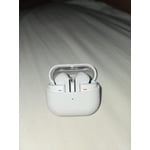
Great sounding! Good battery life and features.
[This review was collected as part of a promotion.] Very nice design. Great sound and comfort. They have a good support base with regular updates. They integrated nicely into a PC and Android environment. The case is sturdy and ideal in size for portability.
Very comfortable
[This review was collected as part of a promotion.] I love owning anything Samsung due to the fact, for example, if you loose or misplace your buds, the Wearable app can actually locate them, AND THEY DON'T EVEN HAVE TO BE TURNED ON! I can't begin to tell you how many times I've used that! Plus, the sound quality, with the fit of my crooked ear size for serious comfort is a super great bonus!!
Amazing sound and quality
[This review was collected as part of a promotion.] These Buds Pro 3 are amazing. From the perfect fit to amazing sound quality. They make it easy to communicate and even use Galaxy AI systems with ease. The moment you put them in the sound is so clear. The noise cancelling option is great and allows me to focus when needed during a call or other activity. The battery is really good as well to provide lasting satisfaction.
Premium sound and smart features that elevate ever
[This review was collected as part of a promotion.] The Galaxy Buds 3 Pro have genuinely changed how I use audio throughout my day. Sound quality is the standout. The dual-driver setup produces rich, layered audio with deep bass that doesn't overpower the mids, and the highs stay crisp without feeling sharp. Acoustic tracks, hip-hop, and orchestral scores all sound detailed and well-separated. Active Noise Cancellation is exceptional. On a crowded train, engine hum and surrounding chatter essentially disappear, letting me focus on podcasts or take calls without distraction. Ambient Sound mode is just as useful when walking outdoors and staying aware of traffic. Galaxy AI integration is where these really shine. The live translation feature has been incredibly handy during conversations with non-English speakers, and Interpreter mode works smoothly with the buds. Voice detection automatically pauses my music when I start talking, which feels intuitive. The fit is comfortable for long stretches, and the new stem design makes pinch gestures for volume feel natural. Battery life easily lasts a full workday, and quick charging through the case has saved me before a commute. Call quality is clear on both ends thanks to improved microphones, even in windy conditions. Pairing with my Galaxy phone was instant, and switching between tablet and laptop is seamless. For streaming, gaming, work calls, and daily commutes, these have become essential. Highly recommended.

Great sound but..
[This review was collected as part of a promotion.] Overall as a earbuds go they work very well. Great sound for everything i listen to. From podcasts & music to audio books and the noise canceling is pretty spot on. My only grow is that the boss randomly disconnect from my phone (S25 ultra & the main device I use them with) and sometimes won't reconnect until I put them back into the case to rest them. Other than that they do what I want then to do.
Thank you, YSocki, for reaching out and sharing your experience with your Galaxy Buds3 Pro. The rich sound quality, effective noise cancellation, and versatile listening options make the Galaxy Buds3 Pro a great choice for enjoying music, podcasts, and audiobooks. We understand that unexpected disconnections from your Galaxy S25 Ultra can disrupt this experience, particularly when you need to return the earbuds to their case before reconnecting. Your feedback is valuable as Samsung works to improve Galaxy connectivity. Thank you for being a part of the Samsung community. -Ty Samsung Support smsng.us/Samsung-Support Samsung Community smsng.us/Samsung-Community Facebook smsng.us/Facebook-Messenger X https://smsng.us/X-Messages