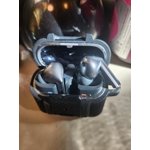
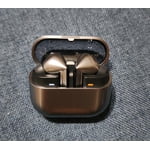
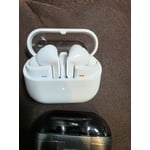
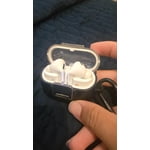
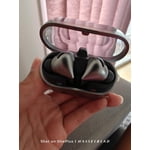
Member photos


+3776 images
I really hate these and wish I could return them.
I would love these if they charged correctly. I have to spend a long time fiddling with them ao they make contact in th3 case to charge. It is really frustrating and drives me crazy.
We appreciate you taking the time to share your feedback on the Galaxy Buds3 Pro! We're glad to see that you love the buds! However, it looks like you've faced some challenges when it comes to charging them. We understand how frustrating this must be, but we're here to help. Please ensure you're using an approved charger. When charging, use the included USB cable and a Samsung-approved wall adapter (sold separately). Also, please make sure the charging contacts inside the case and on the earbuds themselves are clean and free of debris. If the earbuds still do not charge, check both the case and the earbuds for any damage, as damaged earbuds will not charge. Keep in mind that if one earbud is damaged, the other earbud may still charge. For your peace of mind, Samsung offers a 12-month limited warranty for manufacturer defects. Additionally, you can add extra coverage with Samsung Care+ on eligible devices, which provides extended protection and additional support. If you continue to experience this, please be sure to reach out to us at Samsung Support so that we can further assist you. -Kelvin https://www.samsung.com/us/support/troubleshoot/TSG10000013/#samsung-earbuds-dont-charge smsng.us/Samsung-Support smsng.us/Facebook-Messenger smsng.us/X-Messages smsng.us/Samsung-Community smsng.us/Warranty-Info smsng.us/Samsung-Care-Plus
Why I like my Galaxy Buds 3 Pro
[This review was collected as part of a promotion.] I like my Galaxy Buds 3 Pro because they were better than my Galaxy Buds 2. The Galaxy Buds 3 Pro are about the same audio quality as an IEM.
Pain
Very nice features and sometimes the ai won't even budge forreal i literally had to scream also these buds hurts my ear cartilage so BADDD like I'm in severe pain
Hello Try4ad, Thank you for sharing your experience with your Galaxy Buds3 Pro. First and foremost, the Galaxy Buds3 Pro design is intended to allow for a comfortable fit in your ear. We recommend refraining from continuous use if they are causing you pain. Additionally, if the fit is not suiting your ears, you can change the tips to achieve a better fit. Ear shape matters, and it is essential to find an earbud that fits your preferences. When using features that require speaking into the earbuds, please ensure the microphone is positioned correctly to capture your voice. For more information on how to adjust your earbuds for optimal speaking performance, please refer to the link provided below. We thank you for your review. Thank you for being a part of the Samsung community. How to wear your Samsung Galaxy Buds3, Buds3 Pro, or Buds3 FE https://www.samsung.com/us/support/answer/ANS10003519/ -Ty Samsung Support smsng.us/Samsung-Support Samsung Community smsng.us/Samsung-Community Facebook smsng.us/Facebook-Messenger X https://smsng.us/X-Messages
Verified Purchase
Amazing Sound & Comfort
I think comfort to me is as important as the sound capability. On both counts they knocked it out of the park. Then there is all the app options ! Love, Love , Love the design and everything else about them
Verified Purchase
Stick with the older versions!
Sounds good, other than that not great. Battery doesn't last long, touch controls are not reliable, and fit is nowhere near as good as previous models.
Hello Andrew, we appreciate you taking time out of your day to share your experience with your Samsung Galaxy Buds3 Pro with us. We understand how important your earbuds are to you during a range of activities every day. We would love to help you and have some great resources available online to help our customers. We have provided links to articles to help you with the fit, battery, and settings of your earbuds. We also recommend performing a fit test with your earbuds when connected to the Samsung Wearables App. We have lastly shared a link to the full device manual and Samsung Support Team to help align your settings to your needs and wants. Thank you for being a Samsung customer. -Elizabeth How to wear your Samsung Galaxy Buds3 and 3 Pro https://www.samsung.com/us/support/answer/ANS10003519/ All about your Samsung earbuds’ battery life https://www.samsung.com/us/support/answer/ANS00078081/ Product Manuals https://www.samsung.com/us/support/downloads/ Samsung Support smsng.us/Samsung-Support Samsung Community smsng.us/Samsung-Community Facebook smsng.us/Facebook-Messenger X https://smsng.us/X-Messages
Verified Purchase
Samsung Love
These are my favorite buds so far. The fit is perfect for my ears and the sound is great. Love the lights on the bufs and my favorite feature is how seamlessly switches from my phone to tablet, and my Ultra watch
Verified Purchase
Totally impressed
First of all let me say I am a faithful SAMSUNG user and that these are the best fitting and sounding ear buds that I've EVER used! I give them 5 stars hands down!!!
Good quality, not the best fit
[This review was collected as part of a promotion.] The features are good, but the fit is not as good as the Buds 2. Galaxy AI does not play a part in this device.
Thank you for sharing your thoughts on the Galaxy Buds3 Pro! We appreciate your feedback, especially regarding the fit. We encourage you to try out the extra bud tips included with your purchase to help find the best fit for your ears. Regarding your point about Galaxy AI, we want to clarify that it actually plays a significant role in enhancing your listening experience. With features like adaptive EQ and active noise control, Galaxy AI helps you discover the details in your favorite songs. It optimizes sound based on your ear shape and how you're wearing the earbuds. The Buds3 Pro takes it a step further with automatic noise adjustment, which tailors the sound settings based on your surroundings. For instance, if you're outside and a siren passes by, it switches to a more ambient setting, while construction noise prompts active noise cancellation. To learn more about these features, please be sure to check out the link attached. If you have any questions or concerns, please don’t hesitate to reach out to us at Samsung Support. -Kelvin https://www.samsung.com/uk/support/mobile-devices/galaxy-ai-on-the-galaxy-buds3-pro-and-buds3/ smsng.us/Samsung-Support smsng.us/Facebook-Messenger smsng.us/X-Messages smsng.us/Samsung-Community smsng.us/Warranty-Info smsng.us/Samsung-Care-Plus
Verified Purchase
Don't waste your money
Horrible experience. Wasted a ton of money on buds that have a hard time connecting. It's a hit or miss evrytime I pull them out of the case. I have to put them back in and retry 80% of the time. My old beats never had this issue.
Thank you for sharing your review of the Galaxy Buds3 Pro, Edgar. The Buds3 Pro allows you to seamlessly switch your audio from your Galaxy phone to your PC. Enjoy listening to the latest playlists on your Galaxy phone, and when it's time for an epic gaming session, easily switch to your laptop with the PC Auto Switch feature for the final boss battle of your favorite game. To enhance connectivity, you can try a few steps: First, restart the earbuds by placing them in the charging case, closing the lid for seven seconds, and then reopening it to reconnect. Next, reset the Bluetooth connection by navigating to your device's Bluetooth settings, unpairing the Galaxy Buds3 Pro, turning off Bluetooth for a few seconds, and then turning it back on before re-pairing. Additionally, make sure that the Galaxy Wearable app is updated to the latest version and check for any firmware updates for your earbuds through the app. Lastly, be aware of potential interference from nearby active Bluetooth devices and try to keep your device and earbuds close together during use for optimal performance. Samsung offers a 12-month limited warranty for manufacturer defects. We also provide the option to add additional coverage with Samsung Care+ on eligible devices, which offers extended protection and additional support. If this persists, please be sure to reach out to us at Samsung Support for further support. -Kelvin smsng.us/Samsung-Support smsng.us/Facebook-Messenger smsng.us/X-Messages smsng.us/Samsung-Community smsng.us/Warranty-Info smsng.us/Samsung-Care-Plus
Verified Purchase
Crackling/popping noises with ANC!
Earbuds pop/crack loudly when trying to block out louder noises. Sometimes it even hurts. Weed eating is my best example. I would never order these if I knew this.
Thank you for your feedback regarding the Galaxy Buds3 Pro, Zach. We appreciate your comments about the audio experience, especially in challenging environments. Our Galaxy Buds3 Pro is designed with advanced noise-canceling technology that aims to provide an immersive sound experience. For the best performance, we recommend ensuring that the earbuds fit securely in your ears, as this can enhance noise cancellation. Additionally, make sure your buds are up to date with the latest software update available through the Galaxy Wearable app. Samsung offers a 12-month limited warranty for manufacturer defects. We also provide the option to add additional coverage with Samsung Care+ on eligible devices, which offers extended protection and additional support. If this continues to be your experience, please be sure to reach out to us at Samsung Support so that we can further assist you with this. Your satisfaction is important to us! -Kelvin smsng.us/Samsung-Support smsng.us/Facebook-Messenger smsng.us/X-Messages smsng.us/Samsung-Community smsng.us/Warranty-Info smsng.us/Samsung-Care-Plus