Skip to Main Content
Sam's Club
Sam's Club
All Departments
All Services
Customer reviews for Samsung Galaxy Buds3 Pro for
Samsung Galaxy Buds3 Pro
4.4 out of 5 stars
stars
14.6K ratings14.6K reviews
  1. 5 stars69% (10K)
  2. 4 stars16% (2,386)
  3. 3 stars7% (1,023)
  4. 2 stars4% (557)
  5. 1 star4% (615)

Member photos

  • +3896 images
Sort by |
Showing 3,781-3,790 of 14,602 reviews
Jan 9, 2025
Reviewer name: Bryce
5 out of 5 stars
5 out of 5 stars review

Verified Purchase

Great sound, great noise cancelling

I upgraded from the buds 2 and am really glad I did. The sound quality of these headphones is very good. I live in New York and am surprised how well they block the background city noise. I liked the buds 2 and these are worth the upgrade.

Review from Samsung US
Helpful?3MTCIEJ7RGUC18797511992
reply from R&R Team

Hey Bryce! Thank you for sharing your candid feedback on the Galaxy Buds3 Pro! We love to see that you’re enjoying the impressive sound quality and effective noise cancellation, especially in a bustling city like New York. It’s great to know the upgrade has made a noticeable difference for you. Our goal is to create products that enhance your listening experience. If you ever have any questions or concerns, please don’t hesitate to reach out to us at Samsung Support. -Kelvin smsng.us/Samsung-Support smsng.us/Facebook-Messenger smsng.us/X-Messages smsng.us/Samsung-Community smsng.us/Warranty-Info smsng.us/Samsung-Care-Plus

Nov 1, 2025
Reviewer name: Vlad
3 out of 5 stars
3 out of 5 stars review

5/12

After a month, the left earpiece stopped charging; it charges when it feels like it. The right one works. Sometimes it doesn't connect right away. They discharge quickly; I don't have enough battery to listen to anything in the background.

Review from Samsung US
Helpful?3MTCIEJ7RGUC18797511992
reply from R&R

Hey there Vlad, Thank you for your honest feedback regarding your Galaxy Buds3 Pro. If you notice that only one earbud is charging well while the other isn't, try updating the software. When a software update becomes available, the Galaxy Wearable app will notify you with a popup. Tap 'Update' and follow the instructions. During the update, the earbuds will disconnect from your phone and will reconnect automatically once it’s complete. To manually check for updates, insert the earbuds into the charging case with the lid open, open the Galaxy Wearable app on your device, go to Earbud settings, and tap 'Earbuds software update,' then 'Download and install.' If an update is available, it will start automatically. If problems persist after checking for updates, contact the Samsung Support Team for help. We're here to assist you. Thanks again for your review. We appreciate you as a Samsung customer. How to install software updates on your Samsung earbuds https://www.samsung.com/us/support/answer/ANS10001316/ -Ty Samsung Support smsng.us/Samsung-Support Samsung Community smsng.us/Samsung-Community Facebook smsng.us/Facebook-Messenger X https://smsng.us/X-Messages

Oct 10, 2025
Reviewer name: Nope210
5 out of 5 stars
5 out of 5 stars review

Amazing sound

[This review was collected as part of a promotion.] Sound quality is amazing, better than Beats Studio Pro. Im jt sure how Galaxy AI works into them though, let me know.

Review from Samsung US
Helpful?3MTCIEJ7RGUC18797511992
Dec 31, 2024
Reviewer name: Mike
2 out of 5 stars
2 out of 5 stars review

Verified Purchase

Misleading

As a basic ear bud they work fine, the marketing and advertising are very misleading. Many of the reported features are not enabled, blocked, or not compatible with current Samsung phones.

Review from Samsung US
Helpful?3MTCIEJ7RGUC18797511992
reply from R&R Team

Thanks for your honest feedback on the Galaxy Buds3 Pro, Mike. We truly appreciate your feedback, as it helps us improve our products and services. At Samsung, we strive to provide the best experience with our Galaxy Buds3 Pro. Designed for comfort and superior sound quality, these earbuds come packed with features like Adaptive Sound, Active Noise Cancellation, and ambient sound mode, all aimed at enhancing your audio experience. However, it’s important to note that some features may require your phone to be running compatible software to function properly. We recommend ensuring that your device is up to date to unlock the full potential of the Galaxy Buds3 Pro. If you have any specific questions or require assistance, we’re here to help at Samsung Support! Your satisfaction is our priority, and we want to ensure you have the best experience with your Galaxy Buds3 Pro. Thank you for being a valued part of the Samsung family! -Kelvin smsng.us/Samsung-Support smsng.us/Facebook-Messenger smsng.us/X-Messages smsng.us/Samsung-Community smsng.us/Warranty-Info smsng.us/Samsung-Care-Plus

Mar 4, 2025
Reviewer name: rcbeetle
3 out of 5 stars
3 out of 5 stars review

Verified Purchase

Not impress, but ok.

Range is short compare to other Bluetooth headsets I have. They get loose while eating. Easier to fall off than others specially while moving. The bean shape where better fit in my opinion.

Review from Samsung US
Helpful?3MTCIEJ7RGUC18797511992
reply from R&R Team

Hey Rcbeetle. We appreciate you for taking the time to share your feedback on the Galaxy Buds3 Pro. We truly value your thoughts and experiences, as they help us improve our products. The Galaxy Buds3 Pro are equipped with the latest Bluetooth® version 5.4, which enhances connectivity, offering a more stable connection and improved range. To ensure optimal performance, please keep the earbuds and your device within 30 feet of each other. This distance may vary based on your environment and the model of your phone. Additionally, avoid using the device near obstructions that could block the Bluetooth signal, such as walls, routers, electrical equipment, or sources of electromagnetic interference. Regarding the fit, we recommend checking out the link attached that goes into detail on how to properly wear your Samsung buds. If you have any additional questions or concerns, please be sure to reach out to us at Samsung Support. -Kelvin https://www.samsung.com/us/support/answer/ANS10003519/ smsng.us/Samsung-Support smsng.us/Facebook-Messenger smsng.us/X-Messages smsng.us/Samsung-Community smsng.us/Warranty-Info smsng.us/Samsung-Care-Plus

Nov 10, 2024
Reviewer name: Anonymous
5 out of 5 stars
5 out of 5 stars review

Verified Purchase

Excellent noise canceling....

Replaced my old Galaxy Buds- skipped the Buds 2 version. These Buds 3 Pro are far superior to my old ones. The noise canceling is excellent and I sometimes put them in just for this feature. Controls are easy to use but find I use voice the most.

Review from Samsung US
Helpful?3MTCIEJ7RGUC18797511992
Jan 12, 2025
Reviewer name: Why_smsng
2 out of 5 stars
2 out of 5 stars review

Verified Purchase

The fit... does not fit!

They are so hard to get a good fit in ear!!! Never had issue with buds 2 pro. I almost can never get a good fit, regardless of the different tips supplied!

Review from Samsung US
Helpful?3MTCIEJ7RGUC18797511992
reply from R&R Team

Thank you for taking the time to share your experience with the Galaxy Buds3 Pro. We understand how frustrating it can be when you're trying to find the right fit, especially when you've had a great experience with the Buds 2 Pro. The Galaxy Buds3 Pro come with different sizes of ear tips, and it's essential to ensure you’re using the right size for your ears. A snug fit can help prevent sound leaks and optimize your listening experience. Once you’ve selected the right tips, make sure to position the earbuds correctly. Look for the directional marks – you’ll see an ‘L’ and an ‘R’. Insert the R bud into your right ear and the L bud into your left ear, ensuring that the letters are facing you. A slight angle can help, too; try to point the microphone at your mouth for the best performance. You might also want to try running an earbud fit test in the Galaxy Wearable app. This feature will help confirm that you have the proper fit for maximum comfort and sound quality. We’re proud of the upgrades in the Buds3 Pro, which include improved sound quality, enhanced noise cancellation, and better battery life compared to their predecessors. We hope these tips help you enjoy all the new features the Buds3 Pro have to offer! If you have any more questions or need assistance, feel free to reach out to us at Samsung Support. Happy listening! -Kelvin smsng.us/Samsung-Support smsng.us/Facebook-Messenger smsng.us/X-Messages smsng.us/Samsung-Community smsng.us/Warranty-Info smsng.us/Samsung-Care-Plus

Jul 27, 2024
Reviewer name: Pedro183
5 out of 5 stars
5 out of 5 stars review

Verified Purchase

Kool Buds 3 Pro
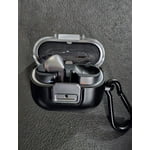
These buds are awesome, the chrome looks beautiful, the sound is outstanding, my co worker were loving them, the trade in was easy, I recommend them to you. There rock, thanks Samsung

Review from Samsung US
Helpful?3MTCIEJ7RGUC18797511992
Jul 27, 2024
Reviewer name: Jym F
5 out of 5 stars
5 out of 5 stars review

Verified Purchase

Buds Pro 3s exceed expectations

The Buds Pro 3 fit amazingly in my ears. Superior sound quality to earlier generations and my choice over all the competition. I stand behind the Galaxy lineup (S24 Ultra/Watch Ultra/Ring) and highly recommend these silver buds!

Review from Samsung US
Helpful?3MTCIEJ7RGUC18797511992
Oct 10, 2025
Reviewer name: Detroitlovebuds
5 out of 5 stars
5 out of 5 stars review

Have so many buds

[This review was collected as part of a promotion.] The buds are awesome, I have a least 4 buds. 1 for home 1 for work 1 for working out only & 1 just case I can't find 1 of my other 3.

Review from Samsung US
Helpful?3MTCIEJ7RGUC18797511992