Skip to Main Content
Sam's Club
Sam's Club
All Departments
All Services
Customer reviews for Samsung Galaxy Buds3 Pro for
Samsung Galaxy Buds3 Pro
4.4 out of 5 stars
stars
14.6K ratings14.6K reviews
  1. 5 stars69% (10K)
  2. 4 stars16% (2,386)
  3. 3 stars7% (1,023)
  4. 2 stars4% (557)
  5. 1 star4% (615)

Member photos

  • +3896 images
Sort by |
Showing 3,711-3,720 of 14,602 reviews
Jan 12, 2025
Reviewer name: Why_smsng
2 out of 5 stars
2 out of 5 stars review

Verified Purchase

The fit... does not fit!

They are so hard to get a good fit in ear!!! Never had issue with buds 2 pro. I almost can never get a good fit, regardless of the different tips supplied!

Review from Samsung US
Helpful?3MTCIEJ7RGUC18797511992
reply from R&R Team

Thank you for taking the time to share your experience with the Galaxy Buds3 Pro. We understand how frustrating it can be when you're trying to find the right fit, especially when you've had a great experience with the Buds 2 Pro. The Galaxy Buds3 Pro come with different sizes of ear tips, and it's essential to ensure you’re using the right size for your ears. A snug fit can help prevent sound leaks and optimize your listening experience. Once you’ve selected the right tips, make sure to position the earbuds correctly. Look for the directional marks – you’ll see an ‘L’ and an ‘R’. Insert the R bud into your right ear and the L bud into your left ear, ensuring that the letters are facing you. A slight angle can help, too; try to point the microphone at your mouth for the best performance. You might also want to try running an earbud fit test in the Galaxy Wearable app. This feature will help confirm that you have the proper fit for maximum comfort and sound quality. We’re proud of the upgrades in the Buds3 Pro, which include improved sound quality, enhanced noise cancellation, and better battery life compared to their predecessors. We hope these tips help you enjoy all the new features the Buds3 Pro have to offer! If you have any more questions or need assistance, feel free to reach out to us at Samsung Support. Happy listening! -Kelvin smsng.us/Samsung-Support smsng.us/Facebook-Messenger smsng.us/X-Messages smsng.us/Samsung-Community smsng.us/Warranty-Info smsng.us/Samsung-Care-Plus

Oct 1, 2024
Reviewer name: Pancho
2 out of 5 stars
2 out of 5 stars review

Verified Purchase

They keep falling

They keep falling off. I have tried every way to keep them on but they keep falling off easily. The sound is good but i havent been able to really enjoy them because i have to stay still so they wont fall off.

Review from Samsung US
Helpful?3MTCIEJ7RGUC18797511992
reply from Social Commerce

Hi Pancho, thank you for your feedback on your Samsung Galaxy Buds3 Pro. We understand how important the ideal fit of your earbuds are to you every day, and we would love to help you troubleshoot this matter. We have provided a link to an article to help you find the ideal placement of your earbuds, and recommend following up with a fit test performed in the Samsung Wearables App. We have also shared a link to the Samsung Support Team if you have questions or continue to experience any frustrations with your device. Thank you for being a Samsung customer. -Elizabeth How to wear your Samsung Galaxy Buds3 and 3 Pro https://www.samsung.com/us/support/answer/ANS10003519/ Samsung Support smsng.us/Samsung-Support Samsung Community smsng.us/Samsung-Community Facebook smsng.us/Facebook-Messenger X https://smsng.us/X-Messages

Feb 26, 2025
Reviewer name: Oliv
4 out of 5 stars
4 out of 5 stars review

Verified Purchase

Good but...

The quality of the sound is great as the technologies used in this small ear buds. The paint coating could be better for the case and buds. They are easy to scratch and I an afraid to carry them around.

Review from Samsung US
Helpful?3MTCIEJ7RGUC18797511992
Jul 27, 2024
Reviewer name: Chris
4 out of 5 stars
4 out of 5 stars review

Verified Purchase

Everything is amazing, but the earbuds itself.

When I received my earbuds, they came in safely packaged. The quality are way more amazing than my buds live. Only issue is the earbud's buds, each size hurt my ear canal or the buds didn't fit.

Review from Samsung US
Helpful?3MTCIEJ7RGUC18797511992
Jul 27, 2024
Reviewer name: Donald
4 out of 5 stars
4 out of 5 stars review

Verified Purchase

Good Design and Quality
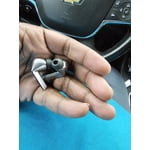
Honestly I would have tried these in the past because like my headphones a bit more undetectable, but the sound and quality after a week seem to be there

Review from Samsung US
Helpful?3MTCIEJ7RGUC18797511992
Feb 20, 2025
Reviewer name: Tetoman
5 out of 5 stars
5 out of 5 stars review

Verified Purchase

Best Galaxy Buds YET!

Amazing sound and features. Great quality! Love the lighting! I've been waiting for the Galaxy Buds Live 2, but these are it. The fit is PERFECT for my godly shaped ears. Lol

Review from Samsung US
Helpful?3MTCIEJ7RGUC18797511992
Sep 25, 2024
Reviewer name: Ricardo
4 out of 5 stars
4 out of 5 stars review

Verified Purchase

Good, could be better

Beautiful, sounds great. My only issue is the battery does not last very long at all on the buds. That is horrible consistency I had cheaper ones where the battery lasted most of the day. But over all, I would still receive these buds

Review from Samsung US
Helpful?3MTCIEJ7RGUC18797511992
reply from R&R Team

Thanks for providing your feedback on the Galaxy Buds3, Ricardo. We're glad to hear that you find them beautiful and appealing overall. We understand that battery life is crucial for a seamless listening experience, and the Galaxy Buds3 Pro offers up to 26 hours of playtime on a single charge, extending to 30 hours with a fully charged case. Features like Ambient Aware and Active Noise Cancellation enhance your audio experience, allowing for clear music and calls regardless of your surroundings. To conserve battery life, keep the earbuds in the charging case with the cover closed when not in use, and adjust notification settings through the Galaxy Wearable app on your connected phone, or through the Galaxy Buds app if you're using iOS. These tips can help you maximize your listening time. We appreciate your insights and hope you'll continue to enjoy the exceptional sound quality and comfort that the Galaxy Buds3 offers! If you have any more questions or need assistance, be sure to reach out to us at Samsung Support. -Kelvin smsng.us/Samsung-Support smsng.us/Facebook-Messenger smsng.us/X-Messages smsng.us/Samsung-Community smsng.us/Warranty-Info smsng.us/Samsung-Care-Plus

Nov 5, 2025
Reviewer name: Millicent
5 out of 5 stars
5 out of 5 stars review

Best sounding buds I have ever owned.

[This review was collected as part of a promotion.] Set up is easy. Sound is amazing. I use them just about daily. Use for work and gym. And galaxy AI i guess.

Review from Samsung US
Helpful?3MTCIEJ7RGUC18797511992
Mar 2, 2025
Reviewer name: Serge
4 out of 5 stars
4 out of 5 stars review

Verified Purchase

Love these Buds, but the LED should stay on.
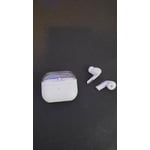
The LED lighting doesn’t stay on and needs to be turned on manually every time I connect the Buds to my phone. It would be much better if it remembered the last setting or stayed on by default.

Review from Samsung US
Helpful?3MTCIEJ7RGUC18797511992
Nov 24, 2025
Reviewer name: g00fyg00berEli
2 out of 5 stars
2 out of 5 stars review

Right earbud doesn't charge

Sounds great but the right earbud doesn't charge, even when I put it in the case. Current battery(checked 5 minutes ago) of earbuds and case: left is 54%, right is 6%(haven't used since last night), case is 70-89%.

Review from Samsung US
Helpful?3MTCIEJ7RGUC18797511992
reply from R&R

Hello g00fyg00berEli, Thank you for your detailed feedback on the Galaxy Buds3 Pro. These earbuds feature particular charging technology and balanced audio for long listening sessions. Your comments about charging help us understand real-world usage and guide future updates to improve power management and reliability. If one or both earbuds aren't charging or turning on, the issue might lie with the earbuds or the charging case. Using a non-Samsung-approved charger can cause charging concerns, or the earbuds might be damaged. You can try fully charging the case, checking for damage, or restarting the earbuds. Please see the link below for troubleshooting tips. We appreciate your presence in the Samsung community. Samsung earbuds do not turn on or charge https://www.samsung.com/us/support/troubleshoot/TSG10000013/ -Ty Samsung Support smsng.us/Samsung-Support Samsung Community smsng.us/Samsung-Community Facebook smsng.us/Facebook-Messenger X https://smsng.us/X-Messages