Skip to Main Content
Sam's Club
Sam's Club
All Departments
All Services
Customer reviews for Samsung Galaxy Buds3 Pro for
Samsung Galaxy Buds3 Pro
4.4 out of 5 stars
stars
14.8K ratings14.8K reviews
  1. 5 stars69% (10.1K)
  2. 4 stars16% (2,431)
  3. 3 stars7% (1,038)
  4. 2 stars4% (564)
  5. 1 star4% (619)

Member photos

  • +3978 images
Sort by |
Showing 3,691-3,700 of 14,848 reviews
Mar 17, 2025
Reviewer name: D_Men
4 out of 5 stars
4 out of 5 stars review

Verified Purchase

There great but no perfect and that's ok

I love the ear buds but sometimes they fall off when I smile or talk for a while. Then some times on my book5 I have to unpair and pair again to listen on my laptop or it will be silent, but other then that it a great earbud

Review from Samsung US
Helpful?3MTCIEJ7RGUC18797511992
reply from R&R Team

It's great to hear that you're enjoying the Galaxy Buds3 Pro, D_Men. It's great to see that you love your buds and we want to help make sure all your concerns are addressed. If your Buds3 Pro are feeling loose when you smile or talk, you might want to try adjusting the fit by using different ear tips. We suggest finding the size that best fits your ears and making sure the earbuds are positioned correctly. Rotating them slightly in your ears can help them stay more secure. As for needing to reconnect the earbuds to your Galaxy Book5 laptop periodically, ensuring that both devices are within the recommended Bluetooth range (10 meters) and free of interference can enhance the connection. If the sound cuts out, placing the earbuds in the charging case and manually re-entering Bluetooth pairing mode can restore the link. The Galaxy Wearable app can also be a helpful tool for managing settings and optimizing performance. Thank you for sharing your experience with your buds! If you'd like further tips, feel free to reach out to us at Samsung Support anytime. -Kelvin smsng.us/Samsung-Support smsng.us/Facebook-Messenger smsng.us/X-Messages smsng.us/Samsung-Community smsng.us/Warranty-Info smsng.us/Samsung-Care-Plus

Dec 11, 2025
Reviewer name: Heimdall
1 out of 5 stars
1 out of 5 stars review

Causes skin irritation

Eartips caused me skin irritation in ear and had to visit doctor because of it. Same happened with buds 2 pro. Irritation goes as soon as I stop using them and switch to a different pair of buds.

Review from Samsung US
Helpful?3MTCIEJ7RGUC18797511992
reply from R&R

Hi Heimdall, Thank you for sharing your experience with the Galaxy Buds3 Pro. The Buds3 Pro were designed with soft, skin-friendly materials to support long listening sessions. In the meantime, please avoid continuous use of your Galaxy Buds3 Pro and contact our Samsung support team at your earliest convenience to discuss further options. Your feedback is valuable as we work on improving comfort and material choices for different users. Thank you for sharing your feedback and being part of the Samsung community. -Ty Samsung Support smsng.us/Samsung-Support Samsung Community smsng.us/Samsung-Community Facebook smsng.us/Facebook-Messenger X https://smsng.us/X-Messages

Aug 4, 2024
Reviewer name: LilyF
4 out of 5 stars
4 out of 5 stars review

Verified Purchase

Buds3 pro
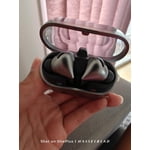
They seem pretty solid. Build quality isn't perfect, I see a little gap in my right earbud vs the left but otherwise sound is good, connects quickly, etc.

Review from Samsung US
Helpful?3MTCIEJ7RGUC18797511992
Dec 5, 2025
Reviewer name: Bunnyboy91
5 out of 5 stars
5 out of 5 stars review

Comfortable

[This review was collected as part of a promotion.] Comfortable battery life could be better and issues with charging the left ear bud comes and goes but love them over all

Review from Samsung US
Helpful?3MTCIEJ7RGUC18797511992
Apr 18, 2025
Reviewer name: nhhsgal
5 out of 5 stars
5 out of 5 stars review

Verified Purchase

Would purchase again

My very 1st try with wireless buds, and I ❤️ them. I don't have to adjust overall volume on my phone or unmute my tablet. I connect and am listening immediately.

Review from Samsung US
Helpful?3MTCIEJ7RGUC18797511992
reply from R&R Team

Thanks for sharing your candid feedback on the Galaxy Buds3 Pro. The Galaxy Buds3 Pro are a fantastic choice for your first wireless earbuds! They offer seamless connectivity, allowing you to start listening immediately without adjusting your phone or tablet settings. The premium sound quality, powered by Galaxy AI, ensures an immersive audio experience tailored to your liking. With Adaptive Noise Control, you can block out distractions while staying aware of your surroundings. It’s great to hear see much you’re enjoying them! If you ever have any questions or concerns, please be sure to reach out to us at Samsung Support. -Kelvin smsng.us/Samsung-Support smsng.us/Facebook-Messenger smsng.us/X-Messages smsng.us/Samsung-Community smsng.us/Warranty-Info smsng.us/Samsung-Care-Plus

Dec 5, 2025
Reviewer name: Luck122
5 out of 5 stars
5 out of 5 stars review

Overall performance
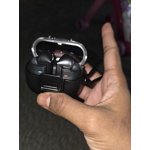
[This review was collected as part of a promotion.] The Galaxy pro 3 buds are very comfortable to wear..It is very clear. Voice is very clear. Design is very stylish ..AI features are too good we can give command to buds it can perform good

Review from Samsung US
Helpful?3MTCIEJ7RGUC18797511992
Dec 25, 2024
Reviewer name: apobib
2 out of 5 stars
2 out of 5 stars review

Verified Purchase

Low pickup of ambient sound

My original Buds Pro have much better ambient sound...I am highly disappointed. These are no better than the FE's as far as ambient sound pickup...i.e I want to hear more ambient sound.

Review from Samsung US
Helpful?3MTCIEJ7RGUC18797511992
reply from R&R Team

It's great to hear from you! We appreciate your thoughts on the Galaxy Buds3 Pro. The Galaxy Buds3 Pro features automatic audio adjustments, including Ambient sound, Adaptive sound, and Active Noise Cancelling. These options enhance your listening experience whether you’re enjoying music or taking a call. However, you can also manually enable these options using the Galaxy Wearable app. To ensure the automatic features are activated, simply open the app and tap on "Auto Switch to Ambient Sound," where you can turn on the option to "Use Ambient Sound During Calls," allowing you to hear your voice more clearly. Also, make sure to ensure that your buds are up to date using the Wearable app. If this continues to be your experience, do not hesitate to reach out to us at Samsung Support. -Kelvin smsng.us/Samsung-Support smsng.us/Facebook-Messenger smsng.us/X-Messages smsng.us/Samsung-Community smsng.us/Warranty-Info smsng.us/Samsung-Care-Plus

Sep 16, 2025
Reviewer name: Anonymous
4 out of 5 stars
4 out of 5 stars review

Verified Purchase

Excellent sound quality and fit?

The audio quality and fit are fantastic and they are super comfortable. The only downside is the battery life could be better. It's not terrible, but it's definitely lower than others.

Review from Samsung US
Helpful?3MTCIEJ7RGUC18797511992
Aug 2, 2024
Reviewer name: Joshua H
4 out of 5 stars
4 out of 5 stars review

Verified Purchase

Excellent buds

Excellent, I'm in love with these. One down side to them is that they were sorta laggy and the left light blade is a little dimmer the the right but I don't mind.

Review from Samsung US
Helpful?3MTCIEJ7RGUC18797511992
Aug 22, 2025
Reviewer name: Wasimcard
2 out of 5 stars
2 out of 5 stars review

Verified Purchase

Okay

Sound quality is good but keeps falling out. I have small ears. No extra small tips like the other buds offer. Also there’s white noise when no music is playing. I couldn’t resolve it

Review from Samsung US
Helpful?3MTCIEJ7RGUC18797511992
reply from R&R Team

Thank you so much for your review of the Galaxy Buds3 Pro! We're always thrilled to hear your thoughts. The Buds3 Pro are designed to accommodate all types of ear sizes, reflecting our commitment to ensuring everyone has an exceptional experience. We understand that getting the right fit is crucial for optimal sound quality, so it's important to find the tip that fits the best for you. Your buds should come with three different-sized bud tips, but if this is not the case for you, please be sure to reach out to us for further assistance with that. If you ever need assistance with changing the tips, we have a guide just for that. Remember to match the R and L indicators when you put them in; the right earbud is for your right ear, and it’s always helpful to angle them slightly forward to ensure the microphone is positioned correctly. If you want to double-check your fit, our Galaxy Wearable app has a feature that can help with that called the Fit Test. We’re so glad you chose the Buds3 Pro, and we're excited to know that you're a part of the Samsung community. For any further concerns or questions, please be sure to reach out to us at Samsung Support. -Kelvin smsng.us/Samsung-Support smsng.us/Facebook-Messenger smsng.us/X-Messages smsng.us/Samsung-Community smsng.us/Warranty-Info smsng.us/Samsung-Care-Plus