

Member photos

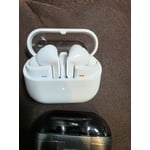
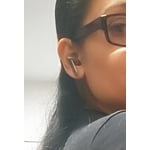
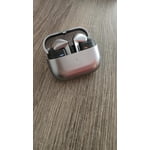
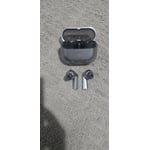
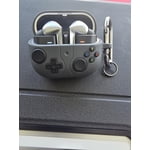
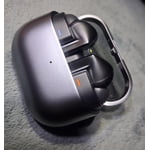
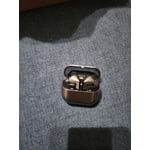 +3889 images
Why I Chose the Galaxy Buds3
[This review was collected as part of a promotion.] My choice of the Galaxy Buds3 was driven by the desire for wireless earbuds that offer exceptional audio performance and seamlessly integrate into my daily activities. Their compact design, comfortable fit, and convenient functionality make them ideal for listening to music, viewing videos, conducting calls, and maintaining connectivity throughout the day. The audio fidelity is notably clear and engaging, providing sufficient detail to enhance the immersive quality of music and podcasts. I particularly appreciate the effortless connectivity of the Buds3 with my Galaxy devices, which streamlines transitions between various daily tasks. The compact charging case further enhances portability, ensuring my earbuds are readily accessible whenever required. In summary, the Galaxy Buds3 represent an optimal blend of sound quality, comfort, portability, and intelligent features. My decision to acquire the Galaxy Buds3 was based on their ability to deliver a dependable wireless audio experience without introducing unnecessary bulk into my routine.
Great Functionality
[This review was collected as part of a promotion.] I love the enhanced functionality on the ANC and Ambient on the Buds Pro 3, however I did love the Low Profile the Buds 2 Pro had. The mic quality is better now, maybe because of ditching the Low Profile.
Comfy, light and easy
[This review was collected as part of a promotion.] I chose my 1st wireless ear buds to be galaxy pro 3. I love how comfy and light they are. The sound quality is great. The battery life is long and charging is pretty fast. Ive been. Using these buds every day to listen to my audio books. Really happy with them.
Pretty good earphone with some nuances.
[This review was collected as part of a promotion.] I have only two issues with it: 1. The latest software update is causing automatic noise canceling to disable with a pop sound after ending the call. 2. This is about ergonomic, i feel like an earphone should be easily be put into the case without looking into it for alignment which i guess is fixed in buds4 pro.
What's up Shanky, Thank you for your detailed feedback on the Galaxy Buds3 Pro. We’re glad to hear that they provide rich sound, intelligent noise control, and seamless connectivity with Galaxy devices. We appreciate your comments regarding the noise-canceling feature turning off after calls and the alignment issue when placing the earbuds back in the case. We also value your account of the latest software update. Our goal with these updates is to fine-tune your audio experience and enhance security. If you encounter any unusual behavior with your earbuds following a software update, please reach out to our Samsung Support Team via the Samsung Members app for assistance. Sometimes, errors may be reported, and our team could already be working on a fix. You are correct about the case placement with the updated model, and we appreciate you sharing your experiences with Samsung. Thank you! Use Samsung Members to troubleshoot your Galaxy phone https://www.samsung.com/us/support/answer/ANS10001383/ -Ty Samsung Support smsng.us/Samsung-Support Samsung Community smsng.us/Samsung-Community Facebook smsng.us/Facebook-Messenger X https://smsng.us/X-Messages
Sound is superior
[This review was collected as part of a promotion.] I choose the Samsung earbuds pro 3. Because the sound is impeccable, especially the ambient. Sound being able to come through with just as much base as you would get from full surround sound headphones, they fit in my ears nicely. And my ears are super small. There's multiple sizes that you can use for the ear Bud part as well works and sounds great.
Not as good as the 2 pro they replaced
[This review was collected as part of a promotion.] I chose these to replace the pro 2 versions that I had previously. At first they worked ok, but they have always had consistent charging issues, along with issues with calls. At random they will just sound from one ear to the other then both then come back on. Not having touch sense like the pro 2 version really hinders them for someone who doesnt want to constantly be touching their ears.
Hey there Pro2forlife, Thank you for sharing why you chose the Galaxy Buds3 Pro. The Galaxy Buds3 Pro offer immersive sound, intelligent active noise cancellation (ANC), and enhanced call features in a sleek design. We understand that issues like inconsistent charging, audio switching between earbuds, and adapting to new controls can affect your everyday experience. If you notice any inconsistencies, please check for software updates on the device your earbuds are connected to, as it may require a firmware update. Here are some steps you can follow: 1. Sync the earbuds: Remove them from the charging case briefly, then reinsert them. 2. Touch and hold the touchpads on both earbuds for seven seconds or more while they are still in the case. The battery indicator light will flash green and then return to its initial color, indicating that the earbuds are paired. 3. Ensure there is no interference: Move the earbuds and the connected device away from Wi-Fi routers or running microwaves, and maintain an uninterrupted path for the signal between the earbuds and the device. Your feedback comparing the Buds2 Pro is valuable, and we appreciate you sharing it with Samsung. If you are still unable to connect one or both earbuds, service may be required. Please call us at 1-800-SAMSUNG to request assistance. Thank you for your feedback, and thank you for choosing Samsung as your go-to brand! Samsung earbuds don't connect or won't stay connected From -Ty Samsung Support smsng.us/Samsung-Support Samsung Community smsng.us/Samsung-Community Facebook smsng.us/Facebook-Messenger X https://smsng.us/X-Messages
My favorite 😍
[This review was collected as part of a promotion.] I have multiple models of Samsungs' buds, and these by far are my favorite. I chose these because of the style they are. They fit so comfortable in my ear and the sound quality is superb. I wear these at the gym and they stay put during my work outs including cardio, and they don't budge or fall out. I have multiple piercings including my tragus in each ear and these don't bother or irritate them at all. Some styles of buds make them sore, so this was a big win for me on top of all the other great qualities these had to offer. I highly suggest these!
Great, if your ears are shaped oddly
Maybe it's my own ears, but these things don't stay in. I can't count how many times they've fallen out onto the floor and made a horrible, high-pitched noise that doesn't go away until they go back into their charger. They feel like garbage when they do they stay in. The sound is fine, but when the trash doesn't fit well in my ear, plenty of other sound gets in, so the noise-canceling feature, which might be quite effective, is rendered useless. And the controls to pause or adjust volume are bad. Try to turn the volume up and you'll probably stop what you're listening to. Try to pause something and nothing happens at all. The pinch feature is straight-up trash. I wish Jabra still made earbuds
Greetings supersamuel, Thank you for sharing your experience with the Galaxy Buds3 Pro. These earbuds provide rich sound, advanced noise cancellation, and customizable touch controls in a compact design. We understand that issues such as slipping, feedback noise, and inconsistent pinch controls have impacted your overall experience. A proper fit is crucial for optimizing sound quality, comfort, and security, especially during activities like jogging. The Galaxy Buds3 Pro come with various ear tip sizes. Choosing the right size is important to eliminate gaps between your ear and the ear tip, which helps enhance audio quality. To ensure you wear them correctly, follow these steps: 1. Check for the L (left) and R (right) directional marks on the earbuds. 2. Insert the R bud into your right ear and the L bud into your left ear, making sure they face forward. 3. Angle them slightly so the microphone is directed towards your mouth. 4. Adjust by rotating the earbuds until they feel comfortable and secure. You can also perform an earbud fit test to confirm a proper fit. For more information on achieving the ideal fit, please check out the online article linked below. Your detailed feedback provides us with valuable insights into how these features perform during everyday use. Thank you for sharing your experience with Samsung. How to wear your Samsung Galaxy Buds3, Buds3 Pro, or Buds3 FE https://www.samsung.com/us/support/answer/ANS10003519/ -Ty Samsung Support smsng.us/Samsung-Support Samsung Community smsng.us/Samsung-Community Facebook smsng.us/Facebook-Messenger X https://smsng.us/X-Messages
Perfect Watch for the Ecosystem
[This review was collected as part of a promotion.] I chose the Watch Classic 8 because I am all in on the Samsung ecosystem and I have everything Samsung. The white one looks so cool and the design is clean and simple. I love how it looks on my wrist. The display is smooth and fast and everything is responsive. I mainly use it for notifications so I don't miss anything important. Then I also track my health and fitness stuff with it. It gives me good data about my heart rate, steps, sleep, all of it. The battery is solid too. I get 2 days with one full charge which is really good. It connects perfect with my S26 Ultra, my tablet, and everything else I have. Since I am deep in the Samsung ecosystem, this watch just makes sense. Everything works together with no problems. If you are already using Samsung devices, this watch is a no brainer. Gets the job done and looks great doing it.
Excellent product with one minor issue
[This review was collected as part of a promotion.] I have had my buds 3 since they came out and have worked amazingly. Sound quality, battery life, noise cancellation all perfect. But, I cannot give it 5 stars as from time to time the headphone case refuses to charge the right bud which can be frustrating as I use them often for work and forced to use one bud.
Hey there Beastybud, Thank you for sharing your experience with your Galaxy Buds 3 Pro. The Galaxy Buds 3 Pro offer impressive sound quality, dependable battery life, and effective noise cancellation. However, it can be inconvenient if the case occasionally leaves the right earbud uncharged, especially when you rely on them throughout the workday. If you notice that your earbud is not charging, please reach out to our Samsung Support Team for assistance with options such as warranty services. Additionally, if you would like to take your buds in for a review, you can visit a uBreakiFix, an authorized Samsung repair location, where a technician can examine them and offer a possible solution. Your feedback helps Samsung continue to refine the charging experience. Thank you for being part of the Samsung community. -Ty Samsung Support smsng.us/Samsung-Support Samsung Community smsng.us/Samsung-Community Facebook smsng.us/Facebook-Messenger X https://smsng.us/X-Messages