

Member photos

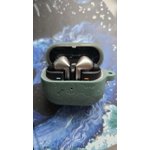
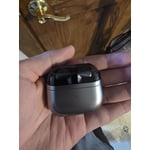

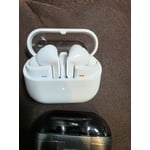
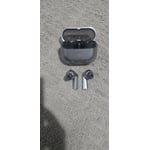
 +3896 images
Verified Purchase
Meh - About destroyed my eardrum
I accidentally dropped the right earbud from about 2 feet, and it immediately started emitting a high-pitched ringing sound — loud enough that I was genuinely worried it might damage my eardrum. After checking Reddit, I found that others have had similar issues. Thankfully, after about 20 minutes of gently shaking the earbud, the ringing stopped and it returned to normal. Since then, both earbuds have worked fine, and the sound quality is actually pretty good. But that initial issue definitely shook my confidence in the build quality.
Thank you for sharing your experience with the Galaxy Buds3 Pro, Sully. We're glad to see that after some gentle shaking, the matter resolved itself, and both earbuds are working well. Regarding the loud ringing sound you encountered, this can sometimes happen due to microphone feedback, especially when using Active Noise Cancelling (ANC), Adaptive, or Ambient Sound modes. When the microphone picks up sound from the speaker, it can create a feedback loop, resulting in that high-pitched noise you experienced. This could be triggered if the sub-microphone on the outer edge of the earbuds is touched or covered while adjusting them or putting them in. We appreciate your feedback, as it helps us understand and improve our products. If you have any more questions or concerns, please feel free to reach out to us at Samsung Support. -Kelvin smsng.us/Samsung-Support smsng.us/Facebook-Messenger smsng.us/X-Messages smsng.us/Samsung-Community smsng.us/Warranty-Info smsng.us/Samsung-Care-Plus
Love my Galaxy Earbuds
[This review was collected as part of a promotion.] I absolutely love the Buds 3 Pro. Been using Galaxy buds since the beginning and these ones are my favorites so far. Unlike previous iterations, they actually stay in my ear even when sweat appears, and I don't have the accidental pausing of whatever I'm listening to.
Verified Purchase
Samsung Buds 3 Pro
Upgraded from the first Buds Pro, the sound quality, mic quality, and ANC are outstanding. Clearly a big step up from two generations ago, and the originals were also great. The fit on these is also better. Overall very pleased with these. The pinch control is nice though it took me a bit to figure out that it's a physical button and not at touch sensor, or at least that's how it feels in the hand when using the pinch control; it takes a little force, which I think feels nice and is unique.
Verified Purchase
Great Sound...But Quality Issues with Charging
The sound is great and the earbuds have nice features. However, there is a significant problem with charging such that the right bud will frequently not charge when placed in the charging case. Based on a number of articles, these seems to be a known quality control issue with the Buds3 Pro. While the headphones provide great sound, the inability to reliably and easily charge them makes them a very flawed product in my opinion. I have owned over 20 Samsung products and this is one of the worst in terms of quality issues.
Thank you for sharing your experience with the Galaxy Buds3 Pro. We're glad to see that you enjoy the sound quality and features! We understand that you're having challenges with charging, and we want to help. First, please check the charging contacts on both the earbuds and inside the case. Sometimes, dust, wax, or other debris can build up and prevent a proper charge. Keeping those areas clean can make a big difference. If you need assistance with cleaning, check out the link below for a helpful guide. Also, ensure that you're using the included USB cable and a Samsung-approved wall adapter when charging. It's important to inspect both the case and the earbuds for any signs of damage, as damaged earbuds may not charge properly. Do remember that if one earbud is damaged, the other may still function. Additionally, we offer a 12-month limited warranty for manufacturer defects, and there’s also the option to add extended coverage with Samsung Care+ for extra protection and support. If you continue to experience this, please don't hesitate to reach out to Samsung Support. -Kelvin https://www.samsung.com/us/support/answer/ANS10001320/ smsng.us/Samsung-Support smsng.us/Facebook-Messenger smsng.us/X-Messages smsng.us/Samsung-Community smsng.us/Warranty-Info smsng.us/Samsung-Care-Plus
Verified Purchase
Charging Problems
I have sent an email to Samsung with no response for the issue. My wife and I have new buds, and we are both having trouble getting them to charge. We keep them clean and still cannot get them to charge every time we put them in the case. Samsung needs to provide a fix as these are new buds.
Thank you for sharing your experience with the Galaxy Buds3 Pro, David. We noticed you reached out with concerns about your buds not charging. We truly appreciate your feedback and want to ensure you get the best experience possible. The Galaxy Buds3 Pro is designed with innovative technology to enhance your listening experience, and it's great to know that you’re keeping them clean. To help with charging, please ensure that the charging case itself is adequately charged and that the contacts on both the earbuds and the case are free from debris. It may also be helpful to check for any software updates using the Galaxy Wearable app, which can optimize performance. Check out the link attached for additional options to help troubleshoot this. Your satisfaction is important to us, and we want to ensure you're able to enjoy all the fantastic features these earbuds offer. If this persists, please be sure to reach out to us at Samsung Support so that we can further assist you. Thank you for being a valued member of the Samsung community! -Kelvin https://www.samsung.com/us/support/troubleshoot/TSG10000013/ smsng.us/Samsung-Support smsng.us/Facebook-Messenger smsng.us/X-Messages smsng.us/Samsung-Community smsng.us/Warranty-Info smsng.us/Samsung-Care-Plus
Verified Purchase
Amazing product
This amazing product is a 10 when you use it with android, I didn't probe it with another phone than my S22 but with mine works perfectly. The only problem is that the compatibility with windows is not good enough yet. I hope that the next version does. That's why I give it 4 and no 5. Just Multiplatform compatibility and switching.
Verified Purchase
Missing critical feature
A premium earbud that doesn't support multipoint / multi connect / multi device just baffles me. I didn't even think to check if this was a feature or not because I would assume it's just standard. If you frequently move audio sources from phone/computer/anything else then these will really frustrate you. Pretty unhappy with them overall because of this.
Thank you for your thoughts on the Galaxy Buds3 Pro, Damien. While the earbuds don't support traditional multipoint connectivity, they do feature Auto Switch technology. This allows your earbuds to automatically connect to whichever device is actively playing audio, whether it's your phone, tablet, or computer. This feature is designed to make switching between devices effortless. To get the best experience from Auto Switch, ensure that all your devices are linked to the same Samsung account. This will allow for smooth transitions without the need for manual disconnection and reconnection. Additionally, keeping your earbuds updated through the Galaxy Wearable app ensures optimal performance and access to the latest features. If you have any further concerns or questions, please feel free to reach out to us at Samsung Support! -Kelvin smsng.us/Samsung-Support smsng.us/Facebook-Messenger smsng.us/X-Messages smsng.us/Samsung-Community smsng.us/Warranty-Info smsng.us/Samsung-Care-Plus
Verified Purchase
Great sound, poor fitment.
I like the build, and the options on the headphones but there is one thing that really causes some issues and that is fitment. I have tried all three of the silicon pieces and none of them prevent the sound of wind blowing into your ear. That is fairly annoying. This also affects the earbud staying in your ear which they slowly start falling out. Other then that the sound is great.
Hello Anaxel, we appreciate you taking time out of your day to share your thoughts about your Samsung Galaxy Buds3 Pro. We are so happy to hear you are pleased with the build and features of your new earbuds and we would love to help you have the best experience possible, and troubleshoot the fit of your device. We have provided link to an article to help you with the placement, and recommend performing a fit test with your earbuds. If you feel as though you are still hearing external wind, we also recommend using the Samsung Wearables App to adjust the intensity and settings of the ANC features. Thank you for being a Samsung customer. -Elizabeth How to wear your Samsung Galaxy Buds3 and 3 Pro https://www.samsung.com/us/support/answer/ANS10003519/ Product Manuals https://www.samsung.com/us/support/downloads/ Samsung Support smsng.us/Samsung-Support Samsung Community smsng.us/Samsung-Community Facebook smsng.us/Facebook-Messenger X https://smsng.us/X-Messages
Verified Purchase
A good set of in ear buds
Good inner ear buds but not excellent. I'm constantly having to push them into my ears to achieve optimum sound (bass especially). The controls are also ok but a little sensitive and I'm constantly stopping my music accidently when I adjust the buds. The quality feels good and the connection with my Galaxy phone is seamless.
Hey Aaron! Thank you for sharing your feedback about the Samsung Galaxy Buds3 Pro. We appreciate your insights and want to address some of the points you've raised. We're glad to see that you find the sound quality good. The Galaxy Buds3 Pro is designed with a new shape for a snug fit to deliver our best and most immersive audio experience. Additionally, the Adaptive Equalizer with Galaxy AI adjusts audio based on how the Buds sit in your ears, which should help bring out the best sound, including optimal bass, without frequent adjustments. We understand that touch controls can be sensitive fo some. The Galaxy Buds3 Pro offers intuitive touch controls that can be customized to suit your preferences. You can pause, skip tracks, accept calls, and even adjust the volume with simple gestures. We recommend exploring the customizable options to find a control setup that minimizes accidental pauses. We are thrilled to see that you appreciate the build quality and seamless connection with your Galaxy phone. The Galaxy Buds3 Pro are designed to pair easily with almost any phone, and the Galaxy Wearable app allows you to access advanced sound settings for an enhanced listening experience. We value your feedback and are constantly working to improve our products. If you have any further questions or need assistance, please don't hesitate to reach out to us at Samsung Support. -Kelvin smsng.us/Samsung-Support smsng.us/Facebook-Messenger smsng.us/X-Messages smsng.us/Samsung-Community smsng.us/Warranty-Info smsng.us/Samsung-Care-Plus
Verified Purchase
the new design and new features are perfect
Really like the new design and the new features the stems make controls so much easier to use like the volume up and down . Also like the lights they r pretty cool ohh and they sound amazing that's probably best of all and everything else is very nice wasn't to sure would like the way new case is but I do like it so far haven't found anything I don't like and I've had every pair of the pro buds and some of the regular buds all way back to the icon x buds