Skip to Main Content
Sam's Club
Sam's Club
All Departments
All Services
Customer reviews for Samsung Galaxy Buds3 Pro for
Samsung Galaxy Buds3 Pro

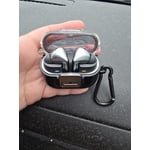
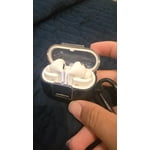
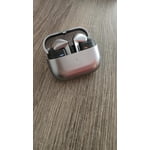
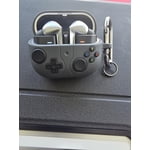
Member photos

  • +3765 images
Sort by |
Showing 1,391-1,400 of 14,102 reviews
Aug 19, 2025
Walentyna
3 out of 5 stars review

Verified Purchase

Wal.

Buds Pro 2 were better for me, more comfortable, and easier to maintain.

Review from Samsung US
Helpful?3MTCIEJ7RGUC18797511992
reply from R&R Team

Thank you so much for sharing your feedback on the Galaxy Buds3 Pro, Walentyna. We see that you upgraded from the Buds2 Pro and enjoyed them. While we love both devices, the Galaxy Buds3 Pro are a significant upgrade over the Buds2 Pro, delivering enhancements in audio quality, noise cancellation, and microphone performance. We also introduced new AI features and a new design, including the futuristic blade lights for a stylish look, PC Auto Switch for seamless connectivity, Sound Detection, Neck Stretch Reminders to promote better posture, and Auracast to connect multiple pairs of Buds to a TV or smartphone. Now you can stream audio across even more connected devices. If you ever have any questions or concerns, please do not hesitate to reach out to us at Samsung Support. -Kelvin smsng.us/Samsung-Support smsng.us/Facebook-Messenger smsng.us/X-Messages smsng.us/Samsung-Community smsng.us/Warranty-Info smsng.us/Samsung-Care-Plus

Sep 21, 2025
Anonymous
5 out of 5 stars review

Verified Purchase

Good product

Very good audio and phone calls. Samsung galaxy buds pro 3 sounds good.

Review from Samsung US
Helpful?3MTCIEJ7RGUC18797511992
Aug 27, 2025
GA new headphones
5 out of 5 stars review

Verified Purchase

Samsung

Sound is amazing and the charge time is fantastic!

Review from Samsung US
Helpful?3MTCIEJ7RGUC18797511992
reply from R&R Team

Thank you so much for your feedback! It's awesome to see that you think the charge time is great and that the sound quality is amazing! They provide up to 26 hours of playtime per charge, and with a fully charged case, you can extend that to an impressive 30 hours. We're more than happy that you're enjoying the Galaxy Buds3 Pro. We hope you continue to enjoy your experience with your buds. If you have any questions or concerns, please feel free to reach out to us at Samsung Support. -Kelvin smsng.us/Samsung-Support smsng.us/Facebook-Messenger smsng.us/X-Messages smsng.us/Samsung-Community smsng.us/Warranty-Info smsng.us/Samsung-Care-Plus

Aug 21, 2025
Rich P
5 out of 5 stars review

Verified Purchase

Great.

Great sound quality. Easy to pair with your samsung phone.

Review from Samsung US
Helpful?3MTCIEJ7RGUC18797511992
Nov 19, 2025
Linny
5 out of 5 stars review

Verified Purchase

Awesome!

Very nice pair of headphones! Would highly recommend!

Review from Samsung US
Helpful?3MTCIEJ7RGUC18797511992
Aug 10, 2025
Anonymous
1 out of 5 stars review

Verified Purchase

Disappointed customer

Poor fit, not what I was expecting from Samsung. Very disappointed

Review from Samsung US
Helpful?3MTCIEJ7RGUC18797511992
reply from R&R Team

It's awesome to hear from you, Courtney. We really appreciate your candid feedback on the Galaxy Buds3 Pro. We take pride in delivering the best experience with our devices, and we understand that having a proper fit is crucial for enjoying your earbuds. The Galaxy Buds3 Pro come with different-sized ear tips, so the first step is to ensure you have the right size for your ears. It's important that the tips fit snugly without any gaps between your ear and the ear tip, as this helps avoid sound leaks and ensures optimal audio quality. If you need instructions for changing the tips, please check out our guide for the Buds3 Pro tips. Once you have the correct tips on your buds, follow these steps for proper insertion: Check the bottom of the earbuds for the directional marks, which will show an "L" for the left bud and an "R" for the right. Insert the "R" bud into your right ear with the "R" facing you, and then insert the "L" bud into your left ear with the "L" facing you. Slightly angle the earbud so that the microphone on the bottom points towards your mouth, rather than straight down. You can adjust the buds by rotating them forwards and backwards until they feel comfortable. Additionally, you can run an earbud fit test in the Galaxy Wearable app to ensure you have the proper fit. If you still have concerns about the fit or anything else, please don't hesitate to reach out to us at Samsung Support. -Kelvin smsng.us/Samsung-Support smsng.us/Facebook-Messenger smsng.us/X-Messages smsng.us/Samsung-Community smsng.us/Warranty-Info smsng.us/Samsung-Care-Plus

Oct 18, 2025
Anonymous
5 out of 5 stars review

Verified Purchase

Nice!!!!

Really like the way thry feel and work. Great dounf and reliability

Review from Samsung US
Helpful?3MTCIEJ7RGUC18797511992
Aug 23, 2025
Ralph
4 out of 5 stars review

Verified Purchase

Bad fit. They slide out of my ears really easily

ear buds don't fit well. Even when I turn my head.

Review from Samsung US
Helpful?3MTCIEJ7RGUC18797511992
Oct 2, 2025
AJ styles
5 out of 5 stars review

Verified Purchase

buds 3 peo

these are great earbuds. i bought and extra pair to pair with one of my devices

Review from Samsung US
Helpful?3MTCIEJ7RGUC18797511992
Sep 1, 2025
Lyubomir
4 out of 5 stars review

Verified Purchase

Buds 3 pro

Whem Im using only one of the buds i cant put it on QM

Review from Samsung US
Helpful?3MTCIEJ7RGUC18797511992