

Member photos






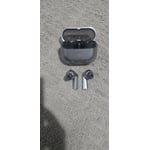
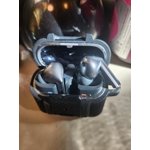
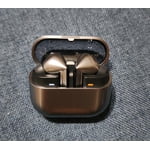
 +3895 images
The Smartest Sound in My Ears
[This review was collected as part of a promotion.] I am absolutely blown away by the Samsung Galaxy Buds3 Pro. From the moment I put them on, the jump in audio fidelity was immediately noticeable. The dual-driver system delivers incredibly crisp highs and a deep, resonant bass that doesn't feel muddy—it's a truly premium listening experience that rivals high-end over-ear headphones. However, what really sets these apart is the integration of Galaxy AI. The way the AI optimizes the sound based on how the buds fit in my ears and how it intelligently manages Active Noise Cancellation is game-changing. It seamlessly transitions between blocking out engine noise and letting in voices when someone speaks to me. If you're looking for the perfect blend of high-end acoustics and futuristic features, these are the gold standard.
A Powerhouse Phone That Redefines Smart
[This review was collected as part of a promotion.] The Samsung Galaxy S25 Ultra delivers top‑tier performance, stunning camera quality, and deeply integrated Galaxy AI that makes everyday tasks faster and more intuitive. The 6.9-inch display is brighter and sharper than ever, the Snapdragon 8 Elite chipset flies through anything you throw at it, and the battery life easily lasts all day with room to spare. The cameras are a major highlight delivering crisp photos, excellent zoom, and impressive low‑light results. Samsung's AI features stand out, from smart voice commands to multi‑app actions that feel genuinely useful. The design is sleek and lighter than previous Ultras, and the S Pen remains a great bonus for notes and precision tasks. It is one of the most complete, powerful, and intelligent smartphones you can buy.

Quality of life Features
[This review was collected as part of a promotion.] Ive been using the Galaxy buds3 pro for almost a year. The new Galaxy AI has been great in improving the audio specifically in noise cancelation. My favorite feature is the easy to use swipe and touch controls to control media, makes it a very nice quality of life feature.
Lightweight with great Noice Cancelling
[This review was collected as part of a promotion.] Been using the Buds 3 pro for over a year now, and I must say it's a big improvement from the already good Buds 2 pro. I use it when exercising, commuting and work. The noice cancelling is great and you can really tell when I'm on the train.

Speak to Chat
[This review was collected as part of a promotion.] I just love the color and the comfortability. Key take aways for me is that It doesn't sounds good when I'm listening to my music while working out at the. It sounds like pure tweeters to me, Unless turn on noise canceling or Adaptive sound.
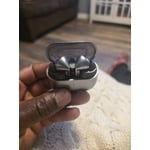
Hi there CountrymanGoatman87, Thank you for taking the time to provide feedback on the Galaxy Buds3 Pro. Many users appreciate the comfort, stylish design, and customizable listening modes, which enhance the audio experience for different environments throughout the day. If you notice that the sound quality is inconsistent at times, it may be due to the need for a software update. We have included an article below that explains how to keep your Galaxy Buds3 Pro updated directly from your phone. Thank you for incorporating Samsung into your daily routine. How to install software updates on your Samsung earbuds https://www.samsung.com/us/support/answer/ANS10001316/ -Ty Samsung Support smsng.us/Samsung-Support Samsung Community smsng.us/Samsung-Community Facebook smsng.us/Facebook-Messenger X https://smsng.us/X-Messages
Excellent sound and seamless Galaxy AI features
[This review was collected as part of a promotion.] I've been using the Galaxy Buds3 Pro daily for music, calls, and streaming, and they've been consistently impressive. The sound quality is clear and well-balanced, with strong bass that doesn't overpower vocals. Noise cancellation works well in busy environments and makes a noticeable difference when traveling or working around background noise. Call quality has also been reliable, even in louder settings, which is something I use often. The fit is comfortable for extended use and they stay secure without needing constant adjustment. What stands out most is how Galaxy AI enhances the experience. It helps optimize audio and improves call clarity, making everything feel more seamless depending on the environment I'm in. Battery life has been solid, and the case charges quickly, so I don't have to think about it much throughout the day. Overall, the Galaxy Buds3 Pro feel polished, dependable, and well-integrated into the Samsung ecosystem. They've easily become part of my daily routine.
Mixed feelings
Definitely think they went backwards from the pro2 buds. Battery life is between 3 to 4 hours with the pro3, the pro2 would last 5 to 6 hours You have to keep checking to make sure they are charging or you will have one dead bud and one partially charged bud. The case stays charged for about a day and a half maybe 2 days. My buds 2pro case would last 5 to 6 days. I wear them at work and can only wear one at a time so I will listen to one until it beeps then switch them out. More often then not they only partially charged. The sound is really clear and they fit good in my ear. My problem with them is battery life and getting them to charge it is a real pain other then that they are great headphones. Not sure if I am keeping them or buying a different brand. I have had the original buds, buds pro2 and now the pro3 buds and think they went backwards
Hi Jp07, Thanks for sharing your balanced view on the Galaxy Buds3 Pro. It’s great to hear that sound clarity and in-ear comfort impressed you. Battery life and charging habits can affect how earbuds perform during the day, and your feedback shows how these factors influence extended listening. By making a few adjustments, you can save battery life so your earbuds will last when you need them most. Here are some tips: Keep the earbuds in the charged case with the cover closed when not in use. Also, you can change notification settings via the Galaxy Wearable app on your linked phone. Thanks again for sharing your experience with Samsung. The battery life of your Samsung earbuds https://www.samsung.com/us/support/answer/ANS10001314/ -Ty Samsung Support smsng.us/Samsung-Support Samsung Community smsng.us/Samsung-Community Facebook smsng.us/Facebook-Messenger X https://smsng.us/X-Messages
Amazing sound
[This review was collected as part of a promotion.] I use my buds to listen to music and podcasts and the quality of the audio is amazing. Phone calls are crisp and clear and they don't have the sometimes muffled quality of previous versions. I can even use them with Galaxy AI to search for new music.
Awesome sound with impeccable bass
[This review was collected as part of a promotion.] Galaxy ai translation is an awesome feature, love the sound quality and bass that comes from these little earbuds, passthrough technology with active noise cancelation is a game changer when working in loud environments but needed to communicate with colleagues
No tracking option if lost
Buds themselves were pretty good and i enjoy them. They sound good and fit well. The fall significantly short of their competitors when it comes to tracking a lost case (With earbuds inside) I lost my buds in the case, could've sworn i brought them home. Location showed at a store last updated when i was there. I went back and looked couldn't find them. looked around at home and no luck. using the samsung find app is the worst experience. They have a search nearby that you have to wait 5 minutes without changing off the screen. no luck. I found them by sheer luck, turns out they were on my desk behind my monitor but while sitting in my desk chair and trying to track them it constantly failed. not finding them once. after i found them i put them 3 inches away from the phone closed with buds and tried tracking again. Still cant find them 3 inches away? What a joke Competitors have better tracking without having to buy a special tracker. Do not think that if you lose them in the case that you have a chance of tracking them you DO NOT
Hello Mike, It's great to hear that you are enjoying the sound and fit of your Galaxy Buds3 Pro. Features like Samsung Find are designed to provide peace of mind when tracking your devices, which highlights the effectiveness of your tracking experience. If the SmartThings app is unable to locate your Galaxy Buds, it could be because the case is dead or the Buds are in deep sleep mode. Please check out our online guide for assistance in finding your lost Galaxy Buds. Additionally, your feedback is valuable in identifying areas for improvement. Thank you for being a Samsung customer! Find your lost Samsung Galaxy earbuds https://www.samsung.com/us/support/answer/ANS10003616/ -Ty Samsung Support smsng.us/Samsung-Support Samsung Community smsng.us/Samsung-Community Facebook smsng.us/Facebook-Messenger X https://smsng.us/X-Messages