Skip to Main Content
Sams Club
Sams Club
Customer reviews for Samsung Galaxy Buds3 Pro for
Samsung Galaxy Buds3 Pro

Member photos

  • +3548 images
Sort by |
Showing 1,061-1,070 of 13,573 reviews
Oct 23, 2024
Kerry P
3 out of 5 stars review

Verified Purchase

Sound is great, quality is not

I had the Buds2 Pro which I truly enjoyed but they did not fit well in my ears despite changing out the tips, so reading reviews and watching videos on these new Buds3 Pro I assumed the quality all around was going to be much better. They are more comfortable, but they don't seem to seal any better and the ANC is actually worse than the older ones and they pop and crack with loud noises, and don't cancel out noise very well in comparison to other ANC devices. I did change out the tips for more flanged tips that hold better in the ear and seal better, but even with those they don't seem to want to stay in my ears and the ANC doesn't want to drain out sound as well as I would hope One thing that would be a nice additional feature is the ability to turn on/off the lighting on the ear buds through the app so they can be quick adjusted based on your environment. Overall really they are still great.

Review from Samsung US
Helpful?3MTCIEJ7RGUC18797511992
reply from Social Commerce

Hi there Kerry P, thank you for your feedback on your Samsung Galaxy Buds3 Pro. We are pleased to hear you are overall happy with the usage of your new earbuds, and we would love to help you troubleshoot the features that are causing frustration and help you maximize your overall experience. We have provided a link to an article to help you with the overall audio quality, and another to the ANC setting. We have also shared a link to the full device manual to help you with the settings in the Samsung Wearables App regarding the sliding scale for the ANC setting that can be turned up or down in intensity depending upon your surrounding. We have also shared a link to the Samsung Support Team if you would ever like assistance with any of your Samsung products. Thank you for being a Samsung customer. -Elizabeth No, low, or poor audio quality on Samsung earbuds https://www.samsung.com/us/support/troubleshooting/TSG01111323/ Use Active noise canceling on your Samsung earbuds https://www.samsung.com/us/support/answer/ANS00087243 Product Manuals https://www.samsung.com/us/support/downloads/ Samsung Support smsng.us/Samsung-Support Samsung Community smsng.us/Samsung-Community Facebook smsng.us/Facebook-Messenger X https://smsng.us/X-Messages

Feb 20, 2025
Derek
3 out of 5 stars review

Verified Purchase

falls short of what the buds live just works for

Good sound Comfy oval tips More premium feeling Bad case design: cannot take it out of the case and into the corresponding ear without having to delicately remove and rotate it to then put it in. Poor features: removed tap to play/pause in favor of a finicky pinch and swipe maneuver that only does volume control. Mic quality still needs improvement Have had 1 bud fall out on its own.

Review from Samsung US
Helpful?3MTCIEJ7RGUC18797511992
reply from R&R Team

Thank you for sharing your thoughts on the Galaxy Buds3 Pro!, Derek. We’re thrilled to see you appreciate the good sound quality and the comfort of the oval tips. We noted your concerns regarding the case design. The Galaxy Buds3 Pro is designed to be easy to use, and we appreciate your feedback regarding the design. Your input helps us improve the overall experience. The new pinch controls provide a more intuitive way to make adjustments while on the go. With a single pinch, you can play or pause a song, answer or end a call, or stop features like “Read Notifications Aloud,” “Voice Detection,” or “Siren Detection.” A double pinch will allow you to play the next song, while a triple pinch will play the previous song; if you pinch the earbuds three times within three seconds after a song starts, it will restart from the beginning. Additionally, pinching and holding activates the preset function, which by default is set to noise control mode, or allows you to reject a call. For volume adjustments, simply swipe up or down. You can also customize these controls through the Galaxy Wearable app. Just open the app, select your earbuds, and then go to "Earbud controls" to enable or disable the features you'd like to use. Thank you for your insights, and we hope you continue to enjoy your Galaxy Buds3 Pro! For any questions or concerns, please do not hesitate to reach out to us at Samsung Support. -Kelvin smsng.us/Samsung-Support smsng.us/Facebook-Messenger smsng.us/X-Messages smsng.us/Samsung-Community smsng.us/Warranty-Info

Nov 6, 2024
Chris
4 out of 5 stars review

Verified Purchase

Better than Air-Pods?

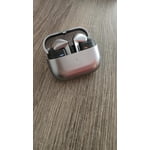
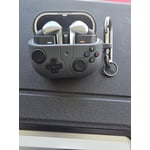
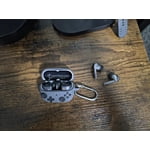
Overall, the Galaxy Buds Pro 3 are quality headphones. The redesign is a nice change from last year's model. More color choices would have been nice or at least a black option. The titanium color works though and the ability to see through the case is a neat design. I will say that the ANC doesn't completely omit noise like the Air Pods Pro do, but it's pretty close. Having a built in equalizer to adjust sound preferences is nice. Sound quality is to be expected with the dual drivers and call quality has improved tremendously. Whether it's wind or people talking in the background, the noise levels are minimal. One thing I wish Samsung would have included and that's a case for the Buds 3 Pro. This is a must, because they're slippery and susceptible to dropping and/or scratches.

Review from Samsung US
Helpful?3MTCIEJ7RGUC18797511992
reply from Social Commerce

Hey there Chris, we appreciate you taking time out of your day to share your thoughts about your Samsung Galaxy Buds3 Pro. We are so happy to hear you are overall pleased with the features and functionality of your new earbuds. For the ANC setting, if you haven't done so already, you can use the Samsung Wearables App on your device to increase or decrease the intensity of the ANC on a sliding scale. We have provided a link to the Samsung Support Team to offer additional assistance or answer any questions you may have about your Samsung products. Thank you for being a Samsung customer. -Elizabeth Product Manuals https://www.samsung.com/us/support/downloads/ Samsung Support smsng.us/Samsung-Support Samsung Community smsng.us/Samsung-Community Facebook smsng.us/Facebook-Messenger X https://smsng.us/X-Messages

Sep 9, 2024
Ryan
5 out of 5 stars review

Verified Purchase

Worth the price

I have this for daily use, and this Galaxy Buds does the great job, I have no complain about it; the design is very demure, flawless performance and the battery life lasts longer than my expectation. It just the eartips replacement take more effort than I thought.

Review from Samsung US
Helpful?3MTCIEJ7RGUC18797511992
Sep 24, 2024
James
4 out of 5 stars review

Verified Purchase

Well worth the purchase

Fantastic sound. The UHQ ability really helps. Only issue I have found is the Buds2 Pro did a slightly better job connect to the phone when wifi was off. The pop-up asking if you want to connect the headphones seems to be slightly more delayed popping up

Review from Samsung US
Helpful?3MTCIEJ7RGUC18797511992
Sep 13, 2024
Carl Willis
4 out of 5 stars review

Verified Purchase

The switch up.

I have a pair of Bose earbuds and I've had the galaxy ear buds live. The peanut shape ones. I switch from those to the ear buds pro 3. I love the quality of them. They are great comfortable in my ear. I will be taking them on my first 5 mile bike today.

Review from Samsung US
Helpful?3MTCIEJ7RGUC18797511992
Oct 6, 2024
Sebastian
5 out of 5 stars review

Verified Purchase

Good with some caveats

Sometimes when you try to push them or adjust them in your ears, you'll hear a loud high pitched sound. This happens in Ambient mode generally. I noticed the left led blade light is brighter than the right one. Other than those two minor issues, these earbuds work well and the sound is good in spite of being wireless. I recommend lowering the highs and increasing the lows in the EQ, these earbuds come out of the box sounding bright. If you're looking for audiophile levels of audio quality, go for wired around the same price or higher.

Review from Samsung US
Helpful?3MTCIEJ7RGUC18797511992
Feb 27, 2025
Zach
5 out of 5 stars review

Verified Purchase

Good buy!

Samsung offered an unbeatable deal on these high-end earbuds, bundling it with a new S25 Ultra. I probably would not have gotten these without that deal, but they have been great. I don't listen to a ton of music so not something that I would normally splurge on, but I find that I use them quite a bit for work at my desk, to talk on the phone without having to keep the phone near me or having to use speakerphone which then picks up more noises around me. They connect automatically and have good quality sound.

Review from Samsung US
Helpful?3MTCIEJ7RGUC18797511992
Aug 4, 2024
Ron S
4 out of 5 stars review

Verified Purchase

Great fit

Comparing with APP2 which I've used for couple of years before getting these. The fit is better for me. Sound quality is also quite solid except for treble (can be somewhat mitigated with EQing). ANC is 95% as good as AP. Ambient mode on these is better to my taste.

Review from Samsung US
Helpful?3MTCIEJ7RGUC18797511992
Sep 29, 2024
Carmine
4 out of 5 stars review

Verified Purchase

Good earbuds, good sound quality, decent features.

Good earbuds and easier to put in and remove than the Buds2, as well as the swipe controls. The sound is great and the noise cancelling are good. The page advertises "auto translation", but if they do it, it's not a feature of the buds themselves so much as SPECIFIC app functions hosted by the phone, from what I can tell. I tried to test it by watching Japanese vtubers on Youtube, and it doesn't seem to do anything, and I can't find a setting to turn on to make it work. That said, they work good and have good battery life.

Review from Samsung US
Helpful?3MTCIEJ7RGUC18797511992