Skip to Main Content
Sams Club
Sams Club
Customer reviews for ASUS ROG Xbox Ally – 7” 1080p 120Hz Touchscreen Gaming Handheld, 3-month Xbox Game Pass Premium included, AMD Ryzen Z2 A, 16GB RAM, 512GB SSD, White for
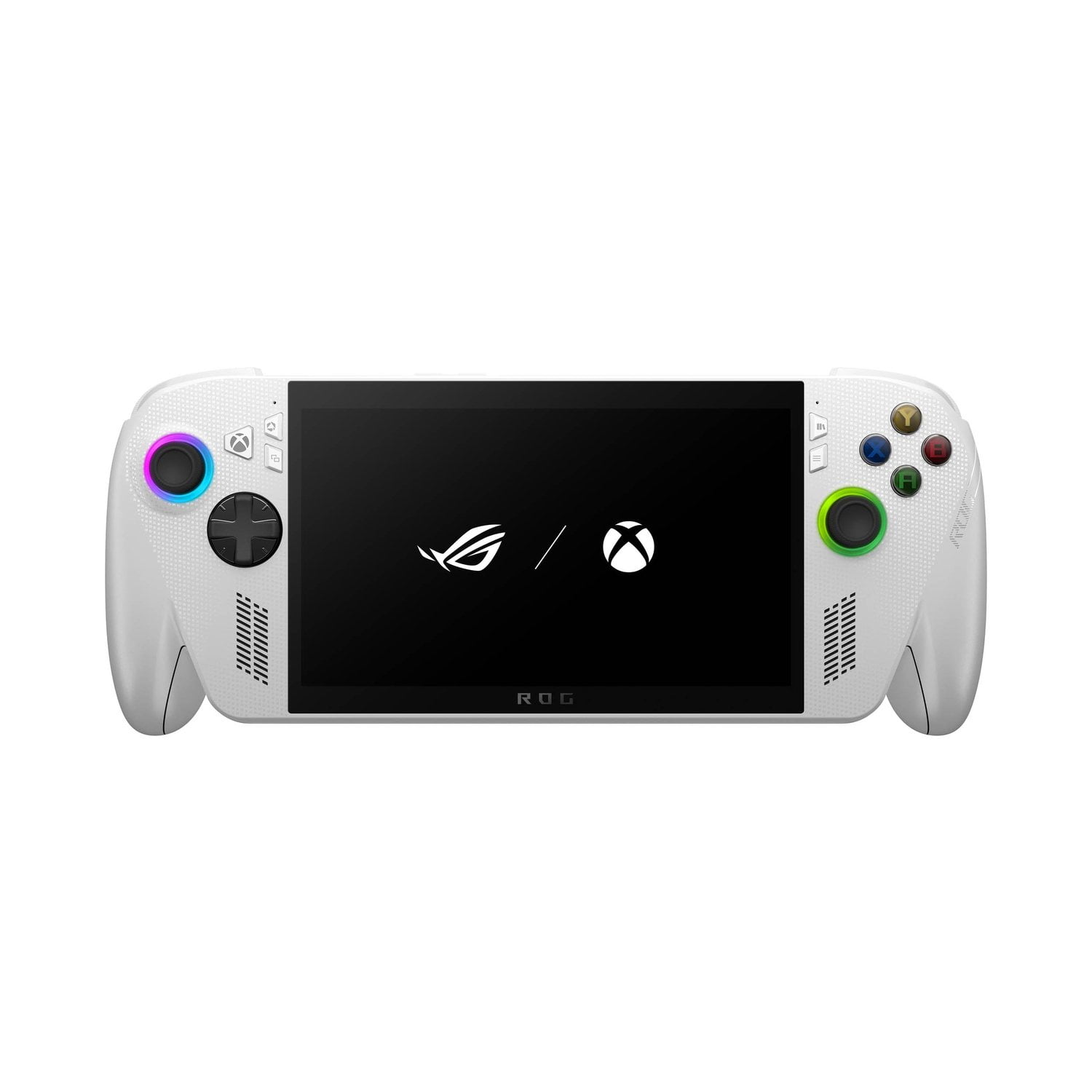
ASUS ROG Xbox Ally – 7” 1080p 120Hz Touchscreen Gaming Handheld, 3-month Xbox Game Pass Premium included, AMD Ryzen Z2 A, 16GB RAM, 512GB SSD, White

Member photos

  • +28 images
Sort by |
Showing 71-80 of 97 reviews
Jan 16, 2026
Kee
1 out of 5 stars review

Verified Purchase

screen doesn’t work

screen stopped working less than a week after buying

Review from walmart.com
Helpful?7FIPUZ4SW7HD17979160417
reply from ASUS Answers

Dear Kee,<br /> <br />Thank you for sharing your experience with the ROG Xbox Ally. We sincerely apologize that the screen stopped working so soon after purchase. To address the issue, we recommend performing a Hard Reset, which may help restore functionality.<br /> <br />Hard Reset<br />1. Remove all external devices such as the AC adapter, USB devices, etc.<br />2. Press and hold the power button for 60 seconds.<br />3. Reconnect the AC adapter.<br />4. Turn on the power of the device.<br /> <br />If the problem continues after this step, please contact our support team at https://www.asus.com/us/support/CallUs so we can assist you further or arrange repair services if needed.<br /> <br />We stand behind our products and continuously strive to improve our products and processes to achieve customer service excellence. For more information, email us at customerloyalty&#64;asus.com and include the case number &#34;N2511011475-0017&#34; as a reference. We will do our best to resolve your case quickly. Your feedback is important to us and enables us to improve our support channels. Thank you for choosing ASUS.<br /> <br />Best Regards,<br />Chantae <br />ASUS Customer Loyalty US Support

Oct 29, 2025
elena
5 out of 5 stars review

Verified Purchase

Product is awesome. Very good graphics

Review from walmart.com
Helpful?7FIPUZ4SW7HD17979160417
Dec 26, 2025
Torina
1 out of 5 stars review

Verified Purchase

This console keep getting stuck on the lock screen and while playing the game

Review from walmart.com
Helpful?7FIPUZ4SW7HD17979160417
reply from ASUS Answers

Dear Torina,<br /><br />Thank you for your feedback.<br /><br />We do understand your disappointment and the inconvenience this may have caused if the ROG Ally getting stuck or feeze. Typically, this software glitch will be resolved by doing a system restart. If the problem persist, check if Windows, drivers, BIOS and games are up to date. Updates for the ROG Ally are posted at: https://rog.asus.com/us/gaming-handhelds/rog-ally/rog-xbox-ally-2025/helpdesk_download/ . Additionally, check if you are running the most current Armoury Crate utility software. The most current version is available for download at: https://www.asus.com/supportonly/armoury%20crate/helpdesk_download/. While accessing cloud games or web applications, please ensure the device has access to an established router and internet service is working properly since poor and unstable internet connection will affect system stability and performance. Keeping the device always updated will maintain optimum system stability and performance. If these steps were performed to no avail, please try to run a diagnostics or optimization test using the &#34;MyASUS&#34; utility software or application. If this is not pre-installed on the device, please download the application at the Microsoft Store. For details on how to use &#34;My ASUS&#34;, please go to: https://www.asus.com/support/FAQ/1041686/.<br /><br />If you need further assistance, please email me at cl-rodel&#64;asus.com and I would be happy to help. Or you are most welcome to call Product Support Hotline at: 1(888) 678-3688. Also, you can chat with an ASUS live support agent from the link: https://www.asus.com/us/support/article/1135/.<br /><br />Thank you for choosing an ASUS product.<br /><br />Regards,<br /><br />Rodel<br />ASUS Customer Loyalty

Oct 17, 2025
anonymous
5 out of 5 stars review

Verified Purchase

I love it

Its cool, but needs a bigger ssd.

Review from walmart.com
Helpful?7FIPUZ4SW7HD17979160417
Jan 9, 2026
Jamilah
5 out of 5 stars review

Verified Purchase

System works great %26 I am able to play some of my favorite games on it.

Review from walmart.com
Helpful?7FIPUZ4SW7HD17979160417
Jan 6, 2026
Thomas
5 out of 5 stars review

Verified Purchase

Good product

My son uses it more than the laptop we bought him for gaming.

Review from walmart.com
Helpful?7FIPUZ4SW7HD17979160417
Jan 13, 2026
WalmartCustomer
5 out of 5 stars review

Verified Purchase

[This review was collected as part of a promotion.] Item was as advertised for a reasonable price.

Review from walmart.com
Helpful?7FIPUZ4SW7HD17979160417
Jan 1, 2026
WalmartCustomer
5 out of 5 stars review

Verified Purchase

It’s fun! It brings PC gaming to the next level. I can take it anywhere

Review from walmart.com
Helpful?7FIPUZ4SW7HD17979160417
Mar 24, 2026
Jackson
5 out of 5 stars review

Verified Purchase

Review from walmart.com
Helpful?7FIPUZ4SW7HD17979160417
Oct 27, 2025
Antone
2 out of 5 stars review

Verified Purchase

slow and not the best gaming device

a bit slow

Review from walmart.com
Helpful?7FIPUZ4SW7HD17979160417
reply from ASUS Answers

Dear Antone, <br /><br />We do understand your disappointment with this ROG Xbox Ally and the inconvenience this may have caused if you are experiencing slow performance while gaming. To resolve this, ensure Windows, drivers, BIOS and the Armoury Crate utility software are up to date. Updates for the device are posted at: https://rog.asus.com/gaming-handhelds/rog-ally/rog-xbox-ally-2025/helpdesk_download/. Configure your system, game, video and operating mode settings inside the latest version of the Armoury Crate utility software posted at: https://www.asus.com/supportonly/armoury%20crate/helpdesk_download/ . Additionally, if you are playing these games online, ensure the device has access to an established router and internet service is working properly since this will affect system stability and performance. If these steps were performed to no avail, please try to run a diagnostics or optimization test using the &#34;My ASUS&#34; utility software or application. If this is not pre-installed on the laptop, please download the application at the Microsoft Store. For details on how to use &#34;My ASUS&#34;, please go to: https://www.asus.com/support/FAQ/1041686/.<br /> <br />If you need further assistance with the product, please email me at cl-rodel&#64;asus.com and I would be more than happy to help. Or, you are most welcome to call Product Support Hotline at: 1(888) 678-3688. Also, you can chat with an ASUS live support agent from the link: https://www.asus.com/us/support/article/1135/. <br /> <br />Thank you for choosing an ASUS product. <br /><br />Regards, <br /><br />Rodel <br /><br />ASUS Customer Loyalty