Skip to Main Content
Sam's Club
Sam's Club
Customer reviews for SAMSUNG 65" Class U7900F Series 4K Crystal UHD Smart TV for
SAMSUNG 65" Class U7900F Series 4K Crystal UHD Smart TV
4.6 out of 5 stars
stars2,400 ratings2,323 reviews
  1. 5 stars76% (1,833)
  2. 4 stars14% (344)
  3. 3 stars5% (118)
  4. 2 stars2% (43)
  5. 1 star3% (62)

Member photos

  • +898 images
Sort by |
Showing 751-760 of 2,323 reviews
May 23, 2026
Rbrown225
5 out of 5 stars review

Great TV picture and perfect size

[This review was collected as part of a promotion.] Perfect TV for our outdoor patio. Looks good mounted on the wall and has a great picture. Smart TV with plenty of apps. With internet access, you can scrap cable TV and stream loads of shows, channels, and networks.

Review from Samsung US
Helpful?7052JBFI9KAV17348165019
Jun 8, 2026
Pet Owner
1 out of 5 stars review

No outstanding featues - it doesn't work

[This review was collected as part of a promotion.] After 8 months of ownership, (purchased Oct, 2, 2025) the TV is dead - Not working at all. Would not want a samsung TV if we won one. If there was an overall rating of zero, that would be a more accurate rating than a one star. Second Samsung product we have owned and nothing but problems, problems, problems.

Review from Samsung US
Helpful?7052JBFI9KAV17348165019
reply from Samsung Advisor

Hi Pet Owner, It’s unfortunate to hear about your experience with Samsung’s U7900FD TV. We’re committed to delivering quality, value, and the best possible product experience. This TV is backed by a 1-year limited manufacturer’s warranty, which includes authorized repair for eligible defects when purchased brand-new from an authorized retailer. To review full warranty terms, you can enter your model number here: https://www.samsung.com/us/support/warranty/ We’d appreciate the opportunity to assist further. Please contact Samsung Customer Support at 1-800-SAMSUNG (8AM – 9PM EST Mon – Fri, 8AM – 6PM Sat – Sun)or connect with a LiveChat agent by clicking the ‘Support’ link on our website. ~ Samsung Advisor

May 20, 2026
caesarc6
3 out of 5 stars review

Terrible response remote to TV

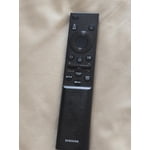
[This review was collected as part of a promotion.] The remote is not responding fast enough/ I have to tap on the remote 3-5 times before it responds / ALSO I can be in the middle of a show and the TV blacks out and reboots and these 2 problems are daily ALSO I have other type TVs and no problems si it’s not the service or the internet

Review from Samsung US
Helpful?7052JBFI9KAV17348165019
reply from Samsung Advisor

Hi caesarc6, Thank you for reaching out to us. If your remote isn’t responding, here are a few quick steps to help determine if it’s working correctly: 1. Check the batteries: Remove the back cover of your remote and replace the batteries with a fresh set, ensuring they are inserted in the correct direction. 2. Test for infrared signal: Point the front of the remote at your smartphone camera. While holding down any button, you should see a flashing light through the camera screen. (For iPhone users, the front-facing camera works best.) If you see the light, your remote is working and may need to be re-paired with your TV. 3. Point the remote correctly: Try pointing the remote directly at the TV from about 5-6 feet away. This can help ensure a clearer signal between the remote and the TV. Finally, please ensure your TV is running the latest Firmware. Go to Home > left directional key > Settings > Support > Software Update > Update Now. Should you need more help, we're here for you. You can reach us at 1-800-SAMSUNG (8AM – 9PM EST Mon – Fri, 8AM – 6PM Sat – Sun), or connect with a LiveChat agent by selecting ‘Support’ on our website. ~ Samsung Advisor

Jun 5, 2026
Lloyd
5 out of 5 stars review

My Samsung Smart TV

[This review was collected as part of a promotion.] This TV is amazing. The picture is the best I have ever seen on a TV. Most shows appear that you are looking out a window watching the action, it's that true to life visual. Accessing the intertnet through the TV is a new experience for me and comes in quite handy on a lazy day. All in all I would recommend this TV to anyone wanting an exceptional product!!!

Review from Samsung US
Helpful?7052JBFI9KAV17348165019
May 20, 2026
sundown
5 out of 5 stars review

support on tv channels

[This review was collected as part of a promotion.] i love the tv but i have issues watching some channels and the screen of the tv goes and it say tv doesnt support channels and they are channels that the tv has .. and I called my cable company and they say its the tv

Review from Samsung US
Helpful?7052JBFI9KAV17348165019
Jun 5, 2026
Liv rm
4 out of 5 stars review

Take your home boxes that you have inadvertently a

[This review was collected as part of a promotion.] I have just recently became aware that you had snuck into my Samsung TV your choice and give me boxes is called home where do you wanna go what do you wanna do what do you wanna talk about what kind of movie would you like to see get it off my Private TV I don't like it I wanna be able to go to the home Stadium From Take your home boxes that you have recently jammed on my TV

Review from Samsung US
Helpful?7052JBFI9KAV17348165019
Jun 5, 2026
RO 46
3 out of 5 stars review

Great Picture, Bad remote

[This review was collected as part of a promotion.] The TV picture is great, the remote doesn’t work properly most times, the big button which operates the up/down-right/left movement when trying to select apps or channels requires a lot of time to get it to function and move. Needs to be replaced.

Review from Samsung US
Helpful?7052JBFI9KAV17348165019
reply from Samsung Advisor

Hi RO 46, Thank you for your feedback. If your remote isn’t responding, here are a few quick steps to help determine if it’s working correctly: 1. Check the batteries: Remove the back cover of your remote and replace the batteries with a fresh set, ensuring they are inserted in the correct direction. 2. Test for infrared signal: Point the front of the remote at your smartphone camera. While holding down any button, you should see a flashing light through the camera screen. (For iPhone users, the front-facing camera works best.) If you see the light, your remote is working and may need to be re-paired with your TV. 3. Point the remote correctly: Try pointing the remote directly at the TV from about 5-6 feet away. This can help ensure a clearer signal between the remote and the TV. If you still need assistance, please contact Samsung Support at 1-800-SAMSUNG (8AM – 9PM EST Mon – Fri, 8AM – 6PM Sat – Sun), or visit the ‘Support’ link on our website to start a LiveChat session. ~ Samsung Advisor

Dec 28, 2025
Bobby
4 out of 5 stars review

Verified Purchase

Samsung 65

Great picture for price

Helpful?7052JBFI9KAV17348165019
Apr 19, 2026
vgks
5 out of 5 stars review

Ez choice

[This review was collected as part of a promotion.] Very budget friendly for the price. Easy to use and setup. Bright and extremely vibrant. Deep colors, 4k resolution together looks great. Samsung account integration with appliances makes it easy to monitor my home without worrying about extra third-parties getting involved.

Review from Samsung US
Helpful?7052JBFI9KAV17348165019
May 11, 2026
DANSOUTHUNTING
5 out of 5 stars review

Gaming

[This review was collected as part of a promotion.] I really enjoy the picture quality. the color definition is really good. Security seems to be well maintained. Brightened, rightness doesn't seem to be a problem. the resolution on the TV is high quality. The size and the thinness of the TV is really, really remarkable.

Review from Samsung US
Helpful?7052JBFI9KAV17348165019