Skip to Main Content
Sam's Club
Sam's Club
Customer reviews for SAMSUNG 65" Class U7900F Series 4K Crystal UHD Smart TV for
SAMSUNG 65" Class U7900F Series 4K Crystal UHD Smart TV
4.6 out of 5 stars
stars2,413 ratings2,336 reviews
  1. 5 stars76% (1,842)
  2. 4 stars14% (345)
  3. 3 stars5% (119)
  4. 2 stars2% (43)
  5. 1 star3% (64)

Member photos

  • +906 images
Sort by |
Showing 761-770 of 2,336 reviews
Jun 5, 2026
Liv rm
4 out of 5 stars review

Take your home boxes that you have inadvertently a

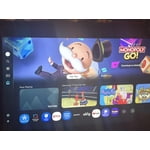
[This review was collected as part of a promotion.] I have just recently became aware that you had snuck into my Samsung TV your choice and give me boxes is called home where do you wanna go what do you wanna do what do you wanna talk about what kind of movie would you like to see get it off my Private TV I don't like it I wanna be able to go to the home Stadium From Take your home boxes that you have recently jammed on my TV

Review from Samsung US
Helpful?7052JBFI9KAV17348165019
Jun 5, 2026
RO 46
3 out of 5 stars review

Great Picture, Bad remote

[This review was collected as part of a promotion.] The TV picture is great, the remote doesn’t work properly most times, the big button which operates the up/down-right/left movement when trying to select apps or channels requires a lot of time to get it to function and move. Needs to be replaced.

Review from Samsung US
Helpful?7052JBFI9KAV17348165019
reply from Samsung Advisor

Hi RO 46, Thank you for your feedback. If your remote isn’t responding, here are a few quick steps to help determine if it’s working correctly: 1. Check the batteries: Remove the back cover of your remote and replace the batteries with a fresh set, ensuring they are inserted in the correct direction. 2. Test for infrared signal: Point the front of the remote at your smartphone camera. While holding down any button, you should see a flashing light through the camera screen. (For iPhone users, the front-facing camera works best.) If you see the light, your remote is working and may need to be re-paired with your TV. 3. Point the remote correctly: Try pointing the remote directly at the TV from about 5-6 feet away. This can help ensure a clearer signal between the remote and the TV. If you still need assistance, please contact Samsung Support at 1-800-SAMSUNG (8AM – 9PM EST Mon – Fri, 8AM – 6PM Sat – Sun), or visit the ‘Support’ link on our website to start a LiveChat session. ~ Samsung Advisor

Dec 28, 2025
Bobby
4 out of 5 stars review

Verified Purchase

Samsung 65

Great picture for price

Helpful?7052JBFI9KAV17348165019
Apr 19, 2026
vgks
5 out of 5 stars review

Ez choice

[This review was collected as part of a promotion.] Very budget friendly for the price. Easy to use and setup. Bright and extremely vibrant. Deep colors, 4k resolution together looks great. Samsung account integration with appliances makes it easy to monitor my home without worrying about extra third-parties getting involved.

Review from Samsung US
Helpful?7052JBFI9KAV17348165019
May 11, 2026
DANSOUTHUNTING
5 out of 5 stars review

Gaming

[This review was collected as part of a promotion.] I really enjoy the picture quality. the color definition is really good. Security seems to be well maintained. Brightened, rightness doesn't seem to be a problem. the resolution on the TV is high quality. The size and the thinness of the TV is really, really remarkable.

Review from Samsung US
Helpful?7052JBFI9KAV17348165019
Apr 15, 2026
Elroy79
5 out of 5 stars review

Clearest tv evere

[This review was collected as part of a promotion.] The picture is so clear u can see all the movie stars imperfections of their face.....they ain't perfect after all....lol....truly a great tv only thing I wish is the speakers would have kept up but needless to say throw a soundar on it and its like your right there in the movie

Review from Samsung US
Helpful?7052JBFI9KAV17348165019
Apr 20, 2026
Wolfstv
5 out of 5 stars review

Easy to use

[This review was collected as part of a promotion.] I like to smart things interface it's real easy to use the resolution is fine for what I have here and it's big enough I can even put my computer on it and do everything that I need to do it's secure it's wonderful color Aesthetics are great and you can even change the brightness on it it's really easy

Review from Samsung US
Helpful?7052JBFI9KAV17348165019
May 11, 2026
Reggie
5 out of 5 stars review

Always a Samsung fan

[This review was collected as part of a promotion.] Absolutely love this TV. I’ve always been a huge Samsung fan and this TV is no exception. The picture is super sharp, the colors look great, and movies and shows look amazing in 4K. Even the sound quality surprised me way more than I expected from a TV speaker. Everything just feels smooth and easy to use. Honestly have zero complaints so far, definitely a 5-star TV in my opinion.

Review from Samsung US
Helpful?7052JBFI9KAV17348165019
May 1, 2026
Arty
5 out of 5 stars review

Great 4K picture for the price!

[This review was collected as part of a promotion.] I’ve been using this TV for a bit now and the picture quality is excellent. The 4K resolution is super sharp and the "Crystal Processor" does a great job upscaling older content so it doesn't look blurry. I really like the slim "MetalStream" design—it looks a lot more expensive than it actually is. The Smart TV interface is fast and easy to navigate. If you want a solid, reliable Samsung TV without spending OLED prices, this is the one to get.

Review from Samsung US
Helpful?7052JBFI9KAV17348165019
Apr 20, 2026
Duke 3
2 out of 5 stars review

Poor picture quality

[This review was collected as part of a promotion.] This is my 5th samsung tv, and the poorest quality of all of them. The picture has no depth to it and the sound do3s not come on sometime when turned on fist time of day, unless I Unplug the power cord! NOT A GREAT TV

Review from Samsung US
Helpful?7052JBFI9KAV17348165019
reply from Samsung Advisor

Hi Duke 3, We appreciate your feedback on the picture quality of Samsung’s U7900F TV. If the image doesn’t quite match your preferences, there are several adjustments you can make to better suit your viewing environment and content type. First, please ensure your TV is running the latest firmware, as updates may include important picture quality enhancements. Go to: Home > Left directional button > Settings > Support > Software Update > Update Now To explore picture mode options, navigate to: Home > Left directional button > Settings > All Settings > Picture > Picture Mode. Options include: • Standard – Ideal for general viewing • Dynamic – Brighter and more vibrant for well-lit spaces • Eco – Optimized for energy efficiency • Movie – Best for viewing in low light • Filmmaker Mode – Preserves the content creator’s intent and disables motion smoothing for supported content You can further customize your image by going to: Settings > All Settings > Picture > Expert Settings, where you can adjust Brightness, Contrast, Color Tone, Sharpness, Contrast Enhancer and more. If you’d like help finding the best picture settings for your preferences, please don’t hesitate to contact Samsung Support at 1-800-SAMSUNG, available 8AM – 9PM EST Mon – Fri, 8AM – 6PM Sat – Sun. You can also LiveChat with an agent or explore additional resources on our website by clicking the ‘Support’ link. ~ Samsung Advisor