Skip to Main Content
Sam's Club
Sam's Club
All Departments
All Services
Customer reviews for SAMSUNG 65" Class U7900F Series 4K Crystal UHD Smart TV for
SAMSUNG 65" Class U7900F Series 4K Crystal UHD Smart TV
4.5 out of 5 stars
stars
4,239 ratings4,160 reviews
  1. 5 stars74% (3,117)
  2. 4 stars15% (632)
  3. 3 stars6% (258)
  4. 2 stars2% (102)
  5. 1 star3% (130)

Member photos

  • +1610 images
Sort by |
Showing 51-60 of 4,160 reviews
Sep 6, 2026
Reviewer name: DarkAngel
5 out of 5 stars
5 out of 5 stars review

Fantastic picture quality

[This review was collected as part of a promotion.] The screen size is perfect for my smaller living room. Being smaller does not limit the vibrancy and depth of the colors on screen. The brightness and contrast are very well balanced for a vivid image with no oversaturated reds or washed out colors.

Review from Samsung US
Helpful?7052JBFI9KAV17348165019
Sep 23, 2026
Reviewer name: Amazingroot
5 out of 5 stars
5 out of 5 stars review

Like a theater in my livingroom
[This review was collected as part of a promotion.] This TV is awesome! The brightness, contrast, and other screen settings are amazing. The responsiveness is great. Great uniformity and the upscaling is unparalleled. Hands down the best television i have ever owned

Review from Samsung US
Helpful?7052JBFI9KAV17348165019
Sep 5, 2026
Reviewer name: lefty347
3 out of 5 stars
3 out of 5 stars review

Samsung plus

[This review was collected as part of a promotion.] We have a smart tv with Samsung plus. We have to constantly reboot the connection with our internet and the tv. We have 2 in separate rooms and one of them is always need to be rebooted. It's like 2-3 times a week. One will work and the other doesn't. Very frustrating

Review from Samsung US
Helpful?7052JBFI9KAV17348165019
reply from Samsung Advisor

Hi lefty347, Thank you for your feedback. Please ensure you are running the latest Firmware on the U7900F TV. If the latest firmware version is not yet available on your TV, you can download the update on a USB drive and manually update your TV: 1. On Samsung's website (upper right corner), go to: Support > Manual & Software > Find your TV model, and click on the Firmware – Upgrade File. 2. When the file has finished downloading, locate it and then unzip it. There is normally one folder inside but there may be multiple files. 3. Copy or move all of the files that were included in the zip file to a USB flash drive, but do not place them inside any other folders. If you place the software folders inside a folder on the USB flash drive, the TV or monitor will not find them. 4. Connect the USB drive containing the software upgrade into a USB port on your device. 5. Using your device's remote, navigate to and select Settings, then select All Settings, and then select Support. Select Software Update, select Update Now, and then select Yes if prompted. Your device will search the USB drive for update files. Follow the on-screen instructions to install the updated software. Updates usually take a few minutes; please do not turn off the TV until the update is complete. When the update is finished, it will restart automatically. If you need additional support, Samsung is here to help. Please call us at 1-800-SAMSUNG (8AM – 9PM EST Mon – Fri, 8AM – 6 PM Sat – Sun), or reach us via text 24/7. You can also visit ‘Support’ on our website for: • Live Chat • Manuals, Software, & Warranty Info ~ Samsung Advisor

Sep 21, 2026
Reviewer name: Anonymous
5 out of 5 stars
5 out of 5 stars review

Great budget tv

[This review was collected as part of a promotion.] Have had it for a while now and wasn't really expecting much but i haven't experienced any negatives. Maybe the volume can be better but honestly just buy a sound bar or surround sound and you're good.

Review from Samsung US
Helpful?7052JBFI9KAV17348165019
Sep 21, 2026
Reviewer name: Dj47
5 out of 5 stars
5 out of 5 stars review

Crystal clear picture
[This review was collected as part of a promotion.] Best tv I have ever had. The picture is crystal clear. It's like I'm right there in the movie. I never needed to adjust the settings for the color, brightness, or contrast, but they can be if you want to. The sound is excellent also so I didn't need a separate sound bar. The setting on the sound can also be adjusted. I have not had any issues with this tv in the year and a half that I have had it. Best money ever spent.

Review from Samsung US
Helpful?7052JBFI9KAV17348165019
Sep 5, 2026
Reviewer name: Johnnie
5 out of 5 stars
5 out of 5 stars review

All round good , but frustrating!.

[This review was collected as part of a promotion.] Samsung TV , i do not have any problem with the tv, in fact i have three other samsungs , the earlier models , that apart from being as heavy as a boat anchor work perfectly. But as i've progressed in age , the samsung hand sets need to be user friendly.!!!, The tiny slimline Handsrt with tiny writing requires glasses and a magnifying glass to change channels- . please think “Elderly “ , samsung will sell more electronics to original “in the day users “ - knowing you care !. l Last of all as the box is massive, it's often disgarded . elders like myself have no idea what's loaded / without Ai interaction- that needs someone to kick the stool away !!!!. just so tips !.

Review from Samsung US
Helpful?7052JBFI9KAV17348165019
Sep 26, 2026
Reviewer name: Daryl Zazza7
4 out of 5 stars
4 out of 5 stars review

Good features

[This review was collected as part of a promotion.] my Samsung TV , I've had for stupid now it's actually the brightness actually goes off and on some time so sometimes newer now it's actually the brightness actually goes off and on some time so sometimes newer movies computers basically adjusting the picture or resetting the picture. the sound could be out a lot of times so it constantly goes to the sound bar Bluetooth where I just want the sound bar to operate on just sound. so every time I turn it on it automatically goes to the so every time I turn it on it automatically goes to the the Bluetooth setting so every time I turn it on it automatically goes to the the Bluetooth setting, or it will go to the TV setting so at a lot of times just about once or twice a week I have to so every time I turn it on it automatically goes to the Bluetooth setting, or it will go to the TV setting so at a lot of times just about once or twice a week I have to and plug it back in this is mostly suggested by going to Google search and asking about going to Google search and ask him about and explain them to what's going on with my TV . I have called Samsung a couple times in let them know they usually the screen in the screen in fix it it all depends on the person behind it the screen and fix it it all depends on the person behind it their knowledge of or get I'm all in all the TV is fine I just wish that the picture quality is is as the one when I go and test the picture quality which is very vibrant and again like I said some of my shows are not as vibrating as a picture. wouldn't let me submit picture you know if I I wouldn't have taken the money personal choice

Review from Samsung US
Helpful?7052JBFI9KAV17348165019
Sep 20, 2026
Reviewer name: Mick
4 out of 5 stars
4 out of 5 stars review

Love the TV, Hate the remote.

[This review was collected as part of a promotion.] The TV is fine, but I find the remote control cumbersome and difficult to use. Samsung smart TV remotes used to be much simpler and user friendly. This remote does not even operate the same way twice; for example, when trying to find or switch to a specific channel - please, bring back the old remote!!!

Review from Samsung US
Helpful?7052JBFI9KAV17348165019
Sep 20, 2026
Reviewer name: TSL62
5 out of 5 stars
5 out of 5 stars review

Bright, punchy picture with excellent contrast

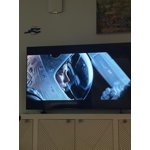
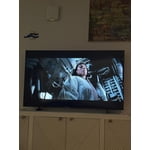
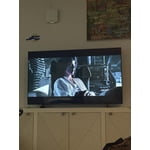
[This review was collected as part of a promotion.] 5/5 – Excellent overall Brightness is outstanding. Even in a well-lit room the picture stays punchy and doesn't wash out. Contrast is excellent. Blacks look deep and the image has real depth instead of looking flat. Responsiveness is very good (4/5). Motion is clean and menus feel snappy, but there's a tiny bit of lag if you're used to the absolute fastest screens. Upscaling is excellent. Older or lower-resolution content looks surprisingly sharp and detailed instead of soft or mushy. Vibrancy is very good (4/5). Colors pop and look lively without being overcooked, though a couple of scenes felt just a hair short of the most vivid sets I've seen. Really happy with it. Solid picture and easy to live with.

  • +1 image
Review from Samsung US
Helpful?7052JBFI9KAV17348165019
Sep 5, 2026
Reviewer name: Ms marilyn
3 out of 5 stars
3 out of 5 stars review

Disappointed

[This review was collected as part of a promotion.] I gave it a three because I didn't know because of how large they are that they would fall over because the stand can stand the weight because of the size. Mine fell over and broke at 2:30 am and we had to throw it away. The foot of the stand just snapped. Other than that good picture.

Review from Samsung US
Helpful?7052JBFI9KAV17348165019
reply from Samsung Advisor

Hi Ms marilyn, Thank you for your feedback. When selecting a TV stand, please ensure the stand is compatible with the weight and size of the TV. If you have any questions about compatibility, please do not hesitate to reach out to us at 1-800-SAMSUNG (8AM – 9PM EST Mon – Fri, 8AM – 6PM Sat – Sun). LiveChat is also available via the ‘Support’ link on our website. ~ Samsung Advisor