Skip to Main Content
Sam's Club
Sam's Club
All Departments
All Services
Customer reviews for SAMSUNG 65" Class U7900F Series 4K Crystal UHD Smart TV for
SAMSUNG 65" Class U7900F Series 4K Crystal UHD Smart TV
4.5 out of 5 stars
stars
4,239 ratings4,160 reviews
  1. 5 stars74% (3,117)
  2. 4 stars15% (632)
  3. 3 stars6% (258)
  4. 2 stars2% (102)
  5. 1 star3% (130)

Member photos

  • +1610 images
Sort by |
Showing 41-50 of 4,160 reviews
Sep 21, 2026
Reviewer name: Gamer
5 out of 5 stars
5 out of 5 stars review

Great tv

[This review was collected as part of a promotion.] This tv has great color. Thw volume is wonderful and it connects perfectly with my ps5! It has the game hub and I can control the tv from my phone. I do not plan on using that feature but it helpful if you lose your remote or the batteries die and you don't have any handy. You can also connect the tv to you zumo or other streaming device you own.

Review from Samsung US
Helpful?7052JBFI9KAV17348165019
Sep 5, 2026
Reviewer name: Love my TV
5 out of 5 stars
5 out of 5 stars review

Great features

[This review was collected as part of a promotion.] I love everything about this T.V. except the remote. My remote is very small and thin and hard to push the buttons without hitting all the buttons. Changing channels with this remote is a pain turning the volume up or down all of it is a pain. The T.V. by its self is great.

Review from Samsung US
Helpful?7052JBFI9KAV17348165019
Sep 26, 2026
Reviewer name: Daryl Zazza7
4 out of 5 stars
4 out of 5 stars review

Good features

[This review was collected as part of a promotion.] my Samsung TV , I've had for stupid now it's actually the brightness actually goes off and on some time so sometimes newer now it's actually the brightness actually goes off and on some time so sometimes newer movies computers basically adjusting the picture or resetting the picture. the sound could be out a lot of times so it constantly goes to the sound bar Bluetooth where I just want the sound bar to operate on just sound. so every time I turn it on it automatically goes to the so every time I turn it on it automatically goes to the the Bluetooth setting so every time I turn it on it automatically goes to the the Bluetooth setting, or it will go to the TV setting so at a lot of times just about once or twice a week I have to so every time I turn it on it automatically goes to the Bluetooth setting, or it will go to the TV setting so at a lot of times just about once or twice a week I have to and plug it back in this is mostly suggested by going to Google search and asking about going to Google search and ask him about and explain them to what's going on with my TV . I have called Samsung a couple times in let them know they usually the screen in the screen in fix it it all depends on the person behind it the screen and fix it it all depends on the person behind it their knowledge of or get I'm all in all the TV is fine I just wish that the picture quality is is as the one when I go and test the picture quality which is very vibrant and again like I said some of my shows are not as vibrating as a picture. wouldn't let me submit picture you know if I I wouldn't have taken the money personal choice

Review from Samsung US
Helpful?7052JBFI9KAV17348165019
Sep 5, 2026
Reviewer name: AKap26
1 out of 5 stars
1 out of 5 stars review

Buyer Beware

[This review was collected as part of a promotion.] Buyer Beware. Worst TV I have ever purchased. Samsung has always been reliable but this TV is absolutely terrible. When one app has an update none of the other apps will work until you restart the system. I have had to factory reset the TV in order to get apps to work properly. I am sad to see the quality of Samsung decline.

Review from Samsung US
Helpful?7052JBFI9KAV17348165019
reply from Samsung Advisor

Hi AKap26, We appreciate your feedback on the U7900FD TV. If there’s anything we can assist with, please don’t hesitate to call us at 1-800-SAMSUNG (8AM – 9PM EST Mon – Fri, 8AM – 6PM Sat – Sun), or reach us via text anytime. You can also visit ‘Support’ on our website for: • Live Chat • Manuals, Software, & Warranty Info ~ Samsung Advisor

Sep 23, 2026
Reviewer name: Amazingroot
5 out of 5 stars
5 out of 5 stars review

Like a theater in my livingroom
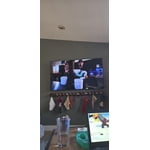
[This review was collected as part of a promotion.] This TV is awesome! The brightness, contrast, and other screen settings are amazing. The responsiveness is great. Great uniformity and the upscaling is unparalleled. Hands down the best television i have ever owned

Review from Samsung US
Helpful?7052JBFI9KAV17348165019
Sep 21, 2026
Reviewer name: TheOctopus17
3 out of 5 stars
3 out of 5 stars review

Great TV when it wants to be.

[This review was collected as part of a promotion.] It has great picture quality, great brightness, good contrast, it has good sound, its easy to navigate, but man, the responsiveness and lag of moving through the home menu is almost unbearable sometimes.

Review from Samsung US
Helpful?7052JBFI9KAV17348165019
reply from Samsung Advisor

Hi TheOctopus17, We appreciate your feedback regarding response time. For optimal performance, please ensure your TV is running the latest firmware. You can check this by going to: Home > left directional key > Settings > Support > Software Update To further optimize performance, try running Device Care, which checks memory, clears unused cached data, and closes background apps: Home > left directional key > Settings > Support > Device Care > Start Device Care If issues continue, please reach Samsung Support at 1-800-SAMSUNG (8AM – 9PM EST Mon – Fri, 8AM – 6PM Sat – Sun). LiveChat is also available via the ‘Support’ link on our website. ~ Samsung Advisor

Sep 5, 2026
Reviewer name: RB01
4 out of 5 stars
4 out of 5 stars review

Really good TV at a great price!

[This review was collected as part of a promotion.] I bought this TV at a really good price. My previous TV was damaged in a move so I needed something ASAP without breaking my budget. It was bigger than I was looking for but fit perfectly in the space I have for it. The brightness, contrast and sound are all peak quality. Only issue I have is that from time to time, it doesn't always connect to my WIFI right away (my WIFI service is great by the way). Either way I'm extremely happy and satisfied with my purchase. Also with Samsung overall as a brand.

Review from Samsung US
Helpful?7052JBFI9KAV17348165019
Sep 21, 2026
Reviewer name: Daggerhpbrs
5 out of 5 stars
5 out of 5 stars review

Awesome videos

[This review was collected as part of a promotion.] Love the graphics and the upscaling and the HDR used for my computer and my PlayStation and Nintendo switch gaming. The display has a very good vibrancy the brightness and contrast work excellent and the remote has great responsiveness

Review from Samsung US
Helpful?7052JBFI9KAV17348165019
Sep 20, 2026
Reviewer name: Bruce
2 out of 5 stars
2 out of 5 stars review

Frustrated that I can't use my Bose Soundbar

[This review was collected as part of a promotion.] Even though I have my Bose Soundbar connected to the ARC HDMI port on the TV, I keep getting a message that I need to connect it to the ARC port. There's only one ARC port and it is connected correctly. Very frustrating

Review from Samsung US
Helpful?7052JBFI9KAV17348165019
reply from Samsung Advisor

Hi Bruce, Thanks for sharing your experience with your TV not recognizing the HDMI connection to your Bose soundbar. Let’s walk through a few steps to help get things working again. 1. Check Source & Connections • Confirm the source: Use the remote to make sure the TV is set to the correct input. Go to: Home > Left directional key > Connected Devices > Sources • Verify connections: Ensure all external devices (like a cable box or Blu-ray player) are powered on and securely connected via HDMI. Try switching to a different HDMI port or using another cable to rule out a faulty connection. For best results, use a High Speed HDMI cable with Ethernet (HEAC) – this supports stable 4K video and audio signals for most external devices. • Using a soundbar or A/V receiver? If you're connected through the TV’s HDMI eARC port, be sure to use a certified Ultra High Speed HDMI cable to enable lossless audio formats like Dolby Atmos and maintain proper eARC functionality. • Power cycle the TV: Unplug it from the wall for at least 60 seconds, then plug it back in. 2. Update Your TV Software • Make sure your TV is running the latest firmware: Home > Left directional key > Settings > Support > Software Update 3. Signal & Broadcast Checks (Especially important if you're using a cable box or antenna.) • Check signal strength: Home > Left directional key > Settings > Support > Device Care > Self Diagnosis > Broadcast Signal • Run Auto Program: Home > Left directional key > Settings > All Settings > General & Privacy > Broadcasting > Auto Program 4. Advanced Troubleshooting • HDMI Test: Home > Left directional key > Settings > Support > Device Care > Self Diagnosis > HDMI Test • Try a different device: Connect another external device to the same port to help identify whether the issue lies with the original device or the TV. • Check the power source: Make sure the TV is plugged into a working outlet. If using a surge protector, try plugging directly into the wall. • Factory reset (if needed): As a last resort, you can reset the TV to its default settings. (Note: this will erase your personal preferences.) If none of these steps resolve the issue, contact Samsung Support for further assistance at 1-800-SAMSUNG (8AM – 9PM EST Mon – Fri, 8AM – 6PM Sat – Sun), or reach us via text anytime. You can also visit ‘Support’ on our website for: • Live Chat • Manuals, Software, & Warranty Info ~ Samsung Advisor

Sep 6, 2026
Reviewer name: Jeep Grandpa
5 out of 5 stars
5 out of 5 stars review

Old-time value

[This review was collected as part of a promotion.] When I saw the display model in the store, my first reaction was how much this 65" tv felt like a true bargain. I certainly didn't expect it to look even better once it was set up in my house. The sharpness and contrast of images on the screen were even better than I remembered from the store display. Overall, the picture quality is very friendly to old eyes. Even though the tv's capabilities far exceed my tech abilities, I love the way the tv tries to help you out with little prompts that almost seem like it's guessing what I might be trying to do. That helps! I especially love watching movies and sports. The screen ration options work great dialing in the action close to feeling real. Pair this tv with a comfortable chair and enjoy.

Review from Samsung US
Helpful?7052JBFI9KAV17348165019