Skip to Main Content
Sam's Club
Sam's Club
All Departments
All Services
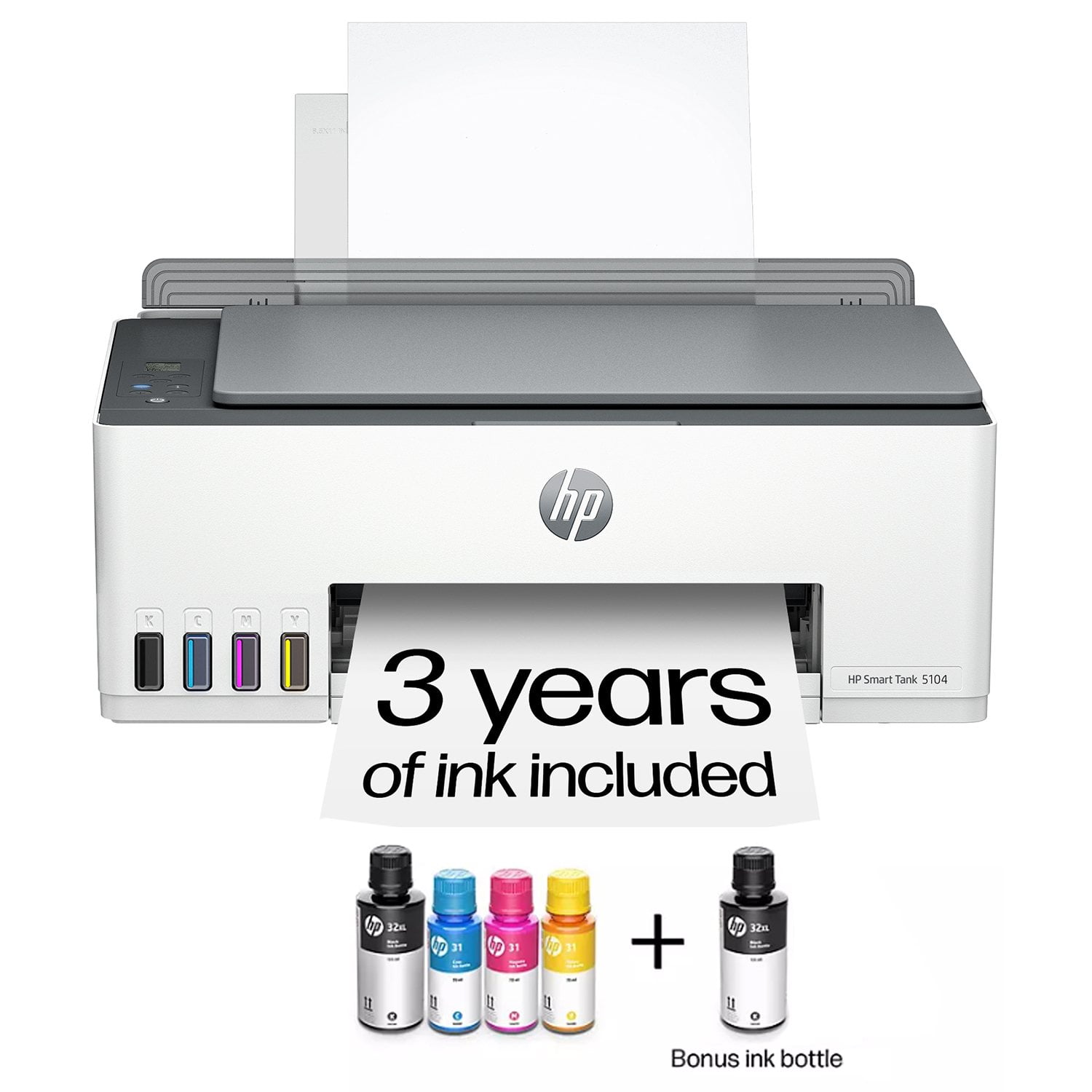
Customer reviews for HP Smart Tank 5104 Wireless All-in-One Inkjet Printer w/Bonus Black Ink Bottle for
HP Smart Tank 5104 Wireless All-in-One Inkjet Printer w/Bonus Black Ink Bottle
3.9 out of 5 stars
stars
804 ratings417 reviews
  1. 5 stars53% (424)
  2. 4 stars18% (141)
  3. 3 stars9% (76)
  4. 2 stars6% (47)
  5. 1 star14% (116)
Sort by |
Showing 1-10 of 417 reviews
Sep 18, 2026
Reviewer name: K Bliss
5 out of 5 stars
5 out of 5 stars review

Verified Purchase

Easy set up and use

I set this up in minutes. To compare, a friend recently purchased another brand and since I just set up my printer, I offered to help. 2 days later and a call to support, their printer is up but what a hassle. This printer is headache free and works every time without issue,

Review from hp.com
Helpful?5ZUIW37FRAUB17067010453
Sep 4, 2026
Reviewer name: Roleneh
4 out of 5 stars
4 out of 5 stars review

Verified Purchase

Easy set up

I use the printer mostly for copying. Easy to add ink, easy to use for printing and copying. I didn’t give a 5 star review because, as far as I can figure out, I can’t increase print size. I copy needle point patterns and would like to enlarge them

Review from hp.com
Helpful?5ZUIW37FRAUB17067010453
Sep 15, 2026
Reviewer name: Stacy P
3 out of 5 stars
3 out of 5 stars review

Verified Purchase

DIssapointed

Lets start by saying I should have waited for the next one up. It was out of stock and I got talked into this one because I needed it soon. This printer isnt anywhere near what was hyoed up to me. Doesnt meet any of my expectations from it. Slower printing than my old deskjet, print quality is lets just say OK nothing to writr home about. Takes forever to transfer something that needs printed. Lets say IM VERY DISAPPOINTED IN THIS PRINTER

Review from hp.com
Helpful?5ZUIW37FRAUB17067010453
Sep 4, 2026
Reviewer name: Lisa
3 out of 5 stars
3 out of 5 stars review

Verified Purchase

Not as promised…

I’ve had this printer for two months and I am on my second set of ink, supposedly I was given enough ink to last up to two years?! For no apparent reason the print job stops and spits out a half finished page. This happens every time I print sometimes up to three times.

Review from hp.com
Helpful?5ZUIW37FRAUB17067010453
Sep 8, 2026
Reviewer name: Michelle
3 out of 5 stars
3 out of 5 stars review

Verified Purchase

Was great then stopped

It worked great when I first got it, then it stopped working so great. It doesn't connect to my Wi-Fi. I literally have to plug in my laptop to print anything, or I have to go through a secondary printing. App to print from my phone.It's supposed to tell me when I'm out of ink before.I'm out of ink when to order that app doesn't because it doesn't sink with my wifi noise, I'm also supposed to come up with up to 2 years of ink, I haven't even had it.6 months I've barely had it a month or a little over a month.Maybe , and I can't use it because it's already out of ink

Review from hp.com
Helpful?5ZUIW37FRAUB17067010453
Sep 11, 2026
Reviewer name: Norberto
2 out of 5 stars
2 out of 5 stars review

Verified Purchase

Trash

It gets off line so easy, it’s a big circus’s just to print anything, some times I wish I could just dump it in the trash, I like the quality of the prints and the smart thank system because I don’t get worried anymore for toners, but it’s a big problem T the time I want to print, I don’t know if it’s because 4 members of my family use it, but I limited to only one, me. I’m sorry, it’s not the first HP printer I used but I never had this problems before, that is why I’m so disappointed!

Review from hp.com
Helpful?5ZUIW37FRAUB17067010453
Sep 29, 2026
Reviewer name: Impatient Izzy
2 out of 5 stars
2 out of 5 stars review

Verified Purchase

I returned it. Not easy to setup.

I figured out how to fill the ink wells, but the printer cartridges were difficult. Even 2 Geek squad guys were tugging at cardboard and tape and the plastic form. We figured it out together. But then at home, there were scanning and copying issues. I printed only one test paper and the errors had to do with figuring out the proper icons to press but the manual wasn't clear nor similar to instructions online about working the various methods. BTW, the back of printer is where plug goes but you have to shove it hard to connect the two prongs. It will click in then but I thought it was a faulty plug til Geek Squad pushed it hard. It was apparent to me that software wasn't compatible with my computer and many online complaints agreed. I'd love to return to wired printer cables and forget WIFI!

Review from hp.com
Helpful?5ZUIW37FRAUB17067010453
Sep 4, 2026
Reviewer name: Not happy
2 out of 5 stars
2 out of 5 stars review

Verified Purchase

Not easy to use

If it runs out of paper in the middle of a print job it takes hours for it to print anything again and I have to start from the beginning. It was working with one of my devices, but won’t work anymore. It will only allow me to print from my phone when it feels like it. I’m not tech savvy, but my son is and he couldn’t figure out these issues either.

Review from hp.com
Helpful?5ZUIW37FRAUB17067010453
Sep 28, 2026
Reviewer name: I hate HP
1 out of 5 stars
1 out of 5 stars review

Verified Purchase

Giant pain!

Set up went fairly smoothly but I couldn’t get it to print. The next day I removed it and started over, same thing. Then I don’t know what I did, but then it printed. That was two days ago and it’s not printing. Now there are 2 printers loaded, the smart tank and HP Smart print whatever that is.

Review from hp.com
Helpful?5ZUIW37FRAUB17067010453
Sep 5, 2026
Reviewer name: Michael S
1 out of 5 stars
1 out of 5 stars review

Verified Purchase

Baffling

This is by far the worst experience I have had with an HP printer. The user interface is baffling and glitchy, the paper feed on the back is a disaster, and I have yet to get it to connect consistently wirelessly to my laptop or phone, which had no trouble with prior devices. It’s pretty much sitting there unused and I am looking at other options.

Review from hp.com
Helpful?5ZUIW37FRAUB17067010453