Skip to Main Content
Sam's Club
Sam's Club
All Departments
All Services
Customer reviews for Epson EcoTank ET-4958 Wireless All-in-One Color Supertank Printer, 1 Bonus Black Ink Bottle for
Epson EcoTank ET-4958 Wireless All-in-One Color Supertank Printer, 1 Bonus Black Ink Bottle
4.1 out of 5 stars
stars
169 ratings126 reviews
  1. 5 stars61% (103)
  2. 4 stars17% (29)
  3. 3 stars5% (8)
  4. 2 stars7% (11)
  5. 1 star11% (18)

Member photos

Sort by |
Showing 31-40 of 126 reviews
Oct 22, 2025
Reviewer name: Chart
5 out of 5 stars
5 out of 5 stars review

Verified Purchase

Great upgrade!

I had an earlier version of this printer that didn’t work well on any level. But I wanted a well-ink printer in black, so I took a chance on this model. I’m so glad I did. Everything worked well and the tech service was excellent. I highly recommend it.

Review from epson.com
Helpful?373OTNA1GT2F16188611314
Oct 3, 2025
Reviewer name: BluFJ
4 out of 5 stars
4 out of 5 stars review

Verified Purchase

Great All-In-One once setup.

The ET-4950 seems to be a decent All-In-One and I really like the eco-tank set up. The only issue that I ran in to is that it doesn't print dark blacks straight out of the box. Text prints in dark gray until considerable adjustments are made in the print dialogue page in my laptop settings for the specific printer. It took a while to figure out that the settings couldn't be adjusted on the printer itself; that is, unless I just couldn't find them. In that case, user setup and use is not as intuitive as other high end printers that I have had in the past.

Review from epson.com
Helpful?373OTNA1GT2F16188611314
Aug 28, 2026
Reviewer name: SyedAhmed
5 out of 5 stars
5 out of 5 stars review

A Solid Epson Printer That Exceeded Expectations

This Epson printer turned out to be an excellent purchase — even better than I expected. Setup was straightforward, with clear step‑by‑step guidance through my phone. The only minor hiccup was the scanner setup, which succeeded on the third attempt. Print quality is impressive for an inkjet, producing sharp text and vibrant color output. I installed it on both my home desktop and work laptop without any issues, and it prints flawlessly from my iPhone and iPad as well. The Epson Smart Panel app on iOS makes printing and scanning simple and convenient. Overall, it’s a reliable all‑in‑one machine with strong Print/Scan/Copy performance and smooth connectivity across all my devices. A very good buy.

Helpful?373OTNA1GT2F16188611314
May 19, 2026
Reviewer name: Howell
1 out of 5 stars
1 out of 5 stars review

Verified Purchase

Defective?

Had issues getting it to work wirelessly or with a cable

Helpful?373OTNA1GT2F16188611314
reply from Epson

Hello Howell, we apologize for the disappointing experience you’ve encountered with your Epson printer's wireless connection. Your ET-4958 includes free technical support for the life of your product. Please call and let our Epson Support Team assist. Our support number is (562) 276-4382. Our support hours of operation are Monday – Friday, 7 a.m. to 4 p.m. (PT). We’re here to help. Sincerely, Alissa A. – The Epson Team.

May 13, 2026
Reviewer name: Lewis Family
5 out of 5 stars
5 out of 5 stars review

Verified Purchase

Epson Eco Tank ET-4958 Wireless Printer!!!

This printer does it all! Very impressed with the quality of printing. WiFI range is great!!

Helpful?373OTNA1GT2F16188611314
Jul 11, 2026
Reviewer name: VietVetinTexas
4 out of 5 stars
4 out of 5 stars review

Great Features but software install not clear/intuative.

Only issue is when downloading software it is unclear that the _Lite_NA.exe is to be used and not just choose from the selections below. Apparently I did that and had continual problems with my computer not seeing the scanner. Prints great and great mileage from print tanks. Could see the other Epson multifunction printer in my household. Probably my fault; but clearer instructions for the software install would have helped avoid my problems.

Review from epson.com
Helpful?373OTNA1GT2F16188611314
Jul 29, 2026
Reviewer name: oldserverguy
3 out of 5 stars
3 out of 5 stars review

The install software needs work

As a semi-retired IT professional I have for years recommended Epson EcoTank printers. Budget permitting every person bought one and was very satisfied. This replaced a failed ET4650 that had a failed network adapter. I did a manual install and selected wifi which was the same connection as my ET4650. I then removed all of the Epson software and rebooted. Everything went well until I tried to install with ET4850_Lite_NA.exe - tremendous problems getting the software installed. I think much of it is due to the fact that I have all location services turnoff and that the installer doesn't work well when the printer is already on the network. I did finally get it to install after several times removing all of the software from the failed attempts.

Review from epson.com
Helpful?373OTNA1GT2F16188611314
Jul 11, 2026
Reviewer name: S222
1 out of 5 stars
1 out of 5 stars review

Completely useless printer

Unfortunately a zero out of five rating isn't possible. Relentless connectivity and printing issues that simply should not be happening in a modern printer. It keeps rejecting my WiFi credentials even though they're correct. But then restarting the printer makes it connect. Then when I print even a simple one-page document, it pulls in a sheet of paper, starts printing on it and then just stops. I can see the half-printed sheet in the printer but it just sits there and over the next couple of minutes, prints it a little bit at a time. I've tried all sorts of fixes and nothing has worked.

Review from epson.com
Helpful?373OTNA1GT2F16188611314
Jan 22, 2026
Reviewer name: anonymous
4 out of 5 stars
4 out of 5 stars review

Only selling point is the ink and quality.

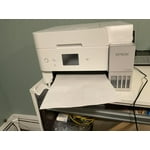
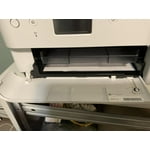
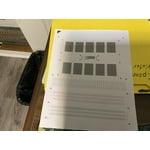
First day of use and the paper already jams. I have a cheaper version of this machine which I use for sublimation and no issues because everything is manual and I feed the paper from the top and the scanner is a flatbed scanner. This item has too many fancy parts. No need for the paper holder to be controlled electronically to come in and out. That should have been manual. If you push it back in an error will say it can't print. It is in the way when I insert my paper. I haven't scanned yet so hopefully that goes well. Colors print very well. Sometimes I get asked what type of paper and size I want to print before it prints even though I chose it on my computer settings which is odd. So if I am printing from another room, I would assume it was printing when it really was not. I have had my HP printer for almost 6 years, exact features less fancy parts. Only difference is the ink cost effective since I can no longer use aftermarket ink. My HP only started jamming around the 5th year and that is every blue moon.

Helpful?373OTNA1GT2F16188611314
Jan 15, 2026
Reviewer name: CHERYL
5 out of 5 stars
5 out of 5 stars review

Easy Set Up

Love this printer. It's an upgrade from a very cartridge hungry old HP model. WiFi set up was extremely easy to set up. Been working flawlessly for these past few weeks for WFH. Love that it doesn't take up (wide) space and love the color (white). Ink will last long and will be more affordable when it needs to be replaced. Extremely happy with this purchase.

Helpful?373OTNA1GT2F16188611314