Join Now
Skip to Main Content
Sam's Club
Sam's Club
All Departments
All Services
Customer reviews for SAMSUNG 85" Class U8000F Series 4K Crystal UHD Smart TV for
SAMSUNG 85" Class U8000F Series 4K Crystal UHD Smart TV
4.5 out of 5 stars
stars
3,681 ratings3,649 reviews
  1. 5 stars71% (2,606)
  2. 4 stars16% (573)
  3. 3 stars7% (240)
  4. 2 stars3% (125)
  5. 1 star4% (137)

Member photos

  • +1177 images
Sort by |
Showing 3,491-3,500 of 3,649 reviews
Sep 17, 2025
Reviewer name: MJChatesHub
1 out of 5 stars
1 out of 5 stars review

Smart Hub Bad

We have had this TV for quite some time now and I like it for the picture quality. The home screen "Smart Hub" is the absolute worst and it makes me hate this TV. In fact, I loathe it with a passion. The hub is cluttered and full of recommendations that I cannot remove. I want to see my downloaded apps so that I can launch them as needed. I do not want recommendations. I do not want banners with inappropriate content at 85" up for my children when we just turn on the TV. I can set parental parameters, but then I've got boxes with a stock photo of a lock. The navigation for settings is clunky and things are buried in miles of tiles that I just don't care about. I wish we hadn't bought it. I wish we had returned it. Do not leave LG for a Samsung.

Review from Samsung US
Helpful?3CTS2O15ZY1416007408101
reply from Samsung Advisor

Hi MJChatesHub, Thank you for sharing your experience. Please know that you can customize your Home screen by installing, removing or adding your favorite apps to the Home screen. Here's how: Searching for & Installing Apps 1. From the Home screen, press left on the remote’s directional pad. 2. Navigate to and select Search. 3. Using the search bar, enter the content or app you’d like to find. 4. Navigate to and select the app you’d like to install, then select Install. Note: Previously installed apps can be accessed on the Settings screen. Adding & Managing Apps on Home Screen 1. Go to App Settings (these can be found at the bottom of the Apps screen) and select the app you want to move. The following options will be available: a. Add to Home: Move the app to your desired location on the Home screen. b. Delete: Delete app. c. Lock/Unlock: Lock the app with a PIN so only you can use it. When the app is selected again, you will be prompted to enter the PIN to unlock it. d. Reinstall: Reinstall the app. e. View Details: View the app’s information and details. If you need more help with app management, please don’t hesitate to reach Samsung Support at 1-800-SAMSUNG, available daily from 8AM - 12AM EST. You can also visit the Samsung website and click on ‘Support’ for: • Live Chat • Manuals, Software, & Warranty Info ~ Samsung Advisor

Jun 21, 2025
Reviewer name: HouseOfSamsung
4 out of 5 stars
4 out of 5 stars review

Samsung did not disappoint!

[This review was collected as part of a promotion.] I am a long-time fan of Samsung phones but this is the first TV that I purchased. The picture is clear and the sound is crisp. There have been a few glitches in the middle of programming and on start-up but a power off to reset usually does the trick. I really like the thinness of this model; fits great on a swivel, corner mount for the bedroom. I would purchase the Frame TV next time or this model again. If you are considering this one, it is a good buy, go for it!

Review from Samsung US
Helpful?3CTS2O15ZY1416007408101
Apr 29, 2025
Reviewer name: SammyNerd83
4 out of 5 stars
4 out of 5 stars review

Beautiful TV

[This review was collected as part of a promotion.] This is a beautiful tv with an AMAZING picture. The screen is bright (even with the anti-reflective coating) vivid, and has an amazing picture quality. Where i have some issues is that whether it's the processor or the ram, the smart functionality is slow (a lot) and sometimes even stutters a little in it's response to my inputs. Also I'm kinda annoyed that the smart remote this year is larger and takes batteries instead of being rechargeable. I understand it was probably a cost savings measure, I just don't like it. I really like the game mode. It's a great idea, it's implemented quite well. And the streaming games, although have occasional pretty bad latency (lag) issues, works great. Other then the issues I mentioned previously (which to be fair and completely honest are actually very minor) this is an exceptionally great tv for the price. This is an ABSOLUTELY amazing midrange tv. I just wish i could have afforded a neo-qled.

Review from Samsung US
Helpful?3CTS2O15ZY1416007408101
reply from Samsung Advisor

Hi Sammynerd83, We appreciate your feedback regarding your U8000F TV’s performance. If you're experiencing slow apps, freezing, or lag in general response time, try the following steps: 1. Check for firmware updates – Keeping your TV up to date can resolve many performance issues: Home > left directional key > Settings > Support > Software Update > Update Now 2. Run Device Care – This tool checks system memory, frees up cached data, and closes background apps that could be slowing things down: Home > left directional key > Settings > Support > Device Care > Start Device Care 3. Cold boot your TV – With the TV powered on, press and hold the Power button on your remote for 5+ seconds until the TV restarts. This helps refresh the system. If you're still noticing performance issues after these steps, please contact Samsung Support at 1-800-SAMSUNG, 8AM – 12AM EST, 7 days a week. You can also connect with a LiveChat agent via the ‘Support’ link on our website. ~ Samsung Advisor

Jun 14, 2025
Reviewer name: Zanthus
1 out of 5 stars
1 out of 5 stars review

Bad Keyboard. Not full features.

Excitedly bought this last night. Turned it oh to go through setup. Got to WiFi code, brought up keyboard for WiFi password and NO HYPHEN ON KEYBOARD. HAD 2 UNDERLINES. The password for the WiFi system required a Hyphen. No work around. Being a senior, very, I took Samsungs AD of easy set up. May be, but need full keyboard. Had a couple of other seniors check. TV may be rear but can't tell because can't log into WiFi.

Review from Samsung US
Helpful?3CTS2O15ZY1416007408101
reply from Samsung Advisor

Hi Zanthus, Thank you for your feedback on the U8000F setup. To find the hyphen on your keyboard, go to the special characters on the right-hand side of the keyboard on your screen (It should be !#1), then on the third row from the top, one character in, you should see the hyphen. It is right below the @ symbol. You can also connect your phone via the SmartThings app, which has a keyboard as well. Or if you'd rather have a full keyboard on your remote, you can utilize other Samsung IR remotes, or a third-party remote is also an option. I hope this helps. If you need additional support, Samsung is here to help. Please call us at 1-800-SAMSUNG, available daily from 8AM - 12AM EST. You can also chat with a LiveChat agent by clicking the ‘Support’ link on our website. ~ Samsung Advisor

Sep 23, 2025
Reviewer name: Bigdaddy4740
4 out of 5 stars
4 out of 5 stars review

Good tv, occasionally screen needs reset

[This review was collected as part of a promotion.] Use daily for family enjoyment. Either streaming movies and shows or gaming

Review from Samsung US
Helpful?3CTS2O15ZY1416007408101
Jul 23, 2025
Reviewer name: Dtrainxp
5 out of 5 stars
5 out of 5 stars review

Any bigger ita home theatre viewing.. no lag

[This review was collected as part of a promotion.] Like sports action. Its like your there. Lights low is a great experience

Review from Samsung US
Helpful?3CTS2O15ZY1416007408101
Jun 21, 2025
Reviewer name: Ijustwantsomemoneylol
5 out of 5 stars
5 out of 5 stars review

The TV has a clear picture and great sound

[This review was collected as part of a promotion.] It's great for streaming movies or playing games. Love it

Review from Samsung US
Helpful?3CTS2O15ZY1416007408101
Aug 22, 2025
Reviewer name: rawlangel
5 out of 5 stars
5 out of 5 stars review

Greatest buy for the price

[This review was collected as part of a promotion.] This tv is fast. I love all of its components and its apps

Review from Samsung US
Helpful?3CTS2O15ZY1416007408101
Jun 5, 2025
Reviewer name: Matt2me
5 out of 5 stars
5 out of 5 stars review

Never had a problem

[This review was collected as part of a promotion.] It is always clear and easy to use, set, reset, and adjust. Never have had a problem.

Review from Samsung US
Helpful?3CTS2O15ZY1416007408101
Jul 30, 2025
Reviewer name: wolfeman
5 out of 5 stars
5 out of 5 stars review

It has a lot of features and great picture
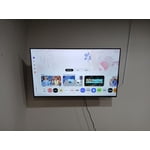
[This review was collected as part of a promotion.] I stream, watch movies, listen to music, use as monitor.

Review from Samsung US
Helpful?3CTS2O15ZY1416007408101