Skip to Main Content
Sam's Club
Sam's Club
All Departments
All Services
Customer reviews for SAMSUNG 65" Class S90FD Series 4K OLED Smart TV for
SAMSUNG 65" Class S90FD Series 4K OLED Smart TV
4.7 out of 5 stars
stars
703 ratings661 reviews
  1. 5 stars79% (558)
  2. 4 stars13% (93)
  3. 3 stars4% (27)
  4. 2 stars2% (15)
  5. 1 star1% (10)

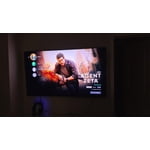
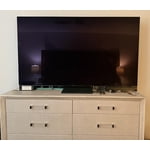
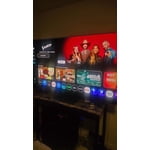
Member photos

  • +213 images
Sort by |
Showing 71-80 of 661 reviews
Oct 5, 2026
Reviewer name: Mike
5 out of 5 stars
5 out of 5 stars review

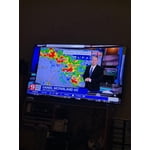
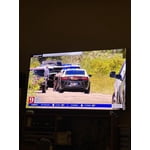
Great quality and astounding picture

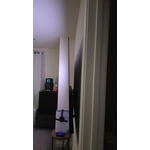
[This review was collected as part of a promotion.] Easy setup, astounding picture quality and a perfect fit for our streaming style. Love the edge to edge screen makes it the set look bigger that it is.

Review from Samsung US
Helpful?4UOK28GQVEHZ15549550113
Sep 28, 2026
Reviewer name: Aguilamilporcent
5 out of 5 stars
5 out of 5 stars review

Great features
[This review was collected as part of a promotion.] Excellent TV. Just one detail, the remote control doesn't work anymore. I probably need to buy a new one

Review from Samsung US
Helpful?4UOK28GQVEHZ15549550113
Oct 5, 2026
Reviewer name: Rocky
5 out of 5 stars
5 out of 5 stars review

Excellent Pict

[This review was collected as part of a promotion.] This is the first tv that I did not have to tweak the color, brightness, sharpness, etc. Came out of the box with a perfect picture.

Review from Samsung US
Helpful?4UOK28GQVEHZ15549550113
Sep 22, 2026
Reviewer name: Nelg586
5 out of 5 stars
5 out of 5 stars review

Awesome View

[This review was collected as part of a promotion.] The large screen is awesome for newer movies and TV shows. Watching TV shows and some movies from the 1950's and 1960's are hard to watch sometimes. Overall this is a great TV.

Review from Samsung US
Helpful?4UOK28GQVEHZ15549550113
Oct 5, 2026
Reviewer name: Georgy
5 out of 5 stars
5 out of 5 stars review

Everything great about this TV!

[This review was collected as part of a promotion.] This TV is Awesome! Great picture, vibrate colors, sound quality is to much! I won it at the company Christmas party! My company buys Samsung! I'm Blessed for it!

Review from Samsung US
Helpful?4UOK28GQVEHZ15549550113
Sep 22, 2026
Reviewer name: Dixiecolorful
5 out of 5 stars
5 out of 5 stars review

Great colors

[This review was collected as part of a promotion.] Like the colors. The contrast is also very good. Went fron 65 in LG OLED that was 10 yesrs old, difference is great. Uoscaling is also good, Operating system also good, very impressed with T.V

Review from Samsung US
Helpful?4UOK28GQVEHZ15549550113
Sep 12, 2026
Reviewer name: Applover
5 out of 5 stars
5 out of 5 stars review

Great tv

[This review was collected as part of a promotion.] The Picture is very clear and the apps work great. The set up was so easy my 9 year old was able to do it himself.

Review from Samsung US
Helpful?4UOK28GQVEHZ15549550113
Sep 20, 2026
Reviewer name: Benj
2 out of 5 stars
2 out of 5 stars review

Don't purchase this annoying tv

[This review was collected as part of a promotion.] TV comes on after turning it off. Video/audio has a lag that can't be adjusted. Disappointing as can be

Review from Samsung US
Helpful?4UOK28GQVEHZ15549550113
reply from Samsung Pro

Benj, Thanks for sharing your experience. If your TV is powering on by itself, there are a few settings and external triggers to review: 1. Power On with Mobile – Your TV may be connected to the SmartThings app or other networked devices. To stop wake signals, turn this feature off: Settings > All Settings > Connection > Network > Expert Settings > Power On with Mobile = Off 2. Check for Active Timers – Go to Settings > All Settings > General & Privacy > System Manager > Time > Timer Settings, then disable any On Timers or Sleep Timers 3. Anynet+ (HDMI-CEC) – If your TV is connected to external HDMI devices, one of them may be triggering power-on behavior. To disable this feature: Settings > All Settings > General & Privacy > External Device Manager > Anynet+ (HDMI-CEC) = Off 4. Software Update – Make sure your TV is up to date: Settings > Support > Software Update > Update Now If you’ve ruled out all the above and your TV still powers on unexpectedly, try unplugging it for 30 seconds. For optimal performance, please ensure your TV is running the latest firmware. You can check this by going to: Home > top directional key > Settings > Support > Software Update To further optimize performance, try running Device Care, which checks memory, clears unused cached data, and closes background apps: Home > top directional key > Settings > Support > Device Care > Start Device Care Should the issues continue, please call Samsung Support at 1-800-SAMSUNG (8AM – 9PM EST Mon – Fri, 8AM – 6PM Sat – Sun). LiveChat agents are also available by clicking the ‘Support’ link on our website. ~ Samsung Pro

Sep 21, 2026
Reviewer name: Amc73
5 out of 5 stars
5 out of 5 stars review

Outstanding picture

[This review was collected as part of a promotion.] The TV has been a great purchase. The screen brightness and contrast are outstanding. The picture is always clear and in focus.

Review from Samsung US
Helpful?4UOK28GQVEHZ15549550113
Sep 16, 2026
Reviewer name: Bem7717
5 out of 5 stars
5 out of 5 stars review

Great feature

[This review was collected as part of a promotion.] Samsung makes the best tv in the market place. And the Samsung tv plus channel saves me a lot of money and gives me a great selection of different programming.

Review from Samsung US
Helpful?4UOK28GQVEHZ15549550113