Skip to Main Content
Sam's Club
Sam's Club
All Departments
All Services
Customer reviews for SAMSUNG 65" Class S90FD Series 4K OLED Smart TV for
SAMSUNG 65" Class S90FD Series 4K OLED Smart TV
4.7 out of 5 stars
stars
703 ratings661 reviews
  1. 5 stars79% (558)
  2. 4 stars13% (93)
  3. 3 stars4% (27)
  4. 2 stars2% (15)
  5. 1 star1% (10)

Member photos

  • +213 images
Sort by |
Showing 61-70 of 661 reviews
Aug 25, 2026
Reviewer name: Jim
5 out of 5 stars
5 out of 5 stars review

Verified Purchase

Very clear picture

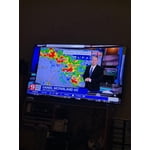
I've own(d) several Samsung TV's. This one is great! The picture is so clear!

Helpful?4UOK28GQVEHZ15549550113
Apr 4, 2026
Reviewer name: Timlat
5 out of 5 stars
5 out of 5 stars review

Verified Purchase

Great TV

Great TV my 10 year old Sony Bravia died. I knew I wanted an OLED. Thought my old TV had a good picture. This TV blows it away.

Helpful?4UOK28GQVEHZ15549550113
Sep 21, 2026
Reviewer name: Captain
5 out of 5 stars
5 out of 5 stars review

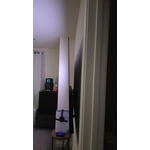
Light weight

[This review was collected as part of a promotion.] This TV is wonderful - crisp & clean all the way to the edges of the screen. Audio is excellent too.

Review from Samsung US
Helpful?4UOK28GQVEHZ15549550113
Oct 5, 2026
Reviewer name: Blondie68
5 out of 5 stars
5 out of 5 stars review

Beautiful picture quality!!!!

[This review was collected as part of a promotion.] Absolutely love our 83” oled….pocture mever ceases to amaze…it was a huge upgrade from our last set!!!

Review from Samsung US
Helpful?4UOK28GQVEHZ15549550113
Oct 5, 2026
Reviewer name: Tpatv
3 out of 5 stars
3 out of 5 stars review

Disappointed in quality

[This review was collected as part of a promotion.] I decided to get the OLED since it was supposed to be the best. The picture is not as clear as I thought it would be or as sharp. Disappointed in the overall quality

Review from Samsung US
Helpful?4UOK28GQVEHZ15549550113
Sep 28, 2026
Reviewer name: Aguilamilporcent
5 out of 5 stars
5 out of 5 stars review

Great features
[This review was collected as part of a promotion.] Excellent TV. Just one detail, the remote control doesn't work anymore. I probably need to buy a new one

Review from Samsung US
Helpful?4UOK28GQVEHZ15549550113
Sep 20, 2026
Reviewer name: JF cwnut
5 out of 5 stars
5 out of 5 stars review

The picture quality is what it's about.

[This review was collected as part of a promotion.] Amazing picture quality! After much research I went with the 65" Class OLED S90FD. The speakers are a bit weak so recommend getting a soundbar/sibwoofer.

Review from Samsung US
Helpful?4UOK28GQVEHZ15549550113
Sep 20, 2026
Reviewer name: willmice
5 out of 5 stars
5 out of 5 stars review

Best TV I've owned!
[This review was collected as part of a promotion.] Great television! The picture quality is amazing. It's nice and bright and viewable from any angle. The remote is simple and responds quickly.

Review from Samsung US
Helpful?4UOK28GQVEHZ15549550113
Sep 20, 2026
Reviewer name: Benj
2 out of 5 stars
2 out of 5 stars review

Don't purchase this annoying tv

[This review was collected as part of a promotion.] TV comes on after turning it off. Video/audio has a lag that can't be adjusted. Disappointing as can be

Review from Samsung US
Helpful?4UOK28GQVEHZ15549550113
reply from Samsung Pro

Benj, Thanks for sharing your experience. If your TV is powering on by itself, there are a few settings and external triggers to review: 1. Power On with Mobile – Your TV may be connected to the SmartThings app or other networked devices. To stop wake signals, turn this feature off: Settings > All Settings > Connection > Network > Expert Settings > Power On with Mobile = Off 2. Check for Active Timers – Go to Settings > All Settings > General & Privacy > System Manager > Time > Timer Settings, then disable any On Timers or Sleep Timers 3. Anynet+ (HDMI-CEC) – If your TV is connected to external HDMI devices, one of them may be triggering power-on behavior. To disable this feature: Settings > All Settings > General & Privacy > External Device Manager > Anynet+ (HDMI-CEC) = Off 4. Software Update – Make sure your TV is up to date: Settings > Support > Software Update > Update Now If you’ve ruled out all the above and your TV still powers on unexpectedly, try unplugging it for 30 seconds. For optimal performance, please ensure your TV is running the latest firmware. You can check this by going to: Home > top directional key > Settings > Support > Software Update To further optimize performance, try running Device Care, which checks memory, clears unused cached data, and closes background apps: Home > top directional key > Settings > Support > Device Care > Start Device Care Should the issues continue, please call Samsung Support at 1-800-SAMSUNG (8AM – 9PM EST Mon – Fri, 8AM – 6PM Sat – Sun). LiveChat agents are also available by clicking the ‘Support’ link on our website. ~ Samsung Pro

Sep 21, 2026
Reviewer name: Timk
5 out of 5 stars
5 out of 5 stars review

Great TV

[This review was collected as part of a promotion.] Enjoy this tv very much, an love the interface. Its easy to switch between apps. Also the battery is rechargeable, no low batteries.

Review from Samsung US
Helpful?4UOK28GQVEHZ15549550113