Skip to Main Content
Sam's Club
Sam's Club
All Departments
All Services
Customer reviews for SAMSUNG 55" Class U8000F Series 4K Crystal UHD Smart TV for
SAMSUNG 55" Class U8000F Series 4K Crystal UHD Smart TV
4.5 out of 5 stars
stars
1,441 ratings1,372 reviews
  1. 5 stars74% (1,064)
  2. 4 stars15% (218)
  3. 3 stars5% (77)
  4. 2 stars3% (40)
  5. 1 star3% (42)

Member photos

  • +366 images
Sort by |
Showing 561-570 of 1,372 reviews
Jun 11, 2026
Mzboss
5 out of 5 stars review

Great features
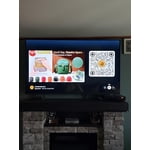
[This review was collected as part of a promotion.] Great prices for such a nice tv. Good picture and sound

Review from Samsung US
Helpful?43WYLKDSIONN15546751433
Jun 10, 2026
Samiba175
5 out of 5 stars review

Looks great

[This review was collected as part of a promotion.] Great product love it, color is amazing and so vivid

Review from Samsung US
Helpful?43WYLKDSIONN15546751433
Jun 22, 2026
Donald
5 out of 5 stars review

Great features!

[This review was collected as part of a promotion.] Helpful tips focus on maintaining and updating, contrast and picture

Review from Samsung US
Helpful?43WYLKDSIONN15546751433
Jun 5, 2026
Burnout
5 out of 5 stars review

Nice features

[This review was collected as part of a promotion.] No feedback . Good purchase price for the money and value

Review from Samsung US
Helpful?43WYLKDSIONN15546751433
Jun 20, 2026
dougdude
5 out of 5 stars review

Good color

I would say the TV works as advertised; it was a little difficult setting up the cox remote, but all is good now.

Review from Samsung US
Helpful?43WYLKDSIONN15546751433
Jun 5, 2026
Tony
5 out of 5 stars review

Great features.

[This review was collected as part of a promotion.] TV is simple to navigate and picture settings are pretty good. Set is fairly priced as well.

Review from Samsung US
Helpful?43WYLKDSIONN15546751433
Jun 2, 2026
Ruckus
5 out of 5 stars review

Excellent value

[This review was collected as part of a promotion.] Great product the picture quality is great. I enjoy watching sports, shows, and movies on It

Review from Samsung US
Helpful?43WYLKDSIONN15546751433
Jun 5, 2026
Daniel
3 out of 5 stars review

Screen freezes quite a bit

[This review was collected as part of a promotion.] Screen freezes quite a bit Need to turn the tv off to clear it

Review from Samsung US
Helpful?43WYLKDSIONN15546751433
reply from Samsung Advisor

Hi Daniel, We appreciate your feedback. For optimal performance, please ensure your TV is running the latest firmware. You can check this by going to: Home > left directional key > Settings > Support > Software Update To further optimize performance, try running Device Care, which checks memory, clears unused cached data, and closes background apps: Home > left directional key > Settings > Support > Device Care > Start Device Care If issues continue, please reach Samsung Support at 1-800-SAMSUNG (8AM – 9PM EST Mon – Fri, 8AM – 6PM Sat – Sun). LiveChat is also available via the ‘Support’ link on our website. ~ Samsung Advisor

Jun 1, 2026
Television
3 out of 5 stars review

Samsung

[This review was collected as part of a promotion.] It was easy to connect to my phone. I wish it could have been more voice activated

Review from Samsung US
Helpful?43WYLKDSIONN15546751433
reply from Samsung Advisor

Hi Television, Thank you for sharing your review. Your TV Works With Alexa, meaning you’ll need to connect a standalone Alexa device such as an Echo speaker, to control compatible smart home devices and some experiences on your TV. Here are the steps: 1. Download both the Amazon Alexa and Samsung SmartThings apps, if you don't already have them. Both are available for iOS or Android devices. 2. Make sure your Alexa device and TV are both connected to the same Wi-Fi network. 3. Your TV must be enabled within the SmartThings app. If not, make sure you are signed in with your Samsung account on the TV: Settings > All Settings > Samsung Account 4. Log in to the SmartThings app with the same Samsung account. Tap Devices, and if your TV isn’t already shown, tap + to add it to the app. 5. In the Alexa app, enable the SmartThings skill and sign into your Samsung account. This will automatically connect your Samsung TV to Alexa and let you use voice commands to control your television. If you need more help, we’re here. Give us a call at 1-800-SAMSUNG, available daily from 8AM - 9PM EST Monday - Friday, and 8AM - 6PM Saturday and Sunday. You can also visit the Samsung website and click on ‘Support’ for: • Live Chat • Manuals, Software, & Warranty Info ~Samsung Advisor

Jun 5, 2026
Claude
5 out of 5 stars review

Great tv's

[This review was collected as part of a promotion.] I have four Samsung TV's. It is the only brand I will own

Review from Samsung US
Helpful?43WYLKDSIONN15546751433